
1. పరిచయం
This instruction manual provides essential information for the safe and effective use of your Wera Kraftform Kompakt 10 Bitholder and Bit Set. Please read this manual thoroughly before operating the tool and retain it for future reference.
2. ఉత్పత్తి ముగిసిందిview
The Wera Kraftform Kompakt 10 is a compact 10-piece tool set designed for various screwdriving applications. It features an ergonomic handle, a quick-release bit holder, and a selection of durable torsion bits, all housed in a portable plastic case.
2.1 భాగాలు
- Kraftform Bitholder: Ergonomically designed handle with a Rapidaptor quick-release chuck.
- Torsion Bits: 9 bits manufactured at 57 HrC for improved service life. Includes Slotted, Phillips, Pozidriv, and TORX profiles.
- Compact Plastic Casing: For convenient transport and storage of the handle and bits.

Figure 1: Wera Kraftform Kompakt 10 Bitholder and Bit Set (Closed)

Figure 2: Wera Kraftform Kompakt 10 Bitholder and Bit Set (Open)

Figure 3: Ergonomic Kraftform Handle

Figure 4: Rapidaptor Quick-Release Chuck Mechanism
2.2 ఉత్పత్తి ముగిసిందిview వీడియో
వీడియో 1: అధికారిక ఉత్పత్తి ముగిసిందిview. This video demonstrates the Wera Kraftform Kompakt 10 set, including opening the case and changing bits.
3. సెటప్
To begin using your Wera Kraftform Kompakt 10 set, follow these steps:
- కేసును తెరవండి: Gently slide the two halves of the plastic case apart to reveal the bitholder and bits.
- Remove Bitholder: Lift the Kraftform bitholder from its designated slot in the case.
- ఒక బిట్ ఎంచుకోండి: Choose the appropriate torsion bit for your application from the bit holder.
- బిట్ చొప్పించు: Push the selected bit into the Rapidaptor quick-release chuck until it clicks securely into place. The quick-release mechanism allows for one-handed bit insertion.
- బిట్ తొలగించు: To remove a bit, simply push the green collar of the Rapidaptor chuck forward, and the bit will release.

Figure 5: Bits in Storage
4. ఆపరేటింగ్ సూచనలు
The Wera Kraftform Kompakt 10 is designed for efficient and comfortable screwdriving. Its ergonomic handle ensures high-speed torque transfer and comfort during use.
- సాధనాన్ని సిద్ధం చేయండి: Ensure the correct bit is securely inserted into the Rapidaptor chuck.
- బిట్ను ఉంచండి: బిట్ యొక్క కొనను స్క్రూ తలలోకి చొప్పించండి.
- ఒత్తిడిని వర్తింపజేయండి మరియు తిప్పండి: Apply firm, steady pressure to the handle and turn clockwise to tighten, or counter-clockwise to loosen. The Kraftform handle's hard and soft zones provide optimal grip and comfort.
- బిట్ మార్పులు: Utilize the Rapidaptor chuck for quick and easy bit changes as needed for different screw types or sizes.

Figure 6: Tool in Use
5. నిర్వహణ
Proper maintenance ensures the longevity and performance of your Wera Kraftform Kompakt 10 set.
- శుభ్రపరచడం: Wipe the handle and bits with a clean, dry cloth after each use to remove dirt, grease, or debris.
- నిల్వ: Always store the bitholder and bits in their compact plastic casing to protect them from damage and loss. Store in a dry environment.
- తనిఖీ: Periodically inspect bits for wear or damage. Replace worn bits to maintain optimal performance and prevent damage to fasteners.
6. ట్రబుల్షూటింగ్
If you encounter issues with your Wera Kraftform Kompakt 10 set, consider the following:
- Bit Not Holding Securely: Ensure the bit is fully inserted into the Rapidaptor chuck until it clicks. Check for any debris obstructing the mechanism. If the issue persists, the chuck mechanism may be worn.
- Difficulty Changing Bits: Ensure the green collar of the Rapidaptor chuck is pushed fully forward when attempting to remove a bit. If bits are stiff, a small amount of lubricant can be applied to the chuck mechanism (avoiding the bit tip).
- Stripping Screws: Ensure you are using the correct bit type and size for the screw head. Apply adequate downward pressure to prevent cam-out. Worn bits can also cause stripping; replace as necessary.
7. స్పెసిఫికేషన్లు
| ఫీచర్ | వివరాలు |
|---|---|
| మోడల్ సంఖ్య | 05056653001 |
| బ్రాండ్ | వేరా |
| ముక్కల సంఖ్య | 10 (1 bitholder, 9 bits) |
| బిట్ రకాలు చేర్చబడ్డాయి | 2 TZ Slotted (1/8”, 7/32”), 2 TZ Phillips (PH1, PH2), 2 TZ Pozidriv (PZ1, PZ2), 3 TZ TORX (TX10, TX15, TX20) |
| హ్యాండిల్ రకం | Kraftform with Rapidaptor Quick-Release Chuck |
| Bit Material Hardness | 57 HrC |
| ఉత్పత్తి కొలతలు | 2.95 x 0.2 x 7.09 అంగుళాలు |
| వస్తువు బరువు | 4.64 ఔన్సులు |
| కేస్ మెటీరియల్ | ప్లాస్టిక్ |
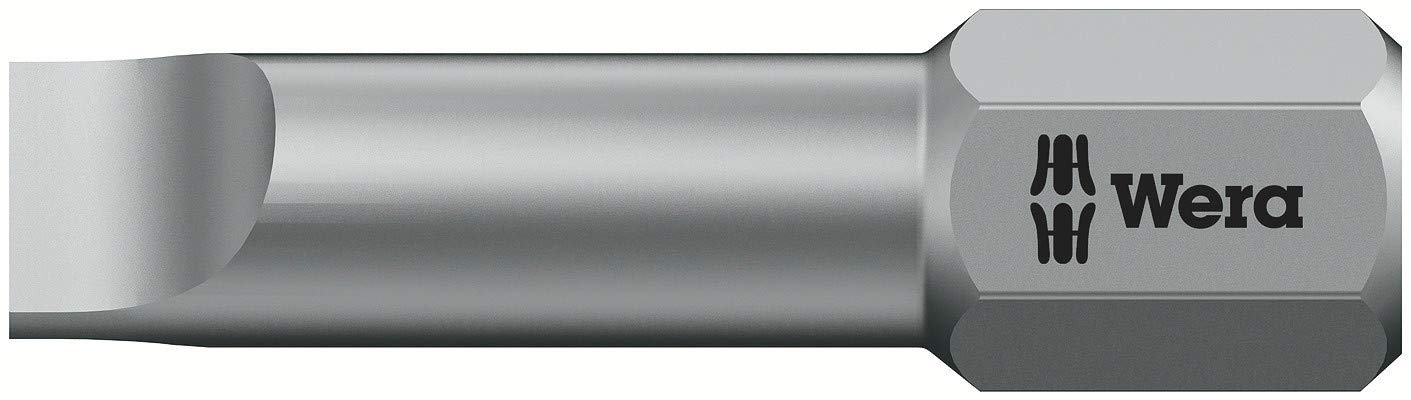
Figure 7: Packaging Details (Bit Types and Code)
8. వారంటీ మరియు మద్దతు
The Wera Kraftform Kompakt 10 Bitholder and Bit Set comes with a పరిమిత జీవితకాల వారంటీ, ensuring quality and durability. For warranty claims, technical support, or further assistance, please contact Wera customer service through their official webసైట్ లేదా అధీకృత పంపిణీదారులు.
For more information, visit the official Wera webసైట్: www.wera.de