
1. పరిచయం
This manual provides essential information for the safe and effective use of Maxell CR2016 Lithium Coin Cell Batteries. Please read these instructions carefully before use and retain them for future reference. Maxell CR2016 batteries are designed to provide reliable power for a variety of small electronic devices.
2. ఉత్పత్తి ముగిసిందిview
The Maxell CR2016 is a 3-volt lithium coin cell battery, known for its compact size and stable power output. It is commonly used in devices such as watches, calculators, key fobs, remote controls, and other small electronics requiring a reliable, long-lasting power source.

Image 2.1: Maxell CR2016 Lithium Coin Cell Batteries in a 5-pack blister packaging.
ముఖ్య లక్షణాలు:
- అధిక శక్తి & నిరంతర సంపుటిtagఇ సరఫరా: Ensures consistent and stable power delivery.
- లాంగ్ షెల్ఫ్ లైఫ్: Designed for extended storage without significant power loss.
- Ideal Temperature Resistance: Maintains performance across a range of operating temperatures.
- Superior Storage Capacity: అందిస్తుంది ample power for small electronic devices.
- Maxell Durability and Engineering: Built to Maxell's quality standards for reliability.
3. సంస్థాపన మరియు భర్తీ
Always refer to your device's instruction manual for specific battery replacement procedures. The following are general guidelines:
- బ్యాటరీ కంపార్ట్మెంట్ను గుర్తించండి: Locate the battery compartment on your electronic device. This often requires a small screwdriver or a specific tool to open.
- పాత బ్యాటరీని తీసివేయండి: Carefully remove the depleted battery. Note its orientation (positive (+) and negative (-) terminals).
- కొత్త బ్యాటరీని చొప్పించండి: Insert the new Maxell CR2016 battery, ensuring the positive (+) side faces the correct direction as indicated by your device. The positive side is typically marked on the battery itself.
- సురక్షిత కంపార్ట్మెంట్: బ్యాటరీ కంపార్ట్మెంట్ను సురక్షితంగా మూసివేయండి.

చిత్రం 3.1: క్లోజప్ view of a single Maxell CR2016 battery, highlighting the positive (+) terminal and manufacturing origin.
Important: Ensure correct polarity (+/-) when inserting the battery. Incorrect insertion can damage the device or the battery.
4. ఆపరేటింగ్ సూచనలు
Once correctly installed, the Maxell CR2016 battery will power your compatible electronic device. No specific operating steps are required for the battery itself. The device will draw power as needed. If your device does not power on after battery installation, refer to the Troubleshooting section.
5. నిర్వహణ మరియు నిల్వ
To ensure optimal performance and longevity of your Maxell CR2016 batteries:
- ఉపయోగించని బ్యాటరీలను వాటి అసలు ప్యాకేజింగ్లో చల్లని, పొడి ప్రదేశంలో, ప్రత్యక్ష సూర్యకాంతి మరియు తీవ్రమైన ఉష్ణోగ్రతలకు దూరంగా నిల్వ చేయండి.
- Avoid storing batteries with metal objects (e.g., coins, keys) to prevent short-circuiting.
- Do not remove batteries from devices if they are not going to be used for an extended period, unless specified by the device manufacturer.
6. ట్రబుల్షూటింగ్
If your device is not functioning after installing a new Maxell CR2016 battery, consider the following:
- ధ్రువణతను తనిఖీ చేయండి: బ్యాటరీ సరైన పాజిటివ్ (+) మరియు నెగటివ్ (-) ఓరియంటేషన్తో చొప్పించబడిందని నిర్ధారించుకోండి.
- Verify Battery Type: Confirm that CR2016 is the correct battery type for your device.
- సురక్షిత కనెక్షన్: Make sure the battery is seated firmly in its compartment and making proper contact with the terminals.
- పరికరం పనిచేయకపోవడం: If the battery is correctly installed and the device still does not work, the issue may lie with the device itself. Consult the device's manual or manufacturer.
7. స్పెసిఫికేషన్లు
| గుణం | వివరాలు |
|---|---|
| బ్రాండ్ | మాక్సెల్ |
| మోడల్ సంఖ్య | CR2016 |
| బ్యాటరీ రకం | లిథియం కాయిన్ సెల్ |
| వాల్యూమ్tage | 3 వోల్ట్లు |
| బ్యాటరీ సెల్ కంపోజిషన్ | లిథియం |
| వస్తువు బరువు | 0.071 ounces (per battery, approximate) |
| ఉత్పత్తి కొలతలు (ప్యాకేజింగ్) | 0.2 x 5.51 x 1.97 అంగుళాలు |
| సిఫార్సు చేసిన ఉపయోగాలు | Watches, Calculators, Key Fobs, Small Electronics |
8. భద్రతా సమాచారం మరియు హెచ్చరికలు
WARNING: FIRE AND BURN HAZARD. DO NOT RECHARGE, DISASSEMBLE, HEAT ABOVE 212°F (100°C) OR INCINERATE. KEEP BATTERY OUT OF REACH OF CHILDREN AND IN ORIGINAL PACKAGE UNTIL READY TO USE. DISPOSE OF USED BATTERIES PROMPTLY. SWALLOWING CAN LEAD TO CHEMICAL BURNS, PERFORATION OF SOFT TISSUE, AND DEATH. SEVERE BURNS CAN OCCUR WITHIN 2 HOURS OF INGESTION. IF SWALLOWED, SEEK MEDICAL ATTENTION IMMEDIATELY.
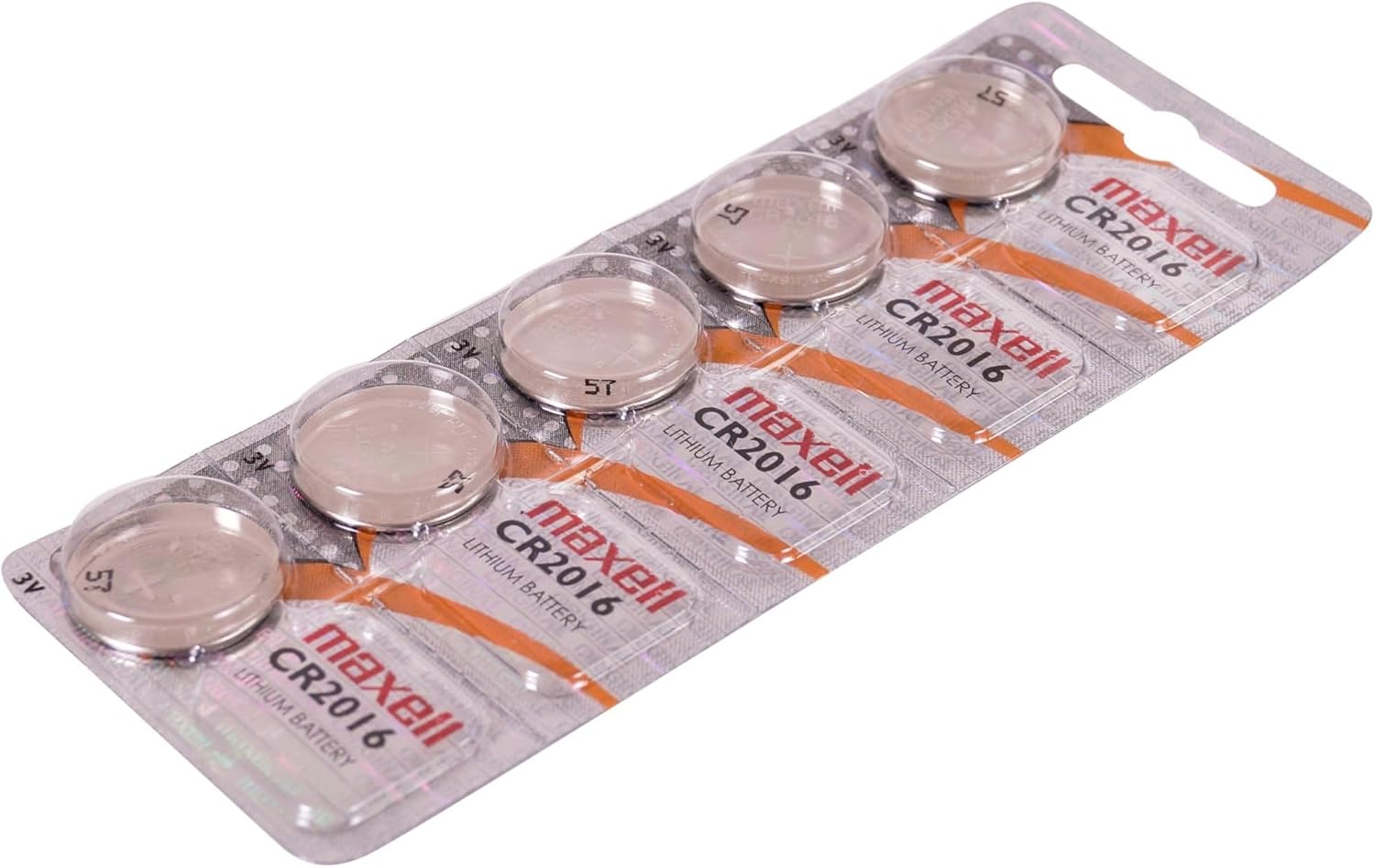
Image 8.1: Packaging reverse side displaying critical safety warnings and usage guidelines.
అదనపు భద్రతా జాగ్రత్తలు:
- Always supervise children around devices containing coin cell batteries.
- Store new and used batteries securely, out of reach of children.
- If a battery is swallowed, seek immediate medical attention. Call a poison control center.
- పాత మరియు కొత్త బ్యాటరీలు లేదా వివిధ రకాల బ్యాటరీలను కలపవద్దు.
- బ్యాటరీలను నీరు లేదా అగ్నికి బహిర్గతం చేయవద్దు.
9. పారవేయడం సమాచారం
Proper disposal of used batteries is crucial for environmental protection and safety. Dispose of used batteries promptly and responsibly.
- గృహ వ్యర్థాలలో బ్యాటరీలను పారవేయవద్దు.
- Recycle batteries at designated collection points or according to local regulations. Many retailers and community centers offer battery recycling programs.
- To prevent short circuits during disposal, it is recommended to tape the terminals of used batteries.
10. వారంటీ మరియు మద్దతు
Specific warranty information for Maxell CR2016 batteries is typically provided with the product packaging or available on the official Maxell website. For product support or inquiries, please visit the official Maxell webసైట్ లేదా వారి కస్టమర్ సేవా విభాగాన్ని సంప్రదించండి.
మరిన్ని వివరాలకు, మీరు సందర్శించవచ్చు Maxell Store on Amazon.