
1. పరిచయం
This manual provides essential instructions for the safe and efficient operation, setup, and maintenance of your Ohaus ES50R ES Industrial Bench Scale. The Ohaus ES50R is designed for industrial weighing applications, offering a capacity of 50 kg (110 lb) with a readability of 20 g (0.05 lb). Please read this manual thoroughly before using the scale to ensure proper functionality and to prevent damage.
2. భద్రతా సమాచారం
కింది భద్రతా జాగ్రత్తలను ఎల్లప్పుడూ గమనించండి:
- Do not overload the scale beyond its maximum capacity of 50 kg (110 lb).
- Ensure the scale is placed on a stable, level surface to achieve accurate readings.
- Operate the scale only with the specified 120 V power supply.
- స్కేల్ను తీవ్రమైన ఉష్ణోగ్రతలు, తేమ లేదా ప్రత్యక్ష సూర్యకాంతికి గురిచేయకుండా ఉండండి.
- స్కేల్ను నీటిలో లేదా ఇతర ద్రవాలలో ముంచవద్దు.
- Keep the scale clean and free from dust and debris.
- Only qualified personnel should perform repairs or maintenance beyond routine cleaning.
3. ప్యాకేజీ విషయాలు
అన్ప్యాక్ చేసేటప్పుడు అన్ని భాగాలు ఉన్నాయని నిర్ధారించుకోండి:
- Ohaus ES50R ES Industrial Bench Scale unit
- Power Adapter (for 120 V operation)
- వినియోగదారు మాన్యువల్ (ఈ పత్రం)
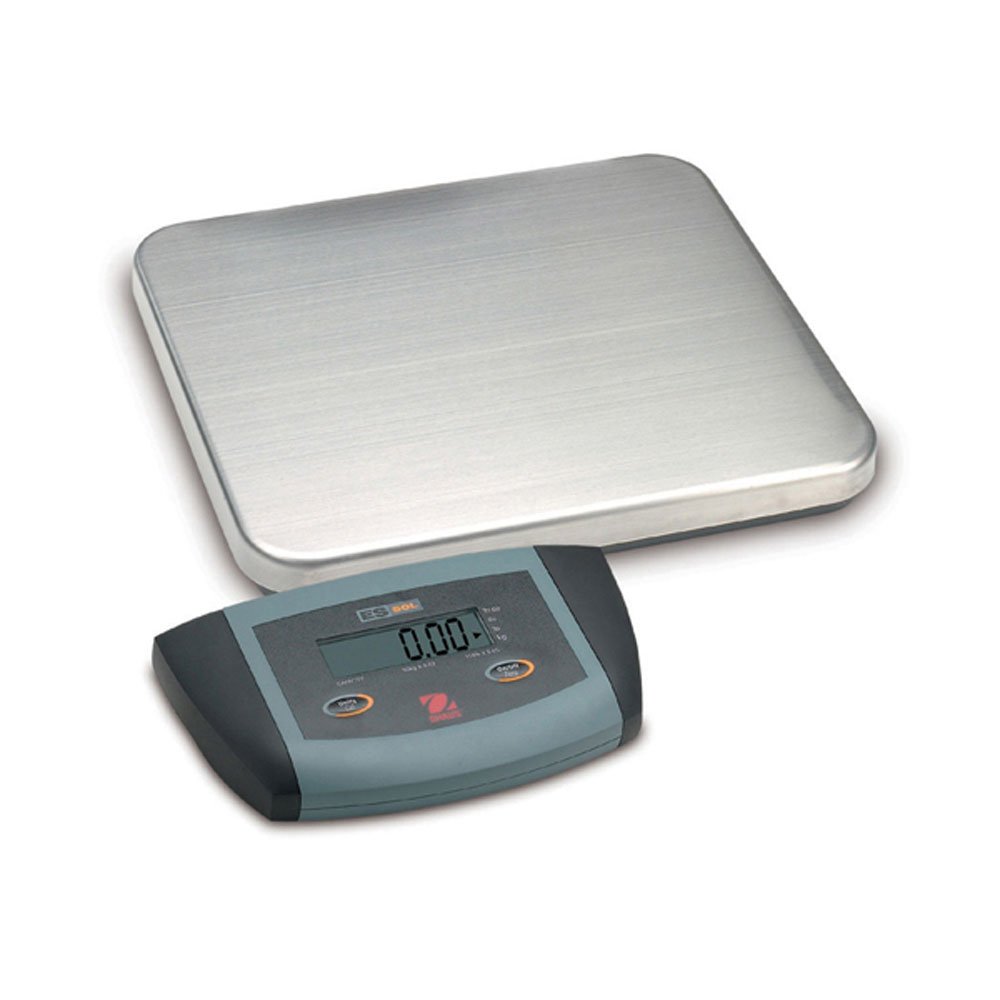
మూర్తి 1: Ohaus ES50R ES Industrial Bench Scale. This image shows the complete bench scale unit, including the weighing platform and the display unit.
4. సెటప్
- అన్ప్యాకింగ్: ప్యాకేజింగ్ నుండి అన్ని భాగాలను జాగ్రత్తగా తొలగించండి. భవిష్యత్తులో రవాణా లేదా నిల్వ కోసం ప్యాకేజింగ్ను ఉంచండి.
- ప్లేస్మెంట్: Place the scale on a firm, level, and stable surface, free from vibrations, drafts, and rapid temperature changes. Ensure adequate space around the scale for safe operation.
- పవర్ కనెక్షన్: Connect the power adapter to the scale's power input port. Plug the adapter into a standard 120 V AC power outlet.
- ప్రారంభ పవర్ ఆన్: నొక్కండి ఆన్/ఆఫ్ button to power on the scale. The display will perform a self-test and then show "0.00" or "0.0".
- లెవలింగ్: If your scale includes adjustable feet, rotate them until the bubble in the spirit level (if present) is centered.
5. ఆపరేటింగ్ సూచనలు
5.1 ప్రాథమిక బరువు
- Ensure the scale is powered on and the display shows "0.00" or "0.0".
- Place the item to be weighed gently in the center of the weighing platform.
- Wait for the display to stabilize. The stable weight reading will be shown on the large LCD display.
- Remove the item from the platform. The display should return to zero.
5.2 తారే ఫంక్షన్
The tare function allows you to subtract the weight of a container, so only the net weight of the contents is displayed.
- బరువు వేసే వేదికపై ఖాళీ పాత్రను ఉంచండి.
- నొక్కండి తారే button. The display will reset to "0.00" or "0.0", indicating the container's weight has been tared.
- తూకం వేయవలసిన పదార్థాన్ని కంటైనర్లో కలపండి. డిస్ప్లే పదార్థం యొక్క నికర బరువును చూపుతుంది.
- To clear the tare, remove the container from the platform and press the తారే మళ్ళీ బటన్.
5.3 ప్రత్యేక లక్షణాలు
- ఆటో షట్ ఆఫ్: The scale is equipped with an auto shut-off feature to conserve power. If no activity is detected for a set period, the scale will automatically turn off.
- పెద్ద ప్రదర్శన: The LCD display provides clear and easy-to-read weight indications.
- మాన్యువల్ షట్డౌన్: To manually turn off the scale, press and hold the ఆన్/ఆఫ్ డిస్ప్లే ఆఫ్ అయ్యే వరకు బటన్.
6. నిర్వహణ
6.1 శుభ్రపరచడం
To maintain accuracy and prolong the life of your scale:
- Disconnect the scale from the power supply before cleaning.
- Wipe the scale surfaces with a damp వస్త్రం మరియు తేలికపాటి డిటర్జెంట్.
- రాపిడి క్లీనర్లు, ద్రావకాలు లేదా కఠినమైన రసాయనాలను ఉపయోగించవద్దు.
- Ensure no liquid enters the scale's internal components.
- Dry the scale thoroughly after cleaning.
6.2 క్రమాంకనం
Regular calibration ensures the accuracy of your scale. Refer to the full technical manual or contact Ohaus customer support for detailed calibration procedures. Calibration typically requires certified weights.
7. ట్రబుల్షూటింగ్
| సమస్య | సాధ్యమైన కారణం | పరిష్కారం |
|---|---|---|
| స్కేల్ ఆన్ చేయబడదు. | No power supply; faulty power adapter. | Check power connection and outlet. Ensure power adapter is functioning correctly. |
| సరికాని రీడింగ్లు. | Scale not level; unstable surface; overload; calibration required. | Ensure scale is level and on a stable surface. Do not exceed capacity. Perform calibration if necessary. |
| Display shows "Err" or error code. | ఓవర్లోడ్; అంతర్గత పనిచేయకపోవడం. | Remove weight from platform. If error persists, power cycle the scale. If still present, contact customer support. |
| Auto shut-off too soon/not at all. | Auto shut-off settings. | Refer to the full technical manual for adjusting auto shut-off settings, if available. |
8. స్పెసిఫికేషన్లు
| ఫీచర్ | వివరాలు |
|---|---|
| మోడల్ | ES50R |
| బ్రాండ్ | ఓహాస్ |
| కెపాసిటీ | 50 kg / 110 lb |
| చదవదగినది | 20 గ్రా / 0.05 పౌండ్లు |
| ప్రదర్శన రకం | LCD (Large Display) |
| ప్రత్యేక లక్షణాలు | Auto Shut Off, Manual Shutdown |
| ఫారమ్ ఫ్యాక్టర్ | బెంచ్ స్కేల్ |
| విద్యుత్ సరఫరా | 120 V AC (via adapter) |
| ఉత్పత్తి కొలతలు | 15 x 13 x 5.5 అంగుళాలు |
| వస్తువు బరువు | 9.64 పౌండ్లు |
| తయారీదారు | కోల్-పార్మర్ |
9. వారంటీ
The Ohaus ES50R ES Industrial Bench Scale comes with a 1 సంవత్సరాల వారంటీ from the date of purchase. This warranty covers defects in materials and workmanship under normal use. It does not cover damage resulting from misuse, accident, unauthorized modification, or operation outside the specified environmental and electrical limits. For warranty claims, please retain your proof of purchase and contact Ohaus customer support.
10. కస్టమర్ మద్దతు
For technical assistance, service, or to inquire about replacement parts, please contact Ohaus customer support. Visit the official Ohaus webఅత్యంత తాజా సంప్రదింపు సమాచారం మరియు అదనపు వనరుల కోసం సైట్.
గమనిక: Always provide your product model number (ES50R) and serial number (if applicable) when contacting support.