
CAD Audio AMS-U7
CAD Audio USB U7 Boundary Omnidirectional Condenser Microphone User Manual
Model: AMS-U7
పరిచయం
The CAD Audio USB U7 Boundary Omnidirectional Condenser Microphone is designed for clear audio capture in various settings, including home and office use. Its omnidirectional pickup pattern ensures 360-degree coverage, making it ideal for dictation, online meetings, and recording. This plug-and-play device offers high sensitivity and is compatible with both PC and Mac systems.

మూర్తి 1: ముందు view of the CAD Audio USB U7 microphone with its USB cable connected, showcasing its compact, triangular design.
భద్రతా సమాచారం
- మైక్రోఫోన్ను తీవ్రమైన ఉష్ణోగ్రతలు లేదా తేమకు గురిచేయవద్దు.
- మైక్రోఫోన్ను పడవేయడం లేదా తీవ్రమైన ప్రభావాలకు గురిచేయడం మానుకోండి.
- విద్యుత్ షాక్ లేదా నష్టాన్ని నివారించడానికి పరికరాన్ని ద్రవాలకు దూరంగా ఉంచండి.
- Use only the provided USB cable or a compatible replacement.
- Do not attempt to disassemble or modify the microphone. Refer all servicing to qualified personnel.
ప్యాకేజీ విషయాలు
మీ ప్యాకేజీలో అన్ని అంశాలు ఉన్నాయని ధృవీకరించండి:
- CAD Audio USB U7 Boundary Omnidirectional Condenser Microphone
- 10-అడుగుల USB కేబుల్
సెటప్
The CAD Audio USB U7 microphone is designed for simple plug-and-play operation. No additional drivers are typically required for most operating systems.
- ప్లేస్మెంట్: Place the microphone on a flat, stable surface, such as a desk or conference table. Its low-profile design allows for unobtrusive placement.
- USB కేబుల్ని కనెక్ట్ చేయండి: Insert the small end of the included 10-foot USB cable into the USB port on the microphone.
- కంప్యూటర్కు కనెక్ట్ చేయండి: Insert the standard USB-A end of the cable into an available USB port on your PC or Mac computer.
- సిస్టమ్ గుర్తింపు: Your computer's operating system should automatically detect and install the necessary drivers for the microphone. A blue LED indicator on the microphone will illuminate when it is powered and ready for use.
- Select as Input Device:
- విండోస్: వెళ్ళండి సౌండ్ సెట్టింగ్లు > ఇన్పుట్ and select "CAD Audio USB U7" or similar as your input device.
- MacOS: వెళ్ళండి సిస్టమ్ ప్రాధాన్యతలు > ధ్వని > ఇన్పుట్ and select "CAD Audio USB U7" or similar.

చిత్రం 2: పై నుండి క్రిందికి view of the CAD Audio USB U7 microphone, highlighting its triangular shape and the USB connection point.
ఆపరేటింగ్ సూచనలు
The U7 microphone is designed for optimal performance in various audio capture scenarios.
- ఓమ్నిడైరెక్షనల్ పికప్: The microphone features an omnidirectional pickup pattern, meaning it captures sound equally from all directions (360 degrees). This makes it suitable for recording multiple speakers around a table or capturing ambient sound.
- Speech Tailored Frequency Response: The U7's frequency response is specifically tailored for speech, ensuring clear and intelligible voice capture for dictation, online meetings, and voiceovers.
- అప్లికేషన్ ఉపయోగం: Once connected and selected as your input device, the microphone will work with any audio recording or communication software (e.g., Skype, Zoom, Microsoft Teams, voice recorders, dictation software).
- మానిటరింగ్ ఆడియో: Most software applications allow you to monitor the microphone's input level. Adjust the input gain within your software settings to prevent clipping (distortion) or ensure adequate volume.
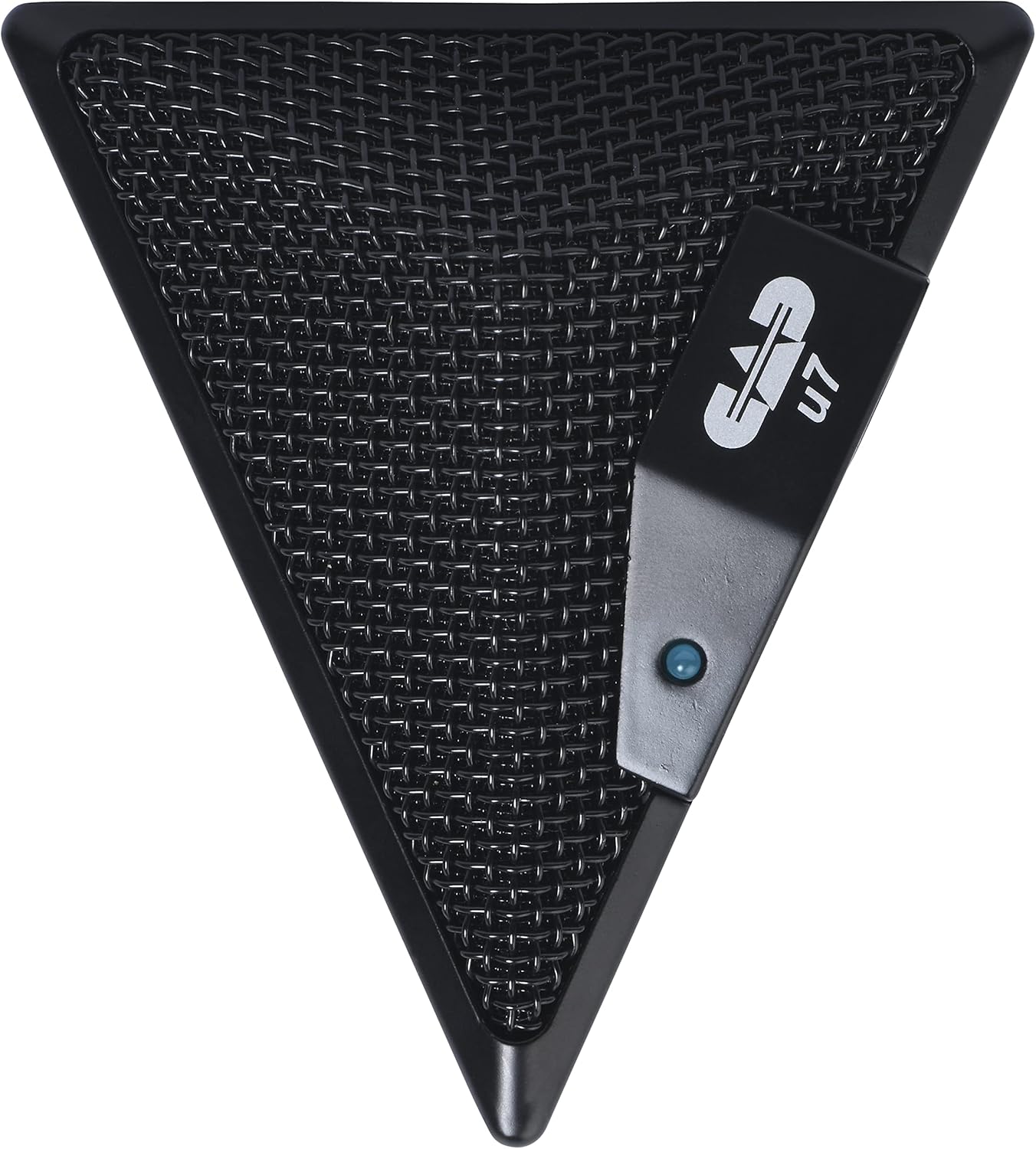
Figure 3: An overhead perspective of the CAD Audio USB U7 microphone, showing its mesh grille and the CAD U7 logo.
నిర్వహణ
- శుభ్రపరచడం: Use a soft, dry cloth to clean the exterior of the microphone. Do not use abrasive cleaners, solvents, or chemical sprays.
- నిల్వ: When not in use, store the microphone in a clean, dry environment, away from dust and extreme temperatures.
- కేబుల్ కేర్: అంతర్గత నష్టాన్ని నివారించడానికి USB కేబుల్లో పదునైన వంపులు లేదా కింక్స్లను నివారించండి.
ట్రబుల్షూటింగ్
| సమస్య | సాధ్యమైన కారణం | పరిష్కారం |
|---|---|---|
| Microphone not detected / No sound input |
|
|
| తక్కువ వాల్యూమ్ లేదా పేలవమైన ధ్వని నాణ్యత |
|
|
| వక్రీకృత ఆడియో |
|
|
స్పెసిఫికేషన్లు
| మోడల్ పేరు | CAD Audio U7 |
| అంశం మోడల్ సంఖ్య | AMS-U7 |
| కనెక్టివిటీ టెక్నాలజీ | USB |
| కనెక్టర్ రకం | USB |
| ధ్రువ నమూనా | ఓమ్నిడైరెక్షనల్ |
| మైక్రోఫోన్ ఫారమ్ ఫ్యాక్టర్ | మైక్రోఫోన్ మాత్రమే |
| హార్డ్వేర్ ప్లాట్ఫారమ్ | PC, Mac compatible |
| వస్తువు బరువు | 9.6 ఔన్సులు (సుమారు 272 గ్రాములు) |
| ఉత్పత్తి కొలతలు (L x W x H) | 6.2 x 8.5 x 3 అంగుళాలు (సుమారు 15.7 x 21.6 x 7.6 సెం.మీ) |
| మెటీరియల్ | ప్లాస్టిక్, మెటల్ |
| సిగ్నల్-టు-శబ్ద నిష్పత్తి | 78 డిబి |
| శక్తి మూలం | కార్డెడ్ ఎలక్ట్రిక్ (USB ఆధారితం) |
| చేర్చబడిన భాగాలు | Microphone, USB Cable |

చిత్రం 4: దిగువ view of the CAD Audio USB U7 microphone, showing its textured base and mounting points.
వారంటీ మరియు మద్దతు
For warranty information and technical support, please refer to the official CAD Audio webసైట్లో లేదా వారి కస్టమర్ సర్వీస్ను నేరుగా సంప్రదించండి. వారంటీ క్లెయిమ్ల కోసం కొనుగోలు రుజువుగా మీ కొనుగోలు రసీదును ఉంచండి.
CAD Audio Official Webసైట్: www.cadaudio.com
మరిన్ని సహాయం కోసం, మీరు వీటిని కూడా చూడవచ్చు అమెజాన్లో ఉత్పత్తి పేజీ for additional resources and customer reviews.
Ask a question about this manual
Ask about setup, troubleshooting, compatibility, parts, safety, or missing instructions. Manuals+ will review the question and use this page’s manual context to help answer it.