
1. పరిచయం
This manual provides essential information for the safe and efficient use of your Lexmark E260D Monochrome Laser Printer. Please read these instructions carefully before operating the device and retain them for future reference. The Lexmark E260D is designed for fast, high-quality black and white document printing, featuring automatic two-sided printing for efficiency.
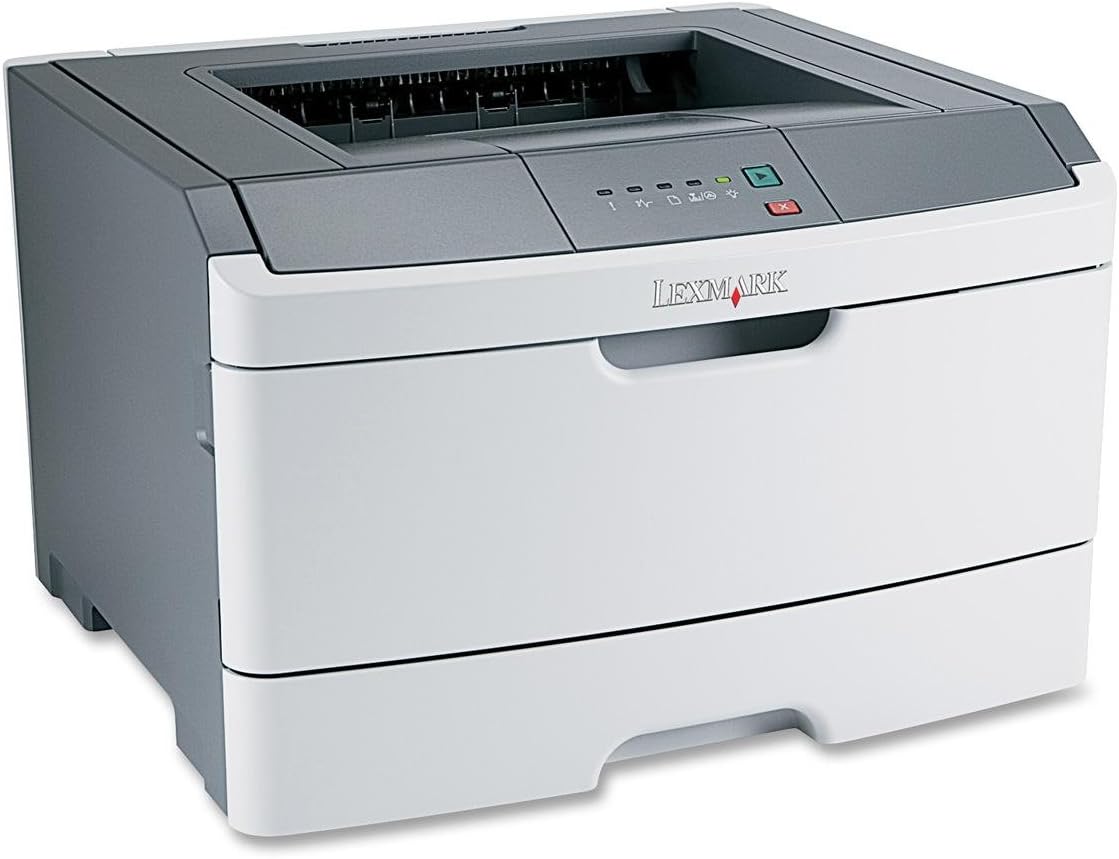
మూర్తి 1: Lexmark E260D Monochrome Laser Printer. This image shows the printer from a front-right angle, highlighting its compact design with a white body and a dark gray top cover. The output tray is visible on top, and the Lexmark logo is displayed on the front panel above the paper input tray.
2. భద్రతా సమాచారం
- ప్రింటర్ను ఎల్లప్పుడూ గ్రౌండెడ్ పవర్ అవుట్లెట్కి కనెక్ట్ చేయండి.
- వెంటిలేషన్ ఓపెనింగ్స్ను నిరోధించవద్దు.
- Keep the printer away from water or excessive moisture.
- Use only specified power cords and accessories.
- Avoid touching the fuser area, as it can be hot.
3. ప్యాకేజీ విషయాలు
ప్యాకేజీలో అన్ని అంశాలు ఉన్నాయని నిర్ధారించుకోండి:
- Lexmark E260D Monochrome Laser Printer
- పవర్ కార్డ్
- Starter Toner Cartridge (may vary by region)
- Setup Guide or Documentation
- USB Cable (may be sold separately)
4. సెటప్
4.1 ప్రింటర్ను అన్ప్యాక్ చేయడం
- ప్రింటర్ను దాని ప్యాకేజింగ్ నుండి తీసివేయండి.
- ప్రింటర్ వెలుపలి మరియు లోపలి నుండి అన్ని ప్యాకింగ్ మెటీరియల్స్, టేపులు మరియు రక్షణ ఫిల్మ్లను తీసివేయండి.
- ప్రింటర్ను తగినంత వెంటిలేషన్ ఉన్న స్థిరమైన, సమతల ఉపరితలంపై ఉంచండి.
4.2 ప్రింటర్ను కనెక్ట్ చేస్తోంది
- పవర్ కార్డ్ను ప్రింటర్కి కనెక్ట్ చేసి, ఆపై గ్రౌండెడ్ ఎలక్ట్రికల్ అవుట్లెట్కి కనెక్ట్ చేయండి.
- USB కేబుల్ యొక్క ఒక చివరను ప్రింటర్ యొక్క USB పోర్ట్కు మరియు మరొక చివరను మీ కంప్యూటర్కు కనెక్ట్ చేయండి.
4.3 టోనర్ కార్ట్రిడ్జ్ను ఇన్స్టాల్ చేయడం
- ప్రింటర్ ముందు యాక్సెస్ తలుపు తెరవండి.
- Carefully remove the toner cartridge from its packaging and shake it gently to distribute the toner.
- టోనర్ కార్ట్రిడ్జ్ ప్రింటర్లో క్లిక్ అయ్యే వరకు దాన్ని చొప్పించండి.
- Close the front access door securely.
4.4 పేపర్ లోడ్ అవుతోంది
- పేపర్ ట్రేని బయటకు తీయండి.
- మీరు లోడ్ చేస్తున్న కాగితం పరిమాణానికి సరిపోయేలా పేపర్ గైడ్లను సర్దుబాటు చేయండి.
- Load paper into the tray, ensuring it is flat and not exceeding the maximum fill line.
- కాగితపు ట్రేని ప్రింటర్ లాక్ అయ్యే వరకు తిరిగి దానిలోకి నెట్టండి.
4.5 డ్రైవర్ ఇన్స్టాలేషన్
After connecting the printer, your operating system may automatically detect and install the necessary drivers. If not, follow these steps:
- Insert the driver CD (if included) into your computer's CD/DVD drive, or download the latest drivers from the official Lexmark support webసైట్.
- డ్రైవర్ ఇన్స్టాలేషన్ను పూర్తి చేయడానికి ఆన్-స్క్రీన్ సూచనలను అనుసరించండి.
- ప్రాంప్ట్ చేయబడితే మీ కంప్యూటర్ని పునఃప్రారంభించండి.
5. ప్రింటర్ను ఆపరేట్ చేయడం
5.1 ప్రాథమిక ముద్రణ
- ప్రింటర్ ఆన్ చేయబడి, మీ కంప్యూటర్కు కనెక్ట్ చేయబడిందని నిర్ధారించుకోండి.
- మీరు మీ కంప్యూటర్లో ప్రింట్ చేయాలనుకుంటున్న పత్రాన్ని తెరవండి.
- ఎంచుకోండి File > ప్రింట్ చేయండి (లేదా మీ అప్లికేషన్లోని సమానమైన ఆదేశం).
- Choose the Lexmark E260D from the list of available printers.
- Adjust print settings as needed (e.g., number of copies, page range).
- క్లిక్ చేయండి ముద్రించు.
5.2 డ్యూప్లెక్స్ ప్రింటింగ్ (రెండు-వైపుల)
The Lexmark E260D supports automatic two-sided printing.
- ప్రింట్ జాబ్ను పంపేటప్పుడు, ప్రింటర్ లక్షణాలు లేదా ప్రాధాన్యతలను యాక్సెస్ చేయండి.
- దీనికి సంబంధించిన ఎంపిక కోసం చూడండి డ్యూప్లెక్స్ ప్రింటింగ్ or రెండు వైపులా ముద్రించండి.
- కావలసిన డ్యూప్లెక్స్ ఎంపికను ఎంచుకోండి (ఉదా., లాంగ్-ఎడ్జ్ బైండింగ్, షార్ట్-ఎడ్జ్ బైండింగ్).
- Confirm your settings and click ముద్రించు.
6. నిర్వహణ
6.1 ప్రింటర్ను శుభ్రపరచడం
- బాహ్య: బాహ్య ఉపరితలాలను మృదువైన, డితో తుడవండిamp, మెత్తటి రహిత వస్త్రం. రాపిడి క్లీనర్లు లేదా ద్రావకాలను ఉపయోగించవద్దు.
- అంతర్గత: Periodically open the front access door and gently remove any loose toner dust with a dry, lint-free cloth. Avoid touching sensitive components.
6.2 టోనర్ కార్ట్రిడ్జ్ భర్తీ
When the toner level is low, the printer's control panel will indicate it. Replace the toner cartridge as follows:
- ప్రింటర్ ఆన్ చేయబడిందని నిర్ధారించుకోండి.
- ముందు యాక్సెస్ తలుపు తెరవండి.
- పాత టోనర్ కార్ట్రిడ్జ్ను నేరుగా బయటకు లాగి జాగ్రత్తగా తొలగించండి.
- Unpack the new Lexmark E260D compatible toner cartridge and shake it gently.
- కొత్త కార్ట్రిడ్జ్ను ప్రింటర్లో లాక్ అయ్యే వరకు చొప్పించండి.
- ముందు యాక్సెస్ తలుపు మూసివేయండి.
7. ట్రబుల్షూటింగ్
7.1 పేపర్ జామ్లు
If a paper jam occurs, the printer's control panel will display an error. Follow these general steps:
- ప్రింటర్ను ఆఫ్ చేసి, పవర్ అవుట్లెట్ నుండి దాన్ని అన్ప్లగ్ చేయండి.
- Open all accessible covers (front door, rear door, etc.).
- Carefully remove any jammed paper, pulling it in the direction of the paper path to avoid tearing.
- Close all covers securely.
- ప్లగ్ ఇన్ చేసి ప్రింటర్ను ఆన్ చేయండి.
7.2 ముద్రణ నాణ్యత సమస్యలు
- వెలిసిన లేదా లేత ముద్రణలు: The toner cartridge may be low. Try shaking the cartridge gently or replace it.
- చారలు లేదా మరకలు: Clean the interior of the printer, especially around the toner cartridge area. Ensure the paper type setting matches the loaded paper.
- ఖాళీ పేజీలు: Ensure the toner cartridge is properly installed and has toner. Check printer drivers and print settings.
7.3 కనెక్టివిటీ సమస్యలు
- ప్రింటర్ గుర్తించబడలేదు: Ensure the USB cable is securely connected to both the printer and the computer. Try a different USB port or cable. Reinstall printer drivers if necessary.
- Print Jobs Stuck: Clear the print queue on your computer. Restart both the printer and the computer.
7.4 Envelope Printing on Mac
Users printing envelopes on macOS may encounter issues with incorrect print orientation or partial printing. To resolve this:
- In the print dialogue box, locate the menu that initially reads 'Layout'.
- Select 'Paper Feed' from this menu.
- Change the 'Auto Select' option to 'Manual Envelope'.
- ముద్రణతో కొనసాగండి.
8. స్పెసిఫికేషన్లు
| ఫీచర్ | స్పెసిఫికేషన్ |
|---|---|
| మోడల్ పేరు | E260D |
| ప్రింటింగ్ టెక్నాలజీ | లేజర్ |
| ప్రింటర్ అవుట్పుట్ | మోనోక్రోమ్ |
| గరిష్ట ముద్రణ వేగం (మోనోక్రోమ్) | 35 ppm |
| గరిష్ట ప్రింట్ రిజల్యూషన్ (నలుపు & తెలుపు) | 1200 dpi |
| డ్యూప్లెక్స్ ప్రింటింగ్ | ఆటోమేటిక్ |
| కనెక్టివిటీ టెక్నాలజీ | USB 2.0 |
| గరిష్ట ఇన్పుట్ షీట్ కెపాసిటీ | 250 షీట్లు |
| మద్దతు ఉన్న ప్రింట్ మీడియా | Envelopes, Labels, Paper (plain), Transparencies |
| మెమరీ స్టోరేజ్ కెపాసిటీ | 32 MB |
| ఉత్పత్తి కొలతలు | 16.5 x 18.1 x 14 అంగుళాలు |
| వస్తువు బరువు | 29.8 పౌండ్లు (13.53 కిలోలు) |
| విద్యుత్ వినియోగం (ఆన్-మోడ్) | 16 వాట్స్ |
9. వారంటీ సమాచారం
The Lexmark E260D Monochrome Laser Printer comes with an Exchange Warranty. For specific terms, conditions, and duration of your warranty, please refer to the warranty documentation included with your product or visit the official Lexmark support webసైట్.
10. కస్టమర్ మద్దతు
For further assistance, technical support, or to order replacement parts and supplies, please contact Lexmark Customer Support. You can find contact information and additional resources on the official Lexmark webసైట్:
- Lexmark Support Webసైట్: www.lexmark.com/support (దయచేసి గమనించండి: ఇది ఒక ప్లేస్హోల్డర్ URL. Refer to your product documentation for the exact support link.)