
1. పరిచయం
Thank you for choosing the Funkey 61 SL Electronic Keyboard. This instrument is designed for beginners and offers a wide range of features to explore the world of music. With 61 keys, 100 tones, 100 rhythms, and various functions, it provides an engaging learning experience. This manual will guide you through the setup, operation, and maintenance of your new keyboard.
2. ప్యాకేజీ విషయాలు
దయచేసి ప్యాకేజీలో అన్ని అంశాలు ఉన్నాయని నిర్ధారించుకోండి:
- Funkey 61 SL Electronic Keyboard
- విద్యుత్ సరఫరా యూనిట్
- మ్యూజిక్ స్టాండ్
- వినియోగదారు మాన్యువల్
3. సెటప్
Follow these steps to set up your Funkey 61 SL Electronic Keyboard:
3.1 కీబోర్డ్కు శక్తినివ్వడం
The keyboard can be powered using the included AC adapter or by batteries.
AC అడాప్టర్ ఉపయోగించడం:
- Connect the power supply unit to the DC IN jack on the back of the keyboard.
- AC అడాప్టర్ను ప్రామాణిక వాల్ అవుట్లెట్లోకి ప్లగ్ చేయండి.

Image: The included power adapter for the Funkey 61 SL Electronic Keyboard.
బ్యాటరీలను ఉపయోగించడం:
- కీబోర్డ్ దిగువన బ్యాటరీ కంపార్ట్మెంట్ను గుర్తించండి.
- Insert the required number of batteries (typically AA or D, refer to the compartment label) ensuring correct polarity.
- బ్యాటరీ కంపార్ట్మెంట్ కవర్ను సురక్షితంగా మూసివేయండి.

Image: Rear panel of the Funkey 61 SL Keyboard showing the RCA output, headphone jack, and a close-up of the battery compartment.
3.2 Attaching the Music Stand
Slide the music stand into the designated slot on the top panel of the keyboard. This provides a convenient place to hold sheet music or a tablet.
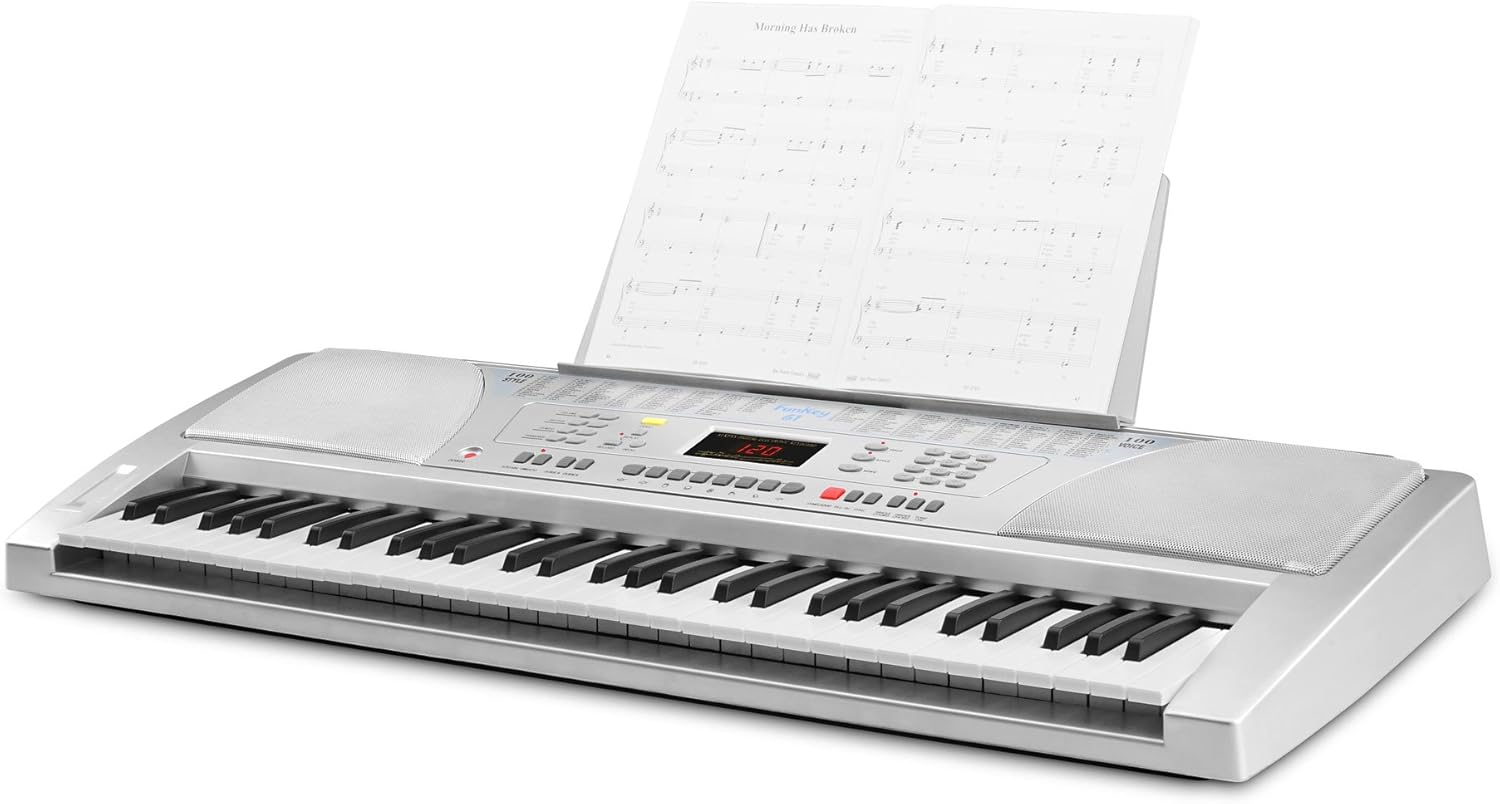
Image: The Funkey 61 SL Keyboard with the music stand attached, holding sheet music.
3.3 Connecting Headphones or External Speakers
For private practice, connect standard 3.5mm headphones to the HEADPHONE jack. To connect to an external stereo system or amplifier, use RCA cables with the RCA OUT (R/L) jacks on the rear panel.
4. ఆపరేటింగ్ సూచనలు
Familiarize yourself with the control panel to utilize the keyboard's features.

చిత్రం: క్లోజప్ view of the Funkey 61 SL Keyboard's control panel, showing buttons for volume, rhythm, tempo, transpose, voice, style, and song selection.
4.1 పవర్ ఆన్/ఆఫ్
నొక్కండి శక్తి కీబోర్డ్ను ఆన్ లేదా ఆఫ్ చేయడానికి కంట్రోల్ ప్యానెల్ యొక్క ఎడమ వైపున ఉన్న బటన్ను క్లిక్ చేయండి.
4.2 Selecting Tones (Voices)
The keyboard features 100 different tones. Use the వాయిస్ section buttons (numbered 0-9) to select a desired instrument sound. The currently selected voice number will be displayed on the LED screen.
4.3 Selecting Rhythms (Styles)
The keyboard includes 100 rhythms. Use the శైలి section buttons (numbered 0-9) to choose a rhythm. Press START/STOP రిథమ్ ప్లేబ్యాక్ను ప్రారంభించడానికి లేదా ముగించడానికి.
4.4 Adjusting Tempo
ఉపయోగించండి టెంపో buttons (up/down arrows) to increase or decrease the speed of the selected rhythm or demo song.
4.5 డెమో పాటలు
The keyboard has 8 integrated demo songs. Press the డెమో button to cycle through and play the demo songs. These can be used for listening or for practicing with the Intelligent Guide function.
4.6 రికార్డింగ్ మరియు ప్లేబ్యాక్
The record function allows you to capture your performances:
- నొక్కండి రికార్డ్ చేయండి to start recording your playing.
- నొక్కండి ఆడండి మీ రికార్డ్ చేసిన ప్రదర్శనను వినడానికి.
4.7 Special Effects and Functions
- నిలబెట్టు: Adds a decaying effect to notes, similar to a piano pedal.
- వైబ్రాటో: Adds a slight pitch variation to notes for expressive playing.
- ట్రాన్స్పోజ్: Allows you to shift the pitch of the entire keyboard up or down in semitone steps, useful for playing in different keys without changing finger positions.
- గైడ్: The Intelligent Guide function helps you learn the 8 integrated demo songs note by note.
- CHORD FUNCTIONS: Includes Single Finger Chord and Fingered Chord modes for automatic accompaniment.
5. నిర్వహణ
To ensure the longevity and optimal performance of your Funkey 61 SL Electronic Keyboard, follow these maintenance guidelines:
- శుభ్రపరచడం: కీబోర్డ్ ఉపరితలాన్ని తుడవడానికి మృదువైన, పొడి వస్త్రాన్ని ఉపయోగించండి. మొండి ధూళి కోసం, కొద్దిగా dampen the cloth with water and a mild soap, then wipe dry immediately. Avoid abrasive cleaners, solvents, or waxes.
- నిల్వ: కీబోర్డ్ను ప్రత్యక్ష సూర్యకాంతి, విపరీతమైన ఉష్ణోగ్రతలు మరియు అధిక తేమ నుండి దూరంగా చల్లని, పొడి ప్రదేశంలో నిల్వ చేయండి.
- నిర్వహణ: కీబోర్డ్ను కింద పడేయడం లేదా బలమైన దెబ్బలకు గురిచేయడం మానుకోండి. దానిపై బరువైన వస్తువులను ఉంచవద్దు.
- శక్తి: Disconnect the power adapter when the keyboard is not in use for extended periods. Remove batteries if the keyboard will not be used for a long time to prevent leakage.
6. ట్రబుల్షూటింగ్
If you encounter any issues with your Funkey 61 SL Electronic Keyboard, refer to the following common problems and solutions:
- ధ్వని లేదు:
- కీబోర్డ్ పవర్ ఆన్ చేయబడిందని నిర్ధారించుకోండి.
- Check the master volume level.
- హెడ్ఫోన్లు కనెక్ట్ చేయబడి ఉంటే, స్పీకర్ అవుట్పుట్ను తనిఖీ చేయడానికి వాటిని డిస్కనెక్ట్ చేయండి.
- Verify external speaker connections if applicable.
- స్పందించని కీలు:
- కీబోర్డ్ పవర్ ఆన్ చేయబడిందని నిర్ధారించుకోండి.
- Check if any specific mode (e.g., Guide mode) is active that might restrict normal playing.
- Rhythm/Accompaniment Not Playing:
- Ensure a rhythm (style) is selected.
- నొక్కండి START/STOP బటన్.
- Check the rhythm volume level.
- వక్రీకరించిన ధ్వని:
- మాస్టర్ వాల్యూమ్ తగ్గించండి.
- Check connections to external speakers or headphones for proper seating.
7. స్పెసిఫికేషన్లు
Detailed technical specifications for the Funkey 61 SL Electronic Keyboard:
| మోడల్ పేరు | FunKey 61 |
| అంశం మోడల్ సంఖ్య | 00015909 |
| కీల సంఖ్య | 61 |
| టోన్లు | 100 |
| లయలు | 100 |
| డెమో పాటలు | 8 |
| ప్రదర్శించు | LED |
| వక్తలు | 2 x 6 W (12 Watts Output) |
| శక్తి మూలం | Battery Powered / AC Adapter |
| హెడ్ఫోన్ జాక్ | 3.5 మిమీ జాక్ |
| అవుట్పుట్ కనెక్టర్లు | RCA |
| ఉత్పత్తి కొలతలు | 95.5 x 38.0 x 13.5 సెం.మీ |
| వస్తువు బరువు | 5 కిలోలు |
| తయారీదారు | FunKey |
| Country Produced In | చైనా |
8. వారంటీ మరియు మద్దతు
For warranty information, please refer to the documentation provided at the time of purchase or contact your retailer. For technical support or further assistance, please reach out to Funkey customer service through their official webసైట్ లేదా మీ ఉత్పత్తితో అందించబడిన సంప్రదింపు వివరాలు.