
పరిచయం
This manual provides detailed instructions for the operation and maintenance of your Garmin GPSMAP 78sc 2.6-Inch Waterproof Marine GPS and Chartplotter. The GPSMAP 78sc series is designed for recreational navigation, featuring a bright 2.6-inch LCD color display, built-in basemap, and a high-sensitivity GPS receiver. All models are waterproof to IPX7 standards and float in water, making them suitable for boating and watersports. Key features include a built-in microSD card slot for additional maps and a dedicated Man Over Board (MOB) button.
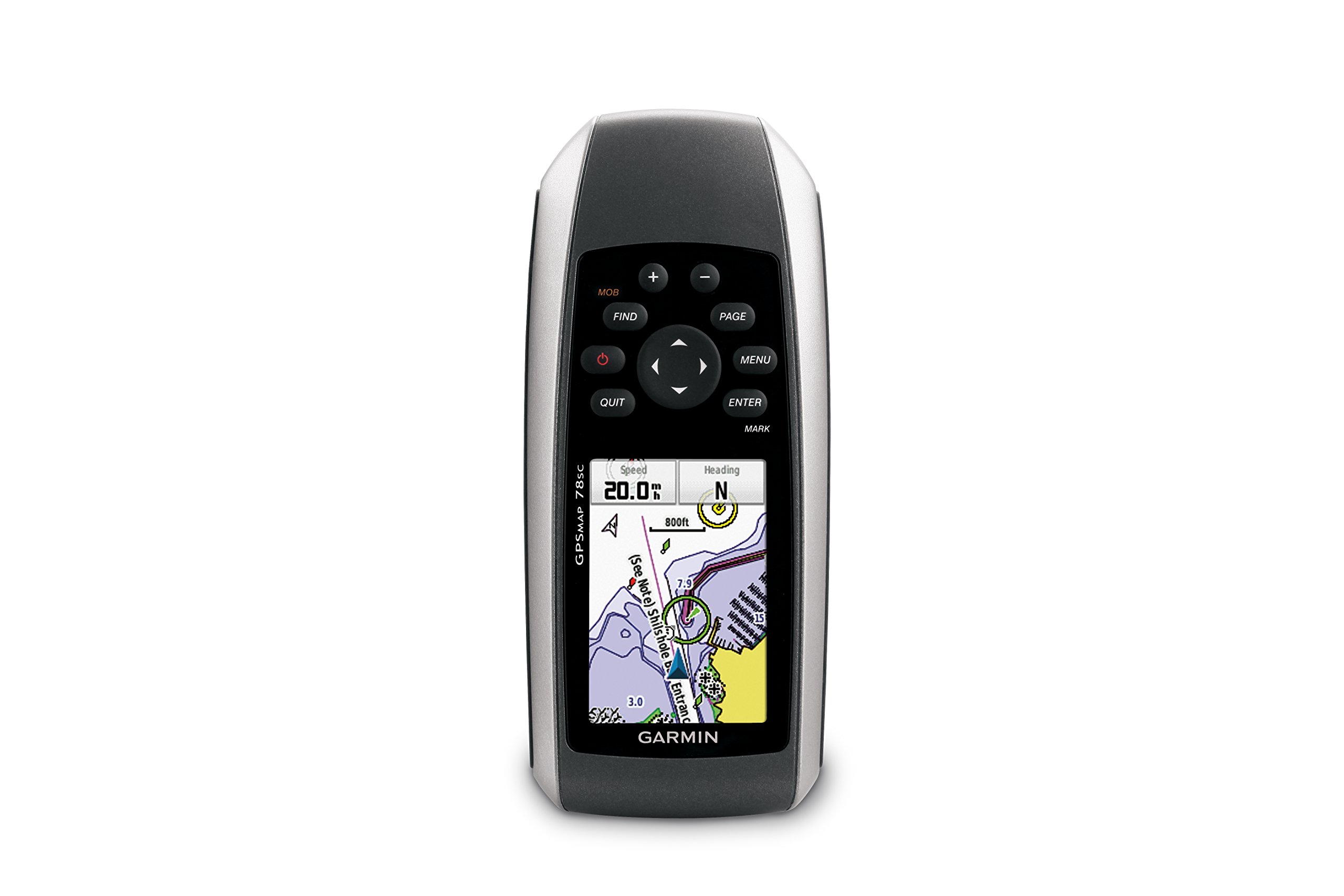
మూర్తి 1: ముందు view of the Garmin GPSMAP 78sc handheld marine GPS and chartplotter.
ఉత్పత్తి ముగిసిందిview
ముఖ్య లక్షణాలు:
- Marine-friendly handheld with high-sensitivity GPS receiver and 2.6-inch color TFT display.
- Waterproof to IPX7 standards; floats in water.
- Built-in BlueChart g2 U.S./Bahamas coastal charts with shorelines, depth contours, navaids, harbors, marinas, and more.
- Built-in 3-axis tilt-compensated electronic compass and barometric altimeter for heading, altitude, and weather information.
- Wireless sharing of waypoints, tracks, routes, and geocaches with other compatible devices.
పెట్టెలో ఏముంది:
- GPSMAP 78sc device
- మణికట్టు పట్టీ
- USB కేబుల్
- మాన్యువల్

చిత్రం 2: కోణీయ view of the Garmin GPSMAP 78sc, highlighting its button interface.
ఉత్పత్తి వీడియోలు:
Garmin GPSmap 78 handheld GPS Overview
ఈ వీడియో సాధారణ వివరణను అందిస్తుందిview of the Garmin GPSMAP 78 handheld GPS, demonstrating its features and design.
ఉత్పత్తి ముగిసిందిview వీడియో
A concise product overview video from the seller, highlighting key aspects of the device.
సెటప్
1. బ్యాటరీలను ఇన్స్టాల్ చేయడం:
The GPSMAP 78sc operates on two AA batteries (not included). To install:
- పరికరం వెనుక భాగంలో బ్యాటరీ కంపార్ట్మెంట్ కవర్ను గుర్తించండి.
- Twist the D-ring counter-clockwise to unlock and remove the cover.
- రెండు AA బ్యాటరీలను చొప్పించండి, సరైన ధ్రువణతను (+ మరియు -) నిర్ధారించుకోండి.
- కవర్ను మార్చి, దానిని భద్రపరచడానికి D-రింగ్ను సవ్యదిశలో తిప్పండి.

మూర్తి 3: వెనుకకు view of the Garmin GPSMAP 78sc, illustrating the battery compartment.
2. పవర్ చేయడం ఆన్/ఆఫ్:
నొక్కండి మరియు పట్టుకోండి శక్తి button (located on the left side) to turn the device on or off. A short press will adjust the backlight.
3. ప్రారంభ సెట్టింగ్లు:
Upon first use, the device may prompt you to set language, time zone, and other preferences. Follow the on-screen instructions using the directional pad and నమోదు చేయండి బటన్.
ఆపరేటింగ్
Navigation Basics:
- ప్రధాన మెనూ: నొక్కండి మెనూ button twice to access the main menu.
- పేజీ బటన్: నొక్కండి PAGE to cycle through the main pages (Map, Compass, Trip Computer, etc.).
- డైరెక్షనల్ ప్యాడ్: Use the directional pad to scroll through menus, pan the map, or adjust settings.
- ఎంటర్ బటన్: నొక్కండి నమోదు చేయండి to select an item or confirm an action.
- నిష్క్రమించు బటన్: నొక్కండి నిష్క్రమించు to return to the previous page or cancel an action.
Creating Waypoints:
To mark your current location as a waypoint:
- నొక్కండి మార్క్ బటన్.
- Edit the waypoint name, symbol, and coordinates if desired.
- ఎంచుకోండి పూర్తయింది or సేవ్ చేయండి to store the waypoint.
Man Over Board (MOB) Function:
అత్యవసర పరిస్థితిలో, నొక్కండి MOB button to immediately mark the current location and initiate navigation back to that point. This feature is critical for safety in marine environments.
నిర్వహణ
పరికరాన్ని శుభ్రపరచడం:
పరికరాన్ని గుడ్డతో తుడవండి dampened with a mild detergent solution. Dry thoroughly. Avoid using abrasive cleaners or solvents that could damage the device's finish or screen.
బ్యాటరీ సంరక్షణ:
Always use fresh, high-quality AA batteries. If the device will not be used for an extended period, remove the batteries to prevent leakage and corrosion.
సాఫ్ట్వేర్ అప్డేట్లు:
కాలానుగుణంగా గార్మిన్ను తనిఖీ చేయండి website for software updates to ensure optimal performance and access to the latest features. Updates can typically be installed by connecting the device to a computer via the USB cable.
ట్రబుల్షూటింగ్
పరికరం ఆన్ చేయడం లేదు:
- బ్యాటరీలు సరిగ్గా ఇన్స్టాల్ చేయబడి పూర్తిగా ఛార్జ్ అయ్యాయని నిర్ధారించుకోండి.
- Try new batteries.
- క్షయం కోసం బ్యాటరీ పరిచయాలను తనిఖీ చేయండి.
పేలవమైన GPS సిగ్నల్:
- పరికరం స్పష్టంగా ఉందని నిర్ధారించుకోండి view ఆకాశం యొక్క.
- Avoid areas with tall buildings, dense foliage, or other obstructions.
- Allow sufficient time for the device to acquire satellites, especially after being off for a long period.
స్క్రీన్ స్పందించడం లేదు:
- Perform a soft reset by removing and reinserting the batteries.
- స్క్రీన్ శుభ్రంగా మరియు చెత్త లేకుండా ఉందని నిర్ధారించుకోండి.
స్పెసిఫికేషన్లు
| ఫీచర్ | వివరాలు |
|---|---|
| బ్రాండ్ | గార్మిన్ |
| మోడల్ పేరు | gps మ్యాప్ |
| మోడల్ సంఖ్య | 010-00864-02 |
| స్క్రీన్ పరిమాణం | 2.6 అంగుళాలు |
| ప్రదర్శన రకం | LCD |
| రిజల్యూషన్ | 160 x 240 పిక్సెల్లు |
| జలనిరోధిత రేటింగ్ | IPX7 (floats) |
| బ్యాటరీ లైఫ్ | 20 Hours (typical) |
| బ్యాటరీ రకం | 2 AA బ్యాటరీలు (చేర్చబడలేదు) |
| మెమరీ స్టోరేజ్ కెపాసిటీ | 1 GB |
| Compatible Flash Memory Type | మైక్రో SD |
| మద్దతు ఉన్న ఉపగ్రహ నావిగేషన్ సిస్టమ్ | GPS |
| ప్రత్యేక లక్షణాలు | Rugged case, Barometric altimeter, Garmin Connect compatible, Electromagnetic compass, Garmin HotFix, Custom POIs, Automatic routing, Hunt/fish calendar, Geocaching, Photo navigation |
| అంశం కొలతలు L x W x H | 2.6"లీ x 1.2"వా x 6"హ |
| వస్తువు బరువు | 7.7 ఔన్సులు |
వారంటీ మరియు మద్దతు
The Garmin GPSMAP 78sc comes with a 1 Year Limited Warranty. For detailed warranty information, product support, or service inquiries, please refer to the official Garmin website or contact Garmin customer service directly. The included manual also contains contact information and further support resources.