
పరిచయం
This manual provides essential information for the safe and efficient use of your Doro PhoneEasy 105wr cordless phone. Please read these instructions carefully before using the phone and retain them for future reference.
ప్యాకేజీ విషయాలు
మీరు ప్రారంభించడానికి ముందు, అన్ని అంశాలు ప్యాకేజీలో ఉన్నాయని నిర్ధారించుకోండి:
- Doro PhoneEasy 105wr Handset
- బేస్ యూనిట్
- బేస్ యూనిట్ కోసం పవర్ అడాప్టర్
- టెలిఫోన్ లైన్ కార్డ్
- Rechargeable Batteries (NiMH)
- వినియోగదారు మాన్యువల్ (ఈ పత్రం)
సెటప్
1. బేస్ యూనిట్ను కనెక్ట్ చేయడం
- పవర్ అడాప్టర్ను కనెక్ట్ చేయండి: Plug the small end of the power adapter into the DC IN socket on the back of the base unit. Plug the other end into a wall power outlet.
- Connect the Telephone Line Cord: Plug one end of the telephone line cord into the LINE socket on the back of the base unit. Plug the other end into your telephone wall socket.
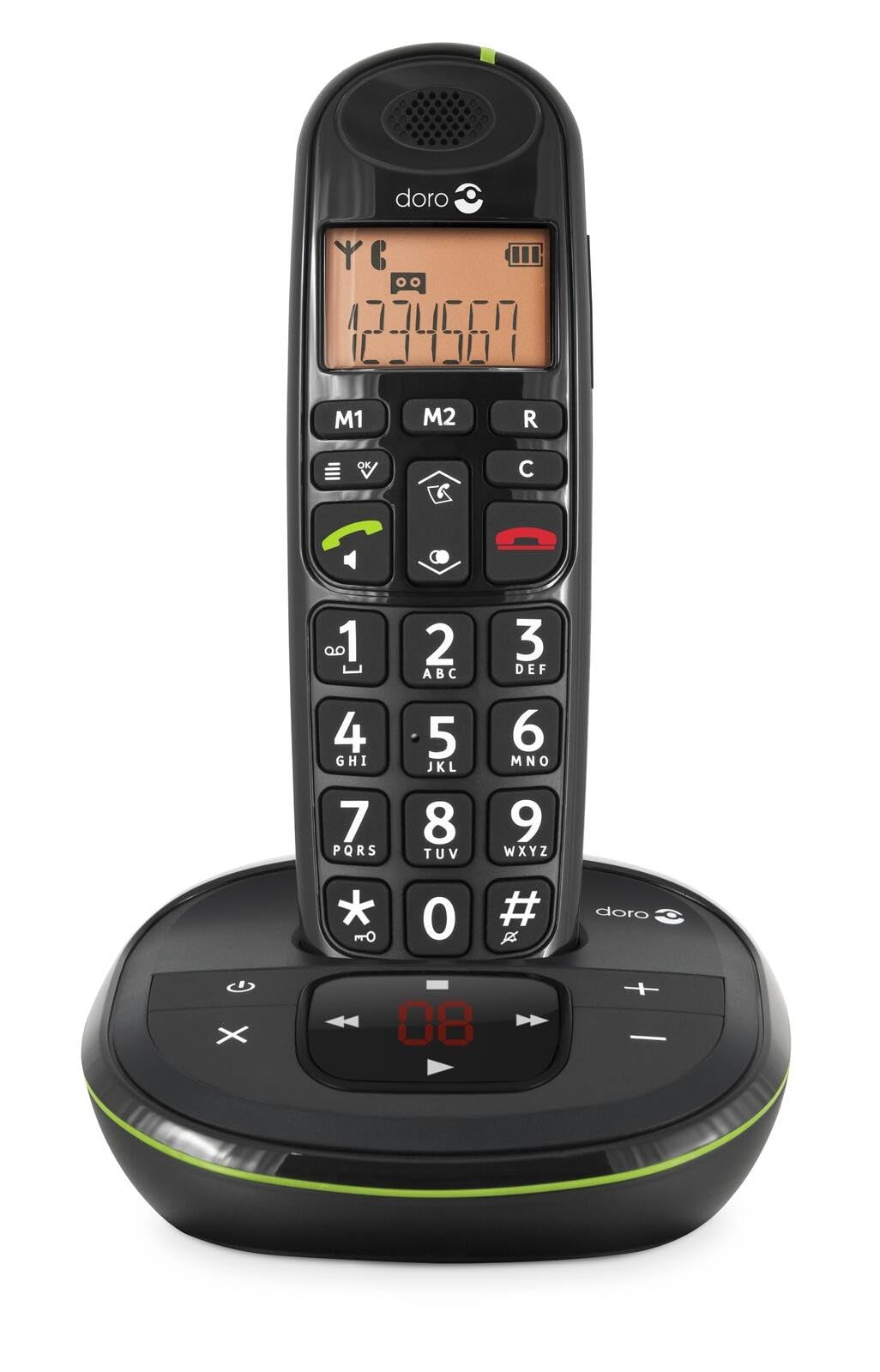 Image: The Doro PhoneEasy 105wr handset docked in its base unit, showing the keypad and display.
2. Installing Batteries in the Handset
- బ్యాటరీ కంపార్ట్మెంట్ తెరవండి: Slide the battery compartment cover on the back of the handset downwards and remove it.
- బ్యాటరీలను చొప్పించండి: Insert the supplied rechargeable NiMH batteries, observing the correct polarity (+ and -) as indicated inside the compartment.
- కంపార్ట్మెంట్ను మూసివేయండి: బ్యాటరీ కంపార్ట్మెంట్ కవర్ను అది స్థానంలో క్లిక్ అయ్యే వరకు పైకి జారడం ద్వారా దాన్ని మార్చండి.
3. హ్యాండ్సెట్ను ఛార్జ్ చేయడం
Place the handset on the base unit. The battery icon on the handset display will animate to indicate charging. For optimal battery performance, charge the handset for at least 10-12 hours before its first use, even if the display indicates a full charge sooner.
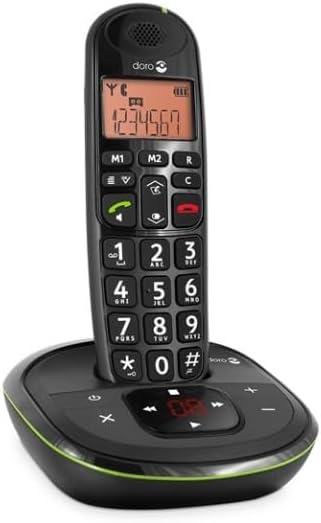
 Image: A slightly angled view of the Doro PhoneEasy 105wr handset in its charging cradle, highlighting its ergonomic design.
ఆపరేటింగ్ సూచనలు
కాల్ చేయడం
- డయలింగ్: హ్యాండ్సెట్ను తీయండి లేదా నొక్కండి ఆకుపచ్చ కాల్ బటన్. Enter the phone number using the keypad.
- కాల్ని ముగించడం: నొక్కండి ఎరుపు రంగు ఎండ్ కాల్ బటన్ లేదా హ్యాండ్సెట్ను తిరిగి బేస్ యూనిట్పై ఉంచండి.
కాల్ స్వీకరిస్తోంది
ఫోన్ మోగినప్పుడు, నొక్కండి ఆకుపచ్చ కాల్ బటన్ to answer. To end the call, press the ఎరుపు రంగు ఎండ్ కాల్ బటన్ or return the handset to the base unit.
వాల్యూమ్ సర్దుబాటు
కాల్ సమయంలో, ఉపయోగించండి Up మరియు క్రిందికి navigation buttons on the handset to adjust the earpiece volume.
ఫోన్బుక్
Your Doro PhoneEasy 105wr can store up to 20 entries in its phonebook.
- ఎంట్రీని జోడించడం:
- నొక్కండి మెనూ బటన్.
- Navigate to "Phonebook" and select "Add New".
- Enter the name and number, then save.
- Calling from Phonebook:
- నొక్కండి ఫోన్బుక్ button (often a book icon).
- Scroll through the entries using the navigation buttons.
- నొక్కండి ఆకుపచ్చ కాల్ బటన్ to dial the selected entry.
Answering Machine (if applicable)
The Doro PhoneEasy 105wr features a digital answering machine with a recording capacity of 20 minutes.
- సందేశాలను ప్లే చేస్తోంది: నొక్కండి ప్లే/ఆపు బేస్ యూనిట్లోని బటన్.
- సందేశాలను తొలగిస్తోంది: సందేశ ప్లేబ్యాక్ సమయంలో, తొలగించు బేస్ యూనిట్లోని బటన్.
- అవుట్గోయింగ్ సందేశాన్ని రికార్డ్ చేస్తోంది: Refer to the handset menu for options to record or select a pre-recorded outgoing message.
 చిత్రం: ఒక డైరెక్ట్ ఫ్రంట్ view of the Doro PhoneEasy 105wr cordless phone, showing the large buttons and clear display on the handset, and the answering machine controls on the base.
నిర్వహణ
- శుభ్రపరచడం: ఫోన్ మరియు బేస్ యూనిట్ను మృదువైన, d తో తుడవండి.amp గుడ్డ. రాపిడి క్లీనర్లు లేదా ద్రావకాలు ఉపయోగించవద్దు.
- బ్యాటరీ సంరక్షణ: పేర్కొన్న రీఛార్జబుల్ బ్యాటరీలను మాత్రమే ఉపయోగించండి. ఫోన్ను ఎక్కువ కాలం ఉపయోగించకపోతే, లీకేజీని నివారించడానికి బ్యాటరీలను తీసివేయండి.
- పర్యావరణ పరిస్థితులు: ఫోన్ను తీవ్రమైన ఉష్ణోగ్రతలు, ప్రత్యక్ష సూర్యకాంతి లేదా తేమకు గురిచేయకుండా ఉండండి.
ట్రబుల్షూటింగ్
| సమస్య | సాధ్యమైన కారణం | పరిష్కారం |
|---|---|---|
| డయల్ టోన్ లేదు | టెలిఫోన్ లైన్ త్రాడు కనెక్ట్ కాలేదు లేదా తప్పుగా ఉంది. | Check the telephone line cord connection to the base unit and wall socket. Test with another phone if possible. |
| హ్యాండ్సెట్ ఛార్జింగ్ కావడం లేదు | Handset not correctly placed on the base unit; dirty charging contacts; faulty batteries. | Ensure the handset is seated correctly. Clean charging contacts on both handset and base with a dry cloth. Replace batteries if old. |
| పేలవమైన ధ్వని నాణ్యత | Handset too far from base unit; interference; low battery. | Move closer to the base unit. Avoid placing the base near other electronic devices. Charge the handset battery. |
| కాల్స్ చేయలేరు/స్వీకరించలేరు | No power to base unit; handset not registered. | Check power adapter connection. Refer to the full manual for handset registration instructions if needed. |
స్పెసిఫికేషన్లు
| ఫీచర్ | వివరాలు |
|---|---|
| బ్రాండ్ | డోరో |
| మోడల్ సంఖ్య | 380102 |
| రంగు | నలుపు |
| ఫోన్ రకం | కార్డ్లెస్ |
| మెటీరియల్ | Metal (internal components) |
| శక్తి మూలం | బ్యాటరీతో నడిచేది (1 A బ్యాటరీ చేర్చబడింది) |
| డయలర్ రకం | ఒకే కీప్యాడ్ |
| అంశం కొలతలు (L x W x H) | 19.4 x 15.4 x 10.3 సెంటీమీటర్లు |
| వస్తువు బరువు | 706 గ్రాములు |
| సమాధానం సిస్టమ్ రకం | డిజిటల్ |
| టాక్ టైమ్ | 600 Minutes (10 hours) |
| స్టాండ్బై సమయం | 100 గంటలు |
| రికార్డింగ్ సామర్థ్యం | 20 నిమిషాలు |
| కాలర్ ID | అవును |
| Independent Test Certification | ఎనర్జీ స్టార్ |
వారంటీ మరియు మద్దతు
Information regarding specific warranty terms and customer support contact details is not available in this document. Please refer to the warranty card included with your product or visit the official Doro webఅత్యంత తాజా సమాచారం కోసం సైట్.
For further assistance, you may contact Doro customer service through their official channels.