
1. పరిచయం
This manual provides detailed instructions for the safe and effective use of your Fujifilm Finepix S4300 digital camera. Please read this manual thoroughly before using the camera and keep it in a safe place for future reference.
The Fujifilm Finepix S4300 is a 14-megapixel digital camera featuring a 26x optical zoom lens (24-624mm equivalent), dual image stabilization, and HD 720p video recording capabilities. It is designed for users seeking a versatile camera with a powerful zoom and user-friendly features.
2. కెమెరా ఓవర్view
2.1 ముందు మరియు పైభాగం View

Figure 1: Front and top view of the Fujifilm Finepix S4300 camera, showing the lens, flash, and control dial.
2.2 వెనుక View
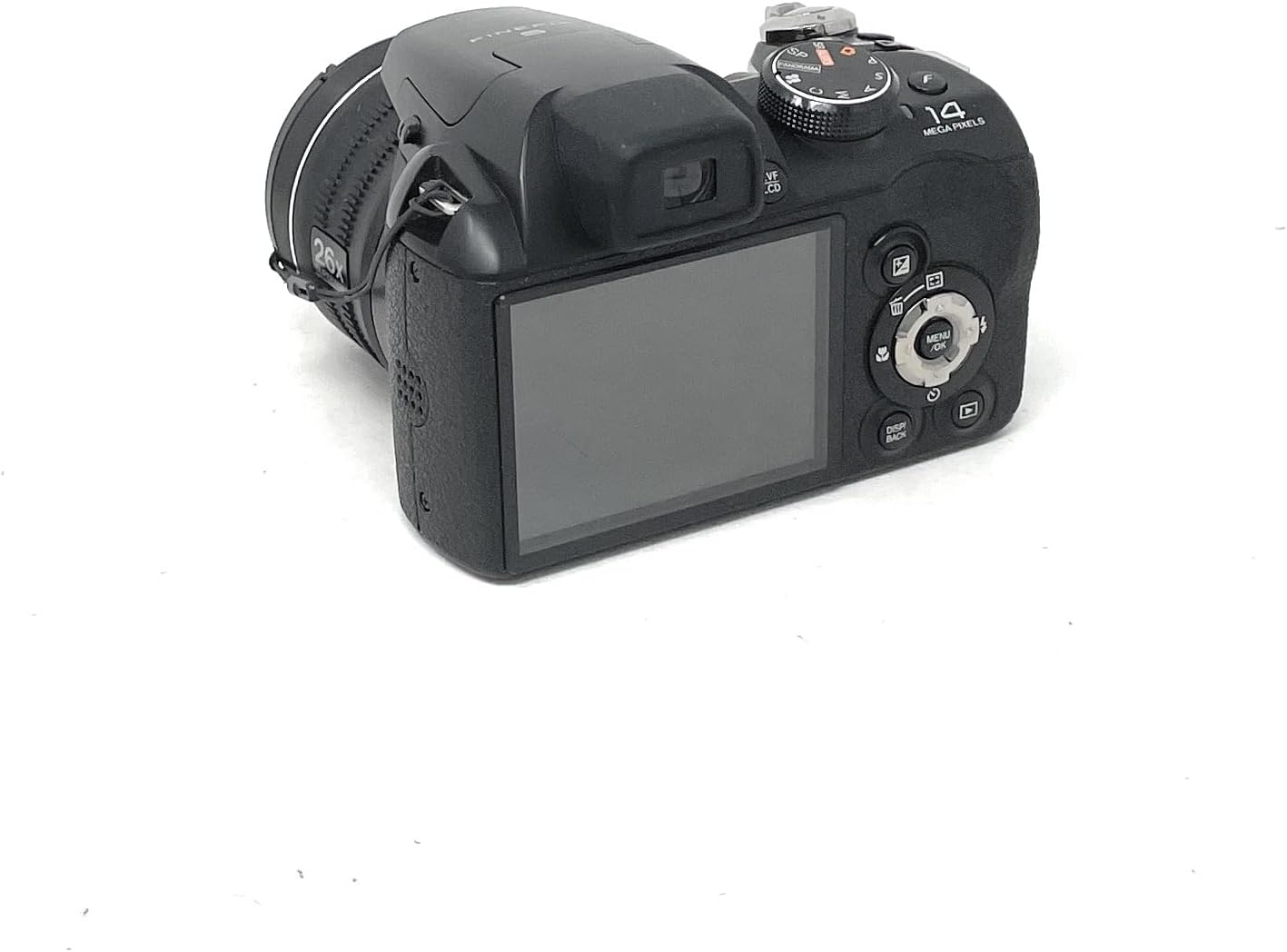
చిత్రం 2: వెనుక view of the Fujifilm Finepix S4300 camera, displaying the 3-inch LCD screen and various control buttons.
2.3 దిగువ View
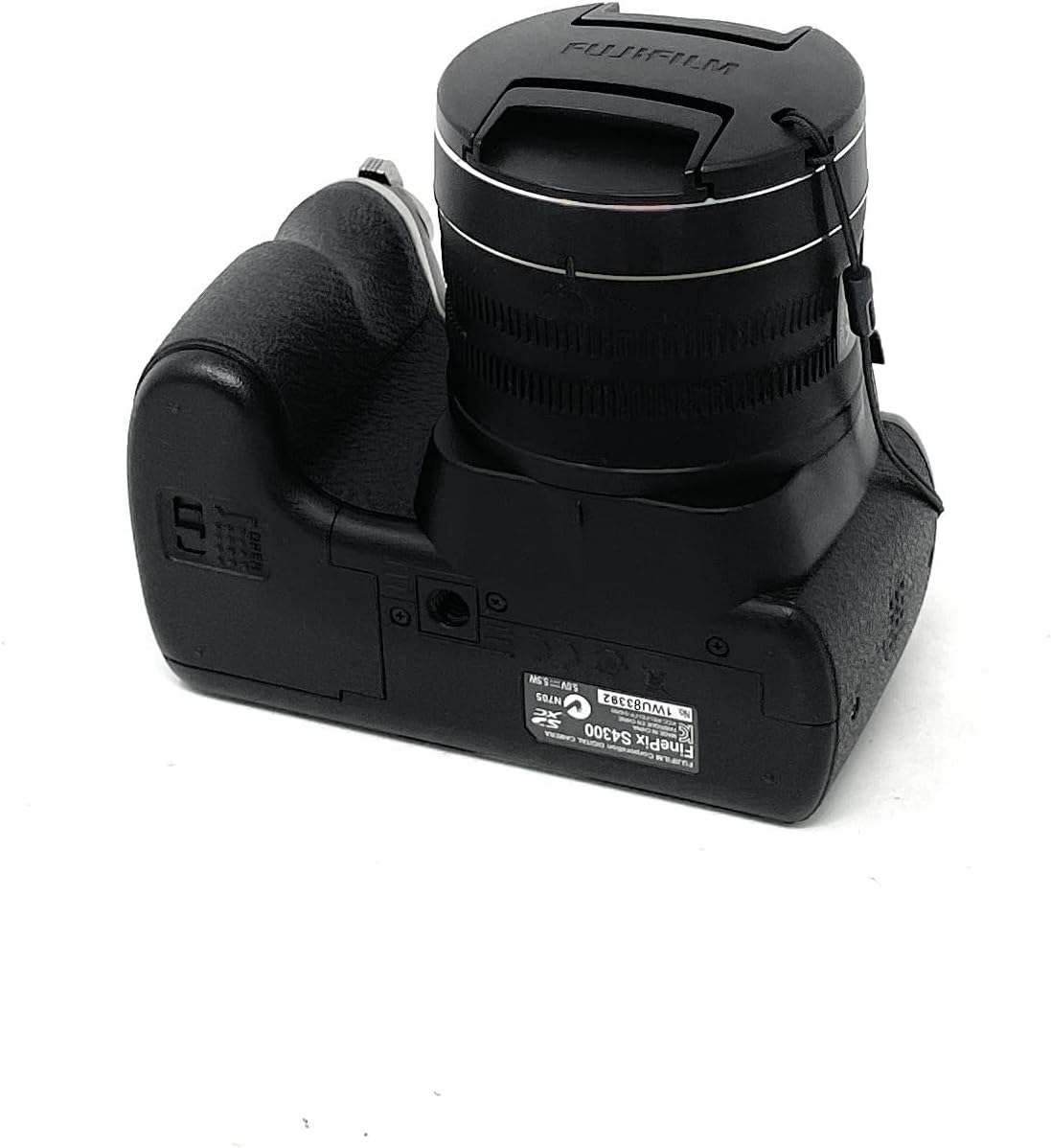
చిత్రం 3: దిగువ view of the Fujifilm Finepix S4300 camera, showing the battery and memory card compartment.
3. సెటప్
3.1 బ్యాటరీలను వ్యవస్థాపించడం
The Finepix S4300 operates on four AA batteries. Ensure you use new, high-quality alkaline or Ni-MH rechargeable batteries for optimal performance.
- Open the battery compartment cover located on the bottom of the camera (refer to Figure 3).
- కంపార్ట్మెంట్ లోపల సూచించిన విధంగా సరైన ధ్రువణత (+/-) ఉండేలా చూసుకోవడానికి, నాలుగు AA బ్యాటరీలను చొప్పించండి.
- బ్యాటరీ కంపార్ట్మెంట్ కవర్ సరిగ్గా అమర్చబడే వరకు దాన్ని సురక్షితంగా మూసివేయండి.
3.2 మెమరీ కార్డ్ని చొప్పించడం
The camera supports SD memory cards. A memory card is required to store photos and videos.
- Open the battery/memory card compartment cover (refer to Figure 3).
- Insert the SD card into the card slot with the label facing the front of the camera until it clicks.
- కంపార్ట్మెంట్ కవర్ను సురక్షితంగా మూసివేయండి.
- To remove the card, push it gently inward until it clicks, then release it to eject.
3.3 ప్రారంభ పవర్ ఆన్ మరియు తేదీ/సమయం సెట్టింగ్
After installing batteries and a memory card, power on the camera for the first time.
- నొక్కండి ఆన్/ఆఫ్ బటన్.
- The camera will prompt you to set the date and time. Use the directional pad to navigate and the మెనూ / సరే నిర్ధారించడానికి బటన్.
- సరైన సమయ క్షేత్రం, తేదీ మరియు సమయాన్ని సెట్ చేయండి.
4. కెమెరాను ఆపరేట్ చేయడం
4.1 Taking Photos in Auto Mode
For simple point-and-shoot photography, use the camera's automatic mode.
- మోడ్ డయల్ను ఆటో.
- Frame your shot using the LCD monitor or electronic viewఫైండర్ (EVF).
- ఫోకస్ చేయడానికి షట్టర్ బటన్ను సగం వరకు నొక్కండి. ఫోకస్ సాధించినప్పుడు ఫోకస్ ఫ్రేమ్ ఆకుపచ్చగా మారుతుంది.
- చిత్రాన్ని తీయడానికి షట్టర్ బటన్ను పూర్తిగా క్రిందికి నొక్కండి.
4.2 Using the Optical Zoom
The camera features a 26x optical zoom lens.
- To zoom in, push the zoom lever towards T (Telephoto).
- To zoom out, push the zoom lever towards W (Wide-angle).
4.3 వీడియోలను రికార్డ్ చేయడం
The Finepix S4300 can record HD 720p videos at 30 frames per second.
- Turn the mode dial to the సినిమా చిహ్నం.
- Press the movie recording button (usually a red dot icon) to start recording.
- రికార్డింగ్ ఆపివేయడానికి బటన్ను మళ్లీ నొక్కండి.
4.4 ఫ్లాష్ మోడ్లు
The built-in flash can be used in various modes:
- ఆటో ఫ్లాష్: The camera automatically determines if flash is needed.
- బలవంతంగా ఫ్లాష్ చేయడం: ప్రతి షాట్తో ఫ్లాష్ లైట్లు.
- నెమ్మది సమకాలీకరణ: For night portraits, combining flash with slow shutter speeds.
- ఫ్లాష్ ఆఫ్: ఫ్లాష్ నిలిపివేయబడింది.
Access flash settings via the మెనూ button in shooting mode.
4.5 అధునాతన షూటింగ్ మోడ్లు
Beyond AUTO, the mode dial offers:
- కార్యక్రమం (పి): కెమెరా ఎపర్చరు మరియు షట్టర్ వేగాన్ని సెట్ చేస్తుంది, కానీ మీరు ఇతర సెట్టింగులను సర్దుబాటు చేయవచ్చు.
- Shutter-Priority (S): మీరు షట్టర్ వేగాన్ని సెట్ చేస్తారు, కెమెరా ఎపర్చర్ను సెట్ చేస్తుంది.
- Aperture-Priority (A): మీరు ఎపర్చరును సెట్ చేస్తారు, కెమెరా షట్టర్ వేగాన్ని సెట్ చేస్తుంది.
- మాన్యువల్ (M): మీరు అపెర్చర్ మరియు షట్టర్ వేగం రెండింటినీ నియంత్రిస్తారు.
- Scene Recognition Auto (SR AUTO): Camera intelligently detects the scene type and optimizes settings.
- Scene Position (SP): Select from various scene modes like Portrait, Landscape, Sport, Night, etc.
4.6 Image Playback and Connectivity
కు view మీ ఫోటోలు మరియు వీడియోలు:
- నొక్కండి ఆడండి బటన్.
- చిత్రాల ద్వారా నావిగేట్ చేయడానికి డైరెక్షనల్ ప్యాడ్ను ఉపయోగించండి.
- To connect to an HD TV, use an HDMI cable (not included) and the camera's HDMI port.
- Images can be easily uploaded to platforms like Facebook and YouTube using the included software (refer to the software manual for details).
5. నిర్వహణ
5.1 కెమెరాను శుభ్రపరచడం
- కెమెరా బాడీ: Wipe gently with a soft, dry cloth. Do not use alcohol, solvents, or harsh chemicals.
- లెన్స్: Use a lens brush to remove dust, then gently wipe with a lens cleaning cloth. For stubborn smudges, use a small amount of lens cleaning fluid on the cloth, not directly on the lens.
- LCD మానిటర్: మృదువైన, పొడి గుడ్డతో సున్నితంగా తుడవండి. స్క్రీన్పై గట్టిగా నొక్కడం మానుకోండి.
5.2 బ్యాటరీ సంరక్షణ
- కెమెరాను ఎక్కువ కాలం ఉపయోగించనప్పుడు బ్యాటరీలను తీసివేయండి.
- చల్లని, పొడి ప్రదేశంలో బ్యాటరీలను నిల్వ చేయండి.
- పాత మరియు కొత్త బ్యాటరీలు లేదా వివిధ రకాల బ్యాటరీలను కలపవద్దు.
5.3 నిల్వ
When storing the camera for long periods, remove the batteries and memory card. Store the camera in a cool, dry, well-ventilated area, away from direct sunlight and extreme temperatures.
6. ట్రబుల్షూటింగ్
| సమస్య | పరిష్కారం |
|---|---|
| కెమెరా ఆన్ అవ్వదు. |
|
| చిత్రాలు తీయలేరు. |
|
| చిత్రాలు అస్పష్టంగా ఉన్నాయి. |
|
| ఫ్లాష్ వెలగదు. |
|
7. స్పెసిఫికేషన్లు
| ఫీచర్ | వివరాలు |
|---|---|
| మోడల్ పేరు | ఫైన్పిక్స్ ఎస్ 4300 |
| ప్రభావవంతమైన పిక్సెల్లు | 14 మెగాపిక్సెల్స్ |
| చిత్రం సెన్సార్ | 1/2.3-అంగుళాల సీసీడీ |
| ఆప్టికల్ జూమ్ | 26x |
| ఫోకల్ లెంగ్త్ | 24-624 మిమీ (35 మిమీ సమానం) |
| డిజిటల్ జూమ్ | 7x |
| చిత్రం స్థిరీకరణ | డ్యూయల్ ఇమేజ్ స్టెబిలైజేషన్ |
| LCD స్క్రీన్ | 3.0-అంగుళాల LCD, 460,000 చుక్కలు |
| ఎలక్ట్రానిక్ Viewఫైండర్ (EVF) | Yes, 200,000 dots |
| వీడియో రికార్డింగ్ | HD 720p at 30 fps (MP4 format) |
| నిల్వ మీడియా | SD/SDHC/SDXC మెమరీ కార్డ్ |
| శక్తి మూలం | 4 x AA Alkaline or Ni-MH batteries |
| కనెక్టివిటీ | HDMI, USB 2.0, Wi-Fi |
| కొలతలు (W x H x D) | 11.8 x 9.99 x 8.09 సెం.మీ |
| బరువు | 448 Grams (excluding batteries and memory card) |
| ప్రత్యేక లక్షణాలు | Auto Focus, Face Detection, SR Auto, Panorama Mode |
8. వారంటీ మరియు మద్దతు
For information regarding warranty coverage, service, or technical support for your Fujifilm Finepix S4300 camera, please refer to the warranty card included with your product or visit the official Fujifilm website for your region. Specific warranty terms and conditions may vary by country or region of purchase.
ఏవైనా వారంటీ క్లెయిమ్ల కోసం దయచేసి మీ కొనుగోలు రుజువును ఉంచుకోండి.