
పరిచయం
This manual provides detailed instructions for the setup, operation, and maintenance of your iLive ISB212B Bluetooth Speaker. This compact speaker delivers audio wirelessly from compatible Bluetooth devices and also supports wired connections. Please read this manual thoroughly before using your speaker.
ప్యాకేజీ విషయాలు
- iLive ISB212B Bluetooth Speaker
- Mini-USB to USB Charging Cable
ఉత్పత్తి లక్షణాలు
- Wireless audio streaming via Bluetooth
- LED pairing indicator for connection status
- Compact, cylindrical design
- Rechargeable battery with approximately 2 hours of playback
- Mini-USB port for battery recharging
- 3.5mm Audio Input for wired connections
నియంత్రణలు మరియు సూచికలు
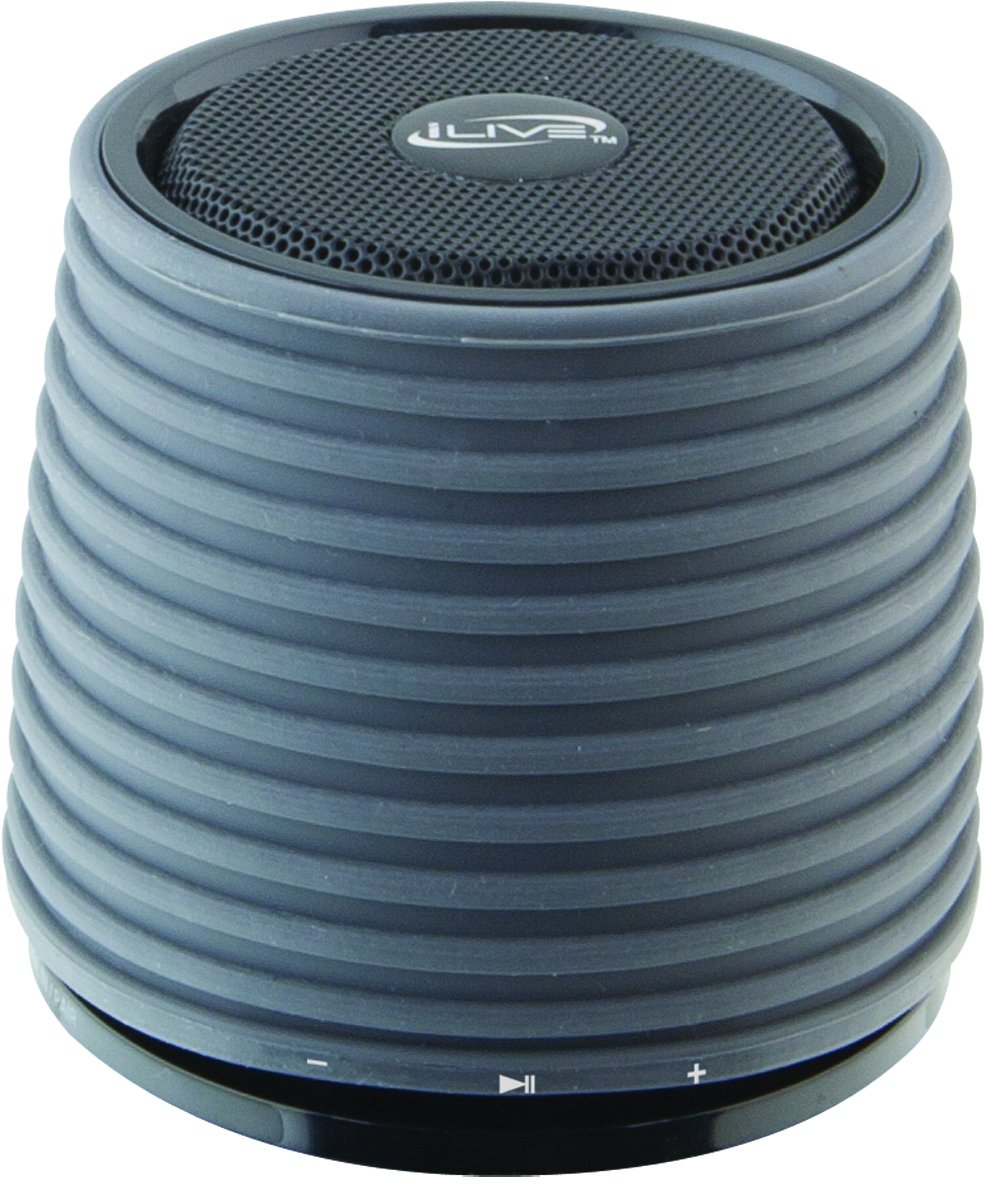
This image displays the iLive ISB212B Bluetooth Speaker. It features a cylindrical shape with a textured grey body and a black speaker grille on top. A band around the middle shows control buttons for play/pause, volume up/next track, and volume down/previous track.
- పవర్ బటన్: పవర్ ఆన్/ఆఫ్ చేయడానికి నొక్కి పట్టుకోండి.
- ప్లే/పాజ్ బటన్: ఆడియో ప్లేబ్యాక్ను నియంత్రిస్తుంది.
- వాల్యూమ్ పెంచు / తదుపరి ట్రాక్ బటన్: వాల్యూమ్ పెంచడానికి షార్ట్ ప్రెస్ చేయండి, తదుపరి ట్రాక్ కోసం లాంగ్ ప్రెస్ చేయండి.
- వాల్యూమ్ డౌన్ / మునుపటి ట్రాక్ బటన్: వాల్యూమ్ తగ్గించడానికి షార్ట్ ప్రెస్ చేయండి, మునుపటి ట్రాక్ కోసం లాంగ్ ప్రెస్ చేయండి.
- LED Pairing Indicator: బ్లూటూత్ కనెక్షన్ స్థితిని చూపుతుంది.
- మినీ-USB పోర్ట్: అంతర్గత బ్యాటరీని ఛార్జ్ చేయడానికి.
- 3.5mm ఆడియో ఇన్పుట్: For connecting external audio devices via an auxiliary cable (not included).
సెటప్
1 బ్యాటరీని ఛార్జ్ చేస్తోంది
- Connect the small end of the included Mini-USB to USB charging cable to the Mini-USB port on the speaker.
- USB ఛార్జింగ్ కేబుల్ యొక్క పెద్ద చివరను పవర్డ్ USB పోర్ట్ (ఉదా. కంప్యూటర్, USB వాల్ అడాప్టర్) కి కనెక్ట్ చేయండి.
- ఛార్జింగ్ సమయంలో LED సూచిక వెలుగుతుంది మరియు పూర్తిగా ఛార్జ్ అయినప్పుడు ఆపివేయబడుతుంది లేదా రంగు మారుతుంది.
- పూర్తిగా ఛార్జ్ చేస్తే దాదాపు 2 గంటల ప్లేబ్యాక్ సమయం లభిస్తుంది.
2. పవర్ చేయడం ఆన్/ఆఫ్
- To power on, press and hold the Power button until the LED indicator illuminates.
- పవర్ ఆఫ్ చేయడానికి, LED సూచిక ఆఫ్ అయ్యే వరకు పవర్ బటన్ను మళ్లీ నొక్కి పట్టుకోండి.
ఆపరేటింగ్ సూచనలు
1. బ్లూటూత్ పెయిరింగ్
- Ensure the speaker is powered on and within 30 feet of your Bluetooth device.
- The LED pairing indicator will flash, indicating it is in pairing mode.
- On your Bluetooth device (smartphone, tablet, etc.), enable Bluetooth and search for new devices.
- Select "iLive ISB212B" from the list of available devices.
- Once paired, the LED pairing indicator will become solid, and you may hear an audible confirmation.
- If pairing fails, power off the speaker and your device, then repeat the steps.
2. ఆడియో ప్లే
- After successful Bluetooth pairing, begin playing audio on your connected device.
- ప్లేబ్యాక్ను నియంత్రించడానికి స్పీకర్లోని ప్లే/పాజ్ బటన్ను ఉపయోగించండి.
- Use the Volume Up/Down buttons for volume adjustment. Long press for track navigation.
3. Using the 3.5mm Audio Input
- Connect one end of a 3.5mm audio cable (not included) to the 3.5mm Audio Input port on the speaker.
- కేబుల్ యొక్క మరొక చివరను హెడ్ఫోన్ జాక్ లేదా మీ బాహ్య ఆడియో పరికరం యొక్క ఆడియో అవుట్పుట్కు కనెక్ట్ చేయండి.
- స్పీకర్ స్వయంచాలకంగా సహాయక ఇన్పుట్ మోడ్కి మారుతుంది.
- Adjust volume using your external device and the speaker's volume controls.
నిర్వహణ
- స్పీకర్ను మృదువైన, పొడి గుడ్డతో శుభ్రం చేయండి. రాపిడి క్లీనర్లను లేదా ద్రావకాలను ఉపయోగించవద్దు.
- Keep the speaker away from water, moisture, and extreme temperatures. This product is not waterproof.
- ఎక్కువసేపు ఉపయోగంలో లేనప్పుడు స్పీకర్ను చల్లని, పొడి ప్రదేశంలో నిల్వ చేయండి.
- స్పీకర్ను విడదీయడానికి లేదా సవరించడానికి ప్రయత్నించవద్దు. ఇది వారంటీని రద్దు చేస్తుంది.
ట్రబుల్షూటింగ్
| సమస్య | పరిష్కారం |
|---|---|
| స్పీకర్ పవర్ ఆన్ చేయదు. | Ensure the battery is charged. Connect the speaker to a power source using the Mini-USB cable. |
| బ్లూటూత్ పరికరంతో జత చేయడం సాధ్యపడదు. |
|
| శబ్దం లేదు లేదా తక్కువ వాల్యూమ్ ఉంది. |
|
| తక్కువ బ్యాటరీ జీవితం. | స్పీకర్ ఉపయోగించే ముందు పూర్తిగా ఛార్జ్ అయ్యిందని నిర్ధారించుకోండి. వాల్యూమ్ స్థాయి మరియు వినియోగం ఆధారంగా బ్యాటరీ జీవితకాలం మారవచ్చు. |
స్పెసిఫికేషన్లు
| ఫీచర్ | వివరాలు |
|---|---|
| మోడల్ సంఖ్య | ISB212B |
| కనెక్టివిటీ | Bluetooth, 3.5mm Auxiliary, Mini-USB (charging) |
| స్పీకర్ అవుట్పుట్ పవర్ | 3 వాట్స్ |
| బ్యాటరీ రకం | 1 లిథియం అయాన్ (చేర్చబడింది) |
| బ్యాటరీ జీవితం (సుమారుగా) | 2 గంటలు |
| ఉత్పత్తి కొలతలు | 7.8 x 7.8 x 7.01 సెం.మీ |
| వస్తువు బరువు | 295 గ్రా |
| మూలం దేశం | చైనా |
| జలనిరోధిత | నం |
వారంటీ మరియు మద్దతు
This iLive ISB212B Bluetooth Speaker comes with a 90-రోజుల వారంటీ from the date of purchase. This warranty covers manufacturing defects. For technical support or warranty claims, please refer to the contact information provided with your product packaging or visit the official iLive webసైట్.