
పరిచయం
This manual provides detailed instructions for the installation and operation of the TooQ TQDS-802B Dual Bay SATA Docking Station. This device allows for easy connection of 2.5-inch and 3.5-inch SATA I/II/III hard drives or solid-state drives (SSDs) to your computer via USB 3.0, and features an offline cloning function for direct drive duplication without a PC.
ప్యాకేజీ విషయాలు
- TooQ TQDS-802B Dual Bay SATA Docking Station
- పవర్ అడాప్టర్ (DC 12V)
- USB 3.0 Type-A to Type-B Cable
- వినియోగదారు మాన్యువల్
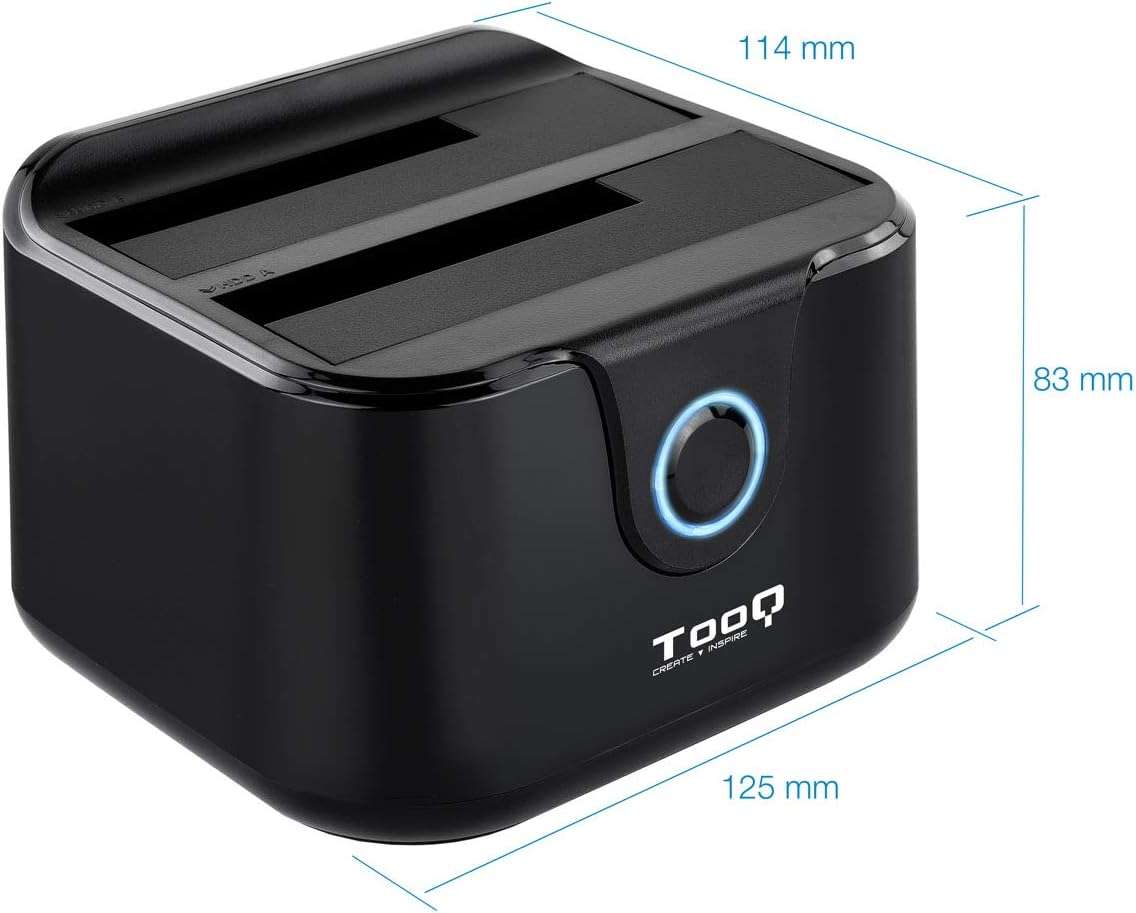
Image: Package contents including the docking station, power adapter, and USB 3.0 cable.
ఉత్పత్తి ముగిసిందిview
ముందు ప్యానెల్

చిత్రం: ముందు భాగం view of the docking station. The central button serves as the Clone button, surrounded by an LED indicator.
- LED సూచిక: Illuminates to indicate power and activity.
- క్లోన్ బటన్: Initiates the offline disk cloning process.
వెనుక ప్యానెల్

చిత్రం: వెనుక view of the docking station, detailing the power switch, DC 12V power input, and USB-B port for computer connection.
- స్విచ్ ఆన్/ఆఫ్: Powers the docking station on or off.
- DC 12V జాక్: చేర్చబడిన పవర్ అడాప్టర్కు కనెక్ట్ అవుతుంది.
- USB-B పోర్ట్: Connects the docking station to your computer via the USB 3.0 cable.
టాప్ View (Drive Bays)

చిత్రం: పైన view showing two drive bays, labeled A and B, designed to accommodate both 2.5-inch and 3.5-inch SATA HDDs/SSDs.
- Drive Bay A: For inserting the source drive during cloning, or a primary drive for data access. Compatible with 2.5" and 3.5" SATA drives.
- Drive Bay B: For inserting the target drive during cloning, or a secondary drive for data access. Compatible with 2.5" and 3.5" SATA drives.
సెటప్
- పవర్ కనెక్ట్ చేయండి: Connect the included power adapter to the DC 12V jack on the rear of the docking station, then plug the adapter into a power outlet. Do not power on the device yet.
- కంప్యూటర్కు కనెక్ట్ అవ్వండి (డేటా బదిలీకి ఐచ్ఛికం): If you intend to use the docking station for data transfer with a computer, connect the USB 3.0 cable from the USB-B port on the docking station to an available USB 3.0 port on your computer.
- డ్రైవ్లను చొప్పించండి: Gently insert your 2.5-inch or 3.5-inch SATA hard drives or SSDs into the drive bays (A and/or B) until they are firmly seated. Ensure the SATA connectors align correctly.
- పవర్ ఆన్: Flip the ON/OFF switch on the rear panel to the 'ON' position. The LED indicator will illuminate.
ఆపరేటింగ్ సూచనలు
A. Data Transfer (Connected to PC)
When connected to a computer via USB, the docking station functions as an external drive enclosure. Insert one or two SATA drives into the bays. Your operating system should automatically detect the drives. You can then access, read, and write data to them as you would with any other external storage device.
- డాకింగ్ స్టేషన్ ఆన్ చేయబడి, మీ కంప్యూటర్కు కనెక్ట్ చేయబడిందని నిర్ధారించుకోండి.
- Insert the SATA drive(s) into the bays.
- The drives will appear as removable storage in your computer's file అన్వేషకుడు.
- For safe removal, always eject the drives through your operating system before powering off the docking station or disconnecting the USB cable.
B. Offline Clone Function
The offline clone function allows you to duplicate a source drive to a target drive without needing a computer connection. The target drive must be equal to or larger in capacity than the source drive.
- డ్రైవ్లను సిద్ధం చేయండి: Ensure both the source drive (the drive you want to copy FROM) and the target drive (the drive you want to copy TO) are free of errors. All data on the target drive will be erased during the cloning process.
- డ్రైవ్లను చొప్పించండి:
- చొప్పించు సోర్స్ డ్రైవ్ లోకి బే ఎ.
- చొప్పించు టార్గెట్ డ్రైవ్ లోకి బే బి.
- PC నుండి డిస్కనెక్ట్ చేయండి: Ensure the USB cable is disconnected from the computer. The docking station must be operating independently for offline cloning.
- పవర్ ఆన్: Turn on the docking station using the ON/OFF switch.
- క్లోన్ను ప్రారంభించండి: నొక్కండి మరియు పట్టుకోండి క్లోన్ బటన్ for approximately 3-5 seconds until the LED indicator begins to flash. Release the button.
- పురోగతిని పర్యవేక్షించండి: The LED indicator will show the cloning progress. It will typically flash or change color to indicate different stages (e.g., 25%, 50%, 75%, 100%).
- పూర్తి: Once the cloning process is complete, the LED indicator will stop flashing and remain solid. You can then power off the docking station and remove the drives.
Important: Do not interrupt the cloning process by powering off the device or removing drives, as this may lead to data corruption on both drives.
నిర్వహణ
- Keep the docking station in a clean, dry environment, away from direct sunlight and extreme temperatures.
- పరికరాన్ని వదలడం లేదా బలమైన ప్రభావాలకు గురి చేయడం మానుకోండి.
- మెత్తటి, పొడి గుడ్డతో బయటి భాగాన్ని శుభ్రం చేయండి. ద్రవ క్లీనర్లు లేదా ద్రావకాలను ఉపయోగించవద్దు.
- ఆపరేషన్ సమయంలో పరికరం చుట్టూ సరైన వెంటిలేషన్ ఉండేలా చూసుకోండి.
ట్రబుల్షూటింగ్
Drive Not Detected by Computer
- Ensure the docking station is powered on and the USB cable is securely connected to both the docking station and the computer.
- మీ కంప్యూటర్లో వేరే USB పోర్ట్కి కనెక్ట్ చేయడానికి ప్రయత్నించండి.
- Verify that the hard drive is properly seated in the bay.
- Check Disk Management (Windows) or Disk Utility (macOS) to see if the drive is recognized but unformatted or unallocated.
- Test the drive directly in a computer or with another enclosure to rule out drive failure.
Offline Clone Fails or Does Not Start
- Ensure the USB cable is disconnected from the computer. Offline cloning requires the device to be standalone.
- Verify that the source drive is in Bay A and the target drive is in Bay B.
- లక్ష్య డ్రైవ్ యొక్క సామర్థ్యం సోర్స్ డ్రైవ్ యొక్క సామర్థ్యానికి సమానం లేదా అంతకంటే ఎక్కువ అని నిర్ధారించండి.
- Ensure both drives are properly inserted and seated.
- Press and hold the Clone button for the specified duration (3-5 seconds) until the LED indicator responds.
- Check for any errors on the source drive before attempting to clone.
స్పెసిఫికేషన్లు
| మోడల్ సంఖ్య | TQDS-802B |
| బ్రాండ్ | TOOQ లు |
| అనుకూల డ్రైవ్లు | 2.5" మరియు 3.5" SATA I/II/III HDDలు/SSDలు |
| డ్రైవ్ బేస్ | 2 (డ్యూయల్ బే) |
| PC కి ఇంటర్ఫేస్ | USB 3.0 (USB 2.0తో వెనుకకు అనుకూలమైనది) |
| డేటా బదిలీ రేటు | 5.0 Gbps వరకు (USB 3.0) |
| ఆఫ్లైన్ క్లోన్ ఫంక్షన్ | Supported (PC-independent) |
| గరిష్ట డ్రైవ్ సామర్థ్యం | Up to 2.0 TB (32-bit/64-bit systems) and 3.0 TB or more (64-bit systems) |
| మద్దతు ఉన్న OS | Windows, macOS, Linux (for USB connection) |
| విద్యుత్ సరఫరా | DC 12V పవర్ అడాప్టర్ |
| కొలతలు | సుమారు 125mm x 114mm x 83mm |
| బరువు | 350 గ్రాములు |

Image: Dimensions of the TooQ TQDS-802B Dual Bay SATA Docking Station.
వారంటీ మరియు మద్దతు
TOOQ products are designed for reliability and performance. For warranty information, please refer to the warranty card included with your product or visit the official TOOQ website. For technical support or further assistance, please contact TOOQ customer service through their official channels.
Manufacturer: Tooq & Nanocable Spain