
ఉత్పత్తి ముగిసిందిview
This CD-ROM provides a comprehensive service manual for 1979 Ford, Mercury, and Lincoln vehicles. It is an exact digital replication of the original five-volume shop manual set, offering detailed information for various models including Pinto, Mustang, Mach I, Mustang Ghia, Fairmont, Fairmont Sporty Coupe, Granada, LTD II, LTD II Ranchero, Ford Custom 500, Ford LTD, Ford LTD Landau, Thunderbird, Bobcat, Capri, Zephyr, Monarch, Versailles, Cougar, Cougar XR 7, Mercury Marquis, Mercury Marquis Brougham, Mercury Meteor, Mark V, and Lincoln models. This includes all convertible, station wagon, sedan, and coupe variations.
The manual is designed to assist with vehicle identification, maintenance, and repair procedures, covering a wide range of systems and components.
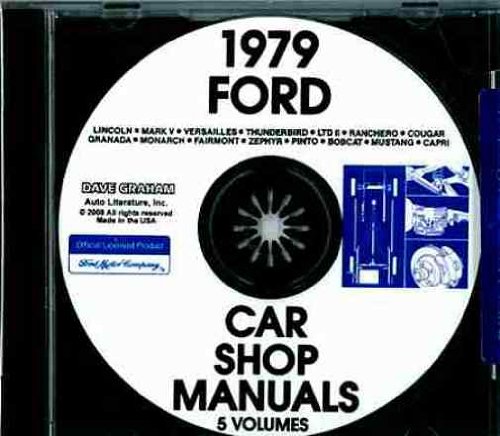
Image: Front cover of the 1979 Ford Service Manual CD-ROM, featuring a classic Ford vehicle and the manual's title.
Manual Content Details
The CD-ROM contains the equivalent of the original 1979 Ford Five-Volume Shop Manual Set, totaling over 2700 pages of information. It includes:
- Volume 1 Chassis: 749 pages covering wheels, tires, hubs, bearings, brakes, steering, suspension, driving axles, driveshafts, clutch, and manual transmission.
- Volume 2 Engine: 592 pages dedicated to gasoline engines, ignition system, fuel system, exhaust system, cooling system, and starting system.
- Volume 3 Electrical: 819 pages detailing electrical harnesses, connectors, circuit protection, and auxiliary equipment (antenna, ash receptacles, cigar lighter, CB radio, horns, mirrors, radio, stereo tape player, speakers, windshield washers, wipers).
- Volume 4 Body: 420 pages on body components, ventilating, heating, air conditioning, and speed control.
- Volume 5 Pre-Delivery Maintenance & Lubrication: 125 pages on essential maintenance procedures.
The manual is rich with specifications, illustrations, photographs, and guided instructions to facilitate accurate repairs and maintenance.
సెటప్ సూచనలు
- సిస్టమ్ అవసరాలు: Ensure your computer has a CD-ROM drive and a compatible operating system (e.g., Windows, macOS with appropriate software for PDF viewing)
- CD చొప్పించు: Gently insert the CD-ROM into your computer's CD/DVD drive.
- Auto-run (if applicable): If an auto-run feature is enabled, the CD content may open automatically. Follow any on-screen prompts.
- మాన్యువల్ యాక్సెస్: If auto-run does not initiate, open "My Computer" or "This PC" (Windows) or "Finder" (macOS), locate your CD/DVD drive, and double-click to open its contents.
- Locate Main File: Look for an index file (e.g., "index.html", "start.pdf", or a main PDF document) to begin navigating the manual.
It is recommended to have a PDF reader installed on your computer for optimal viewing of the manual's content.
Operating the Manual CD-ROM
Once the CD content is open, you can navigate the manual using the following methods:
- హైపర్లింక్లు: Many digital manuals include hyperlinks within the document for quick navigation between sections, chapters, and related topics.
- శోధన ఫంక్షన్: Utilize the search function within your PDF reader or web browser (if the manual is HTML-based) to find specific keywords, procedures, or component names.
- Bookmarks/Table of Contents: Digital manuals often have an interactive table of contents or bookmarks panel on the side of the viewer for easy access to different sections.
- ప్రింటింగ్: Individual pages or entire sections can be printed for convenience during repair work.
Refer to the specific navigation instructions provided within the CD-ROM's interface or main document for the most efficient use.
CD-ROM Maintenance and Care
- నిర్వహణ: Always hold the CD-ROM by its edges or by placing a finger through the center hole to avoid touching the data surface.
- శుభ్రపరచడం: If the CD-ROM becomes dirty, gently wipe it with a soft, lint-free cloth from the center outwards. Do not use abrasive materials or harsh chemicals.
- నిల్వ: Store the CD-ROM in its protective case when not in use to prevent scratches, dust accumulation, and exposure to direct sunlight or extreme temperatures.
- వంగడం మానుకోండి: Do not bend the CD-ROM, as this can cause irreparable damage to the data layer.
Proper care will ensure the longevity and readability of your service manual CD-ROM.
సాధారణ సమస్యలను పరిష్కరించడం
- CD చదవడం లేదు:
- CD డ్రైవ్లో సరిగ్గా చొప్పించబడిందని నిర్ధారించుకోండి.
- Clean the CD surface gently with a soft cloth.
- Try the CD in another computer or CD-ROM drive to rule out a drive issue.
- Check if your operating system drivers for the CD-ROM drive are up to date.
- Fileతెరవడం లేదు:
- Verify that you have a compatible PDF reader (e.g., Adobe Acrobat Reader) installed if the manual files are in PDF format.
- మీ సాఫ్ట్వేర్ తాజాగా ఉందని నిర్ధారించుకోండి.
- Some older CD-ROMs may require specific older software versions or operating systems; check any included README files.
- నెమ్మదిగా పనితీరు:
- Copy the contents of the CD-ROM to your computer's hard drive for faster access, if permitted by copyright.
- Close other demanding applications while using the manual.
If issues persist, contact the vendor or manufacturer for further assistance.
ఉత్పత్తి లక్షణాలు
| ఫీచర్ | వివరాలు |
|---|---|
| ఉత్పత్తి రకం | Service Manual CD-ROM |
| Coverage Year | 1979 |
| Covered Brands | Ford, Mercury, Lincoln |
| దీనికి సమానం | Original 1979 Ford Five-Volume Shop Manual Set |
| Total Pages (Approx.) | 2700+ |
| భాష | ఇంగ్లీష్ |
| ప్రచురణ తేదీ | January 1, 1979 (Original Manual) |
వారంటీ మరియు మద్దతు సమాచారం
Information regarding specific warranty coverage for this CD-ROM product is not available in the provided details. Please refer to the packaging or contact the seller directly for any warranty-related inquiries.
For technical support regarding the content or functionality of the CD-ROM, it is recommended to contact the vendor or publisher. Ensure you have your purchase details ready when seeking support.