
పరిచయం
This manual provides detailed instructions for the safe and efficient operation of your Ozeri 360 Oscillation Micro-Blade Noise Reduction Technology Tower Fan, Model OZF5. Please read all instructions carefully before use and retain this manual for future reference.
భద్రతా సమాచారం
అగ్ని ప్రమాదం, విద్యుత్ షాక్ లేదా గాయం ప్రమాదాన్ని తగ్గించడానికి, ఎల్లప్పుడూ ఈ ప్రాథమిక భద్రతా జాగ్రత్తలను అనుసరించండి:
- ఫ్యాన్ ఒరిగిపోకుండా ఉండటానికి స్థిరమైన, సమతల ఉపరితలంపై ఉంచబడిందని నిర్ధారించుకోండి.
- ఫ్యాన్ యొక్క ఏవైనా ఓపెనింగ్లలోకి వేళ్లు లేదా విదేశీ వస్తువులను చొప్పించవద్దు.
- Keep the fan away from water or moist areas.
- ఏదైనా నిర్వహణ లేదా శుభ్రపరిచే ముందు ఫ్యాన్ను పవర్ అవుట్లెట్ నుండి అన్ప్లగ్ చేయండి.
- దెబ్బతిన్న త్రాడు లేదా ప్లగ్తో ఫ్యాన్ను ఆపరేట్ చేయవద్దు.
- ఈ ఉపకరణం ఇండోర్ ఉపయోగం కోసం మాత్రమే.
ప్యాకేజీ విషయాలు
అన్ని భాగాలు ఉన్నాయని నిర్ధారించుకోండి:
- Ozeri 360 Oscillation Tower Fan Unit
- Fan Base (2 halves)
- రిమోట్ కంట్రోల్
- Screws for Base Assembly (3 pieces)
- వినియోగదారు మాన్యువల్
సెటప్
Follow these steps to assemble your Ozeri Tower Fan:
- ఫ్యాన్ యూనిట్ మరియు దాని భాగాల నుండి అన్ని ప్యాకేజింగ్ సామగ్రిని జాగ్రత్తగా తొలగించండి.
- Connect the two halves of the fan base. Ensure they fit together securely.
- Align the assembled base with the bottom of the fan unit.
- Secure the base to the fan unit using the 3 provided screws. Hand assembly is sufficient; no special tools are required.
- ఫ్యాన్ను దృఢమైన, సమతల ఉపరితలంపై ఉంచండి.
- పవర్ కార్డ్ను ప్రామాణిక ఎలక్ట్రికల్ అవుట్లెట్లోకి ప్లగ్ చేయండి.
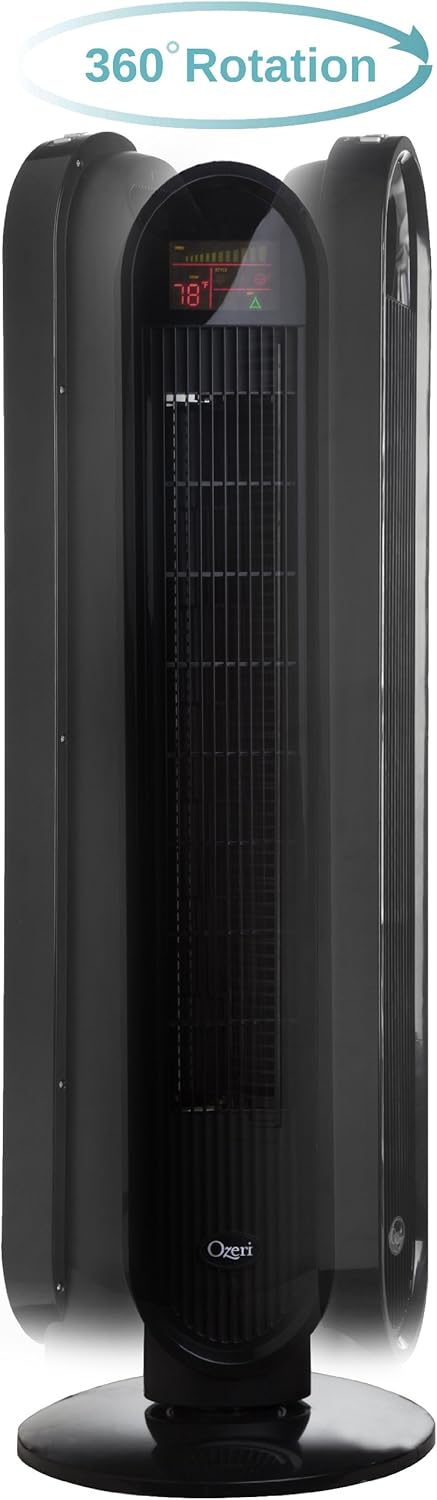
ఆపరేటింగ్ సూచనలు
Your Ozeri Tower Fan can be operated using the control panel on top of the unit or the included remote control.
నియంత్రణ ప్యానెల్ విధులు:

- పవర్ బటన్: ఫ్యాన్ను ఆన్ లేదా ఆఫ్ చేస్తుంది.
- స్పీడ్ బటన్: Cycles through 3 whisper-quiet speed settings. The LCD display will show the current speed level.
- మోడ్ బటన్: Selects between 3 preprogrammed airflow patterns (e.g., normal, natural, sleep).
- Oscillation (OSC) Button: Activates or deactivates the oscillation feature. You can select oscillation angles of 60, 90, 120, or 360 degrees for partial to complete air circulation.
- టైమర్ బటన్: Sets the 8-hour programmable timer in 30-minute increments.
- ఆటో బటన్: Engages the auto mode, which adjusts fan speed based on room temperature.
LCD డిస్ప్లే:

The multi-colored LCD displays all active fan functions and the current room temperature, allowing for easy monitoring and control.
రిమోట్ కంట్రోల్:
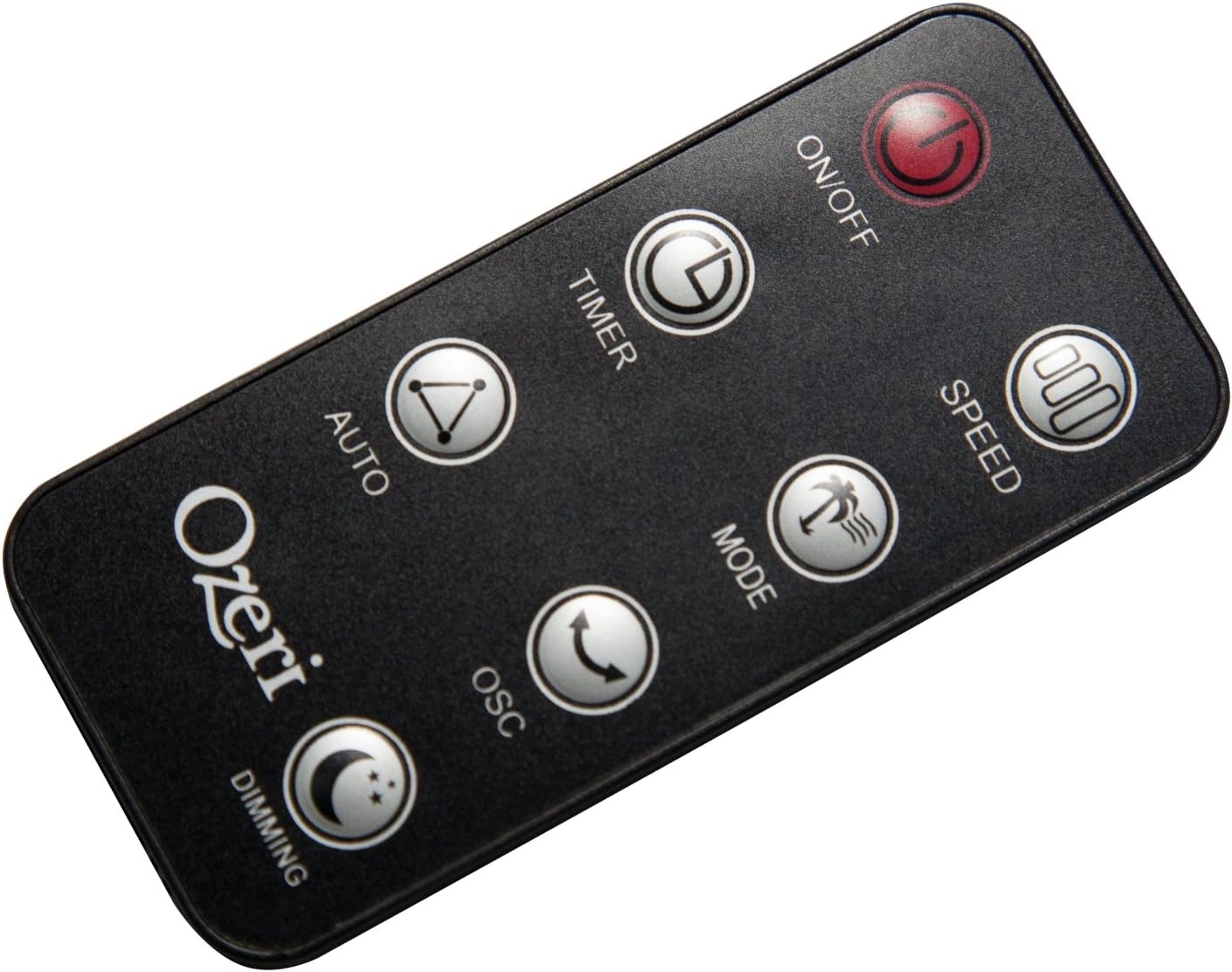
The extended-range remote control provides convenient access to all fan features from a distance. It includes buttons for On/Off, Speed, Timer, Mode, Auto, Oscillation, and Dimming (for the LCD display). The remote can be stored in a dedicated slot on the fan unit.

అధికారిక ఉత్పత్తి వీడియో:
Video: This official product video demonstrates the Ozeri 360 Oscillation Tower Fan, highlighting its micro-blade noise reduction technology and various features.
నిర్వహణ
Regular cleaning ensures optimal performance and longevity of your fan:
- శుభ్రపరిచే ముందు ఎల్లప్పుడూ ఫ్యాన్ను అన్ప్లగ్ చేయండి.
- ఒక మృదువైన ఉపయోగించండి, డిamp బాహ్య ఉపరితలాలను తుడవడానికి గుడ్డ. రాపిడి క్లీనర్లు లేదా ద్రావకాలను ఉపయోగించవద్దు.
- ఎయిర్ ఇన్టేక్ మరియు ఎగ్జాస్ట్ గ్రిల్స్ నుండి దుమ్మును శాంతముగా తొలగించడానికి బ్రష్ అటాచ్మెంట్ ఉన్న వాక్యూమ్ క్లీనర్ను ఉపయోగించండి.
- ఫ్యాన్ను నీటిలో ముంచవద్దు లేదా మోటార్ హౌసింగ్లోకి నీరు కారేలా అనుమతించవద్దు.
- ఉపయోగంలో లేనప్పుడు ఫ్యాన్ని చల్లని, పొడి ప్రదేశంలో నిల్వ చేయండి.
ట్రబుల్షూటింగ్
మీ ఫ్యాన్తో మీకు సమస్యలు ఎదురైతే, ఈ క్రింది సాధారణ సమస్యలు మరియు పరిష్కారాలను చూడండి:
- ఫ్యాన్ ఆన్ చేయదు: Ensure the power cord is securely plugged into a working outlet. Check if the power button on the fan or remote has been pressed.
- బలహీనమైన గాలి ప్రవాహం: Check the fan speed setting and increase it if necessary. Ensure the air intake and exhaust grilles are not obstructed by dust or other objects.
- Fan makes unusual noise: Turn off and unplug the fan. Inspect for any foreign objects caught in the grilles or internal components. If the noise persists after clearing any obstructions, contact customer support.
- రిమోట్ కంట్రోల్ పనిచేయదు: Ensure the remote control batteries are correctly installed and not depleted. Point the remote directly at the fan's receiver.
స్పెసిఫికేషన్లు
| ఫీచర్ | వివరాలు |
|---|---|
| బ్రాండ్ | ఓజేరి |
| మోడల్ సంఖ్య | OZF5 |
| రంగు | నలుపు |
| ఎలక్ట్రిక్ ఫ్యాన్ డిజైన్ | అంతస్తు అభిమాని |
| శక్తి మూలం | కార్డెడ్ ఎలక్ట్రిక్ |
| ప్రత్యేక ఫీచర్ | Oscillating (60, 90, 120, 360 degrees) |
| స్పీడ్ల సంఖ్య | 3 |
| వాట్tage | 60 వాట్స్ |
| గాలి ప్రవాహ సామర్థ్యం | నిమిషానికి 5000 క్యూబిక్ అడుగులు |
| వాల్యూమ్tage | 127 వోల్ట్లు |
| నియంత్రణ పద్ధతి | Remote Control, Electronic Touch Controls |
| మెటీరియల్ | ప్లాస్టిక్ |
| వస్తువు బరువు | 9 పౌండ్లు |
వారంటీ మరియు మద్దతు
This Ozeri Tower Fan comes with a 1-year no questions asked warranty. For warranty claims, technical support, or any inquiries, please refer to the contact information provided on the Ozeri official webసైట్ లేదా మీ కొనుగోలు డాక్యుమెంటేషన్.