
1. పరిచయం
The Divoom Voombox Outdoor Speaker is a rugged, water-resistant portable audio device designed for outdoor use. It offers advanced audio performance and a long-lasting rechargeable battery, providing a full-range listening experience. This manual provides detailed instructions for setting up, operating, maintaining, and troubleshooting your Voombox Outdoor Speaker.

Figure 1: Divoom Voombox Outdoor Speaker, showcasing దాని దృఢమైన డిజైన్.
2. పెట్టెలో ఏముంది
అన్ని అంశాలు ఉన్నాయని నిర్ధారించుకోవడానికి దయచేసి ప్యాకేజీలోని విషయాలను తనిఖీ చేయండి:
- (1) Divoom Voombox Outdoor Speaker
- (1) మణికట్టు పట్టీ
- (1) Auxiliary Connection Cable
- (1) Micro-USB Charging Cable
3. ఉత్పత్తి లక్షణాలు
The Divoom Voombox Outdoor Speaker is equipped with several features for an enhanced audio experience:
- Booming Dual Speakers: శక్తివంతమైన మరియు స్పష్టమైన ఆడియో అవుట్పుట్ను అందిస్తుంది.
- వైర్లెస్ ప్లేబ్యాక్: Connects wirelessly via Bluetooth 4.0 from up to 10 meters away.
- అంతర్నిర్మిత మైక్రోఫోన్: Enables hands-free calls and conference calls.
- దీర్ఘకాలం ఉండే బ్యాటరీ: Features a 3200 mAh rechargeable battery providing up to 12 hours of playback.
- Sturdy and Weather-Resistant Design: Built to withstand outdoor conditions with an IP44 rating.

మూర్తి 2: టాప్ view of the Voombox Outdoor Speaker, highlighting its control panel.

Figure 3: The Voombox Outdoor Speaker demonstrating its IP44 weather resistance against splashes.
4. సెటప్
4.1 స్పీకర్ను ఛార్జ్ చేయడం
- Locate the Micro-USB charging port on the speaker.
- Connect the Micro-USB charging cable to the speaker and the other end to a USB power source (e.g., computer USB port, USB wall adapter).
- The charging indicator light will illuminate. A full charge typically takes 3 to 4 hours.
- పూర్తిగా ఛార్జ్ అయిన తర్వాత, మోడల్ను బట్టి సూచిక లైట్ మారుతుంది లేదా ఆపివేయబడుతుంది.

Figure 4: Visual representation of the Voombox Outdoor Speaker's 12-hour battery life.
5. ఆపరేటింగ్ సూచనలు
5.1 పవర్ చేయడం ఆన్/ఆఫ్
- To power on, press and hold the Power button until you hear an audible cue or see the indicator light.
- To power off, press and hold the Power button again until the device shuts down.
5.2 బ్లూటూత్ జత చేయడం
- స్పీకర్ ఆన్ చేయబడిందని మరియు మీ బ్లూటూత్ పరికరం నుండి 10 మీటర్ల దూరంలో ఉందని నిర్ధారించుకోండి.
- The speaker will automatically enter pairing mode (indicated by a flashing LED).
- మీ స్మార్ట్ఫోన్, టాబ్లెట్ లేదా ఇతర బ్లూటూత్ పరికరంలో, బ్లూటూత్ను ప్రారంభించి, అందుబాటులో ఉన్న పరికరాల కోసం శోధించండి.
- Select "Voombox Outdoor" from the list of devices.
- Once paired, the speaker will provide an audible confirmation, and the LED indicator will become solid.
- పరికరం పరిధిలో ఉంటే, స్పీకర్ పవర్ ఆన్ చేసినప్పుడు చివరిగా జత చేసిన పరికరానికి స్వయంచాలకంగా తిరిగి కనెక్ట్ అవుతుంది.
5.3 ఆడియో ప్లేబ్యాక్
- ప్లే/పాజ్: ప్లే/పాజ్ బటన్ను నొక్కండి.
- ధ్వని పెంచు: "+" బటన్ నొక్కండి.
- వాల్యూమ్ డౌన్: "-" బటన్ నొక్కండి.
- తదుపరి ట్రాక్: "+" బటన్ను నొక్కి పట్టుకోండి.
- మునుపటి ట్రాక్: "-" బటన్ను నొక్కి పట్టుకోండి.
5.4 హ్యాండ్స్-ఫ్రీ కాలింగ్
- సమాధానం కాల్: Press the Call button (often the Play/Pause button) when a call comes in.
- కాల్ ముగించు: కాల్ ముగించడానికి కాల్ బటన్ను మళ్ళీ నొక్కండి.
- కాల్ని తిరస్కరించండి: ఇన్కమింగ్ కాల్ను తిరస్కరించడానికి కాల్ బటన్ను నొక్కి పట్టుకోండి.
- చివరి నంబర్ని మళ్లీ డయల్ చేయండి: కాల్ బటన్ను రెండుసార్లు నొక్కండి.
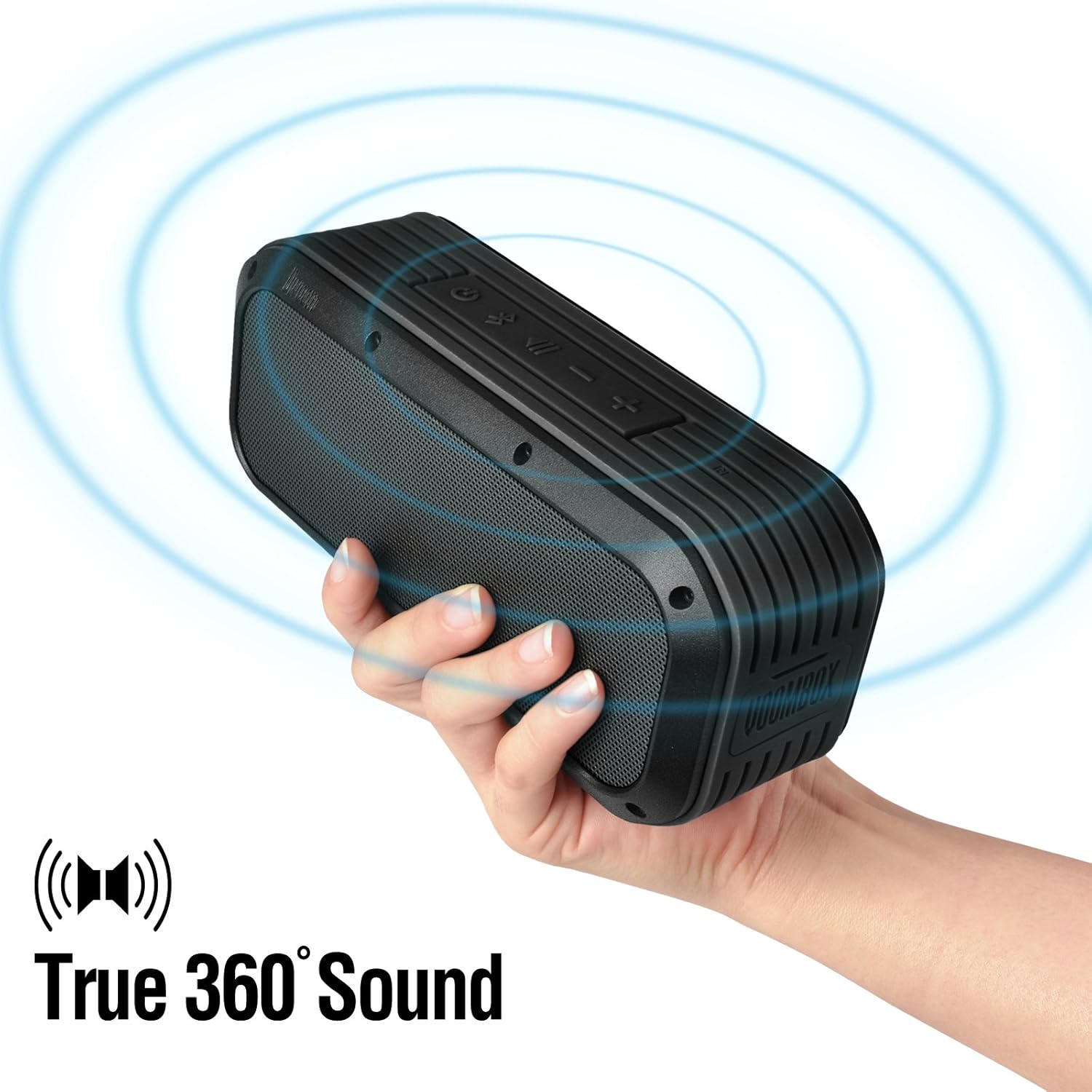
Figure 5: The Voombox Outdoor Speaker's ability to project 360-degree sound.
6. నిర్వహణ
Proper care will extend the life of your Divoom Voombox Outdoor Speaker:
- శుభ్రపరచడం: ఒక మృదువైన ఉపయోగించండి, డిamp cloth to wipe the speaker's surface. Do not use harsh chemicals or abrasive cleaners.
- నీటి నిరోధకత: While the speaker is weather-resistant (IP44), it is not designed for submersion. Ensure all port covers are securely closed before exposure to water splashes.
- నిల్వ: స్పీకర్ను ప్రత్యక్ష సూర్యకాంతి మరియు తీవ్రమైన ఉష్ణోగ్రతలకు దూరంగా చల్లని, పొడి ప్రదేశంలో నిల్వ చేయండి.
- బ్యాటరీ సంరక్షణ: బ్యాటరీ ఆరోగ్యాన్ని కాపాడుకోవడానికి, బ్యాటరీని తరచుగా పూర్తిగా డిశ్చార్జ్ చేయకుండా ఉండండి. ఎక్కువసేపు ఉపయోగంలో లేనప్పటికీ, స్పీకర్ను క్రమం తప్పకుండా ఛార్జ్ చేయండి.
7. ట్రబుల్షూటింగ్
| సమస్య | సాధ్యమైన కారణం | పరిష్కారం |
|---|---|---|
| స్పీకర్ పవర్ ఆన్ చేయదు. | బ్యాటరీ క్షీణించింది. | స్పీకర్ను 3-4 గంటలు ఛార్జ్ చేయండి. |
| బ్లూటూత్ పరికరంతో జత చేయడం సాధ్యపడదు. | Speaker is not in pairing mode or too far. | Ensure speaker is on and within 10m. Turn Bluetooth off/on on your device. Forget previous pairings. |
| శబ్దం లేదు లేదా తక్కువ వాల్యూమ్ ఉంది. | Volume too low on speaker or source device. | స్పీకర్ మరియు మీ కనెక్ట్ చేయబడిన పరికరం రెండింటిలోనూ వాల్యూమ్ పెంచండి. |
| ధ్వని వక్రీకరణ. | Volume too high or weak Bluetooth signal. | Reduce volume. Move speaker closer to the source device. |
8. స్పెసిఫికేషన్లు
| ఫీచర్ | వివరాలు |
|---|---|
| డ్రైవర్ పరిమాణం | 2-inches x 2-inches |
| అవుట్పుట్ పవర్ | 7.5 W x 2 (Total 15 Watts) |
| స్పీకర్ కొలతలు | 165L x 52D x 70 H (mm) |
| నాయిస్ రేషియోకి సిగ్నల్ | ≥75dB |
| బ్యాటరీ కెపాసిటీ | 3200 mAh |
| బ్యాటరీ వాల్యూమ్tage | 3.7 వి |
| బ్యాటరీ ఛార్జ్ సమయం | 3 నుండి 4 గంటలు |
| వైర్లెస్ రేంజ్ | 10 మీటర్ వరకు |
| బ్లూటూత్ వర్తింపు | బ్లూటూత్ 4.0 |
| బ్లూటూత్ ప్రోfile మద్దతు | A2DP stereo |
| టాక్ టైమ్ | 12 గంటల వరకు |
| మైక్రోఫోన్ సున్నితత్వం | -40db |
| ఉత్పత్తి కొలతలు | 18.49 x 5.99 x 7.8 సెం.మీ |
| వస్తువు బరువు | 698.53 గ్రా |
| మోడల్ సంఖ్య | 17620 |

Figure 6: Internal components of the Voombox Outdoor Speaker, illustrating its robust construction.
9. వారంటీ మరియు మద్దతు
Divoom products are designed for durability and performance. For warranty information and technical support, please refer to the official Divoom webసైట్లో లేదా వారి కస్టమర్ సర్వీస్ను నేరుగా సంప్రదించండి. వారంటీ క్లెయిమ్ల కోసం కొనుగోలు రుజువుగా మీ కొనుగోలు రసీదును ఉంచండి.
అదనపు మద్దతు లేదా విచారణల కోసం, దయచేసి సందర్శించండి Divoom Official Webసైట్.