
1. పరిచయం మరియు ఓవర్view
The CAD Audio D90 is a premium supercardioid dynamic handheld microphone designed for live vocal performance. It features a Trueflex diaphragm and PowerGap high-gauss neodymium magnets, delivering a strong and articulate signal. Its durable, all-metal construction ensures reliability for stagఇ ఉపయోగం.
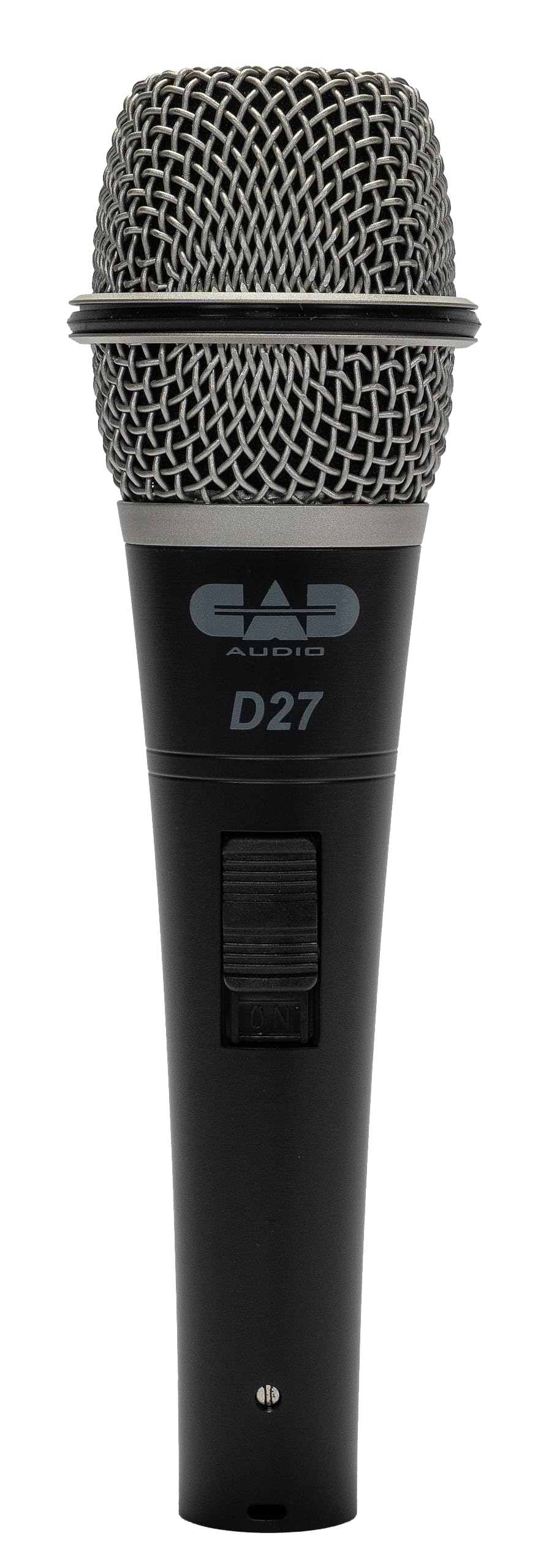
Image 1.1: The CAD Audio D90 Handheld Dynamic Microphone.
ముఖ్య లక్షణాలు:
- Trueflex Diaphragm: Provides articulate response for clear vocal reproduction.
- Powerful Neodymium Magnet: Ensures a hot signal output.
- Supercardioid Polar Pattern: Offers excellent off-axis rejection, reducing feedback and isolating the sound source.
- మన్నికైన ఆల్-మెటల్ నిర్మాణం: Built to withstand the rigors of live performance.
- Smooth and Articulate Lead Vocal Performance: Engineered for optimal vocal clarity.

Image 1.2: Illustrates the professional sound features of the CAD Audio D90 microphone, highlighting articulate clarity and a powerful signal.
వీడియో 1.1: అధికారికంగా ముగిసిందిview of the CAD Audio D90 Premium Supercardioid Dynamic Handheld Microphone, showcasing దాని డిజైన్ మరియు లక్షణాలు.
2. పెట్టెలో ఏముంది
Upon opening your CAD Audio D90 package, you should find the following items:
- CAD ఆడియో D90 హ్యాండ్హెల్డ్ డైనమిక్ మైక్రోఫోన్
- Hard-sided road case (for protection and transport)
- Microphone clip (for mounting on a stand)

Image 2.1: Contents of the CAD Audio D90 package, including the microphone, mic clip, and carrying pouch.
3. సెటప్
Follow these steps to set up your CAD Audio D90 microphone for use:
- మైక్రోఫోన్ క్లిప్ను అటాచ్ చేయండి: Secure the included microphone clip to a standard microphone stand. Ensure it is tightened sufficiently to hold the microphone firmly.
- మైక్రోఫోన్ చొప్పించు: Gently insert the CAD Audio D90 microphone into the microphone clip. Adjust the angle as needed for optimal positioning.
- XLR కేబుల్ను కనెక్ట్ చేయండి: Connect a standard 3-pin XLR cable to the microphone's output connector at the base. The D90 is a passive dynamic microphone and does not require phantom power.
- ఆడియో సిస్టమ్కి కనెక్ట్ చేయండి: Connect the other end of the XLR cable to an input on your mixer, audio interface, or amplifier. Ensure the input gain is set to a low level before powering on your audio system.

Image 3.1: The CAD Audio D90 microphone securely mounted on a stand, ready for connection.
4. ఆపరేటింగ్ సూచనలు
To achieve the best performance from your CAD Audio D90 microphone, consider the following operational guidelines:
మైక్రోఫోన్ టెక్నిక్:
- సామీప్య ప్రభావం: The D90 exhibits a proximity effect, meaning bass response increases as the microphone is moved closer to the sound source. Experiment with distance to achieve desired tonal characteristics.
- On-Axis Placement: For optimal clarity and frequency response, position the microphone directly in front of the sound source (on-axis).
- Off-Axis Rejection: As a supercardioid microphone, the D90 is highly directional. Point the microphone away from unwanted sound sources (e.g., stage monitors, instruments) to minimize bleed and feedback.
ఎస్ పొందండిtaging:
- Start with the input gain on your mixer or interface at its lowest setting.
- Gradually increase the gain while speaking or singing into the microphone at your typical performance volume.
- Adjust the gain until the signal is strong without clipping or distortion. Aim for a healthy signal level that allows for headroom.

Image 4.1: A performer utilizing the CAD Audio D90 microphone on stage, demonstrating typical usage.
5. నిర్వహణ
Proper maintenance will extend the life and performance of your CAD Audio D90 microphone:
- శుభ్రపరచడం: Regularly wipe the microphone body with a soft, dry cloth. For the grille, use a soft brush to remove any debris. Avoid using liquid cleaners directly on the microphone.
- నిల్వ: When not in use, store the microphone in its included hard-sided road case or a protective pouch to prevent dust accumulation and physical damage.
- తేమను నివారించండి: Keep the microphone away from moisture and extreme temperatures.
- జాగ్రత్తగా నిర్వహించండి: While durable, avoid dropping or subjecting the microphone to harsh impacts.
6. ట్రబుల్షూటింగ్
If you encounter issues with your CAD Audio D90 microphone, refer to the following common problems and solutions:
| సమస్య | సాధ్యమైన కారణం | పరిష్కారం |
|---|---|---|
| సౌండ్ అవుట్పుట్ లేదు |
|
|
| వక్రీకరించిన ధ్వని |
|
|
| అధిక అభిప్రాయం |
|
|
| బలహీనమైన సిగ్నల్ |
|
|
7. స్పెసిఫికేషన్లు
Detailed technical specifications for the CAD Audio D90 Handheld Dynamic Microphone:

Image 7.1: Visual representation of key specifications for the CAD Audio D90 microphone.
| స్పెసిఫికేషన్ | విలువ |
|---|---|
| మోడల్ సంఖ్య | D90 |
| మైక్రోఫోన్ ఫారమ్ ఫ్యాక్టర్ | మైక్రోఫోన్ మాత్రమే |
| ఆడియో సెన్సిటివిటీ | 51 Decibels (-51 dBV @ 1pa) |
| ఇంపెడెన్స్ | ౪౦ ఓం |
| ఫ్రీక్వెన్సీ రెస్పాన్స్ | 50 హెర్ట్జ్ - 16 కిలోహెర్ట్జ్ |
| సిగ్నల్-టు-శబ్ద నిష్పత్తి | 80 డిబి |
| మెటీరియల్ | మెటల్ |
| వస్తువు బరువు | 1 పౌండ్లు (454 గ్రాములు) |
| ఉత్పత్తి కొలతలు (L x W x H) | 10 x 3 x 6.5 అంగుళాలు |
| శక్తి మూలం | Corded Electric (passive, no external power required) |
| హార్డ్వేర్ ప్లాట్ఫారమ్ | Karaoke Machine (compatible with various audio systems) |
| UPC | 631922107289 |
8. వారంటీ మరియు మద్దతు
For warranty information, technical support, or service inquiries regarding your CAD Audio D90 microphone, please refer to the official CAD Audio webసైట్ లేదా వారి కస్టమర్ సేవా విభాగాన్ని సంప్రదించండి.
ఆన్లైన్ మద్దతు: సందర్శించండి CAD Audio Store on Amazon or the official CAD Audio website for FAQs, product registration, and contact details.
ఏవైనా వారంటీ క్లెయిమ్ల కోసం దయచేసి మీ కొనుగోలు రుజువును ఉంచుకోండి.