
పరిచయం
This manual provides detailed instructions for the setup, operation, maintenance, and troubleshooting of your GPX TCR340 Intelli-Set Clock with Digital Tune AM-FM Radio. Please read this manual thoroughly before using the device to ensure proper function and to maximize your user experience. Keep this manual for future reference.
సెటప్
1. పవర్ కనెక్షన్
Connect the provided AC power adapter to the DC input jack on the back of the unit and then plug the adapter into a standard wall outlet. The unit is designed for corded electric operation.
2. బ్యాటరీ బ్యాకప్ ఇన్స్టాలేషన్
For battery backup, install the required batteries (not included) into the battery compartment located on the bottom of the unit. This will preserve time and alarm settings during a power outage. Refer to the battery compartment for correct polarity.
3. Automatic Time Setting (Intelli-Set)
The GPX TCR340 features Intelli-Set technology, which automatically sets the time upon initial power connection. Ensure the unit is connected to power, and the time should set itself. You may need to adjust the time zone manually if it does not match your location.
4. యాంటెన్నా సెటప్
- FM యాంటెన్నా: Extend the built-in FM wire antenna fully for optimal FM reception. Adjust its position for best signal.
- AM యాంటెన్నా: The unit has a built-in AM antenna. Rotate the unit for best AM reception.
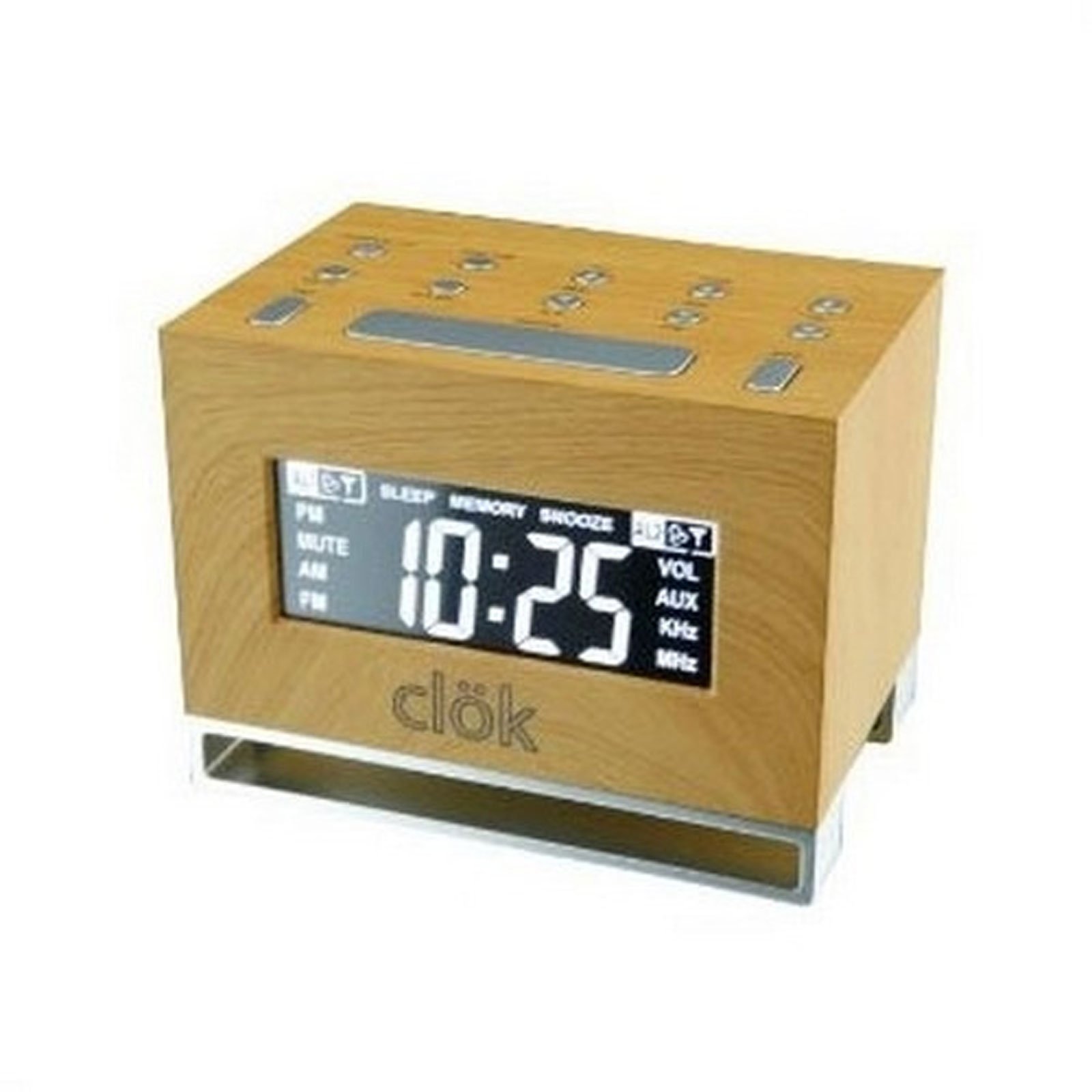
మూర్తి 1: ముందు view of the GPX TCR340 Intelli-Set Clock Radio, showing the digital display and control buttons.
ఆపరేటింగ్ సూచనలు
1. ప్రాథమిక నియంత్రణలు
Familiarize yourself with the buttons on the top and front of the unit. Common controls include Power, Volume Up/Down, Tune Up/Down, Alarm Set, Snooze, and Display Brightness.
2. సమయాన్ని నిర్ణయించడం
- నొక్కండి మరియు పట్టుకోండి టైమ్ సెట్ button (location may vary, typically on the back or top).
- పట్టుకొని ఉండగా టైమ్ సెట్, ఉపయోగించండి గంట మరియు నిమిషం buttons (or ట్యూన్ +/-) to adjust the time.
- విడుదల టైమ్ సెట్ నిర్ధారించడానికి.
- To adjust the time zone, press and hold the శక్తి button while simultaneously pressing a dedicated సమయమండలం button (if available) or a button on the back of the unit to cycle through zones.
3. రేడియో ఆపరేషన్ (AM/FM)
- నొక్కండి శక్తి రేడియోను ఆన్ చేయడానికి బటన్.
- నొక్కండి బ్యాండ్ AM మరియు FM మధ్య మారడానికి బటన్.
- ఉపయోగించండి ట్యూన్ +/- కావలసిన స్టేషన్కు మాన్యువల్గా ట్యూన్ చేయడానికి బటన్లు. ఆటోమేటిక్ స్కానింగ్ కోసం నొక్కి పట్టుకోండి.
- ఉపయోగించి వాల్యూమ్ను సర్దుబాటు చేయండి వాల్యూమ్ +/- బటన్లు.
4. అలారాలను అమర్చడం
The unit supports dual alarms.
- నొక్కండి మరియు పట్టుకోండి అలారం 1 సెట్ or అలారం 2 సెట్ బటన్.
- పట్టుకున్నప్పుడు, ఉపయోగించండి గంట మరియు నిమిషం buttons (or ట్యూన్ +/-) to set the desired alarm time.
- విడుదల చేయండి అలారం సెట్ బటన్.
- నొక్కండి అలారం 1 ఆన్/ఆఫ్ or అలారం 2 ఆన్/ఆఫ్ button repeatedly to select the alarm source (Radio, Nature Sound, or Buzzer) and activate the alarm. An alarm icon will appear on the display.
- The alarm features a gradual wake function, increasing in volume over time.
5. స్నూజ్ ఫంక్షన్
అలారం మోగినప్పుడు, నొక్కండి స్నూజ్ button to temporarily silence it for a few minutes. The alarm will sound again after the snooze period.
6. ప్రకాశాన్ని ప్రదర్శించు
నొక్కండి ప్రకాశం button (or a similar labeled button) to cycle through different display brightness levels. This allows adjustment for various lighting conditions.
7. Nature Sounds
The unit includes pre-programmed nature sounds. To listen, press the ప్రకృతి శబ్దాలు button (if available) or select it as an alarm source. Use volume controls to adjust playback level.
నిర్వహణ
1. శుభ్రపరచడం
Wipe the unit with a soft, dry cloth. Do not use abrasive cleaners, waxes, or solvents as they may damage the finish. Avoid spraying liquids directly onto the unit.
2. బ్యాటరీ భర్తీ
If the battery backup fails to maintain time during a power outage, replace the batteries in the compartment on the bottom of the unit. Ensure correct polarity when inserting new batteries.
3. సాధారణ సంరక్షణ
- యూనిట్ను ప్రత్యక్ష సూర్యకాంతి, ఉష్ణ వనరులు మరియు అధిక దుమ్ము లేదా తేమ నుండి దూరంగా ఉంచండి.
- యూనిట్ పైన భారీ వస్తువులను ఉంచవద్దు.
- యూనిట్ను పడవేయడం లేదా బలమైన ప్రభావాలకు గురిచేయడం మానుకోండి.
ట్రబుల్షూటింగ్
| సమస్య | సాధ్యమైన కారణం | పరిష్కారం |
|---|---|---|
| యూనిట్ పవర్ ఆన్ చేయదు. | AC అడాప్టర్ కనెక్ట్ కాలేదు లేదా తప్పుగా ఉంది. | Ensure AC adapter is securely plugged into the unit and a working wall outlet. Test the outlet with another device. |
| పేలవమైన రేడియో రిసెప్షన్. | Antenna not properly positioned; interference. | Extend and reposition the FM wire antenna. Rotate the unit for better AM reception. Move away from other electronic devices that may cause interference. |
| అలారం మోగడం లేదు. | Alarm not set or activated; volume too low. | Verify alarm time is set correctly and the alarm is activated (alarm icon visible). Increase alarm volume. Ensure alarm source is selected. |
| Display is too bright or completely dark. | Brightness setting; internal issue. | నొక్కండి ప్రకాశం button to cycle through display levels. If the display remains dark or unresponsive, try unplugging the unit for a few minutes and then reconnecting power. |
| పవర్ తర్వాత సమయం తప్పుగా ఉంది outage. | బ్యాకప్ బ్యాటరీలు డెడ్ అయ్యాయి లేదా ఇన్స్టాల్ చేయబడలేదు. | Install fresh batteries in the battery backup compartment. Ensure correct polarity. |
| One or more digits on the display are not lit. | Internal display component failure. | This indicates a potential hardware issue. If under warranty, contact customer support. Otherwise, repair may be required. |
స్పెసిఫికేషన్లు
- బ్రాండ్: GPX
- మోడల్: TCR340
- ప్రదర్శన రకం: డిజిటల్ ఎల్సిడి
- రేడియో ట్యూనర్: Digital AM/FM
- శక్తి మూలం: AC Power Adapter (Corded Electric), Battery Backup (Batteries not included)
- ప్రత్యేక లక్షణాలు: Intelli-Set Automatic Time Setting, Dual Alarm, Snooze Function, Gradual Wake, Nature Sounds, Adjustable Display Brightness
- ఉత్పత్తి కొలతలు: 3.27"అడుగు x 4.84"అడుగు
- ఇండోర్/అవుట్డోర్ వినియోగం: ఇండోర్
వారంటీ మరియు మద్దతు
For warranty information, please refer to the documentation included with your product packaging or visit the official GPX website. For technical support or service inquiries, please contact GPX customer service directly. Contact details are typically available on the manufacturer's webసైట్ లేదా ఉత్పత్తి యొక్క అసలు ప్యాకేజింగ్లో.