
IQ Sound SC-6D
User Manual for Mini Key Chain Digital Photo Viewer
Model: SC-6D
పరిచయం
This manual provides detailed instructions for the setup, operation, and maintenance of your IQ Sound Mini Key Chain Digital Photo Viewer, model SC-6D. Please read this manual thoroughly before using the device to ensure proper functionality and longevity.

Image: The IQ Sound Mini Key Chain Digital Photo Viewer, model SC-6D, shown in its clear retail packaging, highlighting its compact size and key chain attachment.
ప్యాకేజీ విషయాలు
ప్యాకేజీలో అన్ని అంశాలు ఉన్నాయని నిర్ధారించుకోండి:
- Mini Key Chain Digital Photo Viewer (SC-6D)
- USB కేబుల్
- Key Chain Attachment
- Software CD (for photo management)
- వినియోగదారు మాన్యువల్ (ఈ పత్రం)
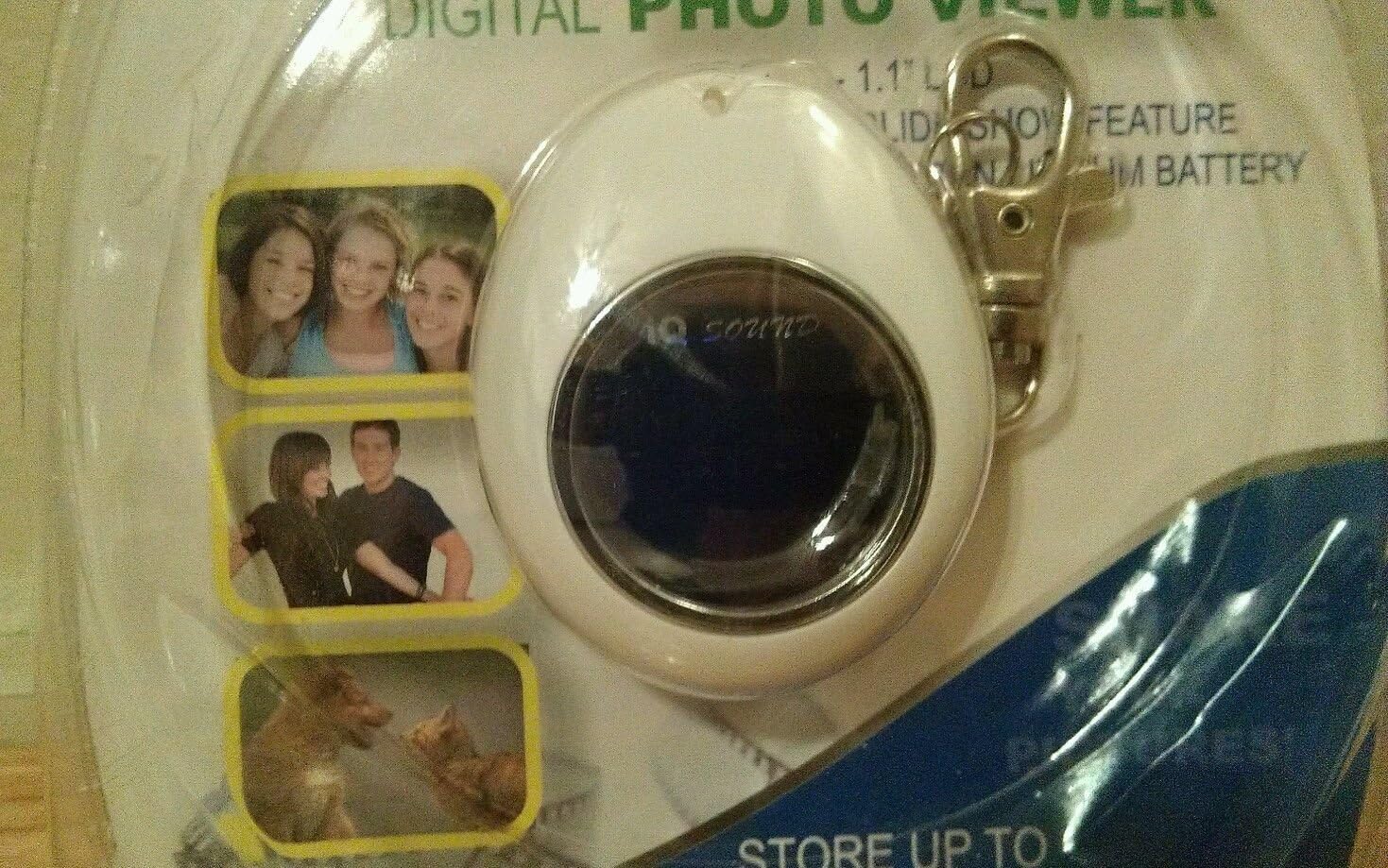
చిత్రం: క్లోజప్ view of the IQ Sound Mini Key Chain Digital Photo Viewer, showing its 1.1-inch LCD screen and the attached key chain clip, still within its original packaging.
సెటప్
పరికరాన్ని ఛార్జ్ చేస్తోంది
The Mini Key Chain Digital Photo Viewer is equipped with a built-in lithium rechargeable battery. Before first use, fully charge the device.
- Connect the small end of the provided USB cable to the USB port on the photo viewer.
- Connect the larger end of the USB cable to an available USB port on your computer or a compatible USB wall adapter (not included).
- The device will indicate charging status (e.g., an LED indicator). Charging typically takes 1-2 hours.
- పూర్తిగా ఛార్జ్ అయిన తర్వాత, USB కేబుల్ను డిస్కనెక్ట్ చేయండి.
సాఫ్ట్వేర్ను ఇన్స్టాల్ చేస్తోంది
To transfer and manage photos, you need to install the accompanying software on your PC. The device is PC compatible.
- అందించిన సాఫ్ట్వేర్ CDని మీ కంప్యూటర్ యొక్క CD/DVD డ్రైవ్లోకి చొప్పించండి.
- Follow the on-screen instructions to install the photo management software. If the installer does not launch automatically, navigate to the CD drive in "My Computer" or "This PC" and run the "setup.exe" or "install.exe" file.
- Once installed, you can launch the software to browse, crop, and transfer photos to your device.
ఆపరేటింగ్ సూచనలు
ఫోటోలను బదిలీ చేస్తోంది
The device can store up to 150 photos. Use the installed software to transfer images.
- Ensure the photo viewer is connected to your PC via the USB cable.
- Launch the photo management software.
- Within the software, select the photos you wish to transfer. The software allows you to browse and crop images before transfer.
- Initiate the transfer process. The software will automatically resize and optimize images for the 1.1" LCD display (SVGA resolution).
- Once transfer is complete, safely eject the device from your computer before disconnecting the USB cable.
Viewఫోటోలు
The device features a 1.1" LCD display for viewing your stored images.
- పవర్ ఆన్/ఆఫ్: Locate the power button (usually a small button on the side or back). Press and hold to turn the device on or off.
- నావిగేషన్: Use the navigation buttons (if present, typically two buttons for 'next' and 'previous' or a single multi-function button) to cycle through your stored photos.
- Slideshow Feature: The device may have an automatic slideshow feature. Refer to the on-screen prompts or specific button functions for activation.
నిర్వహణ
క్లీనింగ్
- Use a soft, dry, lint-free cloth to clean the device's exterior and screen.
- లిక్విడ్ క్లీనర్లు, ఏరోసోల్స్ లేదా రాపిడి ద్రావకాలను ఉపయోగించవద్దు.
నిల్వ
- పరికరాన్ని ప్రత్యక్ష సూర్యకాంతి మరియు తీవ్రమైన ఉష్ణోగ్రతలు లేకుండా చల్లని, పొడి ప్రదేశంలో నిల్వ చేయండి.
- If storing for extended periods, ensure the battery is partially charged (around 50%) to preserve battery life.
ట్రబుల్షూటింగ్
| సమస్య | సాధ్యమైన కారణం | పరిష్కారం |
|---|---|---|
| పరికరం ఆన్ చేయదు. | బ్యాటరీ క్షీణించింది. | అందించిన USB కేబుల్ ఉపయోగించి పరికరాన్ని ఛార్జ్ చేయండి. |
| Cannot transfer photos. | Software not installed or device not connected properly. | Ensure software is installed and the USB cable is securely connected to both the device and the PC. Try a different USB port. |
| Photos appear distorted or low quality. | Original image resolution too low or transfer error. | Ensure original photos are of reasonable quality. Re-transfer photos using the software, which optimizes them for the device's screen. |
| PC ద్వారా పరికరం గుర్తించబడలేదు. | Driver issue or faulty USB connection. | Try a different USB port or cable. Restart your computer. Reinstall the photo management software. |
స్పెసిఫికేషన్లు
| ఫీచర్ | వివరాలు |
|---|---|
| మోడల్ | SC-6D ద్వారా మరిన్ని |
| బ్రాండ్ | IQ Sound |
| ప్రదర్శన రకం | LCD |
| స్క్రీన్ పరిమాణం | 1.1 inches (2" / 3 cm visible screen diagonal) |
| రిజల్యూషన్ | SVGA |
| నిల్వ సామర్థ్యం | Up to 150 photos |
| బ్యాటరీ | Lithium Rechargeable |
| కనెక్టివిటీ | USB |
| అనుకూల పరికరాలు | వ్యక్తిగత కంప్యూటర్ |
| Actual Size (approx.) | 45 x 55 x 20.5 మిమీ |
| వస్తువు బరువు | 7.2 ఔన్సులు |
| ప్యాకేజీ కొలతలు | 8 x 5 x 1.5 అంగుళాలు |

Image: Two IQ Sound Mini Key Chain Digital Photo Viewers, model SC-6D, displayed together in their multi-pack retail packaging, illustrating the product's compact design.
వారంటీ మరియు మద్దతు
Specific warranty information for the IQ Sound Mini Key Chain Digital Photo Viewer (SC-6D) is not provided in this document. Please refer to the product packaging or contact IQ Sound customer support for warranty details.
For technical support or further assistance, please visit the official IQ Sound webమీ కొనుగోలు డాక్యుమెంటేషన్తో అందించబడిన సంప్రదింపు సమాచారాన్ని సైట్లో చూడండి లేదా సంప్రదించండి.
Ask a question about this manual
Ask about setup, troubleshooting, compatibility, parts, safety, or missing instructions. Manuals+ will review the question and use this page’s manual context to help answer it.