
జెనెలెక్ 7350APM
Genelec 7350A Smart Active Subwoofer User Manual
Model: 7350APM
1. పరిచయం
This manual provides essential information for the safe and efficient operation of your Genelec 7350A Smart Active Subwoofer. Please read this manual thoroughly before installation and use, and retain it for future reference.
The Genelec 7350A is an advanced active subwoofer designed for professional audio environments, including post-production studios and home studios. It features an 8-inch (20 cm) woofer with 125W amplification, delivering a maximum SPL of 104 dB and a frequency response of 22 Hz to 120 Hz (-6 dB). It integrates seamlessly with Genelec Smart Active Monitor (SAM™) systems, such as the 8330A, 8320A, and can also serve as a low-frequency reinforcement for models like the 8240A.
2. భద్రతా సూచనలు
To prevent fire, electric shock, or product damage, always follow these safety precautions:
- వర్షం లేదా తేమకు యూనిట్ను బహిర్గతం చేయవద్దు.
- Do not open the enclosure. There are no user-serviceable parts inside. Refer all servicing to qualified service personnel.
- Ensure proper earthing of the mains connection.
- వెంటిలేషన్ ఓపెనింగ్స్ను నిరోధించవద్దు.
- యూనిట్ను ఉష్ణ వనరుల దగ్గర లేదా ప్రత్యక్ష సూర్యకాంతిలో ఉంచకుండా ఉండండి.
- యూనిట్తో సరఫరా చేయబడిన పవర్ కార్డ్ను మాత్రమే ఉపయోగించండి.
3. సెటప్ మరియు కనెక్షన్లు
The Genelec 7350A offers versatile connectivity for various audio setups.
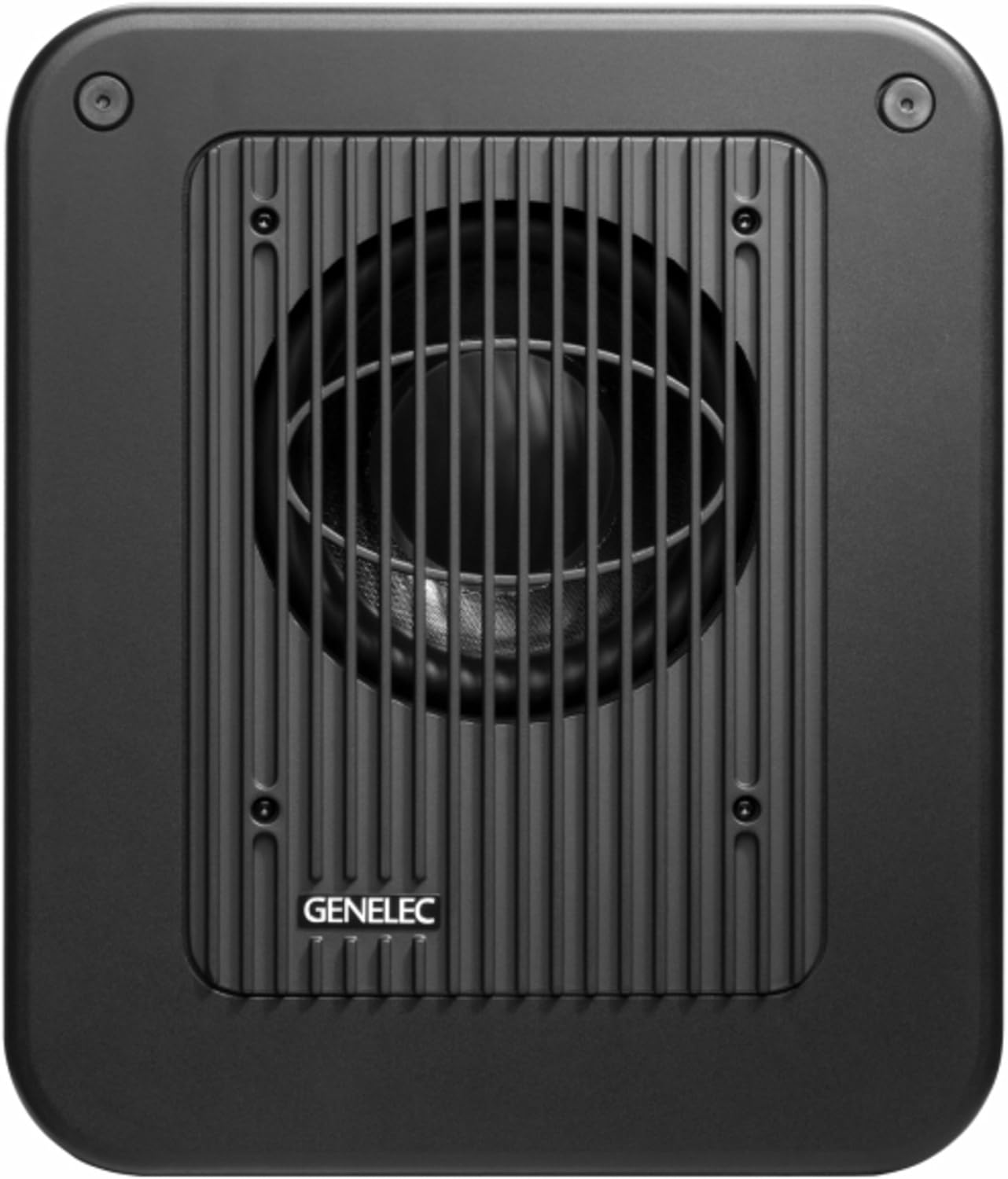
మూర్తి 3.1: ముందు view of the Genelec 7350A Smart Active Subwoofer, showcasing its compact design and the protective grille over the woofer.

మూర్తి 3.2: కోణీయ వైపు view of the Genelec 7350A, highlighting its robust construction and integrated handles for portability.
3.1 భౌతిక నియామకం
For optimal performance, place the subwoofer in a location that minimizes room modes and provides even bass distribution. Consider placing it near a wall or in a corner, but experiment with different positions to find the best acoustic integration with your main monitors.
3.2 ఆడియో కనెక్షన్లు
The 7350A features a comprehensive set of analog and digital audio inputs and outputs.

మూర్తి 3.3: Rear panel of the Genelec 7350A, showing the array of XLR analog inputs/outputs, digital XLR I/O, GLM network ports, and power input.

మూర్తి 3.4: వివరంగా view of the Genelec 7350A's connection panel, illustrating the labeling for analog inputs (IN 1-5), outputs (OUT 1-5), LFE IN, digital I/O, and GLM network ports.
- Analog XLR Inputs/Outputs: 5.1 x Inputs / 5 x Outputs for multi-channel analog audio integration. Connect your audio source to the 'IN' ports and your main monitors to the 'OUT' ports.
- Digital XLR (AES/EBU) Input/Output: 1 x Input / 1 x Output for high-quality digital audio signals.
- GLM Network Ports (RJ45): 2 x RJ45 ports for connecting to the Genelec Loudspeaker Manager (GLM) network. This allows for advanced system calibration and control.
- LFE IN: Dedicated input for Low-Frequency Effects channel.
Ensure all cables are securely connected before powering on the unit.
3.3 పవర్ కనెక్షన్
Connect the supplied power cord to the mains input on the rear panel and then to a grounded AC outlet. The unit operates on AC power.
4. ఆపరేటింగ్ సూచనలు
4.1 పవర్ చేయడం ఆన్/ఆఫ్
Locate the power switch on the rear panel of the subwoofer. Flip the switch to the 'ON' position to power on the unit. Flip it to 'OFF' to power down.
4.2 GLM System Integration
The 7350A is a Smart Active Monitor (SAM™) system component. For optimal performance and room acoustic compensation, it is highly recommended to integrate the subwoofer into a Genelec GLM network. The GLM software allows for precise calibration, level alignment, distance compensation, and room response equalization for the entire monitoring system.
- Connect the 7350A to your GLM network adapter using an RJ45 cable.
- Launch the Genelec GLM software on your computer.
- Follow the on-screen instructions in the GLM software to discover, configure, and calibrate your subwoofer and other SAM monitors.
4.3 స్వతంత్ర ఆపరేషన్
While GLM integration is recommended, the 7350A can also be used in a standalone configuration. In this mode, basic settings like phase and crossover frequency may need to be adjusted manually on the subwoofer or through an external processor to match your main monitors.
5. నిర్వహణ
The Genelec 7350A is designed for reliable operation with minimal maintenance.
- శుభ్రపరచడం: Use a soft, dry cloth to clean the exterior surfaces. Do not use abrasive cleaners, waxes, or solvents.
- వెంటిలేషన్: Ensure that the ventilation openings on the unit are not obstructed to prevent overheating.
- నిల్వ: If storing the unit for an extended period, keep it in a dry, dust-free environment.
No user-serviceable parts are inside. Any internal servicing should be performed by authorized Genelec service personnel only.
6. ట్రబుల్షూటింగ్
If you encounter issues with your Genelec 7350A, refer to the following common problems and solutions:
| సమస్య | సాధ్యమైన కారణం | పరిష్కారం |
|---|---|---|
| సబ్ వూఫర్ నుండి శబ్దం లేదు |
|
|
| వక్రీకరించిన ధ్వని |
|
|
| హమ్ లేదా బజ్ శబ్దం |
|
|
If the problem persists after trying these solutions, please contact Genelec customer support.
7. సాంకేతిక లక్షణాలు
| ఫీచర్ | స్పెసిఫికేషన్ |
|---|---|
| మోడల్ | 7350APM |
| వూఫర్ సైజు | 8 అంగుళాలు (20 సెం.మీ.) |
| Ampజీవిత శక్తి | 125 W |
| గరిష్ట SPL | 104 డిబి |
| ఫ్రీక్వెన్సీ రెస్పాన్స్ (-6 dB) | 22 హెర్ట్జ్ - 120 హెర్ట్జ్ |
| అనలాగ్ ఇన్పుట్లు | 5.1 x XLR |
| అనలాగ్ అవుట్పుట్లు | 5 x XLR |
| డిజిటల్ I/O | 1 x XLR (AES/EBU) |
| నెట్వర్క్ పోర్ట్లు | 2 x RJ45 (GLM Network) |
| కొలతలు (H x W x D) | 410 x 350 x 319 మిమీ (16.1 x 13.8 x 12.6 అంగుళాలు) |
| బరువు | 18 కిలోలు (44.09 పౌండ్లు) |
| కనెక్టివిటీ టెక్నాలజీ | సహాయక |
| ప్రత్యేక ఫీచర్ | పోర్టబుల్ |
8. వారంటీ సమాచారం
Genelec products are manufactured to the highest standards. For detailed warranty terms and conditions, please refer to the official Genelec website or the warranty card included with your product. Retain your proof of purchase for warranty claims.
9. కస్టమర్ మద్దతు
For technical assistance, service, or further information, please contact Genelec customer support through their official website or your local distributor. When contacting support, please have your product model number (7350APM) and serial number ready.
Official Genelec Webసైట్: www.genelec.com
Ask a question about this manual
Ask about setup, troubleshooting, compatibility, parts, safety, or missing instructions. Manuals+ will review the question and use this page’s manual context to help answer it.