
DBPOWER RD-805
DBPower RD-805 Portable Multimedia Mini LED Projector User Manual
Model: RD-805 (FP8048H1W-IV6)
1. పరిచయం
This manual provides comprehensive instructions for the safe and efficient operation of your DBPOWER RD-805 Portable Multimedia Mini LED Projector. Please read this manual thoroughly before using the projector and retain it for future reference. This projector is designed for versatile multimedia applications, offering a compact solution for home entertainment, presentations, and more.
2. భద్రతా సమాచారం
- l ఉన్నప్పుడు ప్రొజెక్టర్ లెన్స్లోకి నేరుగా చూడకండిamp ఆన్లో ఉంది. తీవ్రమైన కాంతి కంటికి హాని కలిగించవచ్చు.
- Ensure proper ventilation. Do not block ventilation openings. Overheating can damage the projector.
- Use only the power adapter supplied with the projector. Using an incorrect adapter may cause malfunction or fire.
- Keep the projector away from water or other liquids. Do not operate in humid environments.
- ప్రొజెక్టర్ను అస్థిర ఉపరితలాలపై ఉంచడం మానుకోండి.
- మెరుపు తుఫానుల సమయంలో లేదా ఎక్కువసేపు ఉపయోగించనప్పుడు విద్యుత్ తీగను డిస్కనెక్ట్ చేయండి.
- ప్రొజెక్టర్ను మీరే రిపేర్ చేయడానికి ప్రయత్నించవద్దు. అన్ని సర్వీసింగ్లను అర్హత కలిగిన సిబ్బందికి సూచించండి.
3. ప్యాకేజీ విషయాలు
క్రింద జాబితా చేయబడిన అన్ని వస్తువులు మీ ప్యాకేజీలో చేర్చబడ్డాయని నిర్ధారించుకోండి. ఏవైనా వస్తువులు తప్పిపోయినా లేదా దెబ్బతిన్నా, దయచేసి మీ రిటైలర్ను సంప్రదించండి.
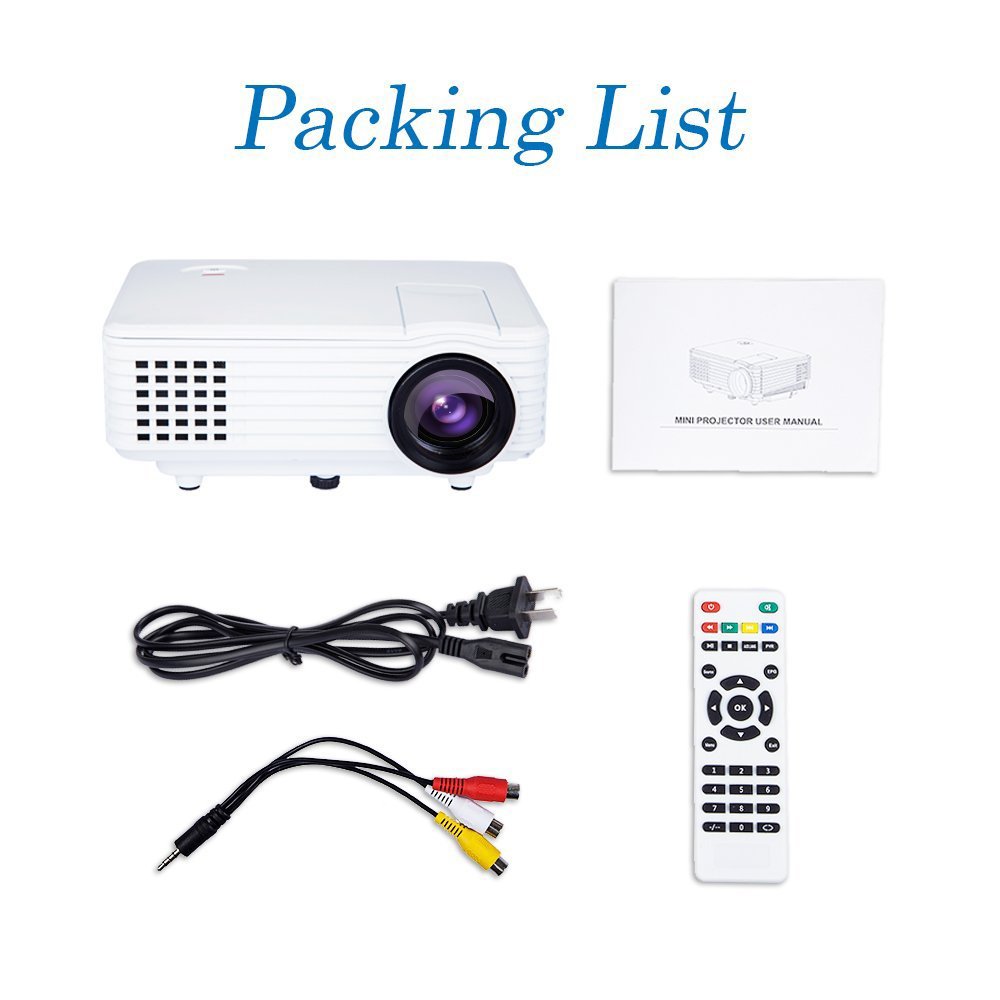
Image: Contents of the DBPOWER RD-805 projector package, showing the projector unit, power cable, AV cable, remote control, and user manual.
- DBPOWER RD-805 Mini LED Projector
- పవర్ కేబుల్
- రిమోట్ కంట్రోల్
- AV కేబుల్
- వినియోగదారు మాన్యువల్
4. ఉత్పత్తి ముగిసిందిview
Familiarize yourself with the various parts of your projector.

Image: The DBPOWER RD-805 projector held in a hand, illustrating its portable and compact design.
4.1 ముందు మరియు పైభాగం View
- ప్రొజెక్షన్ లెన్స్: చిత్రాన్ని ప్రసరింపజేస్తుంది.
- ఫోకస్ రింగ్: చిత్ర స్పష్టతను సర్దుబాటు చేస్తుంది.
- Keystone Correction Dial: Corrects trapezoidal image distortion.
- నియంత్రణ ప్యానెల్: Buttons for menu navigation and basic functions.
4.2 వెనుక ప్యానెల్ మరియు కనెక్షన్లు

చిత్రం: వివరణాత్మకం view of the rear panel of the DBPOWER RD-805 projector, highlighting the power button, on/off switch, USB port, HDMI port, AV input, VGA input, and audio output jack.
- పవర్ బటన్: ప్రొజెక్టర్ను ఆన్/ఆఫ్ చేస్తుంది.
- On/Off Button (Main Switch): Master power switch.
- USB పోర్ట్: మీడియా ప్లేబ్యాక్ కోసం USB డ్రైవ్లను కనెక్ట్ చేయండి.
- HDMI పోర్ట్: Connect devices via HDMI cable (e.g., laptops, gaming consoles).
- AV IN Port: Connect devices using the AV cable (e.g., DVD players).
- VGA పోర్ట్: Connect computers via VGA cable.
- Audio Output (Earphone) Jack: బాహ్య స్పీకర్లు లేదా హెడ్ఫోన్లను కనెక్ట్ చేయండి.
- మైక్రో USB: (Not explicitly labeled in image, but mentioned in features) For specific connectivity.
5. సెటప్
5.1 ప్లేస్మెంట్
Place the projector on a stable, flat surface. Ensure there is adequate space around the projector for ventilation. The projection distance will determine the image size (20-80 inches recommended).

Image: The DBPOWER RD-805 projector set up on a tripod next to a laptop, demonstrating a typical usage scenario for presentations or media viewing.
5.2 పవర్ కనెక్షన్
- ప్రొజెక్టర్ యొక్క పవర్ ఇన్పుట్కు పవర్ కేబుల్ను కనెక్ట్ చేయండి.
- పవర్ కేబుల్ యొక్క మరొక చివరను గోడ అవుట్లెట్లోకి ప్లగ్ చేయండి.
- Flip the main On/Off switch on the rear panel to the 'On' position.
5.3 కనెక్ట్ చేసే పరికరాలు
ప్రొజెక్టర్ వివిధ ఇన్పుట్ వనరులకు మద్దతు ఇస్తుంది:

Image: A circular diagram illustrating the wide range of devices compatible with the DBPOWER RD-805 projector, including laptops, desktops, gaming consoles (PS4, Xbox 360, Wii), mobile phones, tablets, DVD players, and MP4/MP5 players.
- HDMI: Connect laptops, gaming consoles (PS4, Xbox 360), Blu-ray players.
- వీజీఏ: Connect desktop computers or older laptops.
- యొక్క: Connect DVD players, set-top boxes using the included AV cable.
- USB: Insert USB flash drives for direct playback of photos, videos, and music.
- మైక్రో USB: For specific device connections (refer to device manual for compatibility).
- ఆడియో అవుట్: మెరుగైన ఆడియో కోసం బాహ్య స్పీకర్లు లేదా హెడ్ఫోన్లను కనెక్ట్ చేయండి.
6. ప్రొజెక్టర్ను ఆపరేట్ చేయడం
6.1 పవర్ చేయడం ఆన్/ఆఫ్
- Ensure the main On/Off switch on the rear is in the 'On' position.
- యూనిట్ను ఆన్ చేయడానికి ప్రొజెక్టర్ లేదా రిమోట్ కంట్రోల్లోని పవర్ బటన్ను నొక్కండి.
- To power off, press the Power button again. The indicator light will change.
6.2 Adjusting Image
- దృష్టి: ప్రొజెక్ట్ చేయబడిన చిత్రం స్పష్టంగా మరియు పదునుగా అయ్యే వరకు లెన్స్ దగ్గర ఫోకస్ రింగ్ను తిప్పండి.
- కీస్టోన్ దిద్దుబాటు: Use the keystone correction dial to adjust the image if it appears trapezoidal (wider at the top or bottom). The projector supports up to 15 degrees of keystone correction.
6.3 ఇన్పుట్ సోర్స్ ఎంపిక
Use the 'Source' button on the remote or projector control panel to cycle through available input sources (HDMI, VGA, AV, USB).
6.4 మల్టీమీడియా ప్లేబ్యాక్
When a USB drive is connected, navigate the on-screen menu to select the desired media type (Photo, Music, Movie, Text) and browse files. The projector supports MP3/WMA/OGG/AAC/FLAC/APE/WAV audio and JPEG/BMP/PNG image formats.
6.5 అప్లికేషన్లు
The DBPOWER RD-805 is suitable for a variety of uses:

Image: A collage depicting various applications of the DBPOWER RD-805 projector, including outdoor movie nights, classroom teaching, business meetings, and gaming sessions.

చిత్రం: నలుగురు మాజీలుamples of home theater environments utilizing the DBPOWER RD-805 projector for immersive viewఅనుభవాలు.
- హోమ్ ఎంటర్టైన్మెంట్: Enjoy movies, TV shows, and sports on a large screen.
- గేమింగ్: Connect your gaming console for an immersive gaming experience.
- ప్రదర్శనలు: Ideal for small business meetings or educational purposes.
- ఫోటో Viewing: Share your photos with friends and family on a big display.
7. నిర్వహణ
7.1 లెన్స్ శుభ్రపరచడం
Use a soft, lint-free cloth specifically designed for optical lenses. Do not use abrasive cleaners or cloths that could scratch the lens.
7.2 ప్రొజెక్టర్ బాడీని శుభ్రపరచడం
ప్రొజెక్టర్ యొక్క బాహ్య భాగాన్ని మృదువైన, పొడి వస్త్రంతో తుడవండి. మొండి గుర్తుల కోసం, కొద్దిగా damp వస్త్రాన్ని ఉపయోగించవచ్చు, తరువాత పొడి వస్త్రాన్ని ఉపయోగించవచ్చు.
7.3 వెంటిలేషన్
Regularly check and clean the ventilation grilles to prevent dust buildup, which can impede airflow and cause overheating.
7.4 ఎల్amp జీవితం
LED lamp in your projector has a long lifespan, rated for approximately 50,000 hours, significantly reducing the need for lamp భర్తీ.
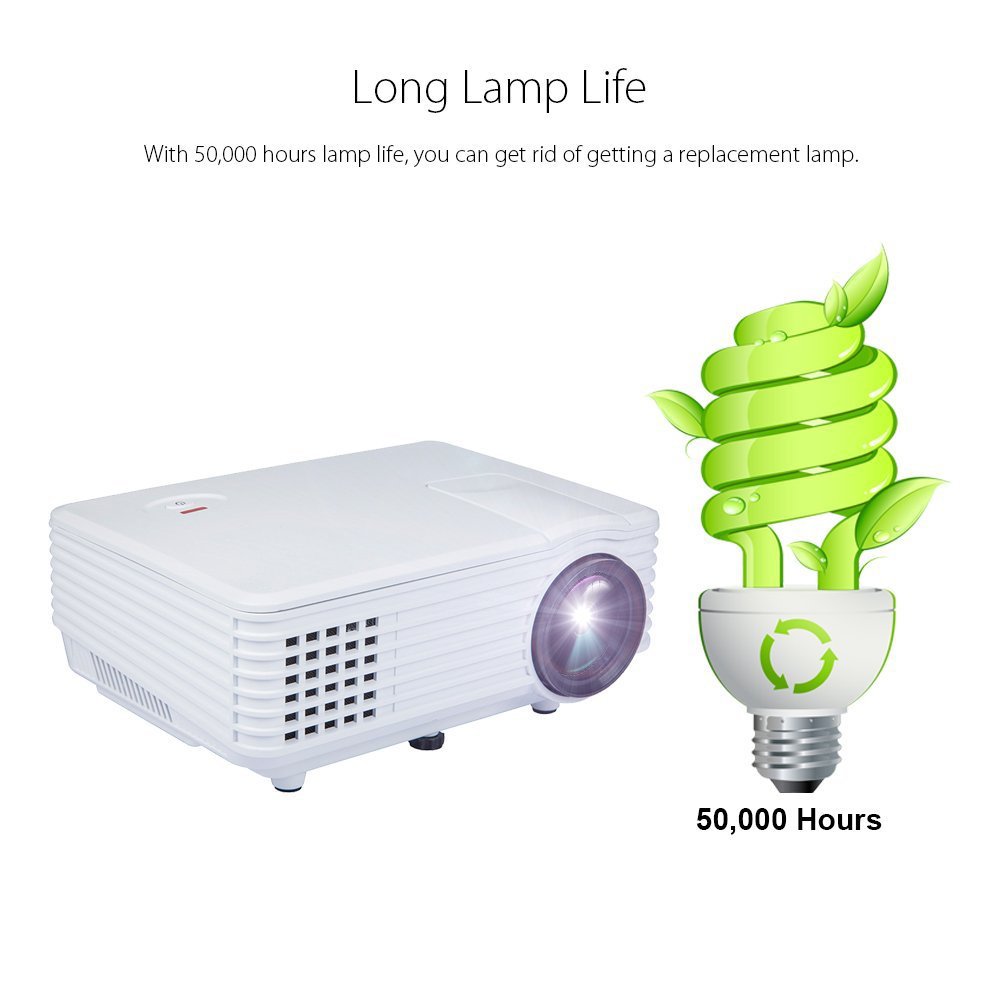
Image: An illustration highlighting the long lamp life of the DBPOWER RD-805 projector, indicating an estimated lifespan of 50,000 hours for its LED light source.
8. ట్రబుల్షూటింగ్
| సమస్య | సాధ్యమైన కారణం | పరిష్కారం |
|---|---|---|
| చిత్రం ఏదీ ప్రొజెక్ట్ చేయబడలేదు | పవర్ కనెక్ట్ కాలేదు; ఇన్పుట్ సోర్స్ తప్పు; లెన్స్ క్యాప్ ఆన్ చేయబడింది. | Check power connection; Select correct input source; Remove lens cap. |
| చిత్రం అస్పష్టంగా ఉంది | ఫోకస్ సర్దుబాటు చేయబడలేదు; ప్రొజెక్టర్ స్క్రీన్కు చాలా దగ్గరగా/దూరంగా ఉంది. | Adjust focus ring; Adjust projection distance (20-80 inches). |
| చిత్రం ట్రాపెజోయిడల్ గా ఉంది | Keystone not adjusted. | Adjust keystone correction dial. |
| శబ్దం లేదు | Volume too low; External speakers not connected; Audio format not supported. | Increase volume; Connect external speakers to audio out; Check audio format compatibility. |
| రిమోట్ కంట్రోల్ పనిచేయడం లేదు | బ్యాటరీలు పోయాయి; రిమోట్ మరియు ప్రొజెక్టర్ మధ్య అడ్డంకి. | బ్యాటరీలను మార్చండి; IR రిసీవర్కు స్పష్టమైన దృశ్య రేఖ ఉండేలా చూసుకోండి. |
9. స్పెసిఫికేషన్లు

Image: The DBPOWER RD-805 projector with its physical dimensions (21cm length, 14.5cm width, 8cm height) and weight (1250g) indicated, alongside a "1 Year Warranty" badge.
| బ్రాండ్ | DBPOWER |
| మోడల్ పేరు | RD-805 |
| అంశం మోడల్ సంఖ్య | FP8048H1W-IV6 |
| ప్రదర్శన సాంకేతికత | LCD |
| ప్రదర్శన రకం | LED |
| ప్రొజెక్షన్ పరిమాణం | 20-80 అంగుళాలు (సిఫార్సు చేయబడింది) |
| Max Screen Display Size | 120 అంగుళాలు / 305 సెం.మీ |
| కీస్టోన్ దిద్దుబాటు | Manual, 15 degrees |
| Lamp జీవితం | 50,000 గంటల వరకు |
| ఇన్పుట్ ఇంటర్ఫేస్లు | USB, VGA, HDMI, AV, Micro USB |
| అవుట్పుట్ ఇంటర్ఫేస్ | Earphone (3.5mm Audio Jack) |
| మద్దతు ఉన్న ఆడియో ఫార్మాట్లు | MP3/WMA/OGG/AAC/FLAC/APE/WAV |
| మద్దతు ఉన్న చిత్ర ఆకృతులు | JPEG/BMP/PNG (with zoom, 360 degree rotate) |
| విద్యుత్ వినియోగం | 20 వాట్స్ |
| శక్తి మూలం | AC |
| ఉత్పత్తి కొలతలు (LxWxH) | 21.08 x 14.48 x 7.87 సెం.మీ |
| వస్తువు బరువు | 907.18 గ్రా |
10. వారంటీ మరియు మద్దతు
Your DBPOWER RD-805 Projector comes with a 1 సంవత్సరాల వారంటీ కొనుగోలు చేసిన తేదీ నుండి. ఈ వారంటీ సాధారణ ఉపయోగంలో తయారీ లోపాలు మరియు పనితనాన్ని కవర్ చేస్తుంది.
For technical support, warranty claims, or any inquiries, please contact DBPOWER customer service through the contact information provided on their official website or your purchase platform. Please have your model number (RD-805) and purchase details ready when contacting support.
Ask a question about this manual
Ask about setup, troubleshooting, compatibility, parts, safety, or missing instructions. Manuals+ will review the question and use this page’s manual context to help answer it.