
పరిచయం
This manual provides detailed instructions for the assembly, operation, and maintenance of your Walker Edison Wren Classic 6 Cubby TV Stand. Crafted from high-grade MDF with a durable laminate finish, this storage console is designed to accommodate most flat-panel TVs up to 80 inches. It features six open storage cubbies with adjustable shelves and integrated cord management ports for organized electronics.
భద్రతా సమాచారం
Always assemble this product with care to avoid injury. Do not exceed the weight capacity of 200 lbs for the top surface and 30 lbs per shelf. Keep the product away from heat sources and do not place heavy objects on the edges to prevent tipping.
ప్యాకేజీ విషయాలు
అసెంబ్లీని ప్రారంభించే ముందు, అన్ని భాగాలు ఉన్నాయని మరియు దెబ్బతినకుండా ఉన్నాయని నిర్ధారించుకోండి. ప్యాకేజీలో ఇవి ఉన్నాయి:
- హార్డ్వేర్ ప్యాక్
- అల్మారాలు
- ఫ్రేమ్ భాగాలు
Refer to the step-by-step instructions provided with your product for a complete list of components and hardware.
స్పెసిఫికేషన్లు
| ఫీచర్ | వివరాలు |
|---|---|
| బ్రాండ్ | వాకర్ ఎడిసన్ |
| మోడల్ సంఖ్య | W70CSPBL |
| రంగు | నలుపు |
| మెటీరియల్ రకం | చెక్క |
| Item Dimensions (L x D x H) | 70 x 15.75 x 23.5 అంగుళాలు |
| అగ్ర ఉపరితల బరువు సామర్థ్యం | 200 పౌండ్లు వరకు |
| షెల్ఫ్ బరువు సామర్థ్యం | Up to 30 lbs each |
| టీవీ సైజు అనుకూలత | 80 అంగుళాల వరకు |
| అరల సంఖ్య | 3 సర్దుబాటు చేయగల అల్మారాలు |
| త్రాడు నిర్వహణ | 6 పోర్టులు |
| అసెంబ్లీ అవసరం | అవును |
సెటప్ మరియు అసెంబ్లీ
Your Walker Edison Wren Classic TV Stand ships ready-to-assemble with step-by-step instructions. For optimal safety and ease, two people are recommended for assembly.
- భాగాలను అన్ప్యాక్ చేసి గుర్తించండి: Carefully unpack all components and hardware. Lay them out on a soft, clean surface to prevent scratches. Verify all parts against the included parts list.
- ఫ్రేమ్ను సమీకరించండి: Follow the provided diagrams to connect the main frame components using the designated hardware. Ensure all connections are secure before proceeding.
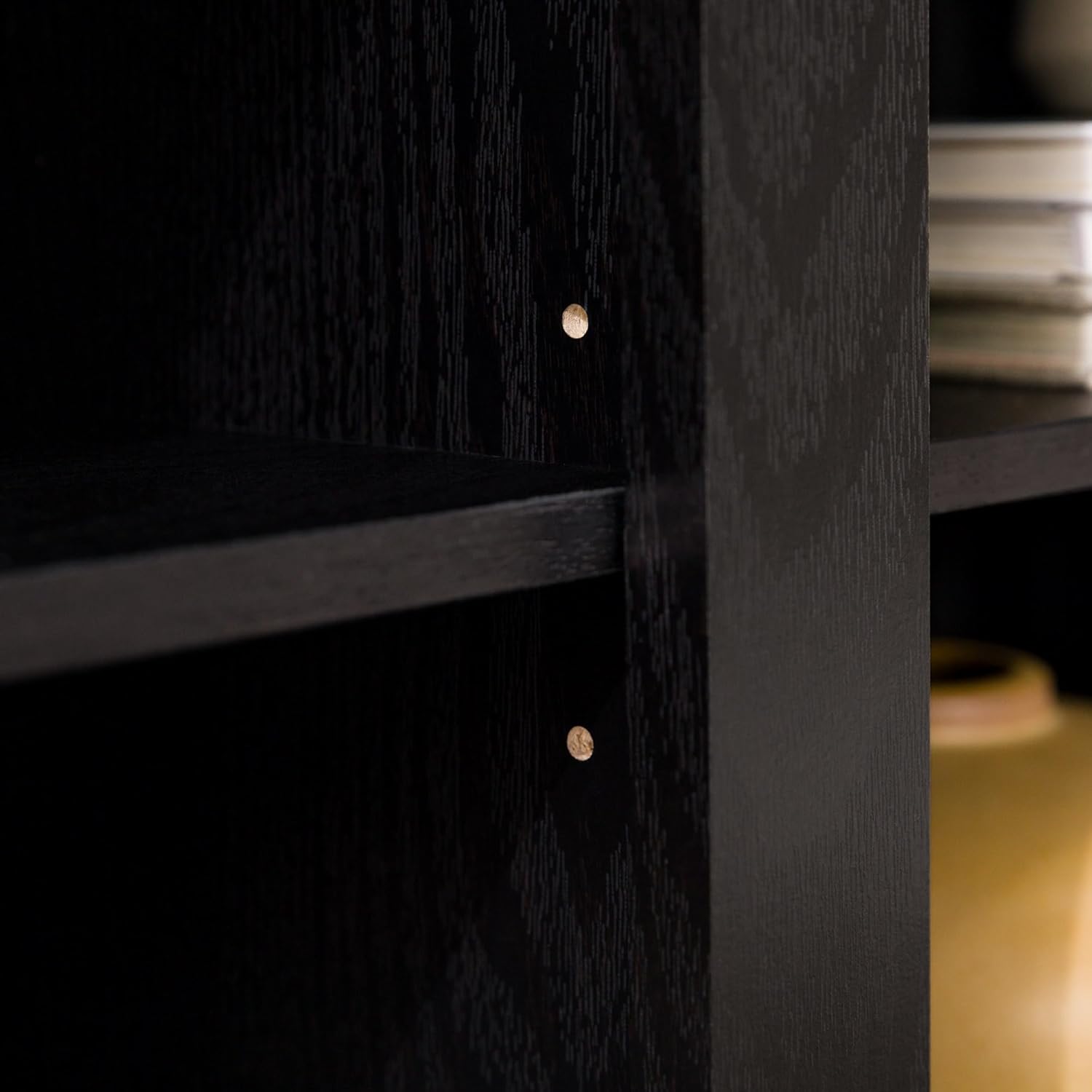
- షెల్ఫ్లను ఇన్స్టాల్ చేయండి: The TV stand features adjustable shelves. Insert the shelf pins into the desired holes within the cubbies. Gently place the shelves onto the pins, ensuring they are level and stable.
- తుది బిగింపు: Once the main structure is complete, carefully tighten all screws and fasteners. Avoid over-tightening to prevent damage to the wood.
- కేబుల్ నిర్వహణ: Utilize the integrated cord management ports at the back of each shelving space to route and organize your electronic cables.

అసెంబ్లీ ప్రదర్శన వీడియో
Video: This video demonstrates the features of the Walker Edison Cubby TV Stand, including its adjustable shelves, which can assist with assembly and customization.
ఆపరేటింగ్ సూచనలు
The Walker Edison Wren Classic TV Stand is designed for versatile use in your living space.
- టీవీ ప్లేస్మెంట్: Place your flat-panel TV securely on the top surface. The stand supports TVs up to 80 inches and a maximum weight of 200 lbs. Ensure the TV's base is fully supported and centered.
- నిల్వ కబ్బీలు: Utilize the six open cubbies for storing media devices, books, decor, or other items. Each adjustable shelf can support up to 30 lbs.
- సర్దుబాటు చేయగల అల్మారాలు: To adjust a shelf, remove any items, lift the shelf, and reposition the metal pins in the desired holes. Ensure all four pins are securely in place before placing items back on the shelf.
- కేబుల్ నిర్వహణ: Route power cords and AV cables through the designated ports on the back panel of each cubby to maintain a tidy and organized appearance.


నిర్వహణ
To keep your TV stand in optimal condition:
- శుభ్రపరచడం: Wipe with a dry cloth to remove dust and debris. Avoid using harsh chemicals or abrasive cleaners, which may damage the laminate finish.
- తనిఖీ: అన్ని ఫాస్టెనర్లు మరియు కనెక్షన్లు బిగుతుగా ఉన్నాయని నిర్ధారించుకోవడానికి కాలానుగుణంగా వాటిని తనిఖీ చేయండి. అవసరమైతే మళ్ళీ బిగించండి.
- తేమను నివారించండి: Protect the stand from excessive moisture and direct sunlight to prevent warping or discoloration.
ట్రబుల్షూటింగ్
- స్టాండ్ వణుకు పుట్టిస్తోంది: Ensure all cam locks and screws are fully tightened. Check that the stand is placed on a level surface.
- తప్పిపోయిన భాగాలు: If any parts are missing or damaged upon arrival, contact Walker Edison customer support immediately for assistance.
- అసెంబ్లింగ్ కష్టం: Review the step-by-step instructions carefully. If issues persist, consider seeking assistance from another person.
వారంటీ
This product comes with a 30-day limited manufacturer warranty. Please refer to the warranty documentation included with your purchase for full details and terms.
మద్దతు
For any questions, replacement parts, or support needs, please contact Walker Edison directly:
- ఫోన్: 1-801-433-3008
- ఇమెయిల్: service@walkeredison.com
ప్రత్యామ్నాయ భాగాలు అందుబాటులో ఉన్నాయి. ఏవైనా సమస్యలు ఉంటే డెలివరీ అయిన 30 రోజుల్లోపు వాకర్ ఎడిసన్ను సంప్రదించండి.
