
పరిచయం
Thank you for choosing the Perixx PERIMICE-608II Wireless Vertical Mouse. This manual provides essential information for setting up, operating, and maintaining your new ergonomic mouse. Designed for right-handed users, this mouse promotes a natural hand position to enhance comfort during extended use. Please read this manual thoroughly before using the product.
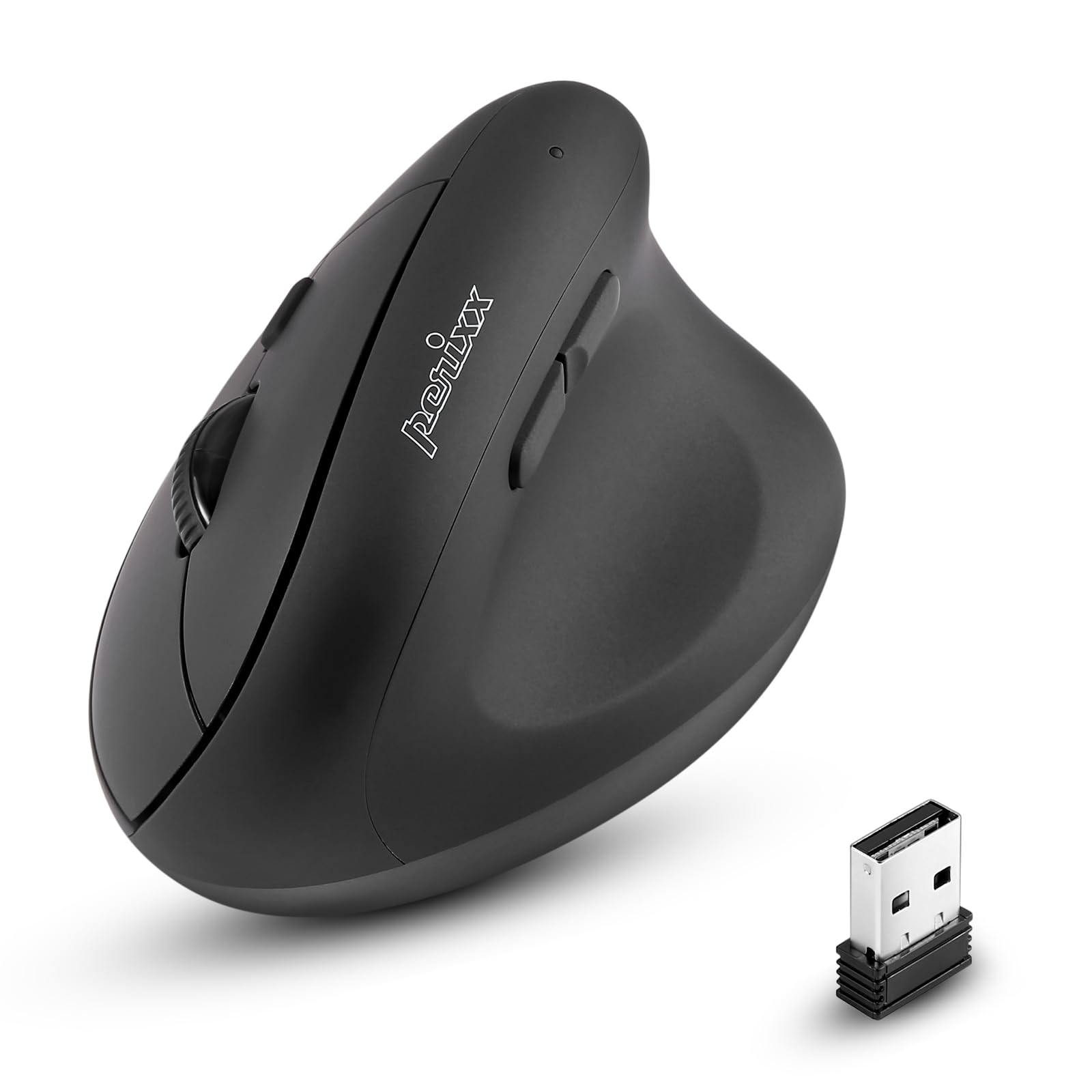
ముందు view of the Perixx PERIMICE-608II Wireless Vertical Mouse.
పెట్టెలో ఏముంది
మీ ప్యాకేజీలో అన్ని అంశాలు ఉన్నాయని ధృవీకరించండి:
- 1 x Perixx PERIMICE-608II Wireless Vertical Mouse
- 1 x USB రిసీవర్
- 1 x యూజర్ మాన్యువల్ (ఈ పత్రం)
సెటప్ సూచనలు
- బ్యాటరీని ఇన్స్టాల్ చేయండి: Locate the battery compartment on the underside of the mouse. Insert one AA battery (not included) according to the polarity indicators.
- USB రిసీవర్ని చొప్పించండి: Remove the USB receiver from its storage slot on the mouse's underside. Plug the USB receiver into an available USB port on your computer.
- పవర్ ఆన్: Slide the ON/OFF switch on the bottom of the mouse to the "ON" position. The mouse should now be recognized by your computer and ready for use.

Underside of the mouse, illustrating the battery compartment and ON/OFF switch.

The mouse positioned next to a laptop, demonstrating the USB receiver plugged into a port.
ఆపరేటింగ్ సూచనలు
ఎర్గోనామిక్ డిజైన్
The PERIMICE-608II features a vertical design that positions your hand in a natural handshake posture, reducing wrist strain and promoting comfort.

Demonstration of a relaxed, neutral grip on the vertical mouse.
బటన్ విధులు
- ఎడమ క్లిక్ చేయండి: ప్రామాణిక ఎంపిక మరియు క్రియాశీలత.
- కుడి క్లిక్ చేయండి: సందర్భ మెనులను యాక్సెస్ చేస్తుంది.
- స్క్రోల్ వీల్: పత్రాలను స్క్రోల్ చేస్తుంది మరియు web పేజీలను నిలువుగా. మిడిల్-క్లిక్ కార్యాచరణ కోసం కూడా నొక్కవచ్చు.
- ముందుకు/వెనుకకు బటన్లు: Located on the side for convenient web బ్రౌజింగ్ మరియు నావిగేషన్.
DPI సర్దుబాటు
The mouse features a DPI (Dots Per Inch) button to adjust cursor sensitivity. Press the DPI button located on the top of the mouse to cycle through the available settings: 800, 1200, 1600, and 2400 DPI. An LED indicator will briefly light up to confirm the change.

The DPI switch on the mouse, allowing for quick sensitivity adjustments.
నిర్వహణ
క్లీనింగ్
మీ మౌస్ను శుభ్రం చేయడానికి, ఉపరితలాన్ని మృదువైన, డి-ప్యాక్తో సున్నితంగా తుడవండి.amp కఠినమైన రసాయనాలు లేదా రాపిడి పదార్థాలను వాడటం మానుకోండి, ఎందుకంటే ఇవి మౌస్ ముగింపును దెబ్బతీస్తాయి. మౌస్ అంతర్గత భాగాలలోకి ఎటువంటి ద్రవం ప్రవేశించకుండా చూసుకోండి.
బ్యాటరీ భర్తీ
When the mouse performance degrades or it stops responding, it may be time to replace the AA battery. Follow the battery installation steps in the Setup section.
ట్రబుల్షూటింగ్
- మౌస్ స్పందించడం లేదు:
- Ensure the mouse is switched to the "ON" position on its underside.
- Check if the USB receiver is securely plugged into a working USB port on your computer.
- AA బ్యాటరీని తాజా దానితో భర్తీ చేయండి.
- USB రిసీవర్ని వేరే USB పోర్ట్కి ప్లగ్ చేసి ప్రయత్నించండి.
- అనియత కర్సర్ కదలిక:
- మౌస్ను శుభ్రమైన, ప్రతిబింబించని ఉపరితలంపై ఉపయోగించారని నిర్ధారించుకోండి.
- Adjust the DPI setting using the DPI button to find a suitable sensitivity.
- కనెక్టివిటీ సమస్యలు:
- Move the mouse closer to the USB receiver to ensure a strong 2.4GHz wireless connection.
- Avoid using the mouse near other wireless devices that might cause interference.
స్పెసిఫికేషన్లు
| బ్రాండ్ | పెరిక్స్క్స్ |
| మోడల్ సంఖ్య | 12383 |
| సిరీస్ | PERIMICE-608 II |
| కనెక్టివిటీ టెక్నాలజీ | 2.4GHz వైర్లెస్ (USB రిసీవర్) |
| DPI స్థాయిలు | 800 / 1200 / 1600 / 2400 |
| బటన్ల సంఖ్య | 6 |
| చేతి ధోరణి | కుడిచేతి వాటం |
| శక్తి మూలం | బ్యాటరీ పవర్డ్ (1 x AA బ్యాటరీ అవసరం) |
| సగటు బ్యాటరీ జీవితం | 100 గంటలు |
| వస్తువు బరువు | 4.4 ఔన్సులు (సుమారు 125 గ్రాములు) |
| ఉత్పత్తి కొలతలు (LxWxH) | 4.87 x 2.67 x 2.43 అంగుళాలు (సుమారు 123.7 x 67.8 x 61.7 మిమీ) |
| ఆపరేటింగ్ సిస్టమ్ అనుకూలత | Linux, Windows 7, Windows XP (మరియు కొత్త వెర్షన్లు) |

Detailed dimensions and weight of the Perixx PERIMICE-608II mouse.
వారంటీ మరియు మద్దతు
For detailed warranty information, technical support, and frequently asked questions, please visit the official Perixx website or contact Perixx customer service. You can find more information at the Perixx Store on Amazon.