
1. పరిచయం
This manual provides essential information for the proper setup, operation, and maintenance of your DBPOWER 11.5-inch Portable DVD Player, Model PD928. Please read this manual thoroughly before using the device to ensure optimal performance and longevity.

Figure 1: DBPOWER 11.5-inch Portable DVD Player (Model PD928)
2. ప్యాకేజీ విషయాలు
క్రింద జాబితా చేయబడిన అన్ని వస్తువులు మీ ప్యాకేజీలో చేర్చబడ్డాయని ధృవీకరించండి:
- DBPOWER 11.5-inch Portable DVD Player (Model PD928)
- రిమోట్ కంట్రోల్
- ఎసి పవర్ అడాప్టర్
- Car Charger (1.8 meters)
- AV కేబుల్
- Car Headrest Mount
3. ఉత్పత్తి లక్షణాలు
- High Capacity Built-in Battery: Equipped with a 2500 mAh rechargeable lithium battery, providing approximately 5 hours of usage. Supports battery, car charger, and AC power adapter for versatile power options.
- మల్టీ-మీడియా మద్దతు: Direct playback of CD, DVD, CD-R/RW, DVD -R/+R, DVD+RW/-RW, VCD, SVCD (not Blu-ray DVD). Region-free. Supports Max 32GB USB and SD Card for MP3/WMA/WAV, JPEG, MPEG2/AVI/DIVX formats.
- Swiveling Screen: 9.5-inch 800*480 resolution screen with 270-degree rotation and 180-degree flip functionality. Can be swiveled into a tablet-like form for car headrest attachment.
- బహుళ ప్లేబ్యాక్ ఎంపికలు: AV output allows connection to a television for larger screen viewing. Two players can be connected via AV cable to display the same movie simultaneously (one in DVD mode, the other in AV mode).
- చివరి మెమరీ ఫంక్షన్: Supports break-point memory, allowing the player to resume playback from where it was last stopped.
4. పరికర లేఅవుట్ మరియు నియంత్రణలు
Familiarize yourself with the physical layout and controls of your portable DVD player.
4.1 టాప్ ప్యానెల్ నియంత్రణలు
The top panel features buttons for basic playback and volume control.

Figure 2: Top Panel Controls and Screen
4.2 సైడ్ ప్యానెల్ పోర్ట్లు
The side panel includes various ports for power, external connections, and media input.

Figure 3: Side Panel Ports (USB, SD Card, AV In/Out, Power)
5. ప్రారంభ సెటప్
5.1 పరికరాన్ని ఛార్జ్ చేస్తోంది
Before first use, fully charge the portable DVD player using the provided AC power adapter or car charger. The charging indicator light will typically change color or turn off when charging is complete.
5.2 డిస్క్ను చొప్పించడం
- Gently slide the disc cover release latch to open the disc compartment.
- లేబుల్ వైపు పైకి ఎదురుగా ఉండేలా కుదురుపై DVD లేదా CD ఉంచండి.
- డిస్క్ దాని స్థానంలో క్లిక్ అయ్యే వరకు దాని మధ్యలో సున్నితంగా నొక్కండి.
- Close the disc cover firmly until it latches.
5.3 Using the Car Headrest Mount
The included car headrest mount allows for convenient viewing during travel. The swivel screen feature enables optimal viewing angles when mounted.
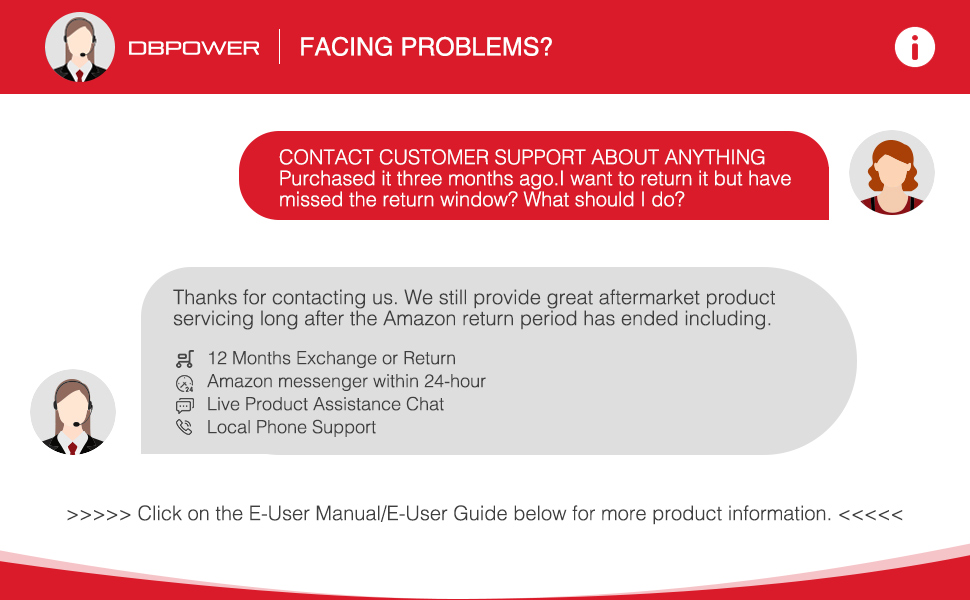
Figure 4: Portable DVD Player with Car Headrest Mount
6. ఆపరేటింగ్ సూచనలు
6.1 ప్రాథమిక ప్లేబ్యాక్
- పవర్ స్విచ్ ఉపయోగించి పరికరాన్ని ఆన్ చేయండి.
- Insert your desired DVD or CD.
- The player will typically begin playback automatically. Use the Play/Pause button on the device or remote to control playback.
- Use the Volume +/- buttons to adjust the audio level.

Figure 5: Dual Speakers and Volume Control
6.2 స్క్రీన్ సర్దుబాటు
The 9.5-inch screen can swivel 270 degrees and flip 180 degrees for optimal viewing కోణాలు.

Figure 6: Swivel Screen Functionality
6.3 Last Memory Function
The device supports a break-point memory function. If the player is turned off during playback, it will resume from the last stopped point when powered on again.
7. Media Compatibility
The DBPOWER Portable DVD Player supports a wide range of media formats:
- Disc Formats: CD, DVD, CD-R/RW, DVD -R/+R, DVD+RW/-RW, VCD, SVCD. (Note: Blu-ray DVDs are not supported).
- డిజిటల్ మీడియా: Max 32GB USB drives and SD cards.
- File ఫార్మాట్లు: MP3/WMA/WAV (audio), JPEG (image), MPEG2/AVI/DIVX (video).

Figure 7: Supported Disc Formats
8. పవర్ ఐచ్ఛికాలు
Your portable DVD player offers multiple power sources:
- అంతర్నిర్మిత పునర్వినియోగపరచదగిన బ్యాటరీ: A 2500 mAh lithium battery provides approximately 5 hours of playback on a full charge.
- ఎసి పవర్ అడాప్టర్: Use the provided adapter to power the device from a standard wall outlet and recharge the battery.
- కార్ ఛార్జర్: The 1.8-meter car charger allows you to power the device and charge the battery from your vehicle's 12V power outlet.
9. బాహ్య పరికరాలకు కనెక్ట్ చేయడం
9.1 టీవీకి కనెక్ట్ అవుతోంది
Use the provided AV cable to connect the portable DVD player to a television. This allows you to view content on a larger screen.

Figure 8: Syncing Screen to TV
9.2 Connecting Two Players
Two DBPOWER portable DVD players can be connected using an AV cable to play the same movie simultaneously. Set one player to DVD mode and the other to AV mode.

Figure 9: Multiple Ways to Play
10. నిర్వహణ మరియు సంరక్షణ
- పరికరాన్ని మృదువైన, పొడి గుడ్డతో తుడిచి శుభ్రంగా ఉంచండి.
- Avoid exposing the player to extreme temperatures, direct sunlight, or high humidity.
- Do not disassemble the device. Refer to qualified service personnel for repairs.
- Handle discs carefully to prevent scratches.
11. ట్రబుల్షూటింగ్
మీ పోర్టబుల్ DVD ప్లేయర్తో మీరు సమస్యలను ఎదుర్కొంటే, ఈ క్రింది సాధారణ సమస్యలు మరియు పరిష్కారాలను చూడండి:
| సమస్య | సాధ్యమైన కారణం | పరిష్కారం |
|---|---|---|
| పరికరం పవర్ ఆన్ చేయదు | తక్కువ బ్యాటరీ లేదా పవర్ కనెక్షన్ సమస్య | Ensure the device is charged or connected to a power source. Check power adapter and cable connections. |
| డిస్క్ కనుగొనబడలేదు | Disc inserted incorrectly or damaged | Reinsert the disc correctly. Try a different disc. Clean the disc if scratched or dirty. |
| ధ్వని లేదా తక్కువ వాల్యూమ్ లేదు | Volume too low, headphones connected, or audio settings | Increase volume using controls or remote. Disconnect headphones if not needed. Check audio settings in the setup menu. |
| రిమోట్ కంట్రోల్ పనిచేయడం లేదు | Dead batteries or obstructed sensor | Replace remote control batteries. Ensure no obstructions between the remote and the player's IR sensor. |
| Screen is too bright/dark | Display settings need adjustment | Access the setup menu to adjust screen brightness, contrast, or hue settings. |
12. స్పెసిఫికేషన్లు
| ఫీచర్ | వివరాలు |
|---|---|
| ఉత్పత్తి కొలతలు | 9.45 x 7.09 x 1.57 అంగుళాలు |
| వస్తువు బరువు | 2.54 పౌండ్లు |
| అంశం మోడల్ సంఖ్య | PD928 |
| బ్యాటరీలు | 1 లిథియం మెటల్ బ్యాటరీ అవసరం (చేర్చబడింది) |
| బ్రాండ్ | DBPOWER |
| మీడియా రకం | DVD, CD, USB, SD Card |
| రంగు | ఎరుపు |
| స్క్రీన్ పరిమాణం | 9.5 Inches (swivel) |
| ప్రదర్శన రకం | LCD |
13. వారంటీ మరియు మద్దతు
DBPOWER is committed to providing quality products and customer satisfaction. All portable DVD players purchased from DBPOWER come with a 12-MONTH warranty.
13.1 కస్టమర్ సపోర్ట్ను సంప్రదించడం
If you experience any issues or have questions regarding your product, please contact DBPOWER customer support. Support options include:
- 12 Months Exchange or Return
- Amazon Messenger (within 24-hour response)
- Live Product Assistance Chat
- Local Phone Support
For more detailed operation instructions, refer to the full User Manual or contact support.
14. ఉత్పత్తి వీడియోలు
14.1 DBPOWER Portable DVD Player Overview
ఈ వీడియో సాధారణ వివరణను అందిస్తుందిview of the DBPOWER portable DVD player, demonstrating its features and functionality.
14.2 Durability and Usage for Children
This video highlights the durability of the portable DVD player and its suitability for use by children, showcasing దాని దృఢమైన డిజైన్.