
పరిచయం
Thank you for choosing the OldShark Dash Cam. This 1080P Full HD dashboard camera is designed to provide reliable and high-quality video recording of your journeys, enhancing driving safety and providing crucial evidence in case of incidents. Equipped with a 3-inch display, 170° wide-angle lens, G-Sensor, and loop recording, it's an essential companion for every driver.
Please read this manual thoroughly before operating the device to ensure proper usage and to maximize its performance and lifespan.
ప్యాకేజీ విషయాలు
అన్ప్యాక్ చేసిన తర్వాత, దయచేసి మీ ప్యాకేజీలో ఈ క్రింది అన్ని అంశాలు చేర్చబడ్డాయని ధృవీకరించండి:
- OldShark Dash Cam Unit
- కార్ ఛార్జర్
- చూషణ మౌంట్
- 32GB మైక్రో SD కార్డ్
- USB డేటా కేబుల్
- వినియోగదారు మాన్యువల్ (ఈ పత్రం)

Image: All components included in the OldShark Dash Cam package, neatly laid out.
ఉత్పత్తి లక్షణాలు
- Ultra HD Video Recording: Captures clear 1080P Full HD video, ensuring detailed footage even in challenging light conditions.
- 170° Super Wide Angle Lens: విస్తృతమైన క్షేత్రాన్ని అందిస్తుంది view, minimizing blind spots and capturing more of the road.
- అంతర్నిర్మిత G-సెన్సార్: ఆకస్మిక ప్రభావాలు లేదా ఢీకొన్న వాటిని స్వయంచాలకంగా గుర్తించి, ప్రస్తుత వీడియో ఫూను లాక్ చేస్తుంది.tage to prevent overwriting, serving as crucial accident evidence.
- అతుకులు లేని లూప్ రికార్డింగ్: Overwrites the oldest unlocked footage మెమరీ కార్డ్ నిండినప్పుడు, మాన్యువల్ జోక్యం లేకుండా నిరంతర రికార్డింగ్ను నిర్ధారిస్తుంది.
- 24-గంటల పార్కింగ్ మానిటర్: Records short video clips when vibrations are detected while the vehicle is parked, offering surveillance even when you're away.
- సూపర్ నైట్ విజన్: Equipped with F1.6 large aperture, WDR (Wide Dynamic Range), and HDR (High Dynamic Range) technology for enhanced clarity in low-light conditions.
- సులభమైన సంస్థాపన: Simple plug-and-play setup with included suction mount and car charger.
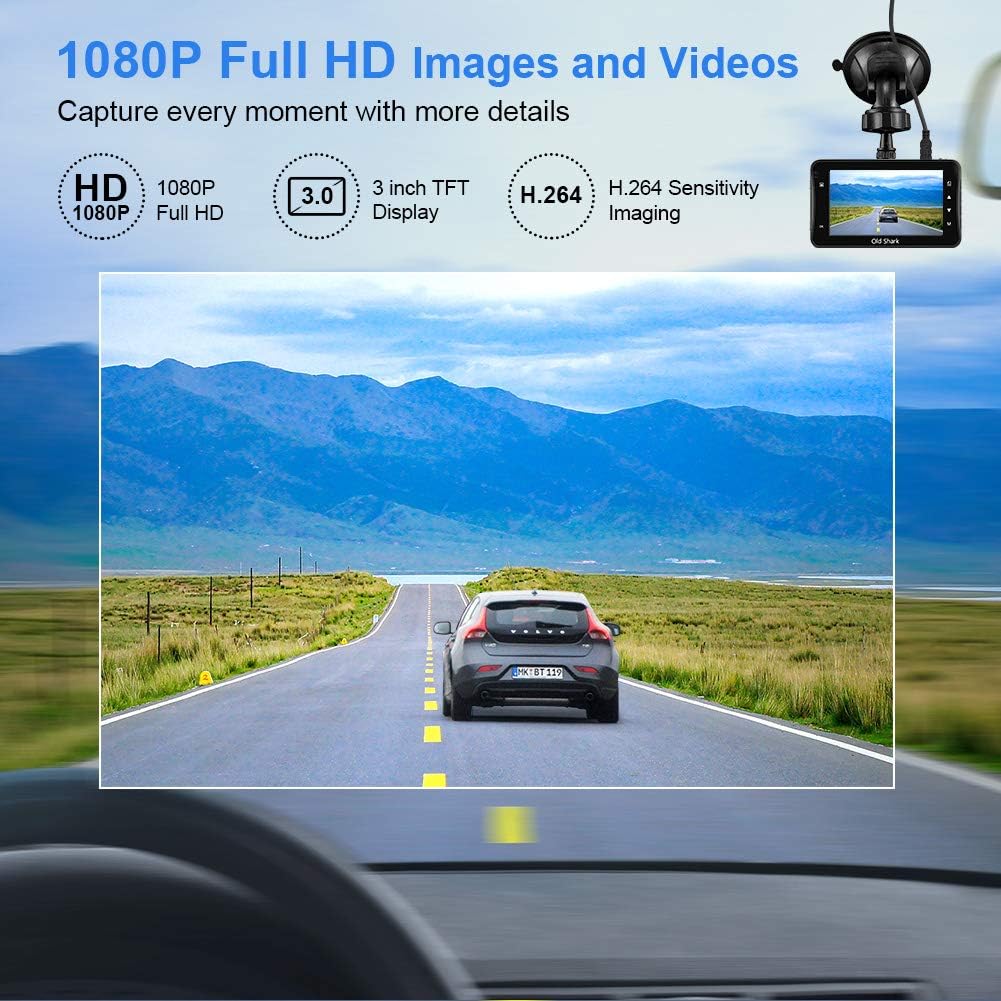
Image: Visual representation of the dash cam's 1080P Full HD video capabilities and display features.

Image: The G-Sensor feature, which automatically locks video footage during an impact to secure accident evidence.

Image: The 24-Hour Parking Monitor feature, which activates recording upon detecting vibrations while parked.

Image: The Super Night Vision capability, demonstrating improved low-light performance with its F1.6 aperture.

Image: The 170° wide-angle lens providing a broad view, మాజీతోamples of recorded footage during day and night.
సెటప్ గైడ్
1. డాష్ క్యామ్ను మౌంట్ చేయడం
- Clean the windshield area where you intend to mount the dash cam. Ensure it is free of dust and grease.
- Attach the suction mount to the dash cam unit.
- సక్షన్ కప్పును విండ్షీల్డ్కు వ్యతిరేకంగా గట్టిగా నొక్కి, దాన్ని భద్రపరచడానికి లివర్ను తిప్పండి. కెమెరాను స్పష్టంగా ఉండేలా ఉంచండి. view మీ డ్రైవింగ్ దృష్టికి ఆటంకం కలిగించకుండా రోడ్డును ప్రశాంతంగా నడపండి.
2. మైక్రో SD కార్డ్ని చొప్పించడం
- డాష్ కామ్ వైపు మైక్రో SD కార్డ్ స్లాట్ను గుర్తించండి.
- Insert the provided 32GB Micro SD card into the slot until it clicks into place. Ensure the card is inserted correctly with the gold contacts facing the back of the camera.
- For optimal performance, it is recommended to format the SD card within the dash cam's settings before first use and periodically thereafter.
3. పవర్ చేయడం
- డాష్ కామ్ యొక్క పవర్ ఇన్పుట్ పోర్ట్కు కార్ ఛార్జర్ను కనెక్ట్ చేయండి.
- మీ వాహనం యొక్క సిగరెట్ లైటర్ సాకెట్లో కారు ఛార్జర్ యొక్క మరొక చివరను ప్లగ్ చేయండి.
- The dash cam will automatically power on and begin recording when your vehicle's ignition is turned on. It will also power off automatically when the ignition is turned off.

Image: The OldShark Dash Cam, showing its compact design, the included suction mount for windshield attachment, and the 32GB Micro SD card for storage.
ఆపరేటింగ్ సూచనలు
ప్రాథమిక ఆపరేషన్
- పవర్ ఆన్/ఆఫ్: The camera powers on/off automatically with the car ignition. You can also manually power it on/off by pressing and holding the Power button.
- రికార్డింగ్: Once powered on, the dash cam automatically starts loop recording. A red flashing dot or similar indicator on the screen confirms recording is active.
- రికార్డింగ్ ఆపివేయి: Press the OK button to stop recording. Press it again to resume.
- మోడ్ స్విచింగ్: Use the Mode button to switch between Video Recording, Still Photo, and Playback modes.
- ప్లేబ్యాక్: In Playback mode, use the Up/Down buttons to navigate through recorded files. Press OK to play a selected video.
మెనూ నావిగేషన్
- సెట్టింగ్లను యాక్సెస్ చేయడానికి మెనూ బటన్ను నొక్కండి.
- Use the Up/Down buttons to scroll through menu options.
- Press OK to select an option or confirm a setting.
- Press Menu again to exit the menu.
కీ విధులు
- లూప్ రికార్డింగ్: Set the duration for video segments (e.g., 1, 3, 5 minutes). When the card is full, the oldest unlocked file ఓవర్ రైట్ అవుతుంది.
- G-సెన్సర్ సున్నితత్వం: Adjust the sensitivity of the G-Sensor (Low, Medium, High). A higher sensitivity means the camera will lock footage more easily upon detecting bumps or impacts.
- పార్కింగ్ మానిటర్: Enable this feature to allow the dash cam to automatically record a short video when it detects a vibration while the car is parked and turned off.
- చలన గుర్తింపు: When enabled, the camera will start recording automatically if it detects movement in front of the lens while parked.
- తేదీ/సమయం సెయింట్amp: Ensure the correct date and time are set in the menu for accurate timestampమీ రికార్డింగ్లలో లు.
నిర్వహణ
- శుభ్రపరచడం: కెమెరా లెన్స్ మరియు స్క్రీన్ను శుభ్రం చేయడానికి మృదువైన, పొడి వస్త్రాన్ని ఉపయోగించండి. రాపిడి క్లీనర్లు లేదా ద్రావకాలను ఉపయోగించడం మానుకోండి.
- SD కార్డ్ సంరక్షణ: Regularly format the Micro SD card (at least once a month) within the dash cam's settings to maintain optimal recording performance and prevent data corruption. Use only high-quality Class 10 or higher Micro SD cards.
- ఉష్ణోగ్రత: Avoid exposing the dash cam to extreme temperatures (very hot or very cold) for extended periods, as this can affect battery life and component integrity.
- ఫర్మ్వేర్ నవీకరణలు: Check the official OldShark webమీ డాష్ క్యామ్లో తాజా ఫీచర్లు మరియు బగ్ పరిష్కారాలు ఉన్నాయని నిర్ధారించుకోవడానికి అందుబాటులో ఉన్న ఏవైనా ఫర్మ్వేర్ అప్డేట్ల కోసం సైట్ను క్రమానుగతంగా సందర్శించండి.
ట్రబుల్షూటింగ్
| సమస్య | పరిష్కారం |
|---|---|
| డాష్ కామ్ పవర్ ఆన్ అవ్వదు. | Ensure the car charger is securely connected to both the dash cam and the vehicle's cigarette lighter. Check if the vehicle's cigarette lighter is receiving power. Try a different power source if available. |
| రికార్డింగ్ అనుకోకుండా ఆగిపోతుంది. | Check if the Micro SD card is full. Format the SD card. Ensure you are using a Class 10 or higher SD card. Reduce G-Sensor sensitivity if it's triggering too often. |
| వీడియో footage అస్పష్టంగా లేదా అస్పష్టంగా ఉంది. | Clean the camera lens and your car's windshield. Ensure the protective film has been removed from the lens. Check video resolution settings. |
| Dash cam freezes or becomes unresponsive. | Press the reset button (if available, usually a small pinhole) or disconnect and reconnect the power. Format the Micro SD card. |
| తేదీ మరియు సమయం తప్పు. | Go to the system settings menu and manually set the correct date and time. Save the settings. |
స్పెసిఫికేషన్లు
| ఫీచర్ | వివరాలు |
|---|---|
| మోడల్ పేరు | GS505 |
| అంశం మోడల్ సంఖ్య | A1OS-GS505-T032 |
| వీడియో క్యాప్చర్ రిజల్యూషన్ | 1080p పూర్తి HD |
| లెన్స్ యాంగిల్ | 170° వైడ్ యాంగిల్ |
| ప్రదర్శన పరిమాణం | 3 అంగుళాలు |
| ప్రత్యేక లక్షణాలు | G-Sensor, Loop Recording, Parking Guard, Motion Detection, Auto On/Off, Time Stamp, Screensaver, Night Vision (F1.6 Aperture) |
| కనెక్టివిటీ టెక్నాలజీ | USB |
| మౌంటు రకం | చూషణ మౌంట్ |
| ఉత్పత్తి కొలతలు | 3.46 x 1 x 0.59 అంగుళాలు |
| వస్తువు బరువు | 4.4 ఔన్సులు |
| తయారీదారు | Old Shark |
వారంటీ సమాచారం
OldShark products are manufactured with high-quality standards. For specific warranty terms and conditions, please refer to the warranty card included in your product packaging or contact OldShark customer support. The warranty typically covers manufacturing defects for a specified period from the date of purchase.
ఏవైనా వారంటీ క్లెయిమ్లకు కొనుగోలు రుజువుగా దయచేసి మీ కొనుగోలు రసీదుని ఉంచుకోండి.
కస్టమర్ మద్దతు
If you encounter any issues or have questions regarding your OldShark Dash Cam that are not covered in this manual, please do not hesitate to contact our customer support team.
For the most up-to-date contact information and support resources, please visit the official OldShark store on Amazon or their official webసైట్.
ఆన్లైన్ వనరులు:
- OldShark Amazon Store: స్టోర్ను సందర్శించండి