
symcode MJ-2877CCD
Symcode 3-in-1 Barcode Scanner User Manual
Model: MJ-2877CCD | Brand: symcode
1. పరిచయం
The Symcode 3-in-1 Barcode Scanner (Model MJ-2877CCD) is a versatile and portable device designed for efficient barcode scanning across various platforms. It supports Bluetooth, USB Wired, and 2.4G Wireless connectivity, making it compatible with Windows, Android, iOS, tablets, and computers. This CCD Bluetooth scanner features advanced digital image acquisition, allowing it to read 1D barcodes from screens, addressing a common limitation of traditional 1D scanners.
ముఖ్య లక్షణాలు:
- Wireless operation for enhanced convenience and portability.
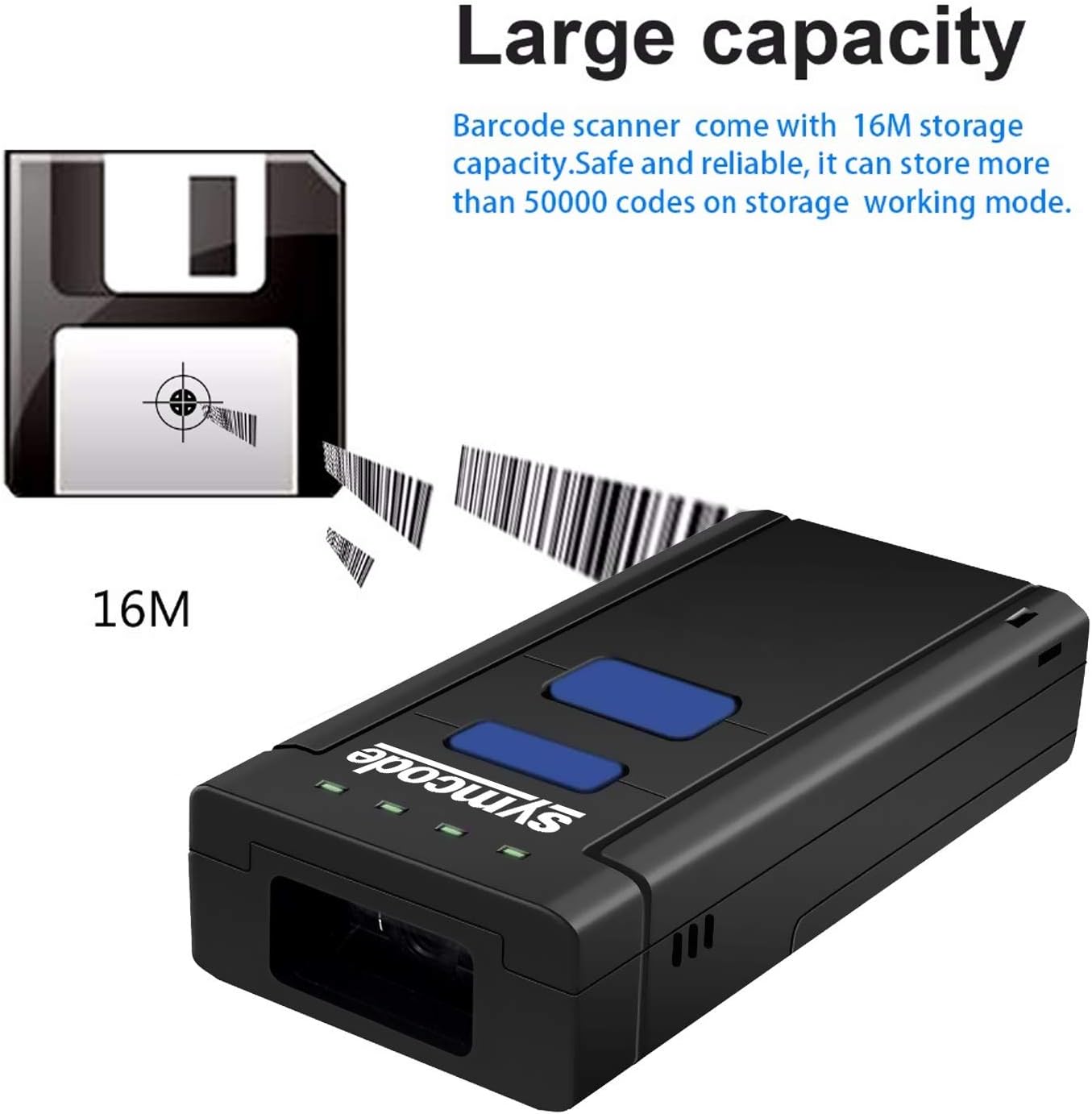
- Large storage capacity, capable of saving over 50,000 codes.
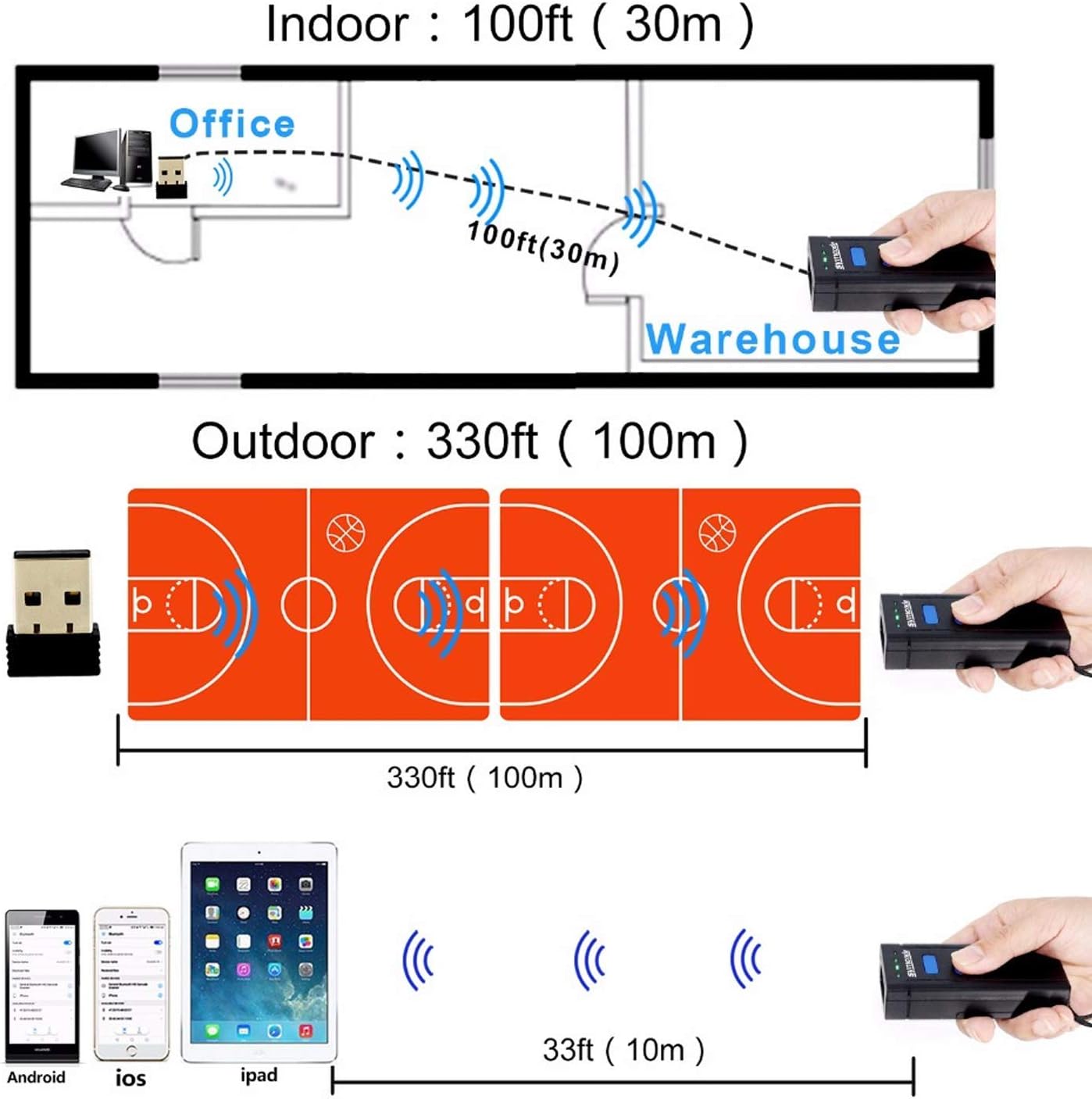
- Long transmission distance: up to 200m in open air (2.4G wireless) and 10m (Bluetooth).
- High compatibility with Windows XP/7.0/8.0/Win 10, Windows Mobile, Android OS, iPhone/iPad.
- CCD Image Scanning Technology for reading 1D codes from screens.
- Support for HID, SPP, and BLE Protocols.
- Visible red light 632nm LED with 200 scans/second speed.
- Durable and eco-friendly ABS material construction.
2. ప్యాకేజీ విషయాలు
ప్యాకేజీని తెరిచినప్పుడు, కింది అంశాలన్నీ చేర్చబడ్డాయో లేదో నిర్ధారించుకోండి:
- 1 x Symcode Barcode Scanner (MJ-2877CCD)
- 1 x వినియోగదారు మాన్యువల్
- 1 x USB ఛార్జింగ్ కేబుల్
- 1 x Lithium Battery (pre-installed or separate)
- 1 x 2.4GHz Wireless Receiver
- 1 x హ్యాండ్ స్ట్రాప్

3. ఉత్పత్తి ముగిసిందిview
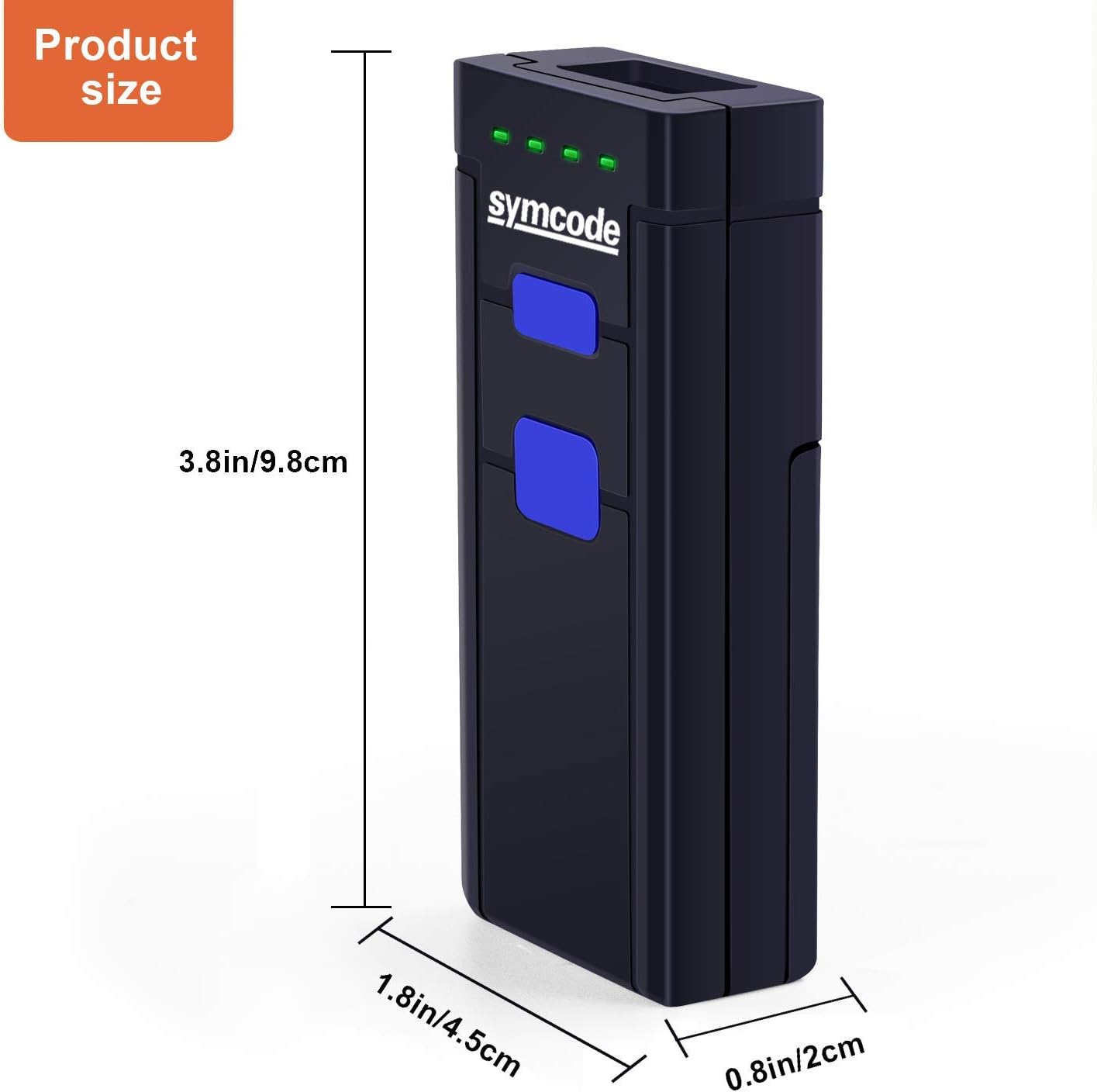
Familiarize yourself with the components and dimensions of your Symcode barcode scanner.
4. సెటప్
4.1 బ్యాటరీ ఇన్స్టాలేషన్ మరియు ఛార్జింగ్
The scanner uses a DC 3.7V, 1000mA Li-ion battery. Ensure the battery is properly installed and charged before first use.
- Open the battery compartment cover on the back of the scanner.
- Insert the lithium battery, ensuring correct polarity.
- బ్యాటరీ కంపార్ట్మెంట్ కవర్ను సురక్షితంగా మూసివేయండి.
- Connect the scanner to a USB power source using the provided USB cable for charging. The scanner can be used while charging.
బ్యాటరీ లైఫ్: The battery provides approximately 48 hours of continuous working time and can standby for up to 30 days. Full charging typically takes 4-5 hours.
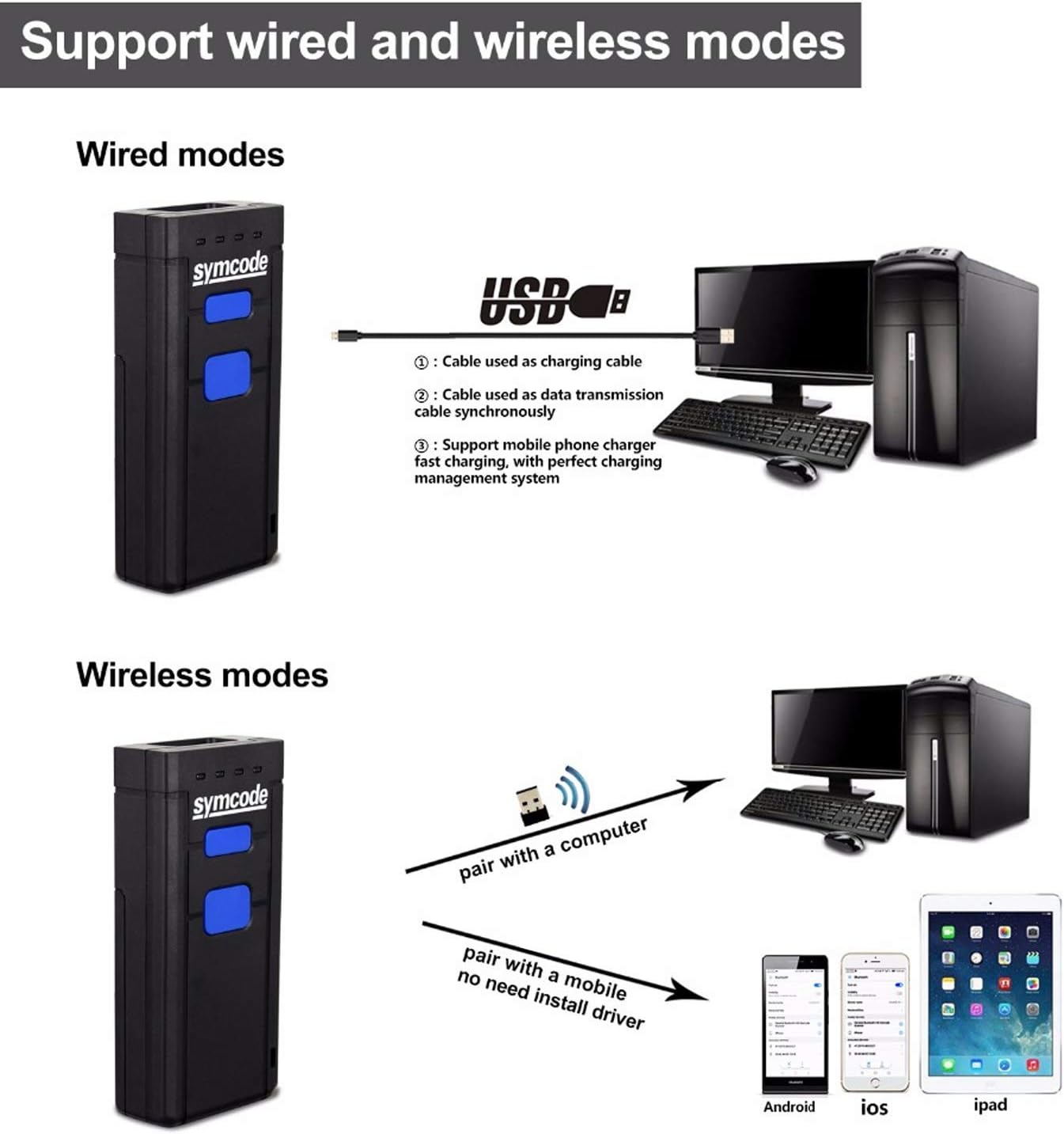
4.2 కనెక్టివిటీ మోడ్లు
The Symcode scanner offers three primary connection methods:
- USB వైర్డ్ మోడ్: Connect the scanner directly to your computer using the USB cable. The cable serves for both data transmission and charging.
- 2.4G వైర్లెస్ మోడ్: Insert the 2.4GHz wireless receiver into a USB port on your computer. The scanner will automatically pair with the receiver. This mode offers a transmission distance of up to 200m in open air.
- బ్లూటూత్ మోడ్: Pair the scanner with Bluetooth-enabled devices such as smartphones, tablets, or computers. This mode offers a transmission distance of up to 10m in open air.
5. ఆపరేటింగ్ సూచనలు
5.1 ప్రాథమిక స్కానింగ్
బార్కోడ్ని స్కాన్ చేయడానికి:
- Ensure the scanner is powered on and connected to your device (computer, tablet, or smartphone) via your chosen method.
- Point the scan window of the scanner at the barcode you wish to read. For example, the barcode 6901234567892 is a standard 1D barcode that can be easily read by this scanner.
- Press the scanning switch (trigger button). A red light will emit from the scan window.
- Once the barcode is successfully read, the scanner will typically emit a beep and/or the indicator light will change, and the data will appear on your connected device.

5.2 Data Storage (Offline Mode)
The scanner has a built-in memory of 16MB, allowing it to store over 50,000 codes when operating in offline mode (not connected to a host device). This feature is useful for inventory tasks where real-time data transfer is not always feasible.
To retrieve stored data, connect the scanner to your computer via USB or 2.4G wireless mode and follow the instructions in the user manual for data upload.
6. స్పెసిఫికేషన్లు
| ఫీచర్ | వివరాలు |
|---|---|
| కాంతి మూలం | Visible red light 632nm LED |
| CPU | ARM Cortex-M3, 32-bits |
| స్కాన్ వేగం | 500 స్కాన్లు/సెకను |
| రిజల్యూషన్ | 0.1మి.మీ (4మి.లీ) |
| ఫీల్డ్ యొక్క లోతు | 500mm@20mil/0.5mm, PCS 90% |
| Decode Capabilities | UPC/EAN/JAN, UPC/EAN with supplemental, UCC/EAN 128, Code 39, MSI, Code11, Code 39 Full ASCII, Code 39 Tri-optic, Codabar, Code 93, Discrete 2 of 5, IATA, RSS variants, Interleaved 2 of 5, China postal code, GS1 databar, etc. |
| బిట్ ఎర్రర్ రేట్ | 1/5 మిలియన్ |
| బ్యాటరీ | DC 3.7V, 1000mA Li-ion battery |
| ప్రస్తుత | 100mA (working), 30mA (storage) |
| ఇంటర్ఫేస్ | Wireless (Bluetooth, 2.4G), USB Wired |
| తేమ | 5%~95% నాన్-కండెన్సింగ్ |
| మెటీరియల్ | Eco-friendly ABS |
| కొలతలు | 100 21 46mm (3.86 1.77 0.79 అంగుళాలు) |
| బరువు | 150 గ్రా (2.5 ఔన్సులు) |
7. ట్రబుల్షూటింగ్
If you encounter issues with your Symcode barcode scanner, refer to the following common problems and solutions:
- స్కానర్ కనెక్ట్ కావడం లేదు:
- స్కానర్ పూర్తిగా ఛార్జ్ అయ్యిందని నిర్ధారించుకోండి.
- Verify the correct connection mode (Bluetooth, 2.4G Wireless, or USB Wired) is selected and properly configured on both the scanner and the host device.
- For Bluetooth, ensure the scanner is in pairing mode and visible to your device.
- For 2.4G wireless, ensure the USB receiver is securely plugged in and recognized by the computer.
- స్కానర్ మరియు హోస్ట్ పరికరం రెండింటినీ పునఃప్రారంభించి ప్రయత్నించండి.
- Barcode not scanning:
- బార్కోడ్ శుభ్రంగా, పాడవకుండా మరియు స్పష్టంగా కనిపించేలా చూసుకోండి.
- స్కానర్ మరియు బార్కోడ్ మధ్య దూరం మరియు కోణాన్ని సర్దుబాటు చేయండి.
- Check if the barcode type is supported by the scanner (refer to Specifications).
- Ensure sufficient lighting for the barcode.
- If scanning from a screen, ensure the screen brightness is adequate and there are no reflections.
- Data not appearing on screen:
- స్కానర్ మీ పరికరానికి విజయవంతంగా కనెక్ట్ అయిందని నిర్ధారించండి.
- Ensure the cursor is active in a text field or application where scanned data should appear.
- If in offline storage mode, data will not appear in real-time until uploaded.
- తక్కువ బ్యాటరీ జీవితం:
- Ensure the scanner is fully charged (4-5 hours).
- Reduce continuous scanning or switch to a power-saving mode if available.
- The battery may need replacement if it no longer holds a charge effectively after prolonged use.
For more detailed troubleshooting or issues not covered here, please refer to the comprehensive user manual included in your package or contact Symcode customer support.
8. వారంటీ మరియు మద్దతు
Symcode products are designed for reliability and performance. Specific warranty terms and conditions are typically provided with your product documentation. Please retain your proof of purchase for warranty claims.
For technical support, product inquiries, or warranty service, please refer to the contact information provided in your product's user manual or visit the official Symcode webసైట్. మీరు కూడా సందర్శించవచ్చు Symcode Store on Amazon అదనపు వనరులు మరియు మద్దతు కోసం.
Ask a question about this manual
Ask about setup, troubleshooting, compatibility, parts, safety, or missing instructions. Manuals+ will review the question and use this page’s manual context to help answer it.