
పరిచయం
The HyperGear Rave Wireless Stereo Speaker delivers high-fidelity sound with an interactive multi-colored LED light show. It features Bluetooth connectivity, a built-in speakerphone, and an FM radio, making it suitable for various audio needs.
ప్యాకేజీ విషయాలు
- Rave Wireless Speaker
- 3.5mm స్టీరియో ఆక్సిలరీ కేబుల్
- మైక్రో USB ఛార్జింగ్ కేబుల్
- వినియోగదారు మాన్యువల్ (ఈ పత్రం)

ఉత్పత్తి ముగిసిందిview
స్పీకర్ నియంత్రణలు మరియు పోర్టులతో మిమ్మల్ని మీరు పరిచయం చేసుకోండి.

నియంత్రణ బటన్లు
- పవర్ బటన్: స్పీకర్ను ఆన్ లేదా ఆఫ్ చేయడానికి నొక్కి పట్టుకోండి.
- మోడ్ బటన్ (M): బ్లూటూత్, FM రేడియో మరియు AUX మోడ్ల మధ్య మారడానికి నొక్కండి.
- Play/Pause Button (►/∕): Press to play or pause audio. In call mode, press to answer/end calls.
- Volume Down / Previous Track (-/◀◀): వాల్యూమ్ తగ్గించడానికి నొక్కండి. మునుపటి ట్రాక్కి వెళ్లడానికి నొక్కి పట్టుకోండి.
- Volume Up / Next Track (+/►►): వాల్యూమ్ పెంచడానికి నొక్కండి. తదుపరి ట్రాక్కి వెళ్లడానికి నొక్కి పట్టుకోండి.
- Light Mode Button (*): Press to cycle through different LED light patterns or turn off the light show.
ఓడరేవులు
- మైక్రో USB ఛార్జింగ్ పోర్ట్: స్పీకర్ అంతర్గత బ్యాటరీని ఛార్జ్ చేయడానికి.
- 3.5mm AUX ఇన్పుట్: For connecting external audio devices via the auxiliary cable.
సెటప్
స్పీకర్పై ఆరోపణలు చేస్తున్నారు
Before first use, fully charge the speaker. Connect the Micro USB charging cable to the speaker's charging port and the other end to a USB power adapter (not included) or a computer's USB port. The charging indicator light will illuminate during charging and turn off when fully charged. A full charge takes approximately 3-4 hours and provides up to 8 hours of playback.
పవర్ ఆన్/ఆఫ్
నొక్కండి మరియు పట్టుకోండి పవర్ బటన్ for approximately 3 seconds to turn the speaker on or off. A voice prompt will indicate the power status.
ఆపరేటింగ్ సూచనలు
బ్లూటూత్ పెయిరింగ్
- స్పీకర్ ఆన్ చేయబడి బ్లూటూత్ మోడ్లో ఉందని నిర్ధారించుకోండి. లేకపోతే, నొక్కండి మోడ్ బటన్ (M) until you hear the Bluetooth pairing prompt. The LED indicator will flash, indicating it is ready to pair.
- మీ మొబైల్ పరికరంలో, బ్లూటూత్ని ప్రారంభించండి మరియు అందుబాటులో ఉన్న పరికరాల కోసం శోధించండి.
- Select "HyperGear Rave" from the list of devices.
- Once paired, the speaker will emit a confirmation tone, and the LED indicator will stop flashing.

సంగీతాన్ని ప్లే చేస్తోంది
బ్లూటూత్ మోడ్
After successful pairing, you can play music from your connected device. Use the speaker's ప్లే/పాజ్ చేయండి, వాల్యూమ్ అప్/నెక్స్ట్ ట్రాక్, మరియు వాల్యూమ్ డౌన్/మునుపటి ట్రాక్ buttons to control playback, or control directly from your device.
AUX మోడ్
Connect one end of the 3.5mm auxiliary cable to the speaker's AUX input and the other end to the audio output of your external device. Press the మోడ్ బటన్ (M) to switch to AUX mode. Audio will play directly from your connected device.
హ్యాండ్స్-ఫ్రీ కాలింగ్
When connected via Bluetooth, the speaker can be used as a speakerphone. When a call comes in, the music will pause. Press the ప్లే/పాజ్ బటన్ to answer an incoming call. Press it again to end the call. Press and hold the ప్లే/పాజ్ బటన్ ఇన్కమింగ్ కాల్ను తిరస్కరించడానికి.
FM రేడియో ఆపరేషన్
నొక్కండి మోడ్ బటన్ (M) to switch to FM Radio mode. The speaker will automatically scan and save available stations. Use the వాల్యూమ్ అప్/నెక్స్ట్ ట్రాక్ మరియు వాల్యూమ్ డౌన్/మునుపటి ట్రాక్ buttons to navigate between saved stations. Press and hold these buttons to fine-tune the frequency.
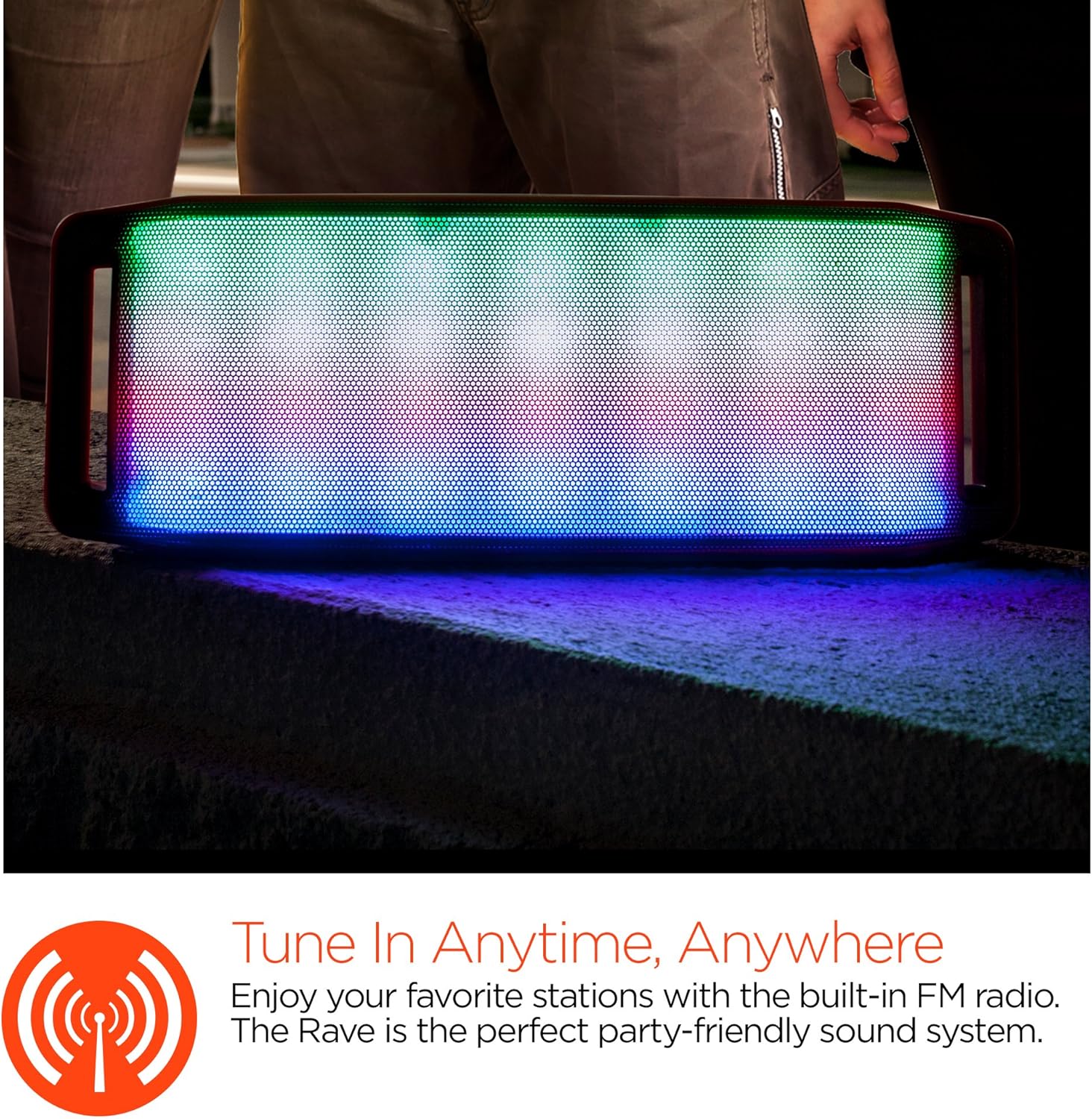
LED లైట్ షో
The speaker features an interactive multi-colored LED light show. Press the Light Mode Button (*) to cycle through different light patterns or to turn the light show off.

నిర్వహణ
క్లీనింగ్
Wipe the speaker with a soft, dry cloth. Do not use abrasive cleaners or solvents. Avoid exposing the speaker to excessive moisture.
నిల్వ
స్పీకర్ను చల్లని, పొడి ప్రదేశంలో ప్రత్యక్ష సూర్యకాంతి మరియు తీవ్రమైన ఉష్ణోగ్రతలకు దూరంగా నిల్వ చేయండి. ఎక్కువ కాలం నిల్వ చేస్తే, బ్యాటరీ జీవితకాలం కొనసాగించడానికి కాలానుగుణంగా ఛార్జ్ చేయండి.
బ్యాటరీ సంరక్షణ
To prolong battery life, avoid fully discharging the speaker frequently. Charge the speaker regularly, even if not in use, to prevent deep discharge.
ట్రబుల్షూటింగ్
| సమస్య | సాధ్యమైన కారణం | పరిష్కారం |
|---|---|---|
| స్పీకర్ ఆన్ చేయలేదు. | బ్యాటరీ క్షీణించింది. | మైక్రో USB కేబుల్ ఉపయోగించి స్పీకర్ను ఛార్జ్ చేయండి. |
| బ్లూటూత్ ద్వారా జత చేయడం సాధ్యం కాదు. | స్పీకర్ జత చేసే మోడ్లో లేదు; పరికరంలో బ్లూటూత్ ఆఫ్లో ఉంది; పరికరం చాలా దూరంలో ఉంది. | Ensure speaker is in Bluetooth pairing mode (flashing LED). Turn on Bluetooth on your device. Move device closer to speaker (within 10 meters). |
| శబ్దం లేదు. | Volume is too low; incorrect mode selected; device not playing. | Increase volume on both speaker and connected device. Ensure correct mode (Bluetooth/AUX/FM) is selected. Verify audio is playing on the source device. |
| ధ్వని వక్రీకరణ. | వాల్యూమ్ చాలా ఎక్కువ; తక్కువ బ్యాటరీ; అంతరాయం. | వాల్యూమ్ తగ్గించండి. స్పీకర్ను ఛార్జ్ చేయండి. స్పీకర్ను ఇతర ఎలక్ట్రానిక్ పరికరాల నుండి దూరంగా ఉంచండి. |
| FM రేడియో రిసెప్షన్ పేలవంగా ఉంది. | బలహీనమైన సిగ్నల్; పర్యావరణ జోక్యం. | Relocate the speaker to an area with better reception. Extend the charging cable (if connected) as it can act as an antenna. |
స్పెసిఫికేషన్లు
| ఫీచర్ | వివరాలు |
|---|---|
| మోడల్ సంఖ్య | 13604 |
| బ్లూటూత్ వెర్షన్ | 3.0 ± EDR |
| స్పీకర్ అవుట్పుట్ పవర్ | 2 x 5W (మొత్తం 10W) |
| సిగ్నల్-టు-నాయిస్ రేషియో (S/N) | 80dB |
| బ్యాటరీ కెపాసిటీ | 1500mAh |
| ప్లే టైమ్ | 8 గంటల వరకు |
| బ్లూటూత్ రేంజ్ | 33అడుగులు / 10మీ వరకు |
| కనెక్టివిటీ టెక్నాలజీ | బ్లూటూత్, వైర్లెస్ |
| ఆడియో అవుట్పుట్ మోడ్ | స్టీరియో |
| నియంత్రణ పద్ధతి | టచ్ |
| బరువు | 2.25 పౌండ్లు |
| ప్రత్యేక లక్షణాలు | Bass Boost, Display, Multi-colored LED Light Show, Built-in Speakerphone, FM Radio |
వారంటీ మరియు మద్దతు
For warranty information or technical support, please refer to the contact details provided on the product packaging or visit the official HYPERGEAR webసైట్. కొనుగోలు రుజువుగా మీ కొనుగోలు రసీదుని ఉంచండి.