
పరిచయం
Thank you for choosing the One For All WM2211 Fixed TV Bracket. This manual provides essential information for the safe and correct installation and use of your new TV wall mount. Please read these instructions carefully before installation and retain them for future reference.
This fixed wall mount is designed to securely hold LED, LCD, and Plasma TVs ranging from 13 to 40 inches, with a maximum weight capacity of 50 kg. It supports VESA mounting patterns from 75x75mm to 200x200mm, ensuring compatibility with a wide range of televisions.
భద్రతా సమాచారం
- బరువు సామర్థ్యం: Do not exceed the maximum weight capacity of 50 kg (110 lbs). Overloading can result in serious injury or damage to equipment.
- గోడ రకం: Ensure the mounting surface (wall) can safely support the combined weight of the mount and the TV. Consult a qualified professional if unsure.
- సాధనాలు: ఇన్స్టాలేషన్ కోసం తగిన సాధనాలను ఉపయోగించండి. ఎల్లప్పుడూ భద్రతా గ్లాసెస్ ధరించండి.
- పిల్లలు: Keep children and pets away during installation. Small parts can be a choking hazard.
- నష్టం: Do not install if any parts are missing or damaged. Contact customer support for replacement parts.
- వెంటిలేషన్: Ensure adequate ventilation around the TV after mounting.
ప్యాకేజీ విషయాలు
Before beginning installation, verify that all components are present and undamaged. The package should contain:
- One For All WM2211 TV Wall Mount Bracket
- Mounting Kit (screws, concrete anchors, spacers)
- ఇన్స్టాలేషన్ మాన్యువల్

Image: The retail packaging for the One For All WM2211 TV Wall Mount, showing the bracket and key features.
సెటప్ మరియు ఇన్స్టాలేషన్
The One For All WM2211 bracket is designed for quick and straightforward installation, typically in less than 10 minutes. Follow these steps carefully:
1. ప్రీ-ఇన్స్టాలేషన్ తనిఖీలు
- VESA అనుకూలతను తనిఖీ చేయండి: Locate the four mounting holes on the back of your TV. Measure the horizontal and vertical distance between these holes (in millimeters). This is your TV's VESA pattern. The WM2211 supports VESA sizes: 75x75mm, 100x100mm, 200x100mm, and 200x200mm. Ensure your TV's VESA pattern matches one of these.
- Check TV Size and Weight: Confirm your TV is between 13 and 40 inches and weighs no more than 50 kg (110 lbs).
- గోడ రకాన్ని గుర్తించండి: Determine if your wall is solid concrete, brick, wood stud, or drywall. Different wall types require specific anchors and drilling techniques.
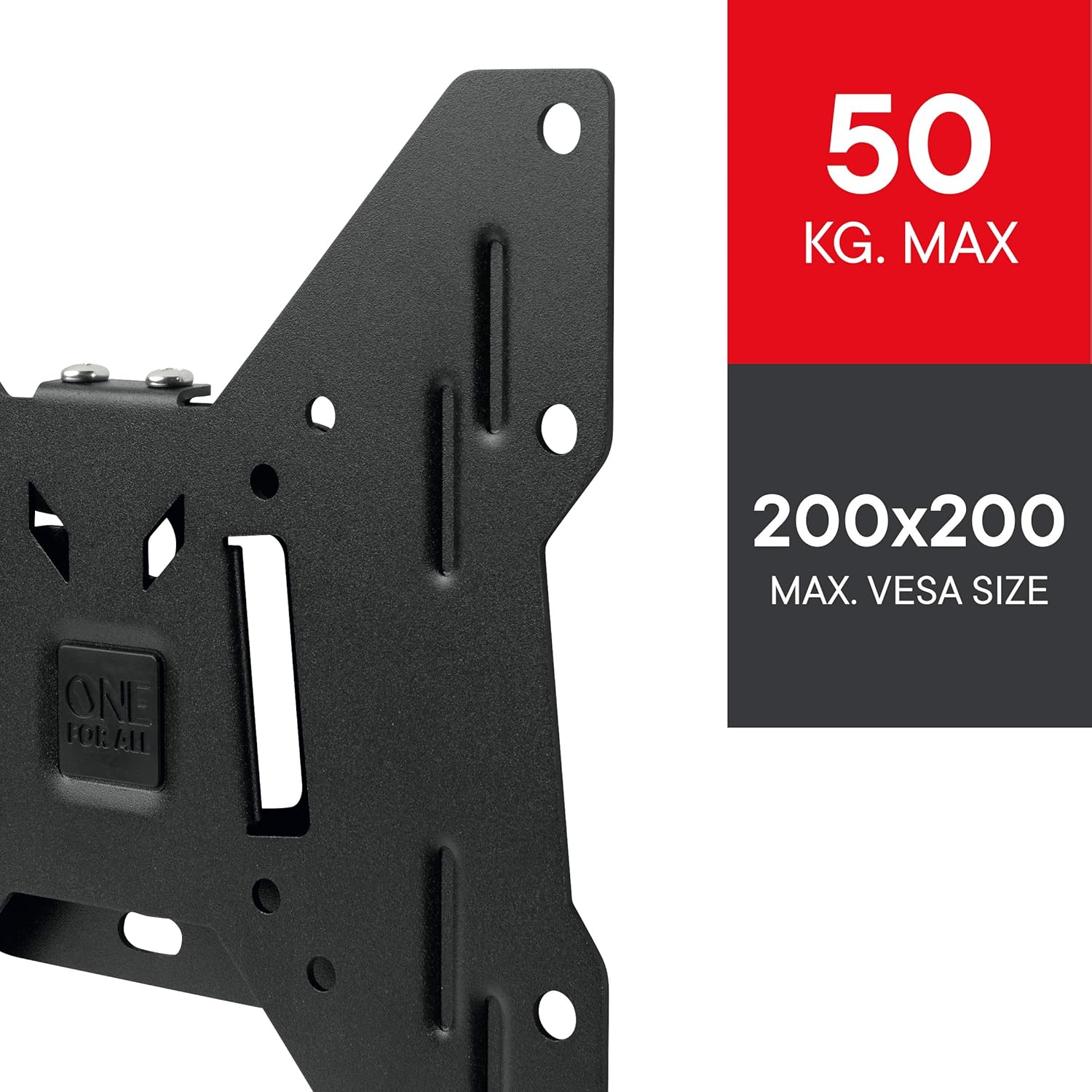
చిత్రం: వివరణాత్మక view of the WM2211 bracket, highlighting its maximum weight capacity of 50 kg and VESA compatibility up to 200x200mm.
2. Mounting the Bracket to the Wall
- డ్రిల్లింగ్ రంధ్రాలను గుర్తించండి: Hold the wall mount against the wall at the desired height and position. Use a pencil to mark the drilling locations through the mount's holes. Use a spirit level to ensure the marks are perfectly horizontal.
- డ్రిల్ రంధ్రాలు: Drill pilot holes at the marked locations using a drill bit appropriate for your wall type and the provided anchors.
- యాంకర్లను చొప్పించండి: Insert the appropriate wall anchors into the drilled holes. For wood studs, anchors may not be necessary, but ensure screws are driven directly into the center of the stud.
- సురక్షిత మౌంట్: Align the wall mount with the anchors and secure it firmly to the wall using the provided screws. Ensure it is tightly fastened and stable.

Image: The One For All WM2211 TV Wall Mount bracket, ready for installation on the wall.
3. Attaching the TV to the Bracket
- టీవీ బ్రాకెట్లను అటాచ్ చేయండి: Secure the TV attachment plates (if separate from the main mount) to the back of your TV using the appropriate VESA screws and spacers from the mounting kit. Ensure they are tightened securely.
- టీవీని ఆపివేయండి: Carefully lift the TV and align the attachment plates on the TV with the corresponding hooks or slots on the wall-mounted bracket. Gently lower the TV until it locks into place. You may need assistance for larger TVs.
- సురక్షిత టీవీ: Use any provided locking mechanisms (e.g., screws, pull cords) to secure the TV to the wall mount, preventing accidental dislodgement.

Image: A television mounted flush to the wall using the One For All WM2211 bracket, demonstrating its low-profile డిజైన్.
The WM2211 offers a fixed low profile, with a minimum wall distance of only 14mm, making your TV appear almost flush with the wall.
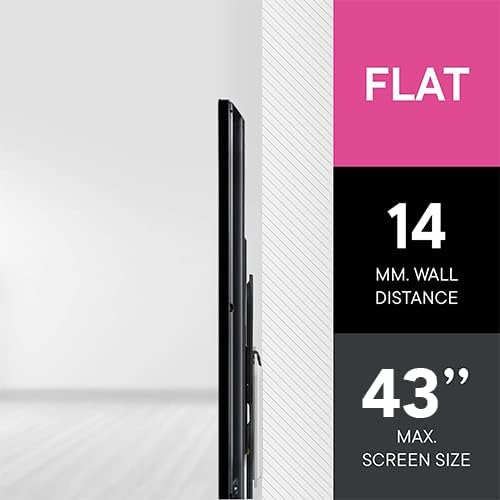
Image: A visual representation illustrating the minimal 14mm wall distance achieved with the WM2211 bracket, providing a sleek, flush appearance.
అన్ని టూల్బాక్స్ యాప్ కోసం ఒకటి
For additional assistance during installation, download the free One For All Toolbox App. This app features helpful tools such as a spirit level and a flashlight, designed to make your installation process even quicker and easier. The app is available for both iOS and Android devices.
ఆపరేటింగ్
The One For All WM2211 is a fixed wall mount, meaning once installed, the TV's position relative to the wall is static. There are no moving parts for adjustment. Ensure the TV is positioned correctly during installation as repositioning will require unmounting and remounting.
నిర్వహణ
- శుభ్రపరచడం: To clean the mount, wipe it with a soft, dry cloth. Do not use abrasive cleaners or solvents, as they may damage the finish.
- కాలానుగుణ తనిఖీలు: Periodically check all screws and fasteners to ensure they remain tight and secure. Over time, vibrations or changes in temperature can cause them to loosen.
- నష్టం: If you notice any signs of damage or wear, discontinue use and contact customer support.
ట్రబుల్షూటింగ్
ఇన్స్టాలేషన్ సమయంలో లేదా తర్వాత మీకు సమస్యలు ఎదురైతే, ఈ క్రింది సాధారణ సమస్యలు మరియు పరిష్కారాలను చూడండి:
| సమస్య | సాధ్యమైన కారణం | పరిష్కారం |
|---|---|---|
| టీవీ మౌంట్కు సరిపోదు. | తప్పు VESA నమూనా లేదా టీవీ పరిమాణం/బరువు. | Verify your TV's VESA pattern (75x75, 100x100, 200x100, 200x200) and ensure it is within the 13-40 inch size and 50 kg weight limit. |
| గోడపై మౌంట్ అస్థిరంగా అనిపిస్తుంది. | Screws not tightened, incorrect anchors, or weak wall. | Ensure all screws are securely tightened. Use appropriate anchors for your wall type. If the wall is weak, reinforce it or choose a different mounting location. |
| TV is not level after mounting. | Wall mount was not level during installation. | Remove the TV, then adjust the wall mount to be perfectly level using a spirit level. Re-mount the TV. |
| Missing parts from the mounting kit. | ప్యాకేజింగ్ లోపం. | Do not proceed with installation. Contact One For All customer support for replacement parts. |
స్పెసిఫికేషన్లు
| బ్రాండ్: | అందరికీ ఒకటి |
| మోడల్ సంఖ్య: | WM2211 |
| మౌంటు రకం: | వాల్ మౌంట్ |
| కదలిక రకం: | పరిష్కరించబడింది |
| అనుకూల టీవీ పరిమాణాలు: | 13 - 40 అంగుళాలు |
| గరిష్ట బరువు సామర్థ్యం: | 50 కిలోలు (110 పౌండ్లు) |
| VESA అనుకూలత: | 75x75mm, 100x100mm, 200x100mm, 200x200mm |
| Minimum Wall Distance: | 14 మిమీ (0.55 అంగుళాలు) |
| మెటీరియల్: | మెటల్ |
| రంగు: | నలుపు |
| ఉత్పత్తి కొలతలు: | 8.66 x 0.55 x 8.66 అంగుళాలు |
| వస్తువు బరువు: | 1.5 పౌండ్లు |
వారంటీ మరియు మద్దతు
One For All products are designed and manufactured to high quality standards. For information regarding warranty terms and conditions, or for technical support, please visit the official One For All webసైట్లో లేదా వారి కస్టమర్ సర్వీస్ను నేరుగా సంప్రదించండి. కొనుగోలు రుజువుగా మీ కొనుగోలు రసీదును ఉంచండి.
ఆన్లైన్ మద్దతు: www.oneforall.com/support