
1. పరిచయం
Thank you for choosing the Classic Cantabile DP-A 310 SM Digital Piano. This instrument offers a realistic piano playing experience with its 88 hammer-action keys and a wide range of features suitable for both beginners and experienced musicians. This manual provides essential information for setting up, operating, and maintaining your digital piano.
2. భద్రతా సమాచారం
- విద్యుత్ సరఫరా: పేర్కొన్న పవర్ అడాప్టర్ను మాత్రమే ఉపయోగించండి. వాల్యూమ్ను నిర్ధారించుకోండిtagఇ మీ స్థానిక విద్యుత్ సరఫరాతో సరిపోలుతుంది.
- తేమ: Do not expose the instrument to rain, moisture, or excessive humidity. Avoid placing liquids on or near the piano.
- వెంటిలేషన్: Ensure proper ventilation around the instrument. Do not block ventilation openings.
- ప్లేస్మెంట్: Place the piano on a stable, level surface. Avoid direct sunlight, heat sources, or extreme temperatures.
- శుభ్రపరచడం: Disconnect the power before cleaning. Use a soft, dry cloth. Do not use liquid cleaners or sprays.
- సర్వీసింగ్: Do not attempt to service the instrument yourself. Refer all servicing to qualified personnel.
3. ప్యాకేజీ విషయాలు
ప్యాకేజీలో అన్ని అంశాలు ఉన్నాయని నిర్ధారించుకోండి:
- Classic Cantabile DP-A 310 Digital Piano
- పియానో బెంచ్
- హెడ్ఫోన్లు
- Piano Method Book
- పవర్ అడాప్టర్

Image 3.1: The Classic Cantabile DP-A 310 Digital Piano with its accompanying bench and headphones.
4. సెటప్
4.1 అసెంబ్లీ
The Classic Cantabile DP-A 310 Digital Piano requires minimal assembly. Follow the instructions provided in the separate assembly guide for attaching the stand, pedals, and keyboard unit. Ensure all screws are securely fastened before use.
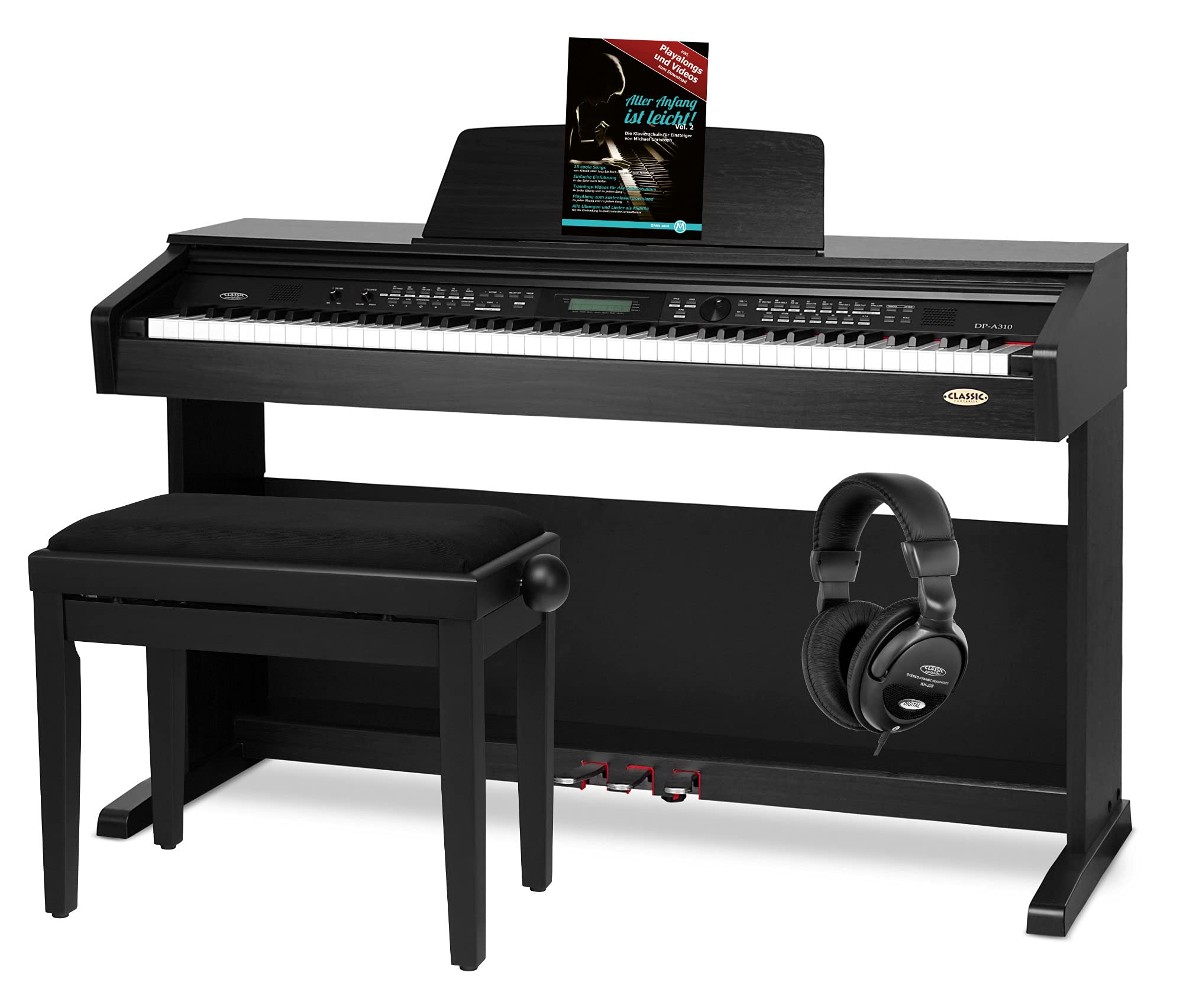
Image 4.1: Fully assembled Classic Cantabile DP-A 310 Digital Piano.
4.2 కనెక్ట్ పవర్
- Connect the power adapter to the DC IN jack on the rear of the piano.
- పవర్ అడాప్టర్ను తగిన వాల్ అవుట్లెట్లోకి ప్లగ్ చేయండి.
4.3 హెడ్ఫోన్లను కనెక్ట్ చేస్తోంది
The piano features two headphone outputs. Connect your headphones to either of the 3.5mm jack outputs located on the front or side of the instrument for private practice.

Image 4.2: Included Classic Cantabile KH-238 Headphones.
4.4 బాహ్య పరికరాలను కనెక్ట్ చేయడం
- ఆక్స్ ఇన్/అవుట్: Use these jacks to connect external audio sources (e.g., MP3 player) or to output the piano's audio to an external ampజీవితకాలం లేదా రికార్డింగ్ పరికరం.
- మిడి ఇన్/అవుట్: Connect to other MIDI-compatible instruments or devices for advanced control and sequencing.
- USB-MIDI: Connect the piano to a computer for MIDI data transfer, allowing you to use the piano with music software.
5. ఆపరేటింగ్ సూచనలు
5.1 పవర్ ఆన్/ఆఫ్
Locate the power button, typically on the left side of the control panel. Press it to turn the piano on or off.
5.2 కంట్రోల్ ప్యానెల్ ఓవర్view

చిత్రం 5.1: వివరణాత్మకమైనది view of the control panel with various buttons and the main rotary knob.

Image 5.2: Closer look at the central control knob and surrounding function buttons.
5.3 ధ్వని ఎంపిక
The DP-A 310 SM offers 500 different sounds. Use the 'VOICE' button and the data entry knob or 'YES/NO' buttons to browse and select your desired instrument sound.
5.4 Style Selection and Automatic Accompaniment
Choose from 200 accompaniment styles using the 'STYLE' button. The automatic accompaniment function supports Full-Range, Finger, and Chord modes, allowing the piano to generate rhythmic and harmonic backing based on your playing.
5.5 Song Playback and Recording
- ముందే రికార్డ్ చేసిన పాటలు: Access 60 built-in songs using the 'SONG' button.
- User Songs: The piano supports 10 user-defined songs.
- రికార్డింగ్: Utilize the 6-track recording feature to compose and layer your own music. Press the 'RECORD' button to initiate recording.
5.6 కీబోర్డ్ విధులు
- విభజన: Divide the keyboard into two sections, each with a different sound.
- ద్వంద్వ: Layer two different sounds across the entire keyboard.
- బదిలీ: మొత్తం కీబోర్డ్ యొక్క పిచ్ను పైకి లేదా క్రిందికి మార్చండి.
- మెట్రోనొమ్: టైమింగ్ ప్రాక్టీస్ కోసం అంతర్నిర్మిత మెట్రోనొమ్ను ఉపయోగించండి.
- ట్యూనింగ్: Adjust the overall tuning of the piano.
- ట్వినోవా: Splits the keyboard into two identical pitch ranges, ideal for student/teacher interaction.
- Scales & Harmony: Explore various scales and harmonic functions.
5.7 DSP ప్రభావాలు
Enhance your sound with adjustable multi-level Reverb and Chorus effects. Access these settings via the control panel.
5.8 పెడల్స్
The piano includes three pedals for expressive playing:
- Sustain Pedal (Right): Sustains the notes played.
- Sostenuto Pedal (Middle): Sustains only the notes held down at the moment the pedal is pressed.
- Soft Pedal (Left): Softens the sound of the notes.

Image 5.3: The three integrated pedals (Sustain, Sostenuto, Soft).
5.9 ఎల్సిడి డిస్ప్లే
The multifunction LCD display provides visual feedback for selected sounds, styles, settings, and other operational parameters. Use the data entry knob and navigation buttons to interact with the display.

Image 5.4: The multifunction LCD display showing various settings.
6. నిర్వహణ
6.1 శుభ్రపరచడం
To clean the piano, wipe the surfaces with a soft, dry cloth. For stubborn dirt, slightly dampen the cloth with water. Avoid using abrasive cleaners, waxes, or solvents, as these can damage the finish.
6.2 నిల్వ
When not in use, keep the keyboard cover closed to protect the keys from dust. Store the piano in a location with stable temperature and humidity to prevent damage to electronic components and wood parts.
7. ట్రబుల్షూటింగ్
If you encounter issues with your DP-A 310 SM, refer to the following common problems and solutions:
| సమస్య | సాధ్యమైన కారణం | పరిష్కారం |
|---|---|---|
| శబ్దం లేదు | Power off, volume low, headphones connected, faulty connection. | Ensure power is on. Increase master volume. Disconnect headphones if sound is desired from speakers. Check all cable connections. |
| వక్రీకరించిన ధ్వని | Volume too high, faulty cable, external interference. | Reduce volume. Try a different audio cable. Move away from other electronic devices. |
| కీలు స్పందించడం లేదు | విద్యుత్ సమస్య, అంతర్గత లోపం. | Turn the piano off and on again. If the problem persists, contact customer support. |
| పెడల్స్ పనిచేయడం లేదు | Loose connection, internal fault. | Ensure the pedal unit is correctly connected to the main piano body. If integrated, contact customer support. |
If the problem persists after trying these solutions, please contact Classic Cantabile customer support.
8. స్పెసిఫికేషన్లు
| ఫీచర్ | వివరాలు |
|---|---|
| బ్రాండ్ | క్లాసిక్ కాంటాబైల్ |
| మోడల్ పేరు | DP-A 310 |
| కీల సంఖ్య | 88 |
| కీబోర్డ్ రకం | HA-88-S500 Hammer-Action with Velocity Sensitivity |
| గరిష్టంగా బహుధ్వని | 128 స్వరాలు |
| ధ్వనులు | 500 |
| శైలులు | 200 (10 user) |
| పాటలు | 60 (10 user) |
| రికార్డింగ్ | 6 ట్రాక్లు |
| పెడల్స్ | 3 (Sustain, Sostenuto, Soft) |
| ప్రదర్శించు | మల్టీఫంక్షన్ ఎల్సిడి |
| ప్రభావాలు | DSP (Multi-level Reverb, Chorus) |
| కనెక్టివిటీ | 2 Headphone outputs (3.5mm Jack), AUX IN/OUT, MIDI IN/OUT, USB-MIDI |
| వక్తలు | 2 x 25 watts, 4 ohms |
| కొలతలు (L x D x H) | 1370 x 485 x 830 మిమీ |
| బరువు | 41.5 కిలోలు |
| శక్తి మూలం | AC అడాప్టర్ |
| రంగు | నలుపు |
| మూలం దేశం | చైనా |
9. వారంటీ మరియు మద్దతు
Your Classic Cantabile DP-A 310 SM Digital Piano is covered by a manufacturer's warranty. Please refer to the warranty card included in your package for specific terms and conditions. For technical support, service, or warranty claims, please contact your retailer or the Classic Cantabile customer service department. Contact information can typically be found on the manufacturer's webసైట్ లేదా మీ కొనుగోలు డాక్యుమెంటేషన్లో.