
పరిచయం
This manual provides instructions for the proper setup, operation, and maintenance of your Targus W600 Wireless Optical Mouse. Please read this manual thoroughly before using the device to ensure optimal performance and longevity.
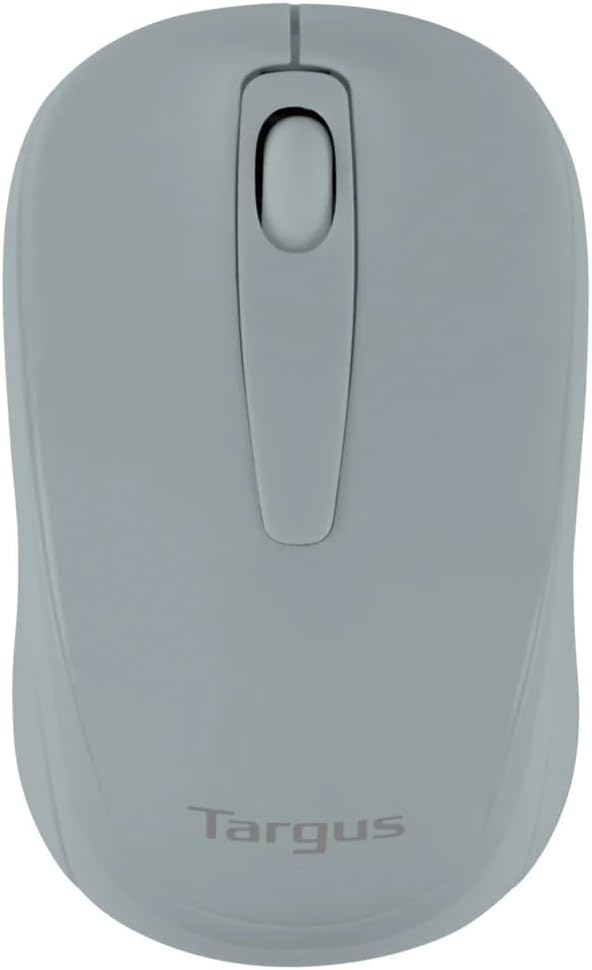
Figure 1: Targus W600 Wireless Optical Mouse (Quarry Gray)
ప్యాకేజీ విషయాలు
ప్యాకేజీలో అన్ని వస్తువులు ఉన్నాయని నిర్ధారించుకోండి:
- Targus W600 Wireless Optical Mouse
- USB రిసీవర్
- వినియోగదారు మాన్యువల్ (ఈ పత్రం)
Note: 1 AA battery is required and sold separately.
ఉత్పత్తి లక్షణాలు
- 2.4 GHz Wireless Technology for reliable connection
- 1600 DPI Optical Sensor for precise tracking
- సౌకర్యవంతమైన ఉపయోగం కోసం ఎర్గోనామిక్ డిజైన్
- Windows మరియు Mac ఆపరేటింగ్ సిస్టమ్లకు అనుకూలమైనది
- Integrated USB receiver storage compartment
సెటప్
1 బ్యాటరీని ఇన్స్టాల్ చేస్తోంది
- Turn the mouse over to locate the battery compartment cover.
- Gently slide the cover off.
- సరైన ధ్రువణతను (+/-) నిర్ధారించుకుని, ఒక (1) AA బ్యాటరీని చొప్పించండి.
- బ్యాటరీ కంపార్ట్మెంట్ కవర్ను భర్తీ చేయండి.
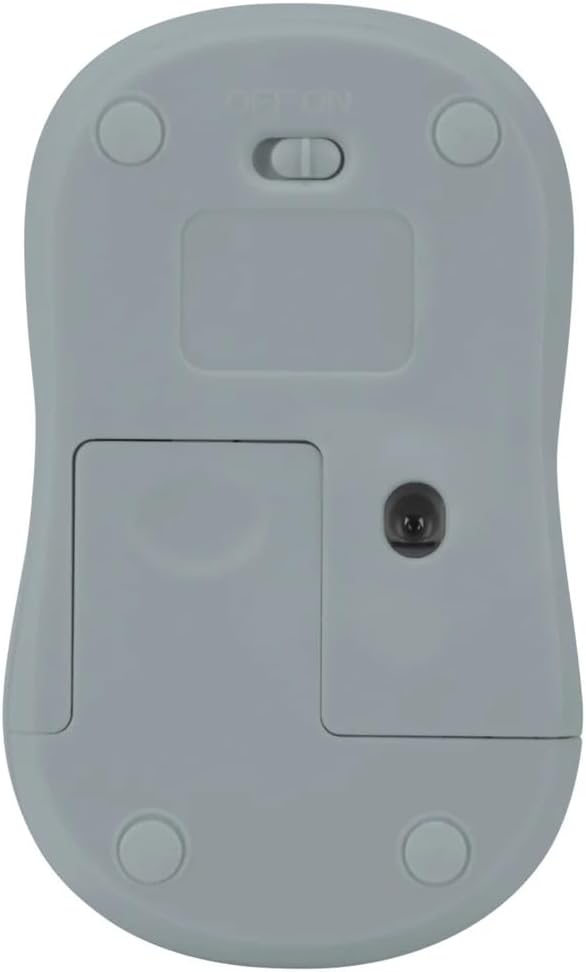
చిత్రం 2: దిగువ view of the mouse with battery compartment and power switch.
2. USB రిసీవర్ను కనెక్ట్ చేయడం
- Locate the USB receiver, typically stored inside the mouse's battery compartment or a dedicated slot.
- మీ కంప్యూటర్లో అందుబాటులో ఉన్న USB పోర్ట్కి USB రిసీవర్ని ప్లగ్ చేయండి.
- మీ కంప్యూటర్ అవసరమైన డ్రైవర్లను స్వయంచాలకంగా గుర్తించి ఇన్స్టాల్ చేయాలి. దీనికి కొన్ని క్షణాలు పట్టవచ్చు.
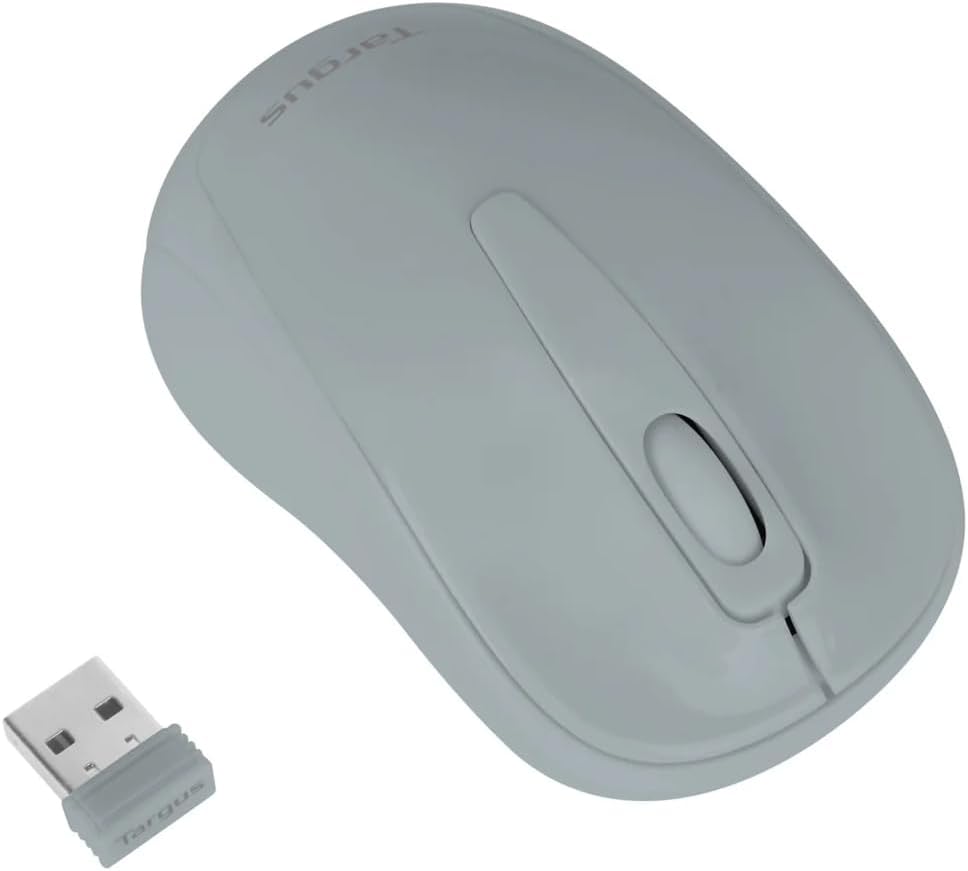
Figure 3: Targus W600 mouse and its USB receiver.

Figure 4: USB receiver plugged into a laptop, with the mouse nearby.
3. మౌస్ పై పవర్ ఆన్ చేయడం
On the bottom of the mouse, slide the ON/OFF switch to the "ON" position. The mouse is now ready for use.
మౌస్ను ఆపరేట్ చేయడం
The Targus W600 Wireless Optical Mouse functions like a standard 3-button mouse. It features a left button, a right button, and a scroll wheel that also acts as a middle button.
- ఎడమ క్లిక్ చేయండి: ప్రాథమిక చర్య, ఎంపిక, ప్రారంభ అంశాలు.
- కుడి క్లిక్ చేయండి: సందర్భోచిత మెనూలను తెరుస్తుంది.
- స్క్రోల్ వీల్: పత్రాలను స్క్రోల్ చేస్తుంది మరియు web pages vertically. Pressing the scroll wheel acts as a middle click, often used for opening links in new tabs or specific application functions.
The 1600 DPI optical sensor provides smooth and accurate cursor control on most surfaces. For best performance, use on a mouse pad or a non-reflective, uniform surface.
నిర్వహణ
క్లీనింగ్
మీ మౌస్ను శుభ్రం చేయడానికి, ఉపరితలాన్ని మృదువైన, డి-ప్యాక్తో సున్నితంగా తుడవండి.amp cloth. Avoid using harsh chemicals or abrasive cleaners, as these can damage the finish or internal components. Ensure no liquid enters the mouse.
బ్యాటరీ భర్తీ
When the mouse performance degrades or stops responding, it may be time to replace the battery. Follow the steps outlined in the "Installing the Battery" section to replace the AA battery. Dispose of used batteries responsibly according to local regulations.
ట్రబుల్షూటింగ్
| సమస్య | పరిష్కారం |
|---|---|
| మౌస్ స్పందించడం లేదు |
|
| అనియత కర్సర్ కదలిక |
|
| చిన్న వైర్లెస్ పరిధి |
|
స్పెసిఫికేషన్లు
| మోడల్ సంఖ్య | AMW60006AP-55 |
| కనెక్టివిటీ | 2.4 GHz వైర్లెస్ (USB రిసీవర్) |
| సెన్సార్ టెక్నాలజీ | ఆప్టికల్ |
| DPI | 1600 DPI |
| బటన్ల సంఖ్య | 3 (Left, Right, Scroll Wheel/Middle Click) |
| శక్తి మూలం | 1 x AA బ్యాటరీ (చేర్చబడలేదు) |
| అనుకూలమైన ఆపరేటింగ్ సిస్టమ్స్ | Windows, Mac |
గమనిక: నోటీసు లేకుండా లక్షణాలు మారతాయి.
వారంటీ మరియు మద్దతు
వారంటీ సమాచారం మరియు సాంకేతిక మద్దతు కోసం, దయచేసి అధికారిక Targus ని చూడండి. webసైట్లో లేదా వారి కస్టమర్ సర్వీస్ను సంప్రదించండి. వారంటీ క్లెయిమ్ల కోసం కొనుగోలు రుజువుగా మీ కొనుగోలు రసీదును ఉంచండి.
Targus Official Webసైట్: www.targus.com