
పరిచయం
The INSIGNIA Portable Bluetooth Audio Receiver NS-MBTK35 allows you to wirelessly stream audio from your Bluetooth-enabled devices to any audio system with a 3.5mm or RCA input. Enjoy crystal clear sound and hands-free calling with this versatile receiver. Its compact design and built-in rechargeable battery make it ideal for use at home or on the go.
ఏమి చేర్చబడింది
- INSIGNIA Portable Bluetooth Audio Receiver
- 3.5 mm Audio Cable (3 ft.)
- 3.5 mm Male-to-Male Adapter
- 3.5 mm to RCA Adapter
- మైక్రో USB ఛార్జింగ్ కేబుల్
- క్యారీయింగ్ పర్సు
- Velcro Mounting Pads
ఉత్పత్తి ముగిసిందిview
Familiarize yourself with the receiver's controls and ports.
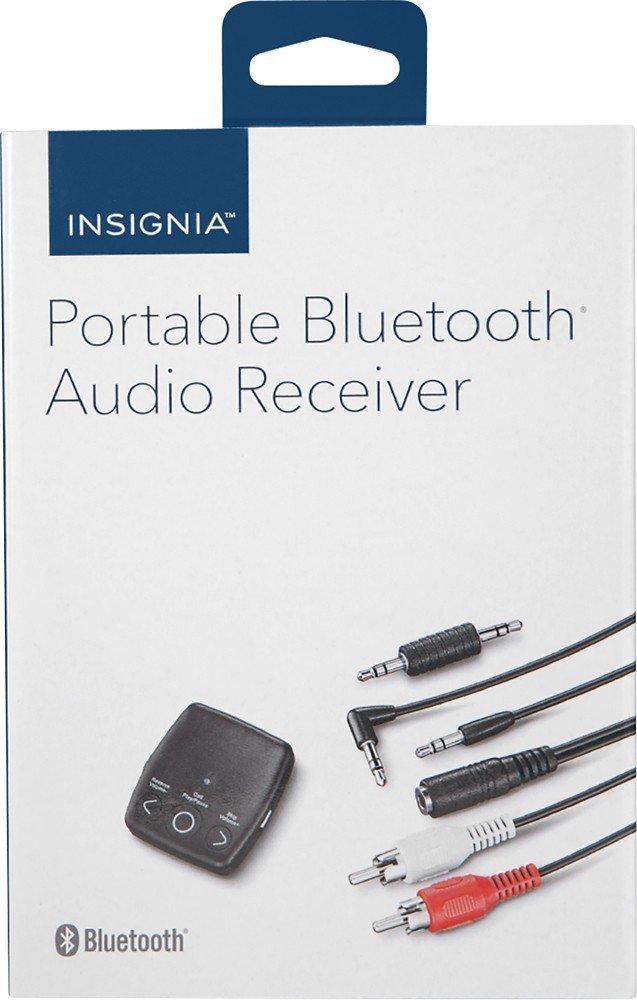
చిత్రం: ముందు భాగం view of the INSIGNIA Portable Bluetooth Audio Receiver, showing the control buttons: Reverse/Volume-, Call/Play/Pause, and Skip/Volume+.
నియంత్రణలు:
- Call/Play/Pause Button: Powers the device on/off, plays/pauses audio, answers/ends calls.
- Reverse/Volume- Button: Skips to the previous track or decreases volume.
- Skip/Volume+ Button: Skips to the next track or increases volume.
- మైక్రోఫోన్: హ్యాండ్స్-ఫ్రీ కాలింగ్ కోసం.
- 3.5mm ఆడియో అవుట్పుట్: Connects to your audio system.
- మైక్రో USB ఛార్జింగ్ పోర్ట్: అంతర్గత బ్యాటరీని ఛార్జ్ చేయడానికి.
Charging the Receiver
Before first use, fully charge the receiver. A full charge provides up to 6 hours of operation.
- Connect the small end of the included Micro USB charging cable to the Micro USB port on the receiver.
- Connect the large end of the Micro USB charging cable to a USB power source (e.g., computer USB port, USB wall adapter).
- ఛార్జింగ్ సమయంలో LED సూచిక వెలుగుతుంది మరియు ఛార్జింగ్ పూర్తయిన తర్వాత ఆపివేయబడుతుంది.

Image: A black Micro USB charging cable, used to power the receiver.
సెటప్
Connecting to an Audio System:
The receiver can connect to your audio system using either a 3.5mm audio cable or an RCA adapter.
- Using the 3.5mm Audio Cable: Connect one end of the 3.5mm audio cable to the receiver's 3.5mm audio output port. Connect the other end to the 3.5mm auxiliary input on your audio system (e.g., car stereo, home speaker).
- Using the 3.5mm to RCA Adapter: If your audio system has RCA inputs (red and white), connect the 3.5mm male-to-male adapter to the receiver's 3.5mm audio output. Then, connect the 3.5mm male-to-male adapter to the 3.5mm female end of the RCA adapter. Finally, connect the red and white RCA plugs to the corresponding RCA input jacks on your audio system.
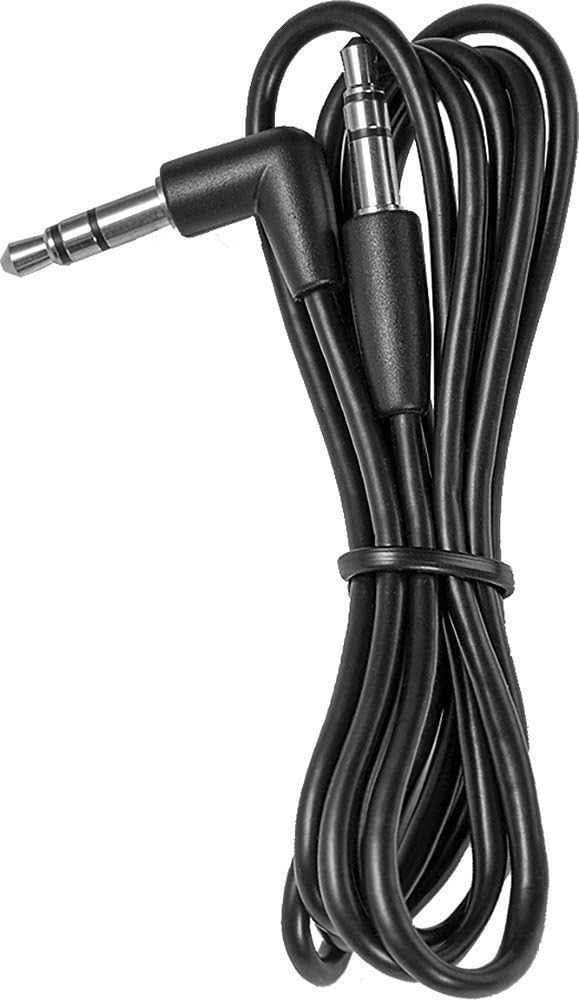
Image: A black 3.5 mm audio cable with L-shaped and straight connectors.

Image: A 3.5 mm female to dual RCA male adapter cable (red and white).
రిసీవర్ను మౌంట్ చేయడం:
Use the included Velcro mounting pads to secure the receiver in a convenient location, such as on a dashboard or near your audio system.

Image: Two circular white Velcro mounting pads with 3M branding.
ఆపరేటింగ్ సూచనలు
పవర్ ఆన్/ఆఫ్:
- పవర్ ఆన్ చేయడానికి: నొక్కండి మరియు పట్టుకోండి Call/Play/Pause button for approximately 3 seconds until the LED indicator flashes.
- పవర్ ఆఫ్ చేయడానికి: నొక్కండి మరియు పట్టుకోండి Call/Play/Pause LED సూచిక ఆఫ్ అయ్యే వరకు దాదాపు 3 సెకన్ల పాటు బటన్ను నొక్కి ఉంచండి.
బ్లూటూత్ పరికరంతో జత చేయడం:
The receiver can be paired with up to eight different Bluetooth devices.
- Ensure the receiver is powered on and in pairing mode (LED indicator will flash rapidly). If it's not in pairing mode, press and hold the Call/Play/Pause button until it enters pairing mode.
- మీ ఆడియో సోర్స్ పరికరంలో బ్లూటూత్ని ప్రారంభించండి (ఉదా, స్మార్ట్ఫోన్, టాబ్లెట్).
- కోసం వెతకండి available Bluetooth devices on your audio source device.
- Select "NS-MBTK35" from the list of found devices.
- Once paired, the LED indicator on the receiver will glow solid blue.
ఆడియో ప్లే అవుతోంది:
- ప్లే/పాజ్: నొక్కండి Call/Play/Pause బటన్.
- ధ్వని పెంచు: నొక్కండి Skip/Volume+ బటన్.
- వాల్యూమ్ డౌన్: నొక్కండి Reverse/Volume- బటన్.
- తదుపరి ట్రాక్: నొక్కండి మరియు పట్టుకోండి Skip/Volume+ బటన్.
- మునుపటి ట్రాక్: నొక్కండి మరియు పట్టుకోండి Reverse/Volume- బటన్.
హ్యాండ్స్-ఫ్రీ కాలింగ్:
The built-in microphone allows you to make and receive calls.
- సమాధానం కాల్: నొక్కండి Call/Play/Pause కాల్ వచ్చినప్పుడు బటన్.
- కాల్ ముగించు: నొక్కండి Call/Play/Pause కాల్ సమయంలో బటన్.
- కాల్ని తిరస్కరించండి: నొక్కండి మరియు పట్టుకోండి Call/Play/Pause కాల్ వచ్చినప్పుడు బటన్.
నిర్వహణ
- Keep the receiver dry. Avoid exposure to moisture or liquids.
- Clean the receiver with a soft, dry cloth. Do not use abrasive cleaners or solvents.
- విపరీతమైన ఉష్ణోగ్రతలు, ప్రత్యక్ష సూర్యకాంతి మరియు దుమ్ముతో కూడిన వాతావరణాలను నివారించండి.
- Do not attempt to disassemble or modify the receiver. This will void the warranty.
ట్రబుల్షూటింగ్
| సమస్య | పరిష్కారం |
|---|---|
| Receiver does not power on. | Ensure the battery is charged. Connect the receiver to a power source using the Micro USB cable. |
| బ్లూటూత్ పరికరంతో జత చేయడం సాధ్యం కాదు. | 1. Ensure the receiver is in pairing mode (flashing LED). 2. Make sure Bluetooth is enabled on your audio source device. 3. Place the receiver and your device within 30 feet (10 meters) of each other. 4. Turn off and on both devices and try pairing again. |
| ధ్వని లేదు లేదా ధ్వని నాణ్యత తక్కువగా ఉంది. | 1. Check all cable connections between the receiver and your audio system. 2. Ensure the volume on both the receiver and your audio source device is turned up. 3. Make sure the receiver is within range of your Bluetooth device and there are no significant obstacles. 4. Verify that your audio system is set to the correct input source (e.g., AUX). |
| Calls are not clear. | Ensure the microphone is not obstructed and you are speaking clearly towards the receiver. Reduce background noise if possible. |
స్పెసిఫికేషన్లు
| బ్రాండ్ | బ్యాడ్జ్ |
| మోడల్ సంఖ్య | NS-MBTK35 |
| కనెక్టివిటీ టెక్నాలజీ | బ్లూటూత్, RCA, USB |
| వైర్లెస్ టెక్నాలజీ | బ్లూటూత్ |
| వైర్లెస్ రేంజ్ | 30 అడుగుల (10 మీటర్లు) వరకు |
| ఆడియో అవుట్పుట్ మోడ్ | స్టీరియో |
| అనుకూల పరికరాలు | స్మార్ట్ఫోన్, స్పీకర్ |
| ప్రత్యేక ఫీచర్ | హ్యాండ్స్-ఫ్రీ కాల్స్ కోసం అంతర్నిర్మిత మైక్రోఫోన్ |
| బ్యాటరీ లైఫ్ | 6 గంటల వరకు (పూర్తి ఛార్జ్లో) |
| రంగు | నలుపు |
| UPC | 600603206559 |
భద్రతా సమాచారం
- Read these instructions carefully before using your new product.
- భవిష్యత్ సూచన కోసం ఈ సూచనలను ఉంచండి.
- Do not expose the receiver to water, rain, or moisture.
- Do not place the receiver near heat sources such as radiators, heat registers, stoves, or other apparatus (including ampలిఫైయర్లు) వేడిని ఉత్పత్తి చేస్తాయి.
- తయారీదారు పేర్కొన్న జోడింపులు/యాక్సెసరీలను మాత్రమే ఉపయోగించండి.
- అర్హత కలిగిన సేవా సిబ్బందికి అన్ని సర్వీసులను చూడండి. ఉపకరణం ఏ విధంగానైనా దెబ్బతిన్నప్పుడు సర్వీసింగ్ అవసరం.
వారంటీ మరియు మద్దతు
For warranty information or technical support, please refer to the documentation included with your purchase or visit the official INSIGNIA webసైట్. వారంటీ క్లెయిమ్ల కోసం మీ కొనుగోలు రసీదుని ఉంచండి.