
Artlii YG300
Artlii YG300 Mini Portable Projector User Manual
మోడల్: YG300
1. పరిచయం
This manual provides detailed instructions for the safe and efficient operation of your Artlii YG300 Mini Portable Projector. Please read this manual thoroughly before using the product and retain it for future reference.
2. భద్రతా సమాచారం
ప్రొజెక్టర్ దెబ్బతినకుండా నిరోధించడానికి మరియు వినియోగదారు భద్రతను నిర్ధారించడానికి క్రింది భద్రతా జాగ్రత్తలను గమనించండి:
- l ఉన్నప్పుడు ప్రొజెక్టర్ లెన్స్లోకి నేరుగా చూడకండిamp ఆన్లో ఉంది.
- వేడెక్కడం నివారించడానికి సరైన వెంటిలేషన్ ఉండేలా చూసుకోండి. వెంటిలేషన్ ఓపెనింగ్లను నిరోధించవద్దు.
- Use only the provided power adapter or a compatible power bank (5V/2A).
- ప్రొజెక్టర్ను నీరు లేదా ఇతర ద్రవాలకు దూరంగా ఉంచండి.
- ప్రొజెక్టర్ను మీరే విడదీయడానికి లేదా రిపేర్ చేయడానికి ప్రయత్నించవద్దు. అర్హత కలిగిన సేవా సిబ్బందిని సంప్రదించండి.
- చిన్న పిల్లలకు దూరంగా ఉంచండి.
3. ప్యాకేజీ విషయాలు
ప్యాకేజీలో అన్ని అంశాలు ఉన్నాయని నిర్ధారించుకోండి:
- Artlii YG300 Mini Portable Projector
- పవర్ అడాప్టర్
- రిమోట్ కంట్రోల్ (AAA బ్యాటరీలు చేర్చబడలేదు)
- AV కేబుల్ (3-ఇన్-1)
- యూజర్ గైడ్ (ఈ మాన్యువల్)

Image: Contents of the Artlii YG300 package, including the projector, remote control, power adapter, and AV cable.
4. ఉత్పత్తి ముగిసిందిview
Familiarize yourself with the projector's components and controls.
4.1 ఫ్రంట్ View
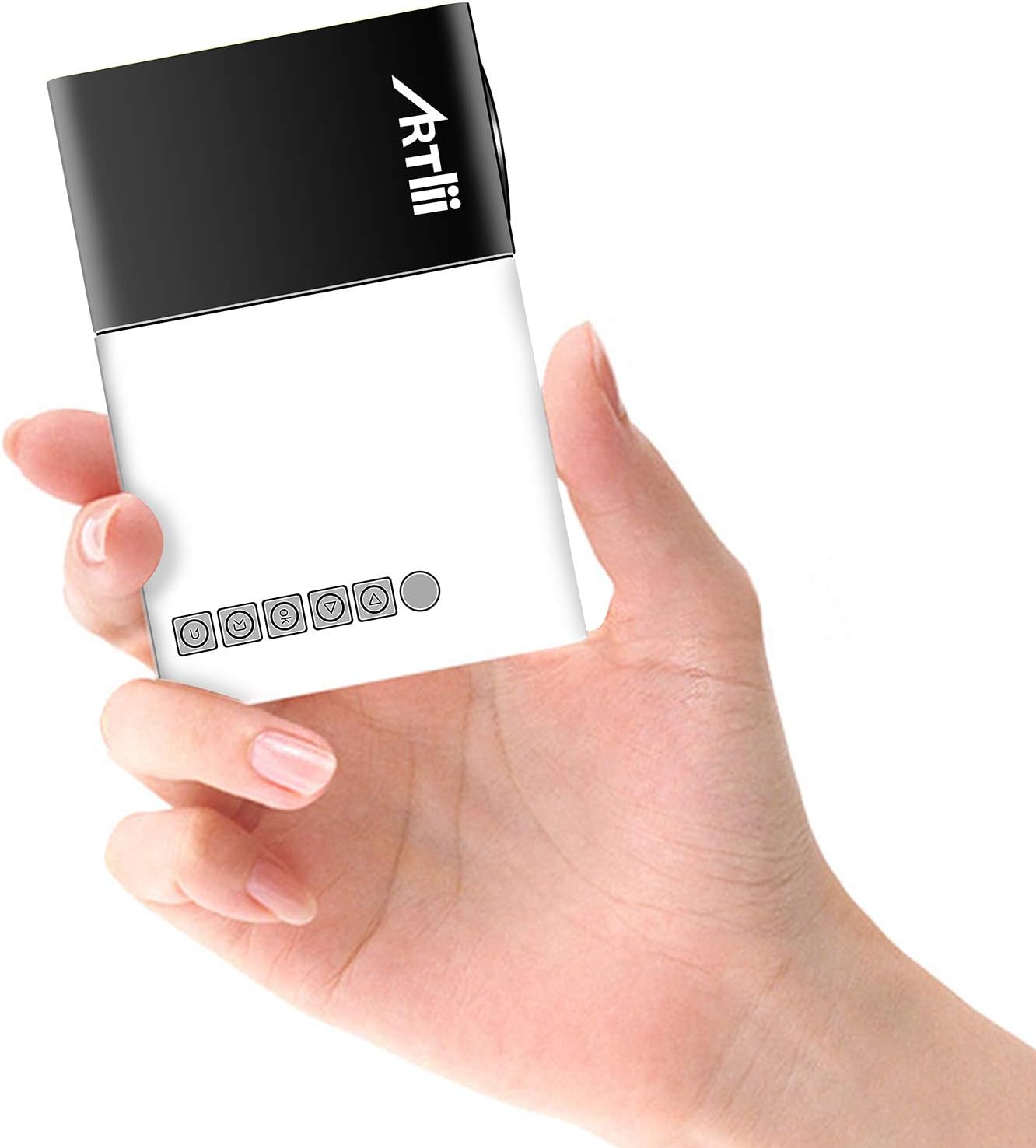
Image: The Artlii YG300 Mini Portable Projector, showing its compact size and top-mounted control buttons.
The front of the projector features the lens and a focus adjustment dial. The top panel includes control buttons for navigation and selection.
4.2 పక్క మరియు వెనుక Views (Ports and Connections)

Image: Diagram illustrating the various input and output ports on the Artlii YG300 projector, including HDMI, USB, Micro SD, AV, and audio out.
- HDMI పోర్ట్: Connect to devices like laptops, game consoles, or streaming sticks.
- USB పోర్ట్: మీడియా ప్లేబ్యాక్ కోసం USB ఫ్లాష్ డ్రైవ్లను కనెక్ట్ చేయండి.
- మైక్రో SD కార్డ్ స్లాట్: Insert Micro SD cards for media playback.
- AV పోర్ట్: Connect to older devices using the included AV cable.
- ఆడియో అవుట్పుట్ (3.5mm జాక్): బాహ్య స్పీకర్లు లేదా హెడ్ఫోన్లను కనెక్ట్ చేయండి.
- DC పవర్ ఇన్పుట్: పవర్ అడాప్టర్ను కనెక్ట్ చేయండి.
- Micro USB (5V) Input: Alternative power input for power banks.
5. సెటప్
5.1 Powering On the Projector
- Connect the power adapter to the DC Power Input port on the projector and then to a power outlet.
- Alternatively, connect a 5V/2A power bank to the Micro USB (5V) Input port.
- ప్రొజెక్టర్ లేదా రిమోట్ కంట్రోల్ ఆన్ చేయడానికి దానిలోని పవర్ బటన్ను నొక్కండి.

Image: The Artlii YG300 projector being powered by a portable power bank via its Micro USB input, demonstrating its portability.
5.2 ప్లేస్మెంట్ మరియు స్క్రీన్ సైజు
Place the projector on a stable surface. The optimal projection distance and screen size are:
- ప్రొజెక్షన్ దూరం: 0.8m to 2.0m (approximately 2.6ft to 6.5ft)
- Projected Dimension Range: 24 to 60 inches diagonally
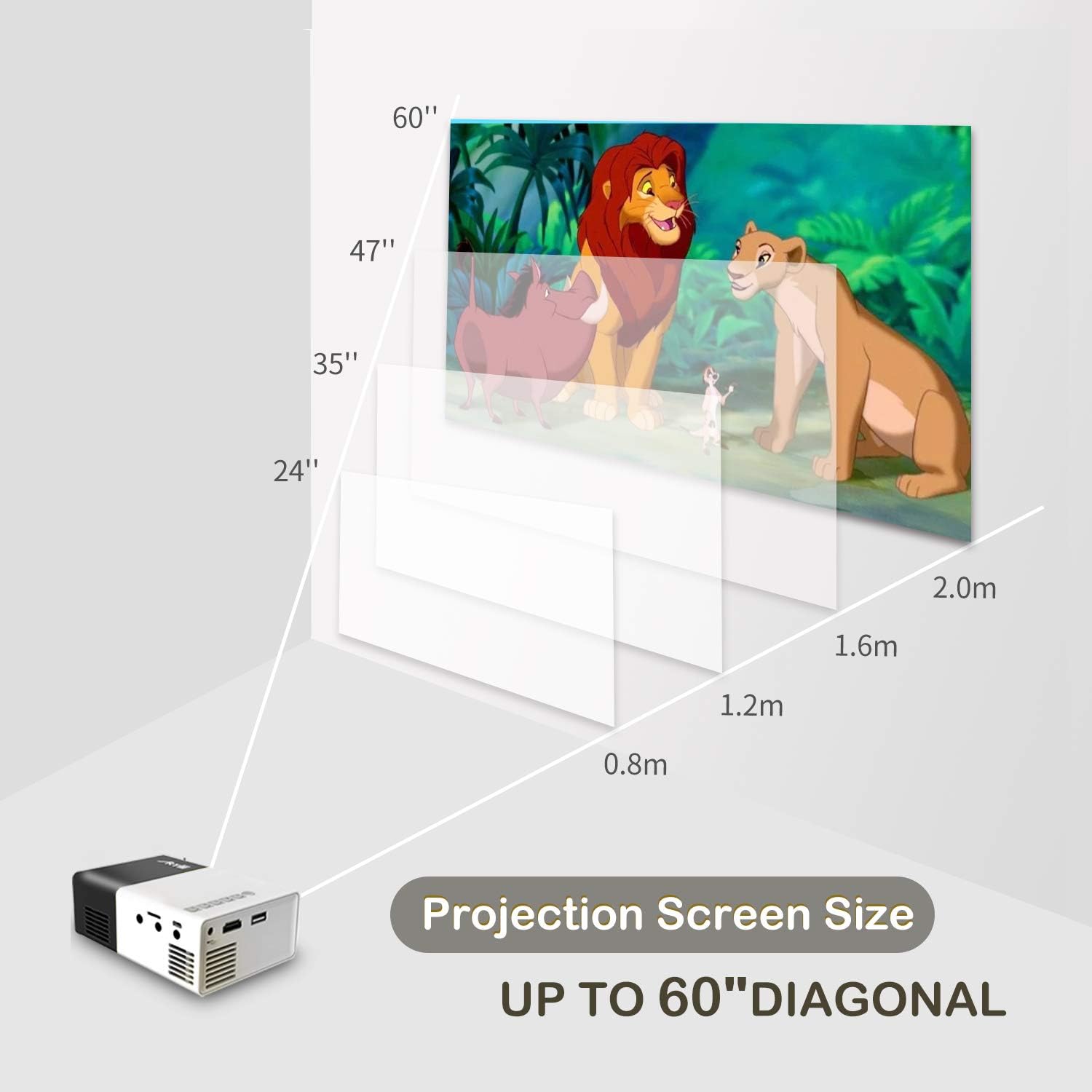
Image: A diagram illustrating the relationship between projection distance and screen size for the Artlii YG300 projector, showing screen sizes from 24 to 60 inches.
5.3 ఫోకస్ సర్దుబాటు చేయడం
Rotate the focus adjustment dial located near the lens until the projected image is clear and sharp.
6. ప్రొజెక్టర్ను ఆపరేట్ చేయడం
6.1 ఇన్పుట్ పరికరాలను కనెక్ట్ చేయడం
ప్రొజెక్టర్ వివిధ ఇన్పుట్ వనరులకు మద్దతు ఇస్తుంది:
- HDMI: Connect an HDMI cable from your device (laptop, streaming stick, game console) to the projector's HDMI port.
- USB: USB పోర్టులో USB ఫ్లాష్ డ్రైవ్ను చొప్పించండి.
- మైక్రో SD: Insert a Micro SD card into the Micro SD card slot.
- యొక్క: AV అవుట్పుట్తో పరికరాలకు కనెక్ట్ అవ్వడానికి చేర్చబడిన 3-ఇన్-1 AV కేబుల్ని ఉపయోగించండి.
6.2 ఇన్పుట్ మూలాన్ని ఎంచుకోవడం
After connecting a device, use the remote control or the projector's control buttons to navigate to the main menu and select the corresponding input source (e.g., HDMI, USB, SD, AV).
6.3 మీడియా ప్లేబ్యాక్
When a USB drive or Micro SD card is selected, the projector's interface will allow you to browse and play supported media files:
- వీడియో ఫార్మాట్లు: AVI(AC3)/FLV/MKV/MP4/RM/MPG(MPEG1)/MPG(MPEG2)/MOV(MPEG4)/AVI (MPEG)/3GP/ DIVX/RMVB/VOB/TS/TP
- ఆడియో ఫార్మాట్లు: MP3/MAV/WMA/M4A(AAC)/AC3
- చిత్రం ఆకృతులు: JPEG/JPG/PNG/BMP/MPO
- డాక్యుమెంట్ ఫార్మాట్లు: TXT
6.4 ఆడియో అవుట్పుట్
The projector has a built-in speaker. For enhanced audio, connect external speakers or headphones to the 3.5mm Audio Out jack.
7. నిర్వహణ
7.1 శుభ్రపరచడం
- ప్రొజెక్టర్ బాహ్య భాగాన్ని శుభ్రం చేయడానికి మృదువైన, పొడి వస్త్రాన్ని ఉపయోగించండి.
- For the lens, use a lens cleaning cloth and specialized lens cleaning solution. Avoid abrasive materials.
- వెంటిలేషన్ ఓపెనింగ్స్ దుమ్ము మరియు శిధిలాలు లేకుండా చూసుకోండి.
7.2 ఎల్amp జీవితం
ప్రొజెక్టర్ ఒక LED l ని ఉపయోగిస్తుందిamp with an estimated lifespan of up to 30,000 hours. No lamp replacement is typically required during the product's lifetime under normal usage conditions.
8. ట్రబుల్షూటింగ్
| సమస్య | సాధ్యమైన కారణం | పరిష్కారం |
|---|---|---|
| చిత్రం ఏదీ ప్రొజెక్ట్ చేయబడలేదు |
|
|
| చిత్రం అస్పష్టంగా ఉంది |
|
|
| శబ్దం లేదు |
|
|
| రిమోట్ కంట్రోల్ పనిచేయడం లేదు |
|
|
9. స్పెసిఫికేషన్లు
| బ్రాండ్ | Artlii |
| మోడల్ | YG300 (Artlii-MINI) |
| ప్రదర్శన సాంకేతికత | LCD |
| కాంతి మూలం | LED |
| Lamp ప్రకాశం | 400-600 ల్యూమెన్స్ |
| స్థానిక రిజల్యూషన్ | 320 x 240 పిక్సెల్లు |
| మద్దతు ఉన్న రిజల్యూషన్ | Up to 1920 x 1080 pixels (1080p) |
| కాంట్రాస్ట్ రేషియో | 800:1 |
| కారక నిష్పత్తి | 4:3 / 16:9 |
| Projected Dimension Range | 24-60 అంగుళాలు |
| త్రో నిష్పత్తి | 1.6:1 |
| ఇన్పుట్ పోర్ట్లు | HDMI, AV, MicroSD (TF), USB, Micro USB (5V) |
| అవుట్పుట్ పోర్ట్ | 3.5mm ఆడియో జాక్ |
| అంతర్నిర్మిత స్పీకర్ | అవును |
| శబ్దం స్థాయి | 21 డిబి |
| విద్యుత్ సరఫరా | AC 220V (adapter) / DC 5V/2A (Micro USB) |
| విద్యుత్ వినియోగం | 24 వాట్స్ |
| ఉత్పత్తి కొలతలు | 12.4 x 8.3 x 4.6 సెం.మీ |
| ఉత్పత్తి బరువు | 250 గ్రా |
| రిమోట్ కంట్రోల్ | చేర్చబడింది |
10. వారంటీ మరియు మద్దతు
The Artlii YG300 Mini Portable Projector comes with a 1-month 100% Money-Back Policy and a 1-year factory warranty. For technical assistance or warranty claims, please contact Artlii customer support. Local maintenance centers are available to assist with service needs.
For further information or support, please visit the official Artlii webసైట్ లేదా వారి కస్టమర్ సేవా విభాగాన్ని సంప్రదించండి.
Ask a question about this manual
Ask about setup, troubleshooting, compatibility, parts, safety, or missing instructions. Manuals+ will review the question and use this page’s manual context to help answer it.