
పరిచయం
This manual provides instructions for the installation, operation, maintenance, and troubleshooting of the TP-Link EAP110-Outdoor N300 Wireless Outdoor Access Point. The EAP110-Outdoor is designed to provide stable wireless coverage in outdoor environments, featuring high transmission power and high-gain omnidirectional antennas for a range of up to 200 meters. It is IP65 waterproof, making it suitable for various outdoor applications.
ప్యాకేజీ విషయాలు
Verify that all items listed below are included in your package. If any item is missing or damaged, please contact your retailer.
- 300Mbps Wireless N Outdoor Access Point (EAP110-Outdoor)
- నిష్క్రియాత్మక పోఇ అడాప్టర్
- పవర్ కార్డ్
- మౌంటు కిట్లు
- జలనిరోధిత రబ్బరు చొప్పించు
- Waterproof Antennas
- ఇన్స్టాలేషన్ గైడ్
ఉత్పత్తి ముగిసిందిview
The EAP110-Outdoor is a robust outdoor access point designed for reliable Wi-Fi connectivity. Familiarize yourself with its components.

చిత్రం: ముందు మరియు పక్క view of the EAP110-Outdoor Access Point, showing its two detachable omnidirectional antennas and the TP-Link logo.
The bottom panel of the device houses the Ethernet port and a reset button, protected by a waterproof cover.
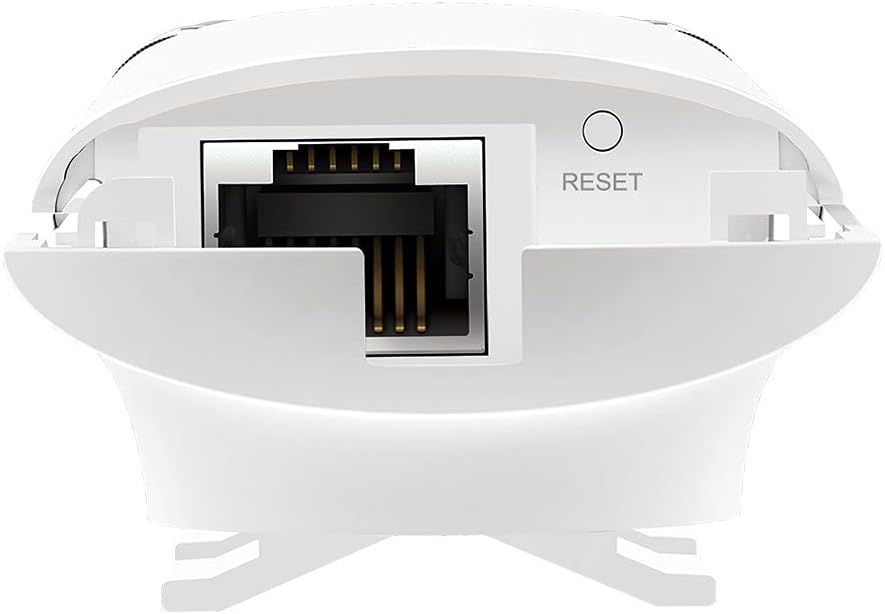
Image: Close-up of the bottom of the EAP110-Outdoor, revealing the Ethernet port and the recessed reset button.
సెటప్ మరియు ఇన్స్టాలేషన్
The EAP110-Outdoor supports flexible deployment options, including pole and wall mounting. It uses Passive Power over Ethernet (PoE) for power and data transmission through a single Ethernet cable.
భౌతిక సంస్థాపన
- మౌంటు: Use the provided mounting kits to secure the EAP110-Outdoor to a pole or wall in your desired outdoor location. Ensure the device is positioned for optimal signal coverage.
- యాంటెన్నా అటాచ్మెంట్: Securely attach the two waterproof omnidirectional antennas to the connectors on the device.
- PoE కనెక్షన్: Connect an Ethernet cable from your network router or switch to the "LAN" port on the Passive PoE Adapter. Then, connect another Ethernet cable from the "PoE" port on the adapter to the Ethernet port on the EAP110-Outdoor.
- పవర్ ఆన్: పవర్ కార్డ్ను పాసివ్ PoE అడాప్టర్లోకి ప్లగ్ చేసి, ఆపై పవర్ అవుట్లెట్లోకి ప్లగ్ చేయండి. పరికరం స్వయంచాలకంగా పవర్ ఆన్ అవుతుంది.
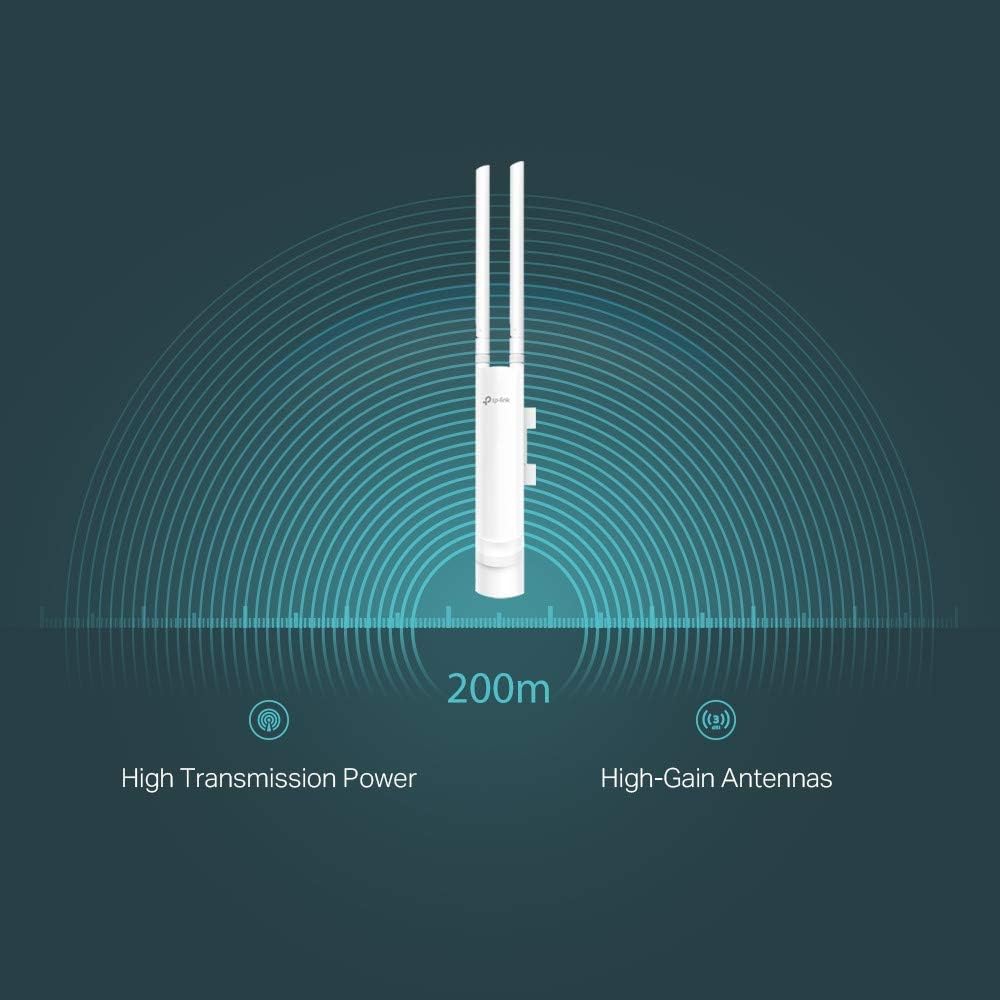
Image: The EAP110-Outdoor Access Point securely mounted on an outdoor pole, demonstrating a typical installation scenario.
ప్రారంభ కాన్ఫిగరేషన్
The EAP110-Outdoor is managed using the free TP-Link Omada Controller Software (formerly Auranet Controller). Download the software from the TP-Link website and follow the on-screen instructions to discover and configure your access point. This software allows for centralized management of multiple EAPs.
- Set up Wi-Fi network names (SSIDs) and passwords.
- Configure security settings (WPA/WPA2-Enterprise, 802.1X).
- Manage client access and bandwidth limits.
- Utilize the captive portal for guest authentication.
Operating the Access Point
Once configured, the EAP110-Outdoor will broadcast your Wi-Fi network. Devices within range can connect using the configured SSID and password.
- Wireless Coverage: The device provides stable wireless coverage up to 200 meters in outdoor settings, thanks to its high transmission power and high-gain antennas.
- వేగం: Supports up to 300Mbps Wi-Fi with 2x2 MIMO technology.
- భద్రత: Features WPA/WPA2-Enterprise, 802.1X with RADIUS secure authentication, and rogue access point detection for enhanced network security.
- అతిథి నెట్వర్క్: The captive portal feature allows for a convenient and secure method for guest authentication.
- Bandwidth Management: Rate limits can be applied per SSID to restrict the bandwidth of individual clients.

Image: A graphical representation showing the EAP110-Outdoor broadcasting a wireless signal with a range of 200 meters, highlighting its high transmission power and high-gain antennas.
నిర్వహణ
క్రమం తప్పకుండా నిర్వహణ మీ EAP110-అవుట్డోర్ యొక్క ఉత్తమ పనితీరు మరియు దీర్ఘాయువును నిర్ధారిస్తుంది.
- శుభ్రపరచడం: పరికరం యొక్క బాహ్య భాగాన్ని మెత్తటి, పొడి గుడ్డతో కాలానుగుణంగా శుభ్రం చేయండి. ద్రవ క్లీనర్లు లేదా ఏరోసోల్లను ఉపయోగించవద్దు.
- ఫర్మ్వేర్ నవీకరణలు: TP-Link అధికారిక వెబ్సైట్ను తనిఖీ చేయండి website regularly for firmware updates. Keeping the firmware updated ensures you have the latest features, security patches, and performance improvements. Firmware updates are typically managed through the Omada Controller Software.
- పర్యావరణ తనిఖీలు: Ensure the device remains securely mounted and that all cable connections are tight and free from damage, especially after severe weather conditions.
ట్రబుల్షూటింగ్
మీ EAP110-అవుట్డోర్తో మీకు సమస్యలు ఎదురైతే, కింది సాధారణ ట్రబుల్షూటింగ్ దశలను చూడండి.
- శక్తి లేదు:
- Ensure the Passive PoE Adapter is correctly connected to a working power outlet.
- Verify that the Ethernet cables are securely connected between the adapter and the EAP.
- No Wi-Fi Signal or Poor Performance:
- Check the status LED on the EAP. Refer to the Installation Guide for LED indications.
- Ensure the EAP is within range of your client devices and free from major obstructions.
- Verify that the EAP is properly configured via the Omada Controller Software.
- Consider potential interference from other wireless devices.
- ఈథర్నెట్ కేబుల్ దెబ్బతింటుందో లేదో తనిఖీ చేయండి.
- ఒమాడ కంట్రోలర్ను యాక్సెస్ చేయలేరు:
- Ensure your computer is on the same network as the EAP and the Omada Controller software is running.
- Check firewall settings on your computer.
- పరికరాన్ని రీసెట్ చేస్తోంది: If the device is unresponsive or you need to restore factory default settings, use a paperclip to press and hold the recessed Reset button on the bottom of the device for approximately 10 seconds until the LED behavior changes.
స్పెసిఫికేషన్లు
Key technical specifications for the TP-Link EAP110-Outdoor Access Point.
| బ్రాండ్ | TP-లింక్ |
| మోడల్ పేరు | EAP110-అవుట్డోర్ |
| వైర్లెస్ రకం | 802.11 బి, 802.11 గ్రా, 802.11 ఎన్ |
| ఫ్రీక్వెన్సీ బ్యాండ్ క్లాస్ | సింగిల్-బ్యాండ్ (2.4 GHz) |
| కనెక్టివిటీ టెక్నాలజీ | Ethernet (Passive PoE) |
| వస్తువు బరువు | 12.6 ఔన్సులు (సుమారు 357 గ్రాములు) |
| ఉత్పత్తి కొలతలు (LxWxH) | 8.23 x 3.74 x 1.68 అంగుళాలు (సుమారు 209 x 95 x 43 మిమీ) |
| వాల్యూమ్tage | 24 Volts (via Passive PoE Adapter) |
| ఆపరేటింగ్ సిస్టమ్ అనుకూలత | Windows 10, Windows Vista, Windows XP (for Omada Controller) |
| సిఫార్సు ఉపయోగం | Outdoor/Garden Wireless |
| జలనిరోధిత రేటింగ్ | IP65 |
వారంటీ మరియు మద్దతు
TP-Link దాని ఉత్పత్తులకు సమగ్ర మద్దతును అందిస్తుంది.
- వారంటీ: The EAP110-Outdoor comes with an industry-leading 2-year warranty.
- సాంకేతిక మద్దతు: Unlimited 24/7 technical support is available. For assistance, please visit the official TP-Link support webసైట్: www.tp-link.com/support