
1. పరిచయం
The Secukey SK1-W is a robust, standalone access control system designed for secure entry management. Featuring RFID and PIN access, an integrated door opener relay, and an IP66-rated anti-vandal zinc alloy casing, this device is suitable for both indoor and outdoor applications. This manual provides detailed instructions for installation, operation, and maintenance to ensure optimal performance and security.
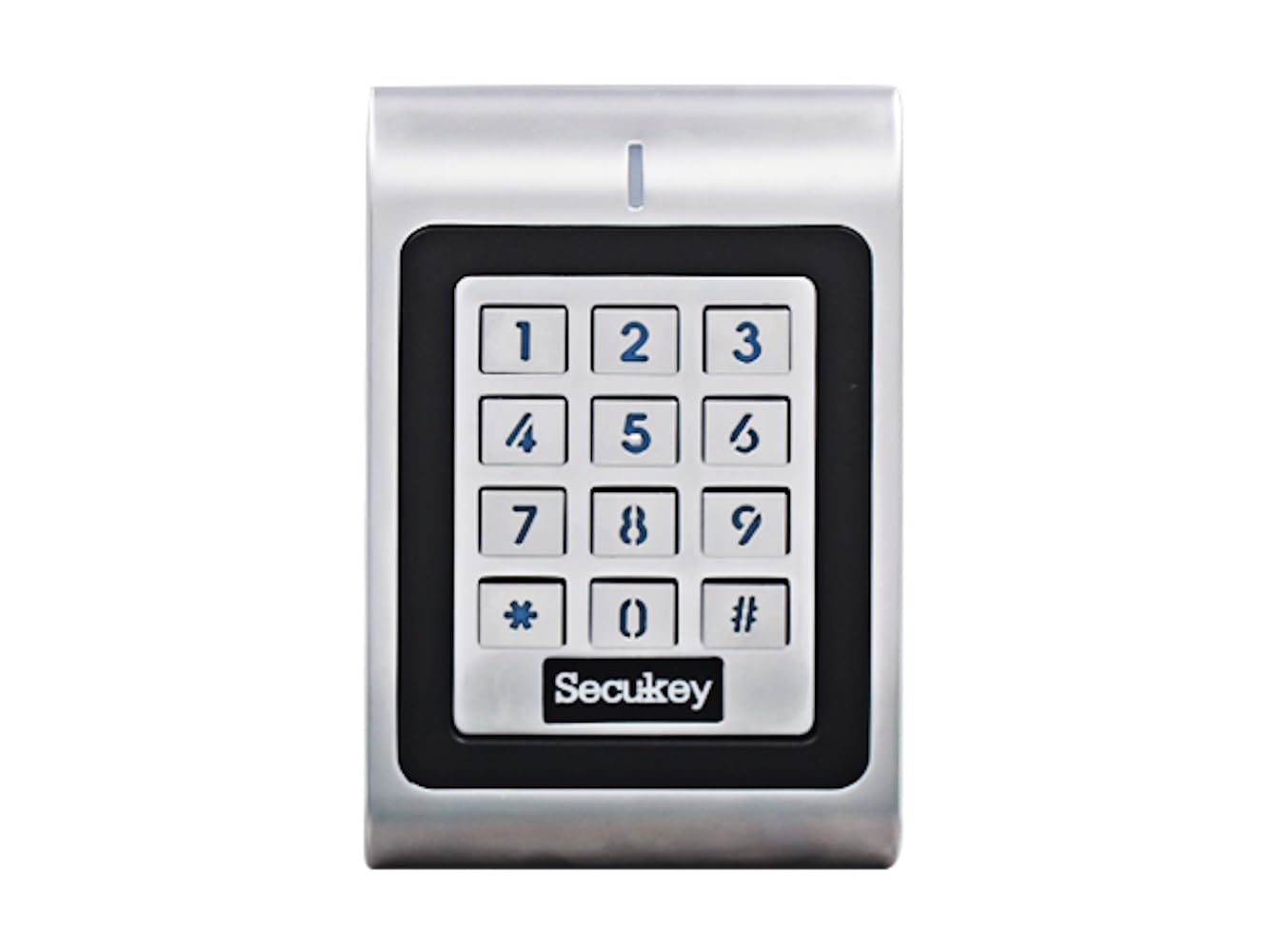
ముందు view of the Secukey SK1-W access control device, featuring a numeric keypad and an integrated card reader.

కోణీయ view of the Secukey SK1-W access control unit, highlighting its compact design and silver finish.
2 కీ ఫీచర్లు
- మన్నికైన నిర్మాణం: IP66 waterproof and anti-vandal zinc alloy casing.
- వినియోగదారు సామర్థ్యం: Supports up to 1000 users.
- బహుళ యాక్సెస్ మోడ్లు: Card only, PIN only, or Card + PIN.
- Adjustable Relay Output: Programmable from 1 to 99 seconds (default 5 seconds).
- Adjustable Alarm Output: Programmable from 1 to 3 minutes (default 1 minute).
- వీగాండ్ ఇంటర్ఫేస్: 26-bit input/output for external devices (e.g., exit button, external alarm).
- Latch Mode: Functionality to hold a door or gate open.
- బ్యాక్లిట్ కీప్యాడ్: తక్కువ కాంతి పరిస్థితుల్లో కూడా దృశ్యమానతను పెంచుతుంది.
- వైడ్ వాల్యూమ్tagఇ పరిధి: Compatible with 12-24V DC / 12-18V AC power supplies.
- విస్తృత ఆపరేటింగ్ ఉష్ణోగ్రత: Functions reliably from -40°C to 60°C (-40°F to 140°F).

ఒక చిత్ర ప్రదర్శనasing the robust features of the SK1-W, including its -40°C resistance, IP66 waterproof rating, and wide voltage range of 12-28 Volts AC/DC.
3. స్పెసిఫికేషన్లు
| ఫీచర్ | స్పెసిఫికేషన్ |
|---|---|
| ఉత్పత్తి కొలతలు (H x W x D) | 12.0 x 7.6 x 2.5 సెం.మీ |
| బరువు | 600 గ్రా |
| మెటీరియల్ | Zinc Alloy with Powder Coating |
| విద్యుత్ సరఫరా | 12-24V DC / 12-18V AC (Power supply not included) |
| అవుట్పుట్ లోడ్ లాక్ | 3 Ampఎరెస్ గరిష్టంగా |
| అలారం అవుట్పుట్ లోడ్ | 3 Ampఎరెస్ గరిష్టంగా |
| వినియోగదారు సామర్థ్యం | గరిష్టంగా 1000 మంది వినియోగదారులు |
| పిన్ కోడ్ పొడవు | 4 నుండి 6 అంకెలు |
| కార్డ్ రకం | 125 KHz EM Card (13.56MHz Mifare also supported as per image) |
| వైగాండ్ ఇంటర్ఫేస్ | 26-bit Input & Output |
| ఆపరేటింగ్ ఉష్ణోగ్రత | -40°C నుండి 60°C (-40°F నుండి 140°F) |
| ఆపరేటింగ్ తేమ | 10% ~ 90% (కన్డెన్సింగ్) |
4. సంస్థాపన మరియు వైరింగ్
Proper installation and wiring are crucial for the functionality and safety of the SK1-W system. Ensure all connections are secure and follow local electrical codes.
4.1 మౌంటు
Mount the device on a flat, stable surface at a convenient height for users. Consider the device dimensions (12.0H x 7.6W x 2.5D cm) when selecting a mounting location. The IP66 rating allows for outdoor installation.
4.2 వైరింగ్ రేఖాచిత్రాలు
Refer to the diagrams below for connecting the SK1-W to your power supply, lock, and alarm systems. A 1N4004 diode (included in packing) or equivalent is required when using a common power supply to prevent damage to the reader.

Detailed wiring diagrams for the Secukey SK1-W. The top diagram shows common power supply connections, while the bottom diagram illustrates access control power supply connections. Both include keypad, lock, and alarm wiring, with a note on the required 1N4004 diode.
ముఖ్యమైన: Ensure the power supply is disconnected before performing any wiring to prevent electrical shock or damage to the device.
5. ఆపరేటింగ్ సూచనలు
The SK1-W supports various operating modes and user management functions. The device comes with a Master Add Card and a Master Delete Card for initial setup and user management.
5.1 వినియోగదారు నిర్వహణ
The system can manage up to 1000 users. Users can be added or deleted using the Master Add Card and Master Delete Card, or through specific programming sequences via the keypad.

An image illustrating the Secukey SK1-W access control unit in use, showing a hand presenting an EM card for access. Text indicates user types (Card, PIN) and supported card types (125KHz EM, 13.56MHz Mifare).
5.2 Access Modes
The SK1-W offers three primary access modes:
- Card Only: Access granted by presenting a valid EM card.
- PIN Only: Access granted by entering a valid 4-6 digit PIN code.
- Card + PIN: Access granted by presenting a valid EM card followed by entering a valid PIN code.
5.3 సిస్టమ్ సెట్టింగ్లు
- Relay Output Time: The duration the door relay remains active can be set from 1 to 99 seconds.
- Alarm Output Time: The duration of the alarm output can be set from 1 to 3 minutes.
- బ్యాక్లైట్ నియంత్రణ: The keypad backlight and LED status can be toggled ON or OFF.
- Latch Mode: Activate this mode to keep the door or gate continuously open until manually deactivated.

The Secukey SK1-W access control unit with its backlit keypad illuminated, demonstrating the adjustable LED status feature for visibility in various lighting conditions.
5.4 Operating Modes Diagram
The SK1-W can function in three distinct modes, as illustrated below:

A diagram illustrating the three main operating modes of the SK1-W: Standalone Mode, Controller Mode, and Reader Mode (with LED and Buzzer Output), and their interconnections via Wiegand D0 & D1.
- స్వతంత్ర మోడ్: The device operates independently, managing users and access directly.
- కంట్రోలర్ మోడ్: The device acts as a controller for other Wiegand readers.
- Reader Mode with LED & Buzzer Output: The device functions as a Wiegand reader, providing LED and buzzer feedback.
6. నిర్వహణ
To ensure the longevity and reliable operation of your Secukey SK1-W access control system, follow these maintenance guidelines:
- శుభ్రపరచడం: పరికరాన్ని క్రమం తప్పకుండా మృదువైన, d వస్త్రంతో తుడవండిamp cloth. Avoid abrasive cleaners or solvents that could damage the casing or keypad.
- పర్యావరణ పరిస్థితులు: While the device is IP66 rated, avoid prolonged exposure to extreme conditions beyond its specified operating temperature and humidity ranges.
- కేబుల్ తనిఖీ: Periodically check all wiring connections for signs of wear, corrosion, or damage. Ensure all connections remain secure.
- ఫర్మ్వేర్ నవీకరణలు: తయారీదారుని తనిఖీ చేయండి webపనితీరును మెరుగుపరచగల లేదా కొత్త ఫీచర్లను జోడించగల ఏవైనా అందుబాటులో ఉన్న ఫర్మ్వేర్ నవీకరణల కోసం సైట్.
7. ట్రబుల్షూటింగ్
If you encounter issues with your SK1-W system, refer to the following common problems and solutions:
- పరికరం ఆన్ చేయడం లేదు:
- Check the power supply connections and ensure the correct voltage (12-24V DC / 12-18V AC) is being supplied.
- Verify that the power supply unit is functional.
- Access Denied (Valid Card/PIN):
- Ensure the card or PIN is correctly programmed into the system.
- Check the access mode setting (Card Only, PIN Only, Card + PIN) to ensure it matches the user's attempt.
- If using Card + PIN, ensure both are entered correctly in sequence.
- తలుపు తెరుచుకోకపోవడం:
- Verify the lock wiring connections are correct and secure.
- Check the relay output time setting; it might be too short.
- Ensure the lock itself is functional and receiving power.
- కీప్యాడ్ స్పందించడం లేదు:
- Check for any physical damage to the keypad.
- Ensure the device is receiving adequate power.
If these steps do not resolve the issue, please contact Secukey customer support for further assistance.
8. వారంటీ మరియు మద్దతు
The Secukey SK1-W access control system is covered by a manufacturer's warranty. Please refer to the warranty card included with your product or visit the official Secukey webవివరణాత్మక వారంటీ నిబంధనలు మరియు షరతుల కోసం సైట్.
For technical support, troubleshooting assistance, or inquiries regarding your product, please contact Secukey customer service through their official webసైట్ లేదా మీ ఉత్పత్తి ప్యాకేజింగ్లో అందించిన సంప్రదింపు సమాచారం.