
పరిచయం
This manual provides detailed instructions for the installation, operation, and maintenance of your MOTOPOWER MP0608A Motorcycle Dual USB Charger and Battery Monitor. Please read this manual thoroughly before use to ensure proper function and safety.
ఉత్పత్తి ముగిసిందిview
The MOTOPOWER MP0608A is a versatile device designed for motorcycles, offering dual USB charging ports, a battery monitor, and switch control. It features an intelligent micro-chip for efficient charging and low voltage protection to safeguard your battery.

చిత్రం: ముందు భాగం view of the MOTOPOWER MP0608A, highlighting the LED indicators for battery status and the integrated power/mode switch.
ముఖ్య లక్షణాలు:
- ద్వంద్వ USB పోర్ట్ లు: Provides 5V DC, 3.1Amp output for charging two devices simultaneously.
- బ్యాటరీ మానిటర్: LED indicators display battery status (Good, Weak, Poor).
- స్విచ్ కంట్రోల్: Integrated button for turning USB output on/off and checking battery status.
- తక్కువ వాల్యూమ్tagఇ రక్షణ: Automatically cuts off power when battery voltage drops below 11.6V to prevent battery drain.
- ఇంటెలిజెంట్ ఛార్జింగ్: Smart micro-chip identifies device type for optimized charging.
- మన్నికైన నిర్మాణం: Features an inner polycarbonate case and outer soft PVC injection for robustness, fire-resistance, and water-resistance.

Image: The MOTOPOWER MP0608A unit showing its SAE quick release connector and dual USB ports with a protective cap.

Image: Diagram illustrating the robust internal polycarbonate case and outer soft PVC injection molding for enhanced durability and resistance.
భద్రతా సమాచారం
- ఇన్పుట్ వాల్యూమ్ని నిర్ధారించుకోండిtage అనేది 12-24V DC పరిధిలో ఉంది.
- Do not expose the device to extreme temperatures or direct flame.
- Keep the USB port cap closed when not in use or during rain to prevent water ingress.
- Avoid modifying the device. Unauthorized modifications may void the warranty and pose safety risks.
- షార్ట్ సర్క్యూట్లను నివారించడానికి అన్ని విద్యుత్ కనెక్షన్లు సురక్షితంగా మరియు సరిగ్గా ఇన్సులేట్ చేయబడిందని నిర్ధారించుకోండి.
- The SAE ring terminal harness is not included. Use a compatible SAE harness for connection to the battery.
సెటప్ మరియు ఇన్స్టాలేషన్
The MP0608A connects to your motorcycle's 12V-24V DC power source via an SAE quick release connector. An SAE ring terminal harness (not included) is required to connect to your battery terminals.
- పవర్ సోర్స్ను సిద్ధం చేయండి: If you do not have an existing SAE harness connected to your motorcycle battery, install one. Ensure the harness is rated for the appropriate current and fused for safety. Connect the ring terminals to your battery posts (red to positive, black to negative).
- కేబుల్ను రూట్ చేయండి: Carefully route the SAE cable from your battery to the desired mounting location for the USB charger. Ensure the cable is secured and does not interfere with moving parts or hot engine components.
- Mount the USB Charger: The MP0608A can be mounted using tape, zip ties, or screws (mounting hardware not included). Choose a location that is easily accessible, protected from direct impact, and allows for the USB ports to be used conveniently.
- పరికరాన్ని కనెక్ట్ చేయండి: Plug the SAE connector of the MP0608A into the SAE harness connected to your battery. Ensure a secure connection.
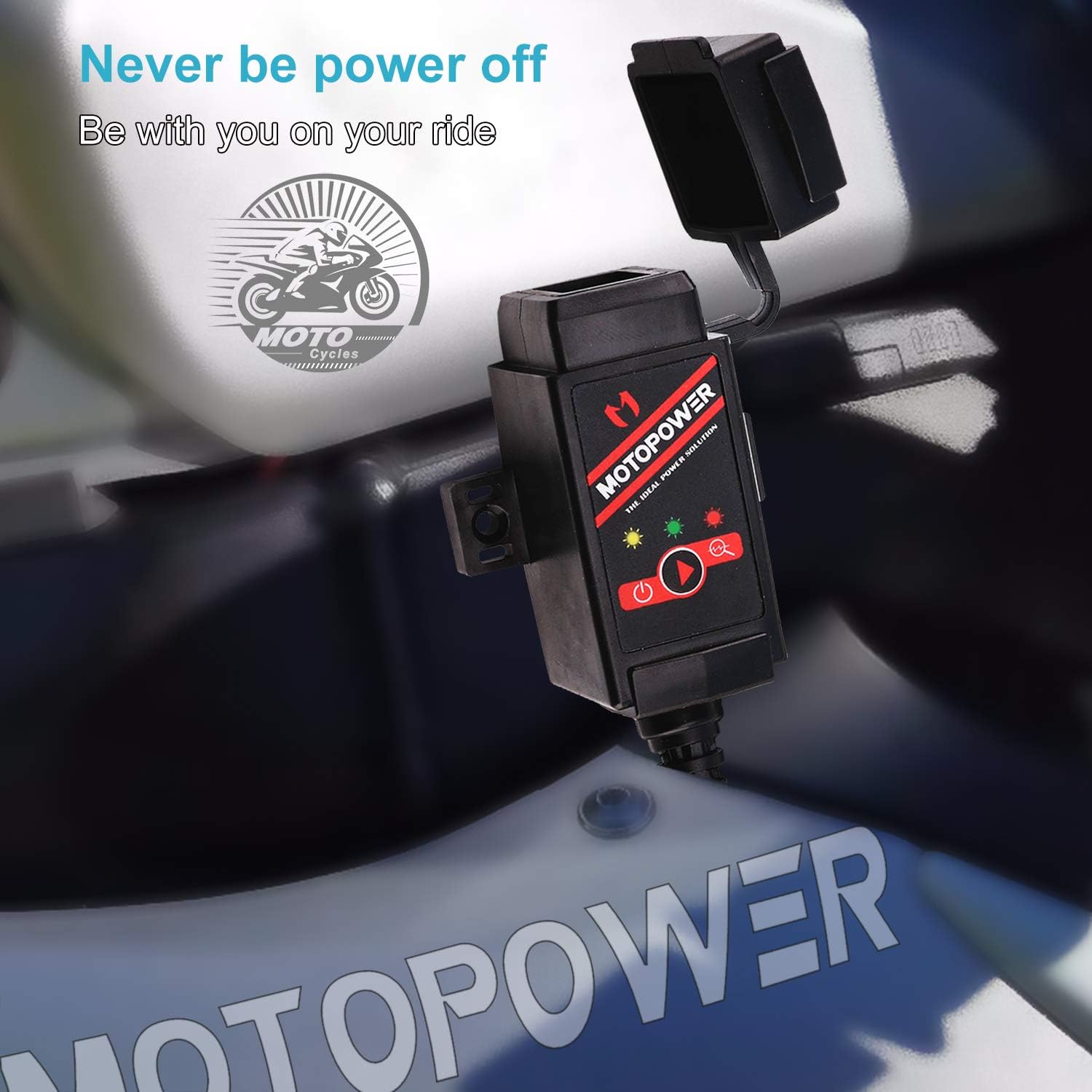
Image: The MOTOPOWER MP0608A unit shown installed on a motorcycle, demonstrating a typical mounting scenario.
గమనిక: Always ensure the motorcycle's ignition is off before making any electrical connections.
ఆపరేటింగ్ సూచనలు

Image: A visual guide detailing how to operate the dual USB charger and battery monitor functions, including LED indicator meanings.
A. Dual USB Charger Function:
- ఆన్ చేయడానికి: Press the integrated switch button once. The green LED indicator will illuminate, signifying that the USB output is active.
- ఆపివేయడానికి: Press the switch button once again. The green LED indicator will turn off, deactivating the USB output.
- ఛార్జింగ్ పరికరాలు: Connect your USB-powered devices to the dual USB ports. The intelligent micro-chip will detect your device and provide the optimal charging current.
B. Battery Monitor Function:
To enter battery monitor mode, quickly press the switch button twice.
- Green LED Flashing: Indicates the battery is in good condition.
- Yellow LED Flashing: Indicates the battery is weak and may require attention.
- రెడ్ LED ఫ్లాషింగ్: Indicates the battery is poor and should be charged immediately.
తక్కువ వాల్యూమ్tagఇ రక్షణ: బ్యాటరీ వాల్యూమ్ ఉన్నప్పుడుtage drops below 11.6V during operation, the USB power output will automatically cut off, and the green LED will flash to indicate this protection mode. This feature prevents excessive battery drain.
నిర్వహణ
- శుభ్రపరచడం: పరికరాన్ని మృదువైన, పొడి వస్త్రంతో తుడవండి. కఠినమైన రసాయనాలు లేదా రాపిడి క్లీనర్లను ఉపయోగించవద్దు.
- పోర్ట్ రక్షణ: Always keep the rubber cap over the USB ports when they are not in use, especially in wet or dusty conditions, to prevent damage and ensure water resistance.
- కేబుల్ తనిఖీ: Periodically check the SAE cable and connections for any signs of wear, fraying, or corrosion. Replace damaged cables immediately.
- నిల్వ: If storing the motorcycle for an extended period, disconnect the MP0608A from the SAE harness to prevent any potential parasitic draw on the battery.
ట్రబుల్షూటింగ్
| సమస్య | సాధ్యమైన కారణం | పరిష్కారం |
|---|---|---|
| No power to USB ports / LEDs off |
|
|
| Green LED flashing, no USB output | తక్కువ వాల్యూమ్tagఇ రక్షణ సక్రియం చేయబడింది. | Charge your motorcycle battery. The USB output will resume once the battery voltage 11.6V పైన ఉంది. |
| Battery monitor shows Yellow or Red LED | Motorcycle battery is weak or poor. | Charge your motorcycle battery immediately. Consult a professional if the issue persists after charging. |
| నెమ్మదిగా ఛార్జింగ్ వేగం |
|
|
స్పెసిఫికేషన్లు
| మోడల్ సంఖ్య | MP0608A |
| తయారీదారు పార్ట్ నంబర్ | MP0608A-US |
| ఇన్పుట్ వాల్యూమ్tage | 12-24 వి డిసి |
| అవుట్పుట్ వాల్యూమ్tage | 5V DC |
| అవుట్పుట్ కరెంట్ | 3.1 Amps (మొత్తం) |
| USB పోర్ట్ల సంఖ్య | 2 (Type A) |
| తక్కువ వాల్యూమ్tagఇ కట్-ఆఫ్ | 11.6V |
| కనెక్టర్ రకం | SAE Quick Release |
| వస్తువు బరువు | 100 గ్రాములు |
పెట్టెలో ఏముంది
- MOTOPOWER MP0608A Dual USB & Battery Monitor Harness
Note: SAE ring terminal harness for battery connection is not included and must be purchased separately.
వారంటీ సమాచారం
The MOTOPOWER MP0608A comes with a 1-సంవత్సరం తయారీదారు వారంటీ from the date of purchase. This warranty covers defects in materials and workmanship under normal use. It does not cover damage resulting from misuse, accident, modification, or unauthorized repair. Please retain your proof of purchase for warranty claims.
కస్టమర్ మద్దతు
For technical assistance, troubleshooting, or warranty inquiries, please contact MOTOPOWER customer support. Refer to the product packaging or the official MOTOPOWER webఅత్యంత తాజా సంప్రదింపు సమాచారం కోసం సైట్.
మీరు కూడా సందర్శించవచ్చు MOTOPOWER Store on Amazon మరిన్ని ఉత్పత్తి సమాచారం మరియు మద్దతు వనరుల కోసం.