
symcode MJ-6708DA
Symcode MJ-6708DA 2D Wireless Barcode Scanner User Manual
Model: MJ-6708DA
1. పరిచయం
This user manual provides detailed instructions for the operation and maintenance of your Symcode MJ-6708DA 2D Wireless Barcode Scanner. Please read this manual thoroughly before using the device to ensure proper functionality and to maximize its lifespan.
2. ఉత్పత్తి ముగిసిందిview
The Symcode MJ-6708DA is a versatile 2D wireless barcode scanner designed for efficient data capture. It supports a wide range of 1D and 2D barcode types, including QR codes and PDF417, from both printed labels and digital screens. Its ergonomic design and wireless capabilities make it suitable for various business applications.

Figure 2.1: Symcode MJ-6708DA 2D Wireless Barcode Scanner and USB Dongle
This image displays the Symcode MJ-6708DA 2D wireless barcode scanner in black and silver, alongside its compact USB wireless dongle. The scanner features a sleek, handheld design.
2.1. కొలతలు
The scanner's physical dimensions are designed for comfortable handling and portability.
- ఉత్పత్తి కొలతలు: 5.5 x 3.7 x 2.4 అంగుళాలు (14cm x 9.5cm x 6.2cm)
- వస్తువు బరువు: 11.5 ఔన్సులు

చిత్రం 2.2: స్కానర్ కొలతలు
This image illustrates the physical dimensions of the Symcode MJ-6708DA scanner, showing its length (5.5 inches/14cm), width (3.7 inches/9.5cm), and height (2.4 inches/6.2cm) with a top-down and side view.
3. సెటప్
3.1. స్కానర్ను ఛార్జ్ చేస్తోంది
The scanner is equipped with a built-in 1500mAh Lithium Ion battery. Before first use, fully charge the scanner.
- Connect the provided USB charging cord to the scanner's charging port.
- Connect the other end of the USB cord to a power source (e.g., computer USB port, USB wall adapter).
- పూర్తిగా ఛార్జ్ చేయడానికి ఛార్జింగ్ సమయం సుమారు 2.5 గంటలు.
- A full charge provides approximately 30 hours of continuous operation or over a month of standby time.

చిత్రం 3.1: బ్యాటరీ సమాచారం
This image highlights the built-in 1500mAh high-capacity battery of the Symcode MJ-6708DA scanner, indicating a standby time of over a month and 96 hours of continuous use.
గమనిక: The product description states 30 hours of battery life, while the image indicates 96 hours. Please refer to the product specifications for the most accurate information.
3.2. కంప్యూటర్కు కనెక్ట్ చేస్తోంది
The scanner offers both wired and wireless connectivity options.
Wired Connection (USB Cable)
- అందించిన USB కేబుల్ని ఉపయోగించి మీ కంప్యూటర్కు స్కానర్ను కనెక్ట్ చేయండి.
- The scanner will be recognized as a standard input device (keyboard emulation). No additional drivers are typically required.
Wireless Connection (2.4G USB Dongle)
- Plug the 2.4G USB wireless dongle into an available USB port on your computer.
- కంప్యూటర్ స్వయంచాలకంగా అవసరమైన డ్రైవర్లను ఇన్స్టాల్ చేస్తుంది.
- The scanner should automatically pair with the dongle. If not, refer to the troubleshooting section or scan the pairing barcode (if provided in the physical manual).
- The scanner is compatible with Windows, Mac, and Linux operating systems.
4. ఆపరేటింగ్ మోడ్లు
The Symcode MJ-6708DA scanner supports two primary operating modes: Instant Upload Mode and Offline Storage Mode.
4.1. తక్షణ అప్లోడ్ మోడ్
In this mode, scanned barcode data is immediately transmitted to the connected computer or POS system. This is ideal for real-time data entry.
4.2. Offline Storage Mode
The scanner can store up to 10,000 barcodes internally when not connected or when operating in offline mode. This allows for data collection in environments where a real-time connection is not feasible.
- Scan barcodes as usual; the data will be stored in the scanner's memory.
- To upload the stored data, connect the scanner to your computer (either wired or wirelessly) and scan the "Upload Data" configuration barcode (refer to your physical manual for specific barcodes).

Figure 4.1: Instant Upload and Offline Storage Modes
This image visually explains the two working modes: Instant Upload Mode, where data is uploaded immediately upon scanning, and Offline Storage Mode, where barcodes are scanned and stored internally before being uploaded later to a computer or POS machine.
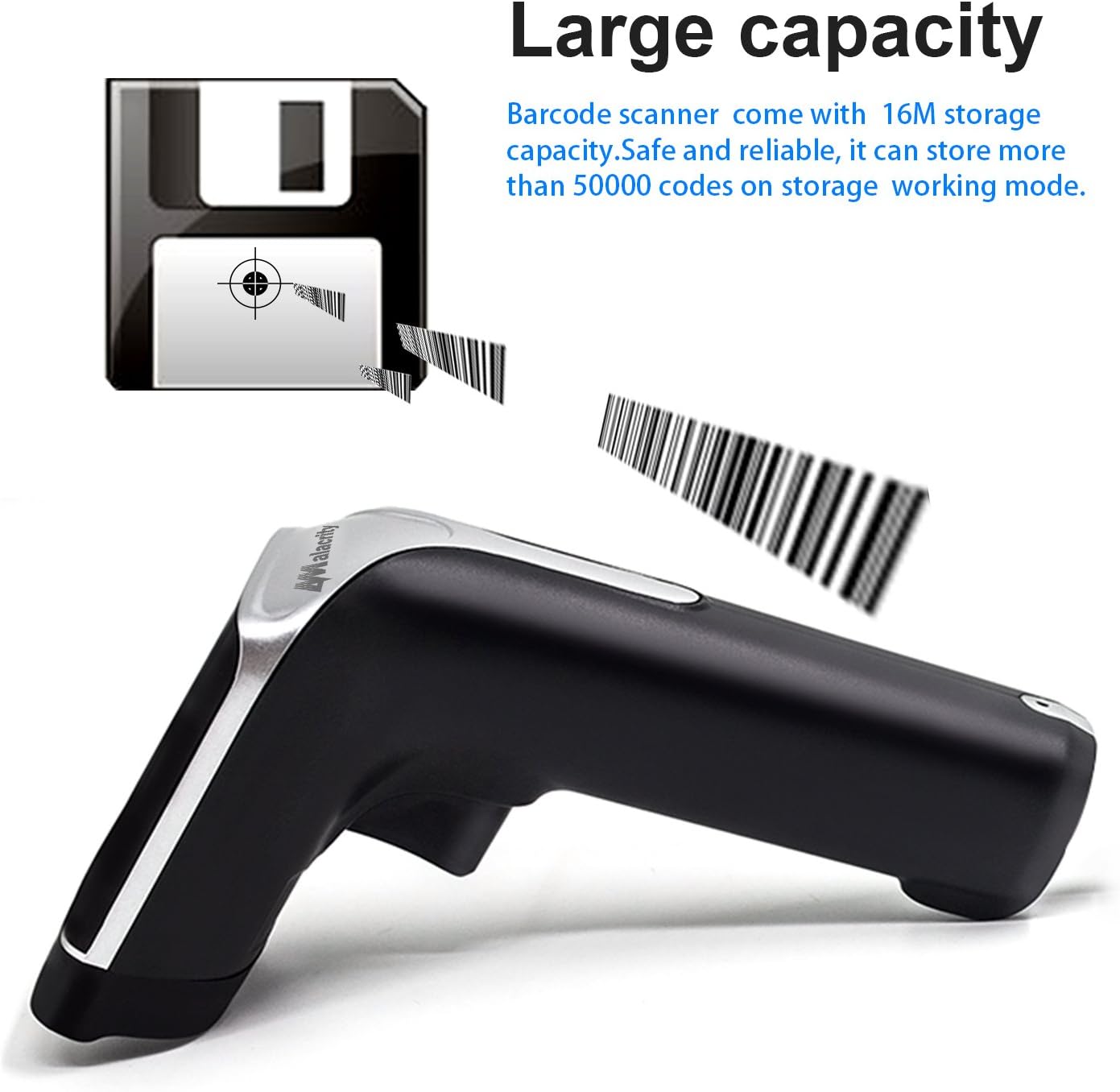
Figure 4.2: Storage Capacity
This image depicts the scanner's large storage capacity, indicating it can store over 50,000 codes in offline working mode.
గమనిక: The product description states a capacity of 10,000 codes, while the image indicates over 50,000. Please refer to the product specifications for the most accurate information.
5. బార్కోడ్లను స్కాన్ చేస్తోంది
5.1. Supported Barcode Types
The scanner supports a comprehensive range of 1D and 2D barcode symbologies:
- 1D బార్కోడ్లు: UPC/EAN, UPC/EAN with Supplemental, UCC/EAN 128, Code 39, Code 39 Full ASCII, Trioptic Code 39, Code 128 Full ASCII, Codabar, Interleaved 2 of 5, Discrete 2 of 5, Code 93, MSI, Code 11, RSS variants, Chinese 2 of 5, and extended ASCII support for Code 128 barcodes.
- 2D బార్కోడ్లు: PDF417, QR-code, Data Matrix.
5.2. Scanning Procedure
- మీరు స్కాన్ చేయాలనుకుంటున్న బార్కోడ్ వైపు స్కానర్ విండోను సూచించండి.
- Press the trigger button. A red laser light will illuminate the barcode.
- Ensure the entire barcode is within the red laser's scanning area.
- A successful scan will typically be indicated by a beep, an LED light flash, or vibration (depending on configured settings).
5.3. స్క్రీన్ల నుండి స్కానింగ్
The MJ-6708DA is capable of scanning barcodes directly from mobile phone displays and computer screens, making it suitable for mobile payment applications.
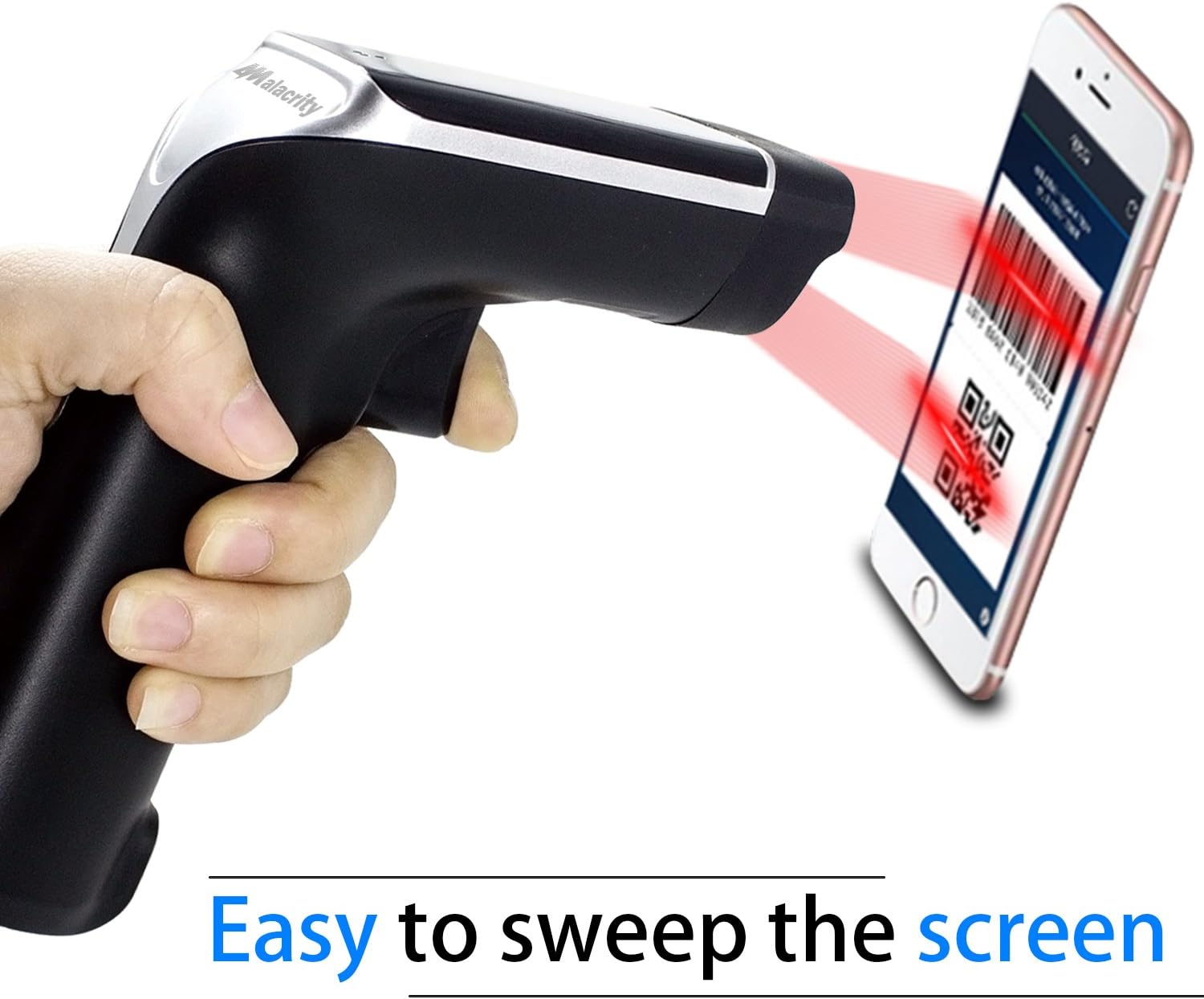
Figure 5.1: Scanning from a Screen
This image demonstrates the Symcode MJ-6708DA scanner successfully reading a QR code displayed on a smartphone screen, highlighting its capability for digital barcode capture.
6. Connectivity and Range
The wireless connectivity of the MJ-6708DA provides flexibility in various working environments.
- Indoor Wireless Range: Up to 100 feet (30 meters) in open indoor environments.
- Outdoor Wireless Range: Up to 330 feet (100 meters) in open outdoor environments.

Figure 6.1: Wireless Range
This image illustrates the wireless operating range of the scanner, showing an indoor range of 100 feet (30 meters) and an outdoor range of 330 feet (100 meters) from the USB dongle.
7. కాన్ఫిగరేషన్ ఎంపికలు
The scanner offers over 180 configuration options, allowing customization of its behavior. These configurations are typically set by scanning specific barcodes found in the comprehensive physical user manual that accompanies the product.
- Prefix and Suffix Codes: స్కాన్ చేసిన డేటాకు ముందు లేదా తర్వాత అనుకూల అక్షరాలను జోడించండి.
- Delete Characters: Remove starting or ending characters from scanned data.
- Keyboard Keys/Combinations: Integrate keyboard functions into scanning operations.
- Scanning Indication: Customize feedback for successful scans.

Figure 7.1: Scanning Indication Options
This image displays the three types of scanning indications available: Beep, LED light, and Vibrate. It also notes support for multiple languages.
8. నిర్వహణ
8.1. శుభ్రపరచడం
To maintain optimal scanning performance, keep the scanner's window clean.
- Use a soft, lint-free cloth to gently wipe the scanning window.
- మొండి ధూళికి, కొద్దిగా dampనీరు లేదా తేలికపాటి, నాన్-బ్రాసివ్ క్లీనర్తో వస్త్రాన్ని en.
- Do not use harsh chemicals or abrasive materials, as these can scratch the window and impair scanning.
8.2. బ్యాటరీ సంరక్షణ
Proper battery care extends the life of your scanner.
- Charge the scanner regularly, especially when the battery indicator shows low power.
- బ్యాటరీని తరచుగా పూర్తిగా డిశ్చార్జ్ చేయడాన్ని నివారించండి.
- స్కానర్ను ఎక్కువసేపు ఉపయోగించనప్పుడు చల్లని, పొడి ప్రదేశంలో నిల్వ చేయండి.
9. ట్రబుల్షూటింగ్
| సమస్య | సాధ్యమైన కారణం | పరిష్కారం |
|---|---|---|
| స్కానర్ పవర్ ఆన్ అవ్వదు. | తక్కువ బ్యాటరీ. | Charge the scanner for at least 2.5 hours. |
| స్కానర్ బార్కోడ్లను చదవదు. | Barcode damaged or unclear; incorrect distance; scanning window dirty; unsupported barcode type. | Ensure barcode is clear; adjust scanning distance; clean scanning window; verify barcode type is supported. |
| No data transmitted to computer (wireless). | USB dongle not connected; scanner not paired; out of range. | Ensure dongle is plugged in; re-pair scanner with dongle (refer to physical manual); move scanner closer to dongle. |
| Incorrect data output. | Incorrect configuration settings (e.g., prefix/suffix). | Review and adjust configuration settings by scanning appropriate barcodes from the physical manual. |
10. స్పెసిఫికేషన్లు
| ఫీచర్ | వివరాలు |
|---|---|
| మోడల్ సంఖ్య | MJ-6708DA |
| ఇన్పుట్ వాల్యూమ్tage | DC5V±0.25v |
| ఆపరేటింగ్ వాల్యూమ్tage | 3.7 వోల్ట్లు |
| ప్రస్తుత | 25 mA (work); 95 mA (instantaneous) |
| డీకోడింగ్ వేగం | 100 సార్లు / సెకను |
| వైర్లెస్ రేంజ్ | 40m (void) / 100ft (indoor) / 330ft (outdoor) |
| ఛార్జింగ్ సమయం | 2.5 గంటలు |
| బ్యాటరీ లైఫ్ | 30 Hours (continuous use) |
| బ్యాటరీ రకం | 1 లిథియం అయాన్ బ్యాటరీ (చేర్చబడింది) |
| నిల్వ సామర్థ్యం | 10,000 కోడ్ల వరకు |
| కనెక్టివిటీ | USB Cable, 2.4G Wireless Dongle |
| అనుకూలత | Windows, Mac, Linux (Quickbook, Word, Excel, Novell) |
| ఉత్పత్తి కొలతలు | 5.5 x 3.7 x 2.4 అంగుళాలు |
| వస్తువు బరువు | 11.5 ఔన్సులు |
11. వారంటీ మరియు మద్దతు
Symcode provides a 30-day money-back guarantee and a 12-month warranty for this product. For any questions or support needs, please contact Symcode customer service.
వారంటీ క్లెయిమ్ల కోసం దయచేసి మీ కొనుగోలు రుజువును ఉంచుకోండి.
Ask a question about this manual
Ask about setup, troubleshooting, compatibility, parts, safety, or missing instructions. Manuals+ will review the question and use this page’s manual context to help answer it.