
1. పరిచయం
The Audix AP62 C210 Wireless System is a professional True Diversity wireless solution designed for versatile audio applications. This system combines the convenience of a lavalier microphone with the flexibility of a handheld microphone, making it suitable for presentations, meetings, and live events. It features a 64 MHz wide spectrum tuning receiver with 2560 tunable frequencies, ensuring reliable performance. Key functionalities include one-touch auto scan for clear channel identification and one-touch infrared synchronization between the transmitter and receiver.
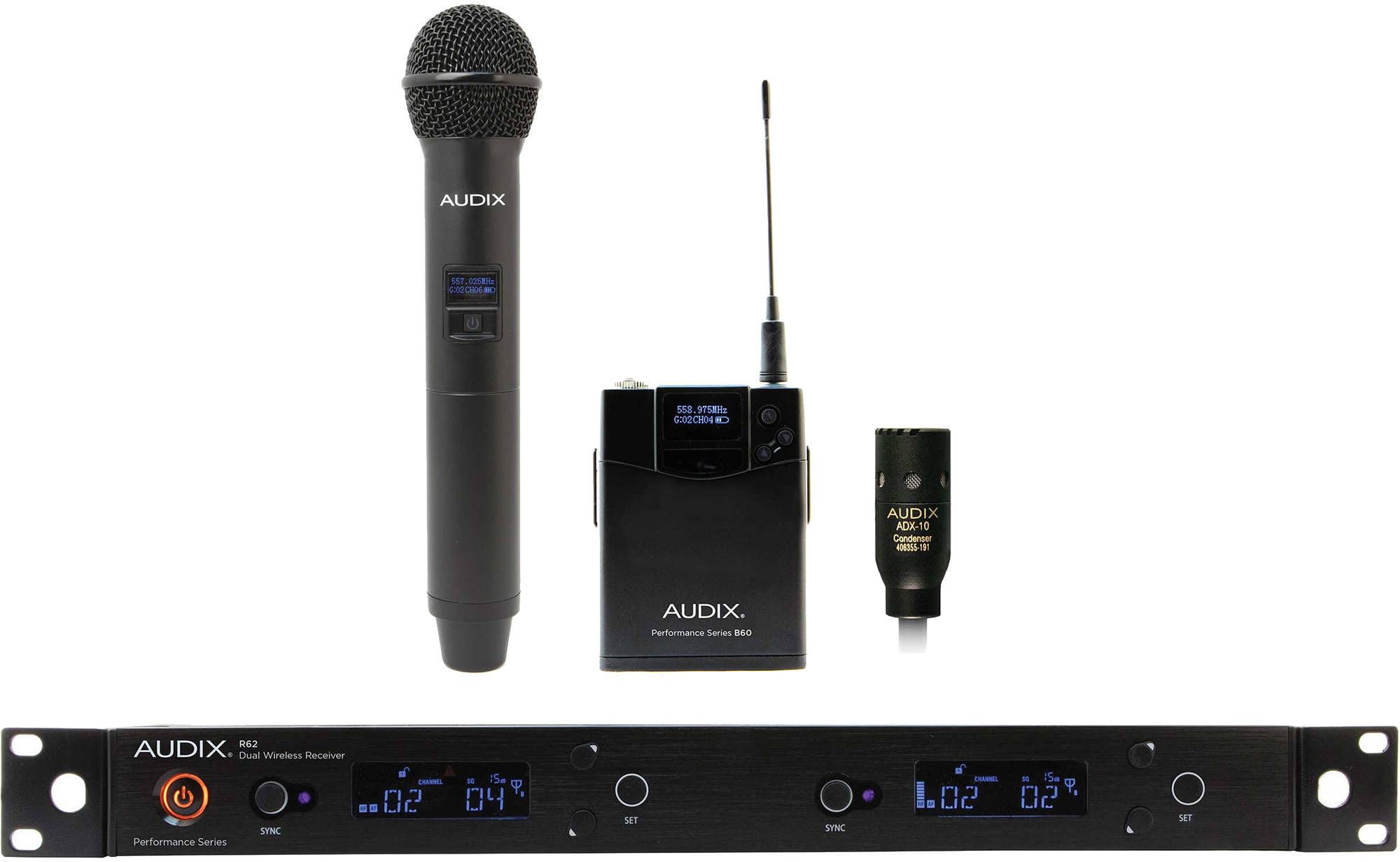
చిత్రం 1.1: పైగాview of the Audix AP62 C210 Wireless System components.
2. సిస్టమ్ భాగాలు
The AP62 C210 system includes the following primary components:
- Audix R62 Dual Wireless Receiver: A rack-mountable, true diversity receiver that manages two independent wireless channels. It features a clear display for frequency, channel, and battery status, along with controls for scanning and synchronization.
- Audix H60/OM2 Handheld Transmitter: A robust handheld microphone featuring the Audix OM2 dynamic capsule. It includes an integrated transmitter with an LCD display for frequency and battery status, and controls for power and channel selection.
- Audix B60 Bodypack Transmitter: A compact bodypack transmitter designed for use with lavalier or headset microphones. It features a durable casing, an LCD display, and controls for power and channel settings.
- Audix ADX10 Cardioid Lavalier Microphone: A miniature condenser microphone designed for discreet placement, offering clear vocal reproduction. It connects to the B60 bodypack transmitter.
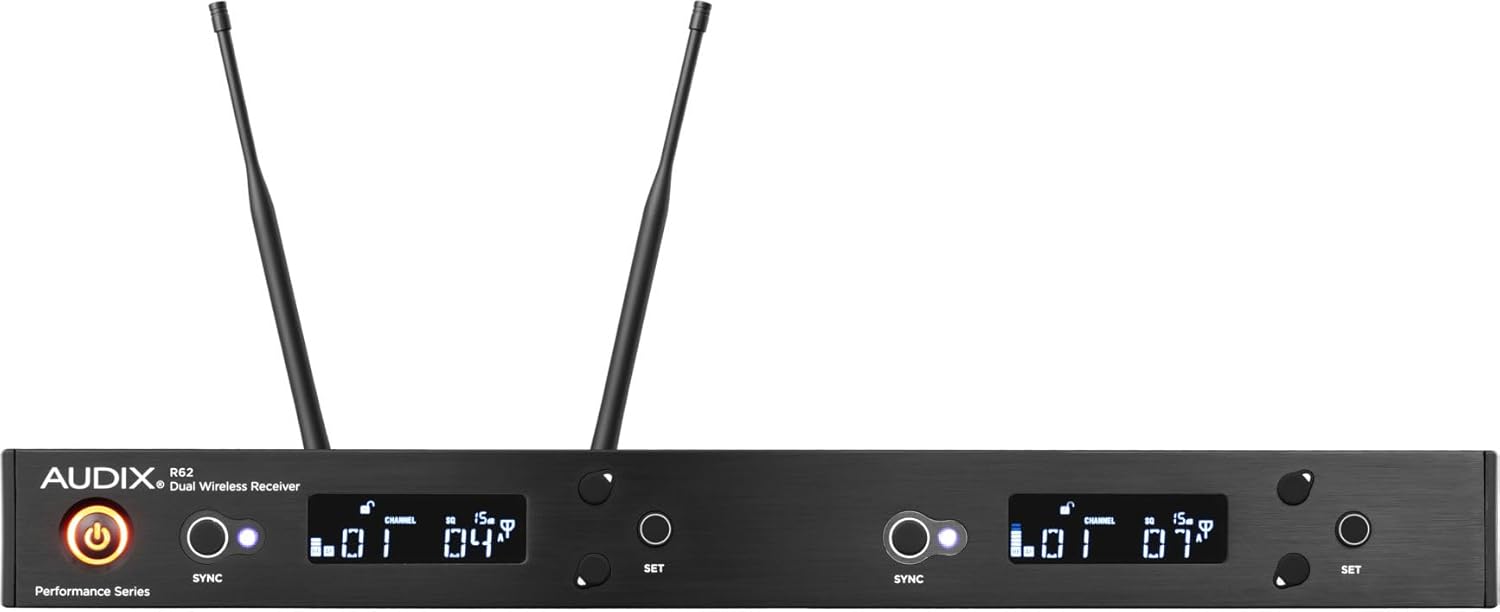
Figure 2.1: Audix R62 Dual Wireless Receiver.

Figure 2.2: Audix H60/OM2 Handheld Transmitter.
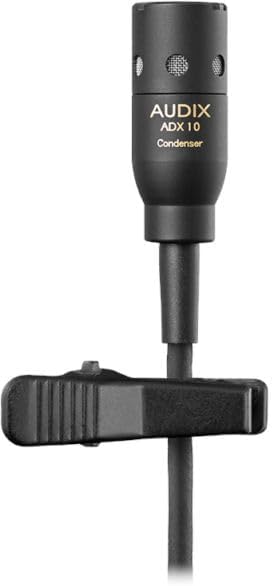
Figure 2.3: Audix B60 Bodypack Transmitter.

Figure 2.4: Audix ADX10 Cardioid Lavalier Microphone.
3. సెటప్ సూచనలు
Follow these steps for initial setup of your Audix AP62 C210 Wireless System:
- అన్ప్యాకింగ్ మరియు తనిఖీ: Carefully unpack all components. Verify that all items listed in the product packaging are present and undamaged.
- Receiver Placement and Antenna Connection: Place the R62 receiver in a stable location, preferably in a rack using the included rack mount kit. Ensure the antennas are securely connected to the BNC connectors on the rear panel and positioned for optimal line-of-sight with the intended operating area. For front-mounting antennas, use the provided BNC cables.
- రిసీవర్కు శక్తినివ్వడం: Connect the supplied power adapter to the R62 receiver's DC input and plug it into an AC power outlet. Press the power button on the receiver's front panel to turn it on. The display should illuminate.
- ట్రాన్స్మిటర్ బ్యాటరీ ఇన్స్టాలేషన్:
- H60/OM2 Handheld Transmitter: Unscrew the bottom cap of the handheld microphone. Insert two fresh AA batteries, observing the correct polarity (+/-). Screw the cap back on.
- B60 Bodypack Transmitter: Open the battery compartment cover. Insert two fresh AA batteries, observing the correct polarity (+/-). Close the cover.
- Connecting the ADX10 Lavalier Microphone: Plug the ADX10 lavalier microphone's connector into the input jack on the B60 bodypack transmitter. Secure the microphone to clothing, ensuring it is positioned for clear audio capture.
- Frequency Scan and Synchronization:
- On the R62 receiver, initiate the one-touch auto scan function to find a clear, interference-free operating frequency.
- Once a frequency is selected on the receiver, align the infrared (IR) port of the chosen transmitter (H60/OM2 or B60) with the IR port on the receiver.
- Activate the one-touch sync function on the receiver. The frequency information will be transmitted to the transmitter, synchronizing them. Repeat this process for the second transmitter if using both simultaneously.
- ఆడియో అవుట్పుట్ కనెక్షన్: Connect the audio output(s) of the R62 receiver to your mixer or sound system using appropriate XLR or 1/4-inch cables. Adjust the output level on the receiver as needed.
4. ఆపరేటింగ్ సూచనలు
Once the system is set up, follow these guidelines for operation:
- పవర్ ఆన్/ఆఫ్: Press and hold the power button on both the receiver and the transmitters to turn them on or off. Ensure the receiver is powered on before the transmitters.
- Adjusting Transmitter Gain: If available, adjust the gain setting on the transmitters (H60/OM2 and B60) to prevent clipping or distortion. Start with a moderate setting and increase if the audio signal is too low, or decrease if it's too high.
- మానిటరింగ్ సిస్టమ్ స్థితి: Regularly check the LCD displays on both the receiver and transmitters for battery life, signal strength, and active frequency/channel. Replace batteries promptly when the low battery indicator appears.
- మైక్రోఫోన్లను ఉపయోగించడం:
- H60/OM2 Handheld: Hold the microphone approximately 2-6 inches from the sound source for optimal vocal clarity.
- ADX10 Lavalier: Position the lavalier microphone about 6-12 inches below the chin, centered on the chest, for consistent sound pickup.
- వాల్యూమ్ నియంత్రణ: Adjust the output volume on your mixer or sound system. Fine-tune the individual channel volumes on the R62 receiver if necessary.
5. నిర్వహణ
Proper maintenance ensures the longevity and optimal performance of your wireless system:
- బ్యాటరీ సంరక్షణ: Always use high-quality alkaline or rechargeable AA batteries. Remove batteries from transmitters if the system will not be used for an extended period to prevent leakage.
- శుభ్రపరచడం: Use a soft, dry cloth to clean the exterior surfaces of the receiver and transmitters. For microphones, a slightly damp cloth can be used, but avoid moisture entering the grille or capsule. Do not use harsh chemicals or abrasive cleaners.
- నిల్వ: Store the system in a cool, dry place, away from direct sunlight and extreme temperatures. Use the original packaging or a protective case for transport and storage.
- యాంటెన్నా సంరక్షణ: Handle antennas carefully. Avoid bending or stressing them, as this can affect signal reception.
6. ట్రబుల్షూటింగ్
If you encounter issues with your Audix AP62 C210 Wireless System, refer to the following common problems and solutions:
| సమస్య | సాధ్యమైన కారణం | పరిష్కారం |
|---|---|---|
| ఆడియో అవుట్పుట్ లేదు |
|
|
| Interference or dropouts |
|
|
| Poor sound quality (distortion, weak signal) |
|
|
| సమకాలీకరణ వైఫల్యం |
|
|
7. స్పెసిఫికేషన్లు
- సిస్టమ్ రకం: Professional True Diversity Wireless System
- ఫ్రీక్వెన్సీ పరిధి: 64 MHz wide spectrum tuning
- ట్యూన్ చేయగల ఫ్రీక్వెన్సీలు: 2560
- ఛానెల్ ఎంపిక: One-touch auto scan for clear channels
- సమకాలీకరణ: One-touch sync links transmitter to receiver via infrared beam
- రిసీవర్ మోడల్: R62 Dual Wireless Receiver
- హ్యాండ్హెల్డ్ ట్రాన్స్మిటర్: H60/OM2 (with OM2 dynamic capsule)
- బాడీప్యాక్ ట్రాన్స్మిటర్: B60
- లావలియర్ మైక్రోఫోన్: ADX10 Cardioid Condenser
- రిసీవర్ కొలతలు: 1.7 x 8.1 x 1.7 అంగుళాలు (4.3 x 20.6 x 4.3 సెం.మీ.)
- సిస్టమ్ బరువు: సుమారు 10.03 పౌండ్లు (4.55 కిలోలు)
- మోడల్ సంఖ్య: AP62C210
8. వారంటీ మరియు మద్దతు
This Audix product is covered by a manufacturer's warranty. For specific warranty terms, registration, or technical support, please refer to the documentation included with your purchase or visit the official Audix website. For service or repair, contact an authorized Audix service center.