
పరిచయం
This manual provides instructions for the setup, operation, maintenance, and troubleshooting of your Rampage KM-RX9 CYPHER Gaming Keyboard and Mouse Set. This set includes a USB wired keyboard with rainbow ground illumination and a wired gaming mouse. Please read this manual thoroughly before using the product to ensure proper functionality and longevity.
భద్రతా సమాచారం
- పరికరాన్ని ద్రవాలు మరియు అధిక తేమ నుండి దూరంగా ఉంచండి.
- పరికరాన్ని తీవ్రమైన ఉష్ణోగ్రతలకు బహిర్గతం చేయవద్దు.
- పరికరాన్ని వదలడం లేదా బలమైన ప్రభావాలకు గురి చేయడం మానుకోండి.
- పరికరాన్ని మీరే విడదీయడానికి లేదా మరమ్మతు చేయడానికి ప్రయత్నించవద్దు. అర్హత కలిగిన సేవా సిబ్బందిని సంప్రదించండి.
- అనుకూల USB పోర్ట్లతో మాత్రమే ఉపయోగించండి.
ప్యాకేజీ విషయాలు
Please check the package contents upon unboxing. The standard package should include:
- Rampage KM-RX9 CYPHER Gaming Keyboard
- Rampage KM-RX9 CYPHER Gaming Mouse
- వినియోగదారు మాన్యువల్ (ఈ పత్రం)
సెటప్
Follow these steps to set up your Rampage KM-RX9 CYPHER Gaming Keyboard and Mouse Set:
- కీబోర్డ్ను కనెక్ట్ చేయండి: Locate an available USB port on your computer. Plug the USB connector of the Rampage KM-RX9 keyboard into the USB port.
- మౌస్ని కనెక్ట్ చేయండి: Locate another available USB port on your computer. Plug the USB connector of the Rampage KM-RX9 mouse into the USB port.
- డ్రైవర్ ఇన్స్టాలేషన్: The keyboard and mouse are typically plug-and-play devices. Your operating system (Windows, macOS, Linux) should automatically detect and install the necessary drivers. This process may take a few moments.
- ధృవీకరణ: Once drivers are installed, the keyboard and mouse should be ready for use. Test by typing on the keyboard and moving/clicking the mouse. The keyboard's rainbow illumination should activate automatically.
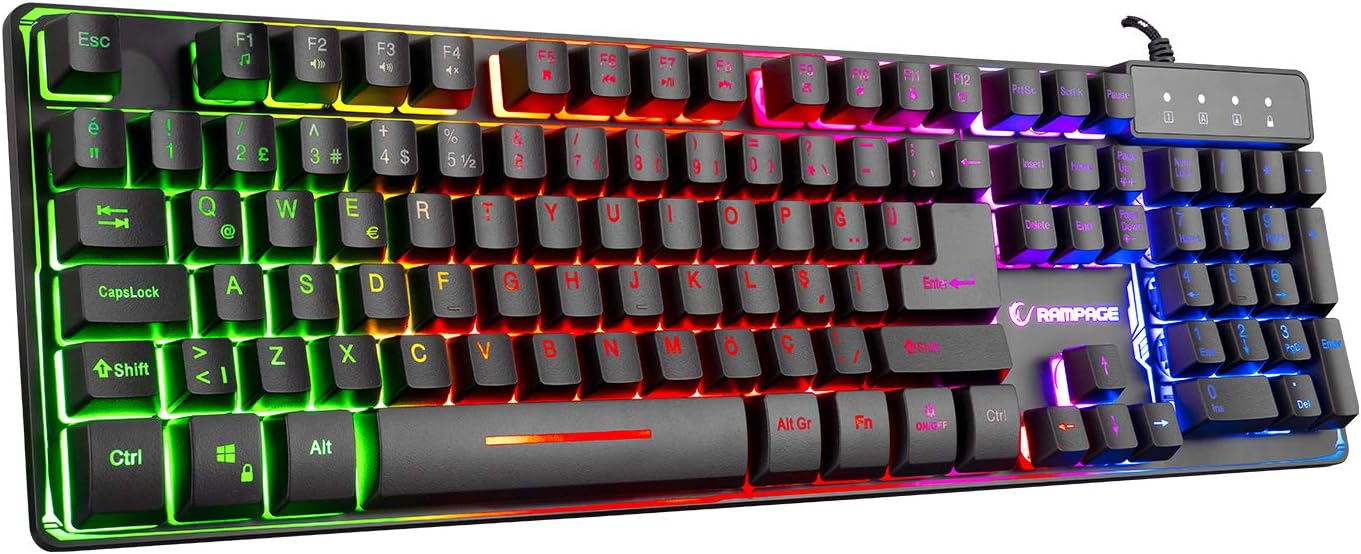
మూర్తి 1: టాప్ view of the Rampage KM-RX9 CYPHER Gaming Keyboard, showcasing its full QWERTY layout and vibrant rainbow backlighting.
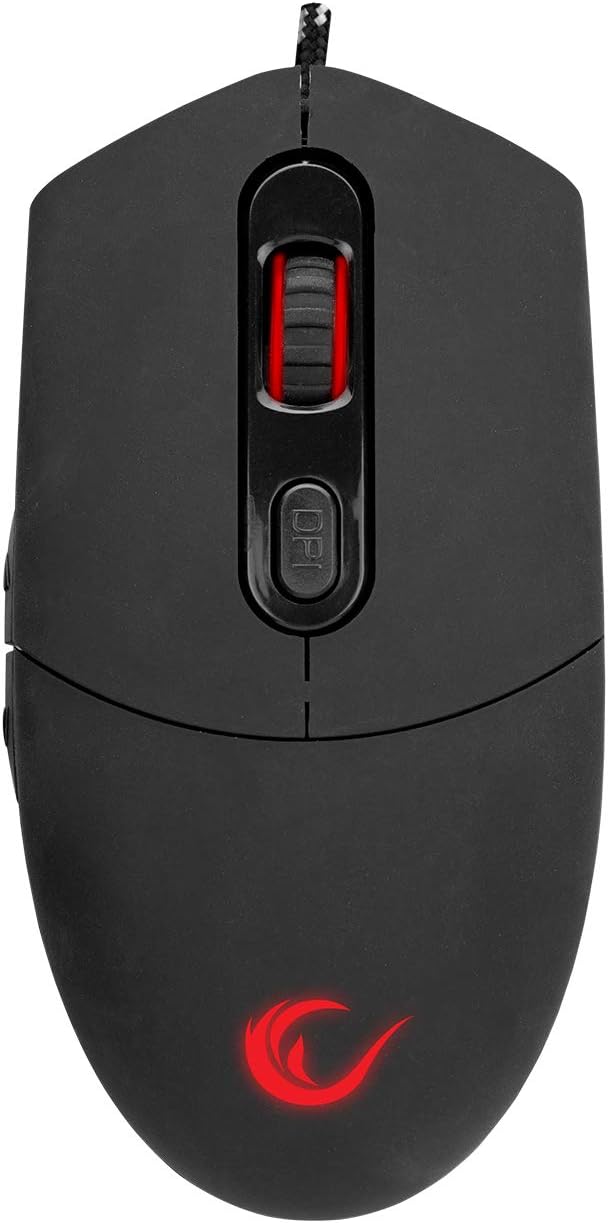
మూర్తి 2: టాప్ view of the Rampage KM-RX9 CYPHER Gaming Mouse, featuring the scroll wheel and DPI adjustment button.
కీబోర్డ్ను నిర్వహించడం
ప్రాథమిక విధులు
- టైపింగ్: The keyboard features a standard QWERTY layout for general typing and gaming.
- ఫంక్షన్ కీలు (F1-F12): ఈ కీలు, Fn key. Refer to the keycap legends for specific functions (e.g., volume control, media playback).
ప్రకాశం నియంత్రణ
The KM-RX9 keyboard features rainbow ground illumination. Specific controls for lighting modes or brightness are typically managed via dedicated keys or key combinations:
- Look for keys with light bulb icons or specific 'Fn' key combinations (e.g., Fn + స్క్రోల్ లాక్ or Fn + పేజీ పైకి/క్రిందికి) to cycle through lighting effects or adjust brightness.
- The illumination is designed to provide a consistent rainbow effect across the keyboard's base.
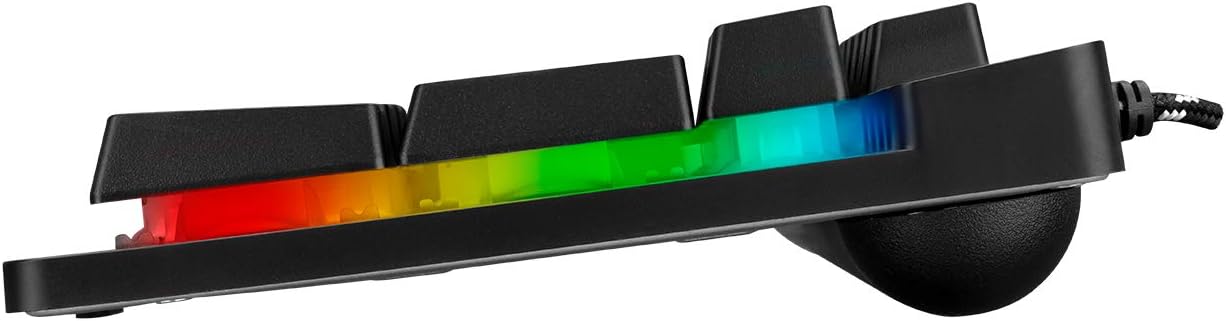
చిత్రం 3: సైడ్ ప్రోfile of the Rampage KM-RX9 keyboard, illustrating the distinct rainbow ground illumination effect.
మౌస్ను ఆపరేట్ చేయడం
ప్రాథమిక విధులు
- ఎడమ క్లిక్ చేయండి: ప్రాథమిక చర్య బటన్.
- కుడి క్లిక్ చేయండి: ద్వితీయ చర్య బటన్, సాధారణంగా సందర్భ మెనుల కోసం.
- స్క్రోల్ వీల్: పత్రాల ద్వారా స్క్రోలింగ్ చేయడానికి ఉపయోగిస్తారు మరియు web పేజీలు. మిడిల్ క్లిక్ బటన్గా కూడా పనిచేయగలదు.
- సైడ్ బటన్లు: The mouse features additional side buttons, commonly used for forward/backward navigation in web browsers or programmable for in-game actions.
DPI సర్దుబాటు
The mouse includes a DPI (Dots Per Inch) adjustment button, usually located near the scroll wheel. Pressing this button cycles through different sensitivity levels, allowing you to adjust cursor speed on the fly to suit your preferences or game requirements.
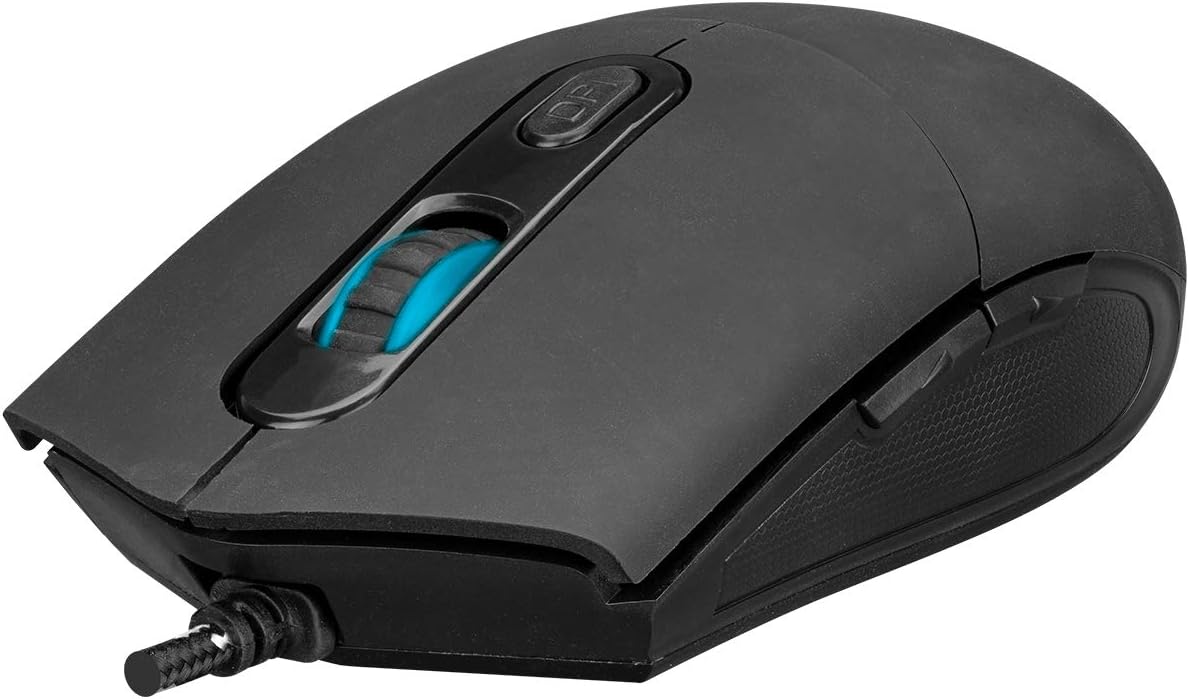
చిత్రం 4: కోణీయ view of the Rampage KM-RX9 mouse, highlighting the scroll wheel and the DPI adjustment button.

మూర్తి 5: వైపు view of the Rampage KM-RX9 mouse, showcasing its ergonomic design and textured grip for enhanced control.
నిర్వహణ
Proper maintenance ensures the longevity and performance of your gaming set:
- కీబోర్డ్ శుభ్రపరచడం: Use a soft, dry cloth to wipe down the keyboard surface. For dust between keys, use compressed air. Do not use harsh chemicals or abrasive cleaners.
- మౌస్ శుభ్రం చేయడం: మౌస్ ఉపరితలాన్ని మృదువైన, కొద్దిగా d తో తుడవండి.amp cloth. Ensure no moisture enters the device. Clean the optical sensor area on the bottom of the mouse with a cotton swab if tracking issues occur.
- నిల్వ: When not in use for extended periods, store the keyboard and mouse in a clean, dry environment, away from direct sunlight and extreme temperatures.
ట్రబుల్షూటింగ్
If you encounter issues with your Rampage KM-RX9 set, try the following solutions:
- కీబోర్డ్/మౌస్ స్పందించడం లేదు:
- USB కేబుల్స్ మీ కంప్యూటర్ యొక్క USB పోర్ట్లలో సురక్షితంగా ప్లగ్ చేయబడ్డాయని నిర్ధారించుకోండి.
- పరికరాలను వేర్వేరు USB పోర్ట్లలోకి ప్లగ్ చేయడానికి ప్రయత్నించండి.
- మీ కంప్యూటర్ని పునఃప్రారంభించండి.
- Check your computer's Device Manager (Windows) or System Information (macOS/Linux) to see if the devices are recognized.
- Illumination Not Working (Keyboard):
- Verify that the keyboard is properly connected.
- Press the dedicated lighting control keys or Fn key combinations to ensure illumination is not turned off or set to a very dim mode.
- మౌస్ ట్రాకింగ్ సమస్యలు:
- మౌస్ అడుగున ఉన్న ఆప్టికల్ సెన్సార్ను శుభ్రం చేయండి.
- మీరు మౌస్ను తగిన ఉపరితలంపై ఉపయోగిస్తున్నారని నిర్ధారించుకోండి (ఉదా., మౌస్ ప్యాడ్, ప్రతిబింబించే లేదా పారదర్శక ఉపరితలం కాదు).
- DPI బటన్ను ఉపయోగించి DPI సెట్టింగ్లను సర్దుబాటు చేయండి.
స్పెసిఫికేషన్లు
| ఉత్పత్తి మోడల్ | KM-RX9 |
| బ్రాండ్ | Rampage (Everest Rampవయస్సు) |
| కనెక్టివిటీ టెక్నాలజీ | USB వైర్డ్ |
| కీబోర్డ్ లేఅవుట్ | QWERTY |
| ప్రత్యేక లక్షణాలు | Rainbow Ground Illuminated Keyboard, DPI Adjustable Mouse |
| అనుకూల పరికరాలు | డెస్క్టాప్, ల్యాప్టాప్, టాబ్లెట్ |
| ఆపరేటింగ్ సిస్టమ్ అనుకూలత | Windows, macOS, Linux |
| ఉత్పత్తి కొలతలు | Keyboard: 54 x 17 x 4.2 cm; 830 g |
| శక్తి మూలం | Electric Corded (USB) |
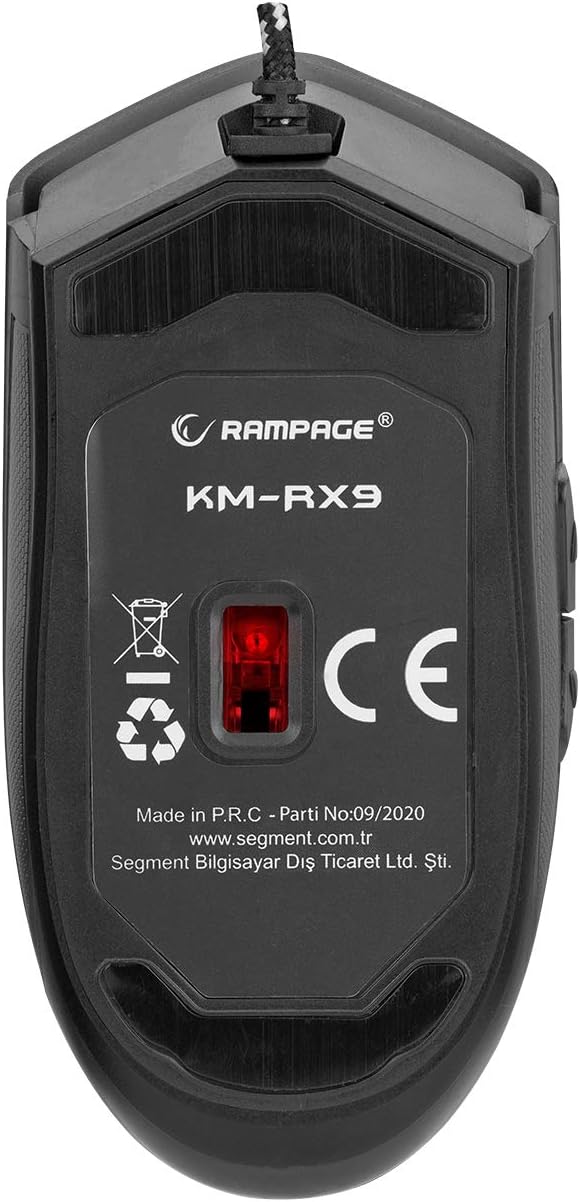
చిత్రం 6: దిగువ view of the Rampage KM-RX9 mouse, displaying the model number and optical sensor.
వారంటీ మరియు మద్దతు
For warranty information and customer support, please refer to the documentation provided at the time of purchase or contact your retailer. You may also visit the official Rampవయస్సు webతదుపరి సహాయం కోసం సైట్.