
1. పరిచయం
This manual provides instructions for the assembly, operation, and maintenance of your Mount-It! MI-7969 Mobile Standing Desk. This desk is designed to offer a versatile and ergonomic workspace solution, featuring gas spring height adjustment and mobile functionality with locking wheels. It is suitable for various environments including home offices, classrooms, and healthcare settings.

Image 1.1: The Mount-It! MI-7969 Mobile Standing Desk in a standing position.
2. భద్రతా సమాచారం
ఈ ఉత్పత్తిని అసెంబుల్ చేయడానికి లేదా ఉపయోగించే ముందు దయచేసి అన్ని భద్రతా సూచనలను చదివి అర్థం చేసుకోండి. ఈ సూచనలను పాటించడంలో విఫలమైతే ఉత్పత్తికి గాయం లేదా నష్టం జరగవచ్చు.
- Always keep the desk on a stable surface.
- Use the locking casters to secure the desk in place when stationary.
- Exercise caution when adjusting the height to prevent injury.
- Do not expose the desk to liquids.
- డెస్క్టాప్పై గరిష్ట బరువు సిఫార్సు చేయబడిన 33 పౌండ్లను మించకూడదు.
3. ప్యాకేజీ విషయాలు
The Mount-It! MI-7969 Mobile Standing Desk package typically includes all necessary hardware and tools for assembly. Please verify that all components are present and undamaged before beginning assembly. If any parts are missing or damaged, contact customer support.

చిత్రం 3.1: అసెంబుల్ చేయబడినది view of the Mount-It! MI-7969 Mobile Standing Desk, illustrating its structural components.
4. అసెంబ్లీ సూచనలు
Assembly of the Mount-It! MI-7969 Mobile Standing Desk is designed to be straightforward. All required hardware and an instruction manual are included in the packaging. It is recommended that one person performs the assembly.
- అన్ని భాగాలను అన్ప్యాక్ చేసి, చేర్చబడిన మాన్యువల్లోని భాగాల జాబితాతో సరిచూసుకోండి.
- Attach the base to the main column using the provided hardware.
- Install the four locking casters into the base. Ensure they are securely tightened.
- Mount the desktop to the gas spring mechanism and main column.
- ఉపయోగం ముందు అన్ని కనెక్షన్లు సురక్షితంగా ఉన్నాయని నిర్ధారించుకోండి.
5. ఆపరేటింగ్ సూచనలు
5.1 ఎత్తు సర్దుబాటు
The desk features a gas spring lift mechanism for smooth height adjustment, allowing you to transition between sitting and standing positions. The height can be adjusted from 29 inches to 42 inches.
- To raise the desk: Gently lift the lever located under the desktop and guide the desktop upwards to your desired height. Release the lever to lock it in place.
- To lower the desk: Gently lift the lever located under the desktop and apply downward pressure on the desktop to guide it to your desired height. Release the lever to lock it in place.

Image 5.1: A user demonstrating the gas spring height adjustment feature of the desk.
5.2 చలనశీలత మరియు స్థిరత్వం
The desk is equipped with smooth-rolling locking casters for easy movement and secure positioning.
- To move the desk: Ensure all casters are unlocked. Gently push the desk to its new location.
- To secure the desk: Once positioned, press down on the locking mechanism on each caster to prevent movement.

Image 5.2: Detail of a locking wheel, showing the mechanism to secure the desk in place.
5.3 Tablet Notch and Storage Hook
The desktop includes a built-in tablet notch with cable holes and a storage hook on the center post for convenience.
- Tablet Notch: Place your tablet or phone in the integrated slot for hands-free viewing. Use the cable holes for charging or connecting accessories.
- Storage Hook: Utilize the hook to hang bags, cables, or other accessories, keeping your workspace tidy.

చిత్రం 5.3: వివరణాత్మక view highlighting the tablet holder, gas spring lever, bag hook, and locking wheels.
5.4 అధికారిక ఉత్పత్తి వీడియో
Video 5.4: An official video demonstrating the features and height adjustment of the Mount-It! Rolling Laptop Tray (MI-7969).
6. నిర్వహణ
To ensure the longevity and proper functioning of your Mount-It! Mobile Standing Desk, follow these simple maintenance guidelines:
- శుభ్రపరచడం: డెస్క్టాప్ మరియు ఫ్రేమ్ను మృదువైన, d తో తుడవండి.amp వస్త్రం. ముగింపును దెబ్బతీసే రాపిడి క్లీనర్లు లేదా కఠినమైన రసాయనాలను నివారించండి.
- తనిఖీలు: అన్ని స్క్రూలు మరియు కనెక్షన్లు బిగుతుగా ఉన్నాయని నిర్ధారించుకోవడానికి కాలానుగుణంగా వాటిని తనిఖీ చేయండి. అవసరమైతే తిరిగి బిగించండి.
- కాస్టర్ కేర్: చక్రాలు సజావుగా తిరగడానికి శిథిలాలు లేకుండా ఉంచండి.
7. ట్రబుల్షూటింగ్
If you encounter any issues with your Mount-It! Mobile Standing Desk, refer to the following common troubleshooting tips:
- డెస్క్ వొబుల్స్: Ensure all assembly screws are tightened. Verify that the casters are fully locked when stationary. Ensure the desk is on a flat, stable surface.
- ఎత్తు సర్దుబాటు చేయడంలో ఇబ్బంది: Check that the gas spring lever is fully engaged when attempting to adjust. Ensure no objects are obstructing the lifting mechanism. Do not exceed the maximum weight capacity.
- సజావుగా తిరగని కాస్టర్లు: Check for debris (hair, dust) caught in the wheels and clean as needed. Ensure the caster locks are disengaged.
For further assistance, please contact Mount-It! customer support.
8. స్పెసిఫికేషన్లు
Key specifications for the Mount-It! MI-7969 Mobile Standing Desk:
| ఫీచర్ | వివరాలు |
|---|---|
| మోడల్ సంఖ్య | MI-7969 |
| బ్రాండ్ | మౌంట్-ఇట్! |
| డెస్క్టాప్ కొలతలు | 27.5" వెడల్పు x 20.25" వెడల్పు |
| ఎత్తు సర్దుబాటు పరిధి | 29" నుండి 41.75" వరకు |
| గరిష్ట బరువు సామర్థ్యం | 33 పౌండ్లు |
| బేస్ మెటీరియల్ | మిశ్రమం ఉక్కు |
| టాప్ మెటీరియల్ రకం | ఇంజినీర్డ్ వుడ్ |
| రంగు | నలుపు |
| అసెంబ్లీ అవసరం | అవును (సాధనాలు కూడా ఉన్నాయి) |
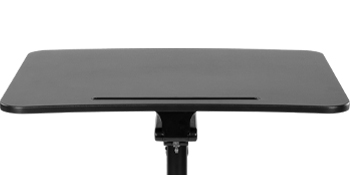
Image 8.1: Diagram illustrating the key dimensions of the Mount-It! Mobile Standing Desk.
9. వారంటీ మరియు మద్దతు
Your Mount-It! Mobile Standing Desk is backed by a lifetime warranty, ensuring peace of mind regarding product quality and durability.
- వారంటీ కవరేజ్: The lifetime warranty covers defects in materials and workmanship under normal use. Please refer to the full warranty details provided with your product or on the Mount-It! webసైట్.
- కస్టమర్ మద్దతు: For any installation questions, product support, or warranty claims, responsive US-based product specialists are available to assist you.
Contact information for Mount-It! customer support can typically be found on the product packaging or the official Mount-It! webసైట్.