
symcode 6543841919
Symcode USB Laser Barcode Scanner User Manual
Model: 6543841919 | Brand: symcode
1. పరిచయం
This manual provides detailed instructions for the Symcode USB Laser Barcode Scanner. This handheld wired barcode scanner is designed for efficient and accurate data capture in various environments, including businesses, shops, and warehouses. It offers plug-and-play functionality and broad compatibility with multiple operating systems.
2. ప్యాకేజీ విషయాలు
క్రింద జాబితా చేయబడిన అన్ని వస్తువులు మీ ప్యాకేజీలో చేర్చబడ్డాయని దయచేసి ధృవీకరించండి:
- 1 x Laser Barcode Scanner
- 1 x USB Cable (1.5m/5ft)
- 1 x వినియోగదారు మాన్యువల్

Figure 2.1: Contents of the product package, including the barcode scanner, USB cable, and user manual.
3. సెటప్ మరియు ఇన్స్టాలేషన్
3.1 USB కనెక్షన్
The Symcode Barcode Scanner is a plug-and-play device, requiring no driver installation. Simply connect the scanner to your computer via the provided USB cable.
- USB కేబుల్ను స్కానర్ పోర్ట్కు కనెక్ట్ చేయండి.
- Plug the other end of the USB cable into an available USB port on your computer (Laptop, Desktop).
- The scanner will be automatically recognized by your operating system (Windows, Mac, Linux, Android, iOS).

Figure 3.1: The barcode scanner connected to a laptop via its USB cable, demonstrating compatibility with various operating systems.
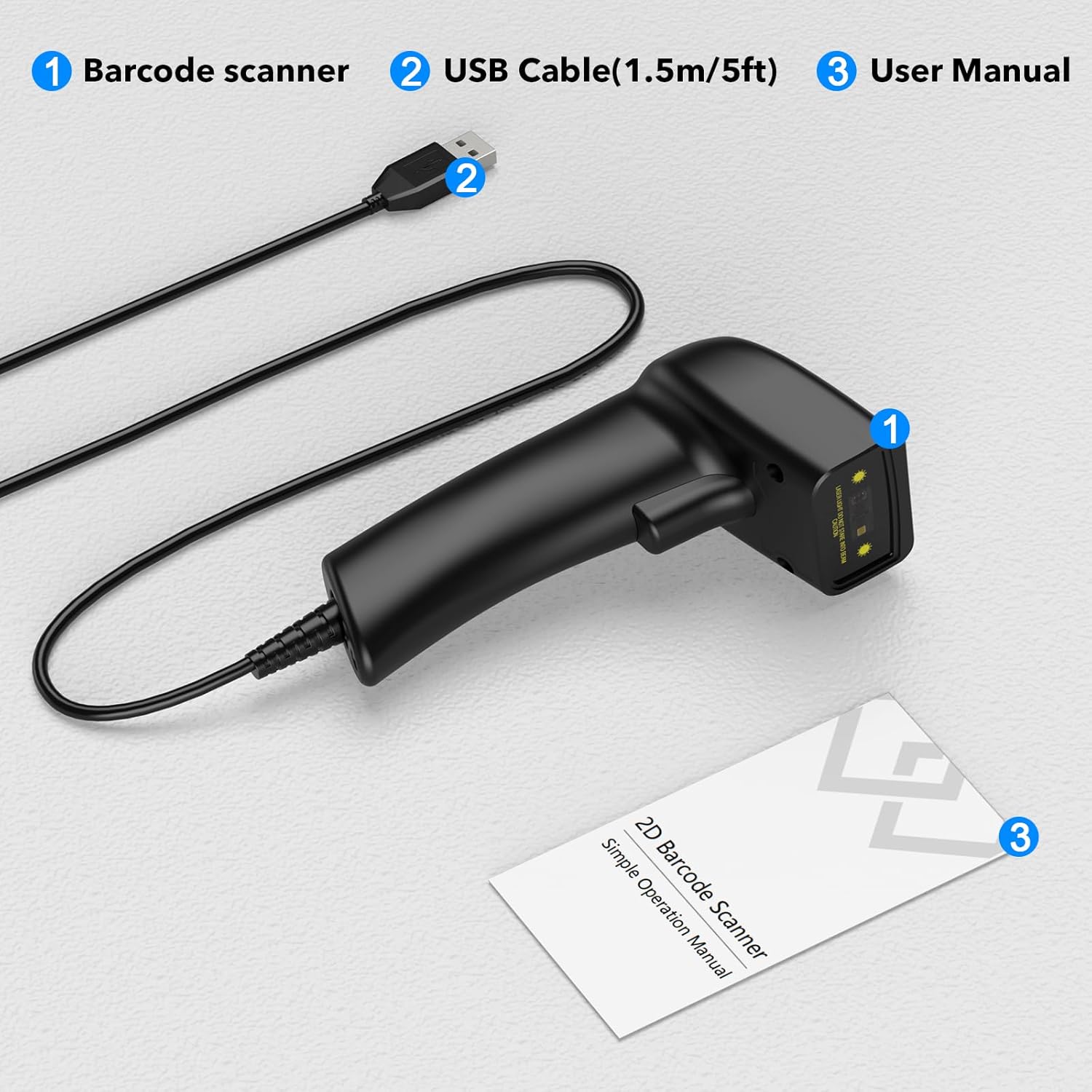
Figure 3.2: The USB cable serves as both a charging cable and a data transmission cable, highlighting its plug-and-play design.
4. ఆపరేటింగ్ సూచనలు
4.1 బార్కోడ్లను స్కాన్ చేయడం
To scan a barcode, aim the laser beam at the center of the barcode and press the trigger button. A successful scan will typically be indicated by a beep and/or a light indicator.
The scanner supports a wide range of 1D barcode types, including but not limited to:
- UPC/EAN
- UCC/EAN 128
- Code 39/93/128
- కోడాబార్
- 2లో 5 ఇంటర్లీవ్డ్
- 2లో వివిక్త 5
- MSI
- కోడ్ 11
- RSS variants
- 2లో చైనీస్ 5
It features new 32-bit digit laser decoding technology for faster scanning speed and can decode even blurring or incomplete 1D codes.

Figure 4.1: The scanner's super decoding ability for various 1D and 2D barcode types, even if blurred or incomplete.
4.2 Sound and Vibration Settings
The scanner provides options to customize sound and vibration feedback according to your preferences. Refer to the included user manual for specific barcode configurations to enable or disable these features.
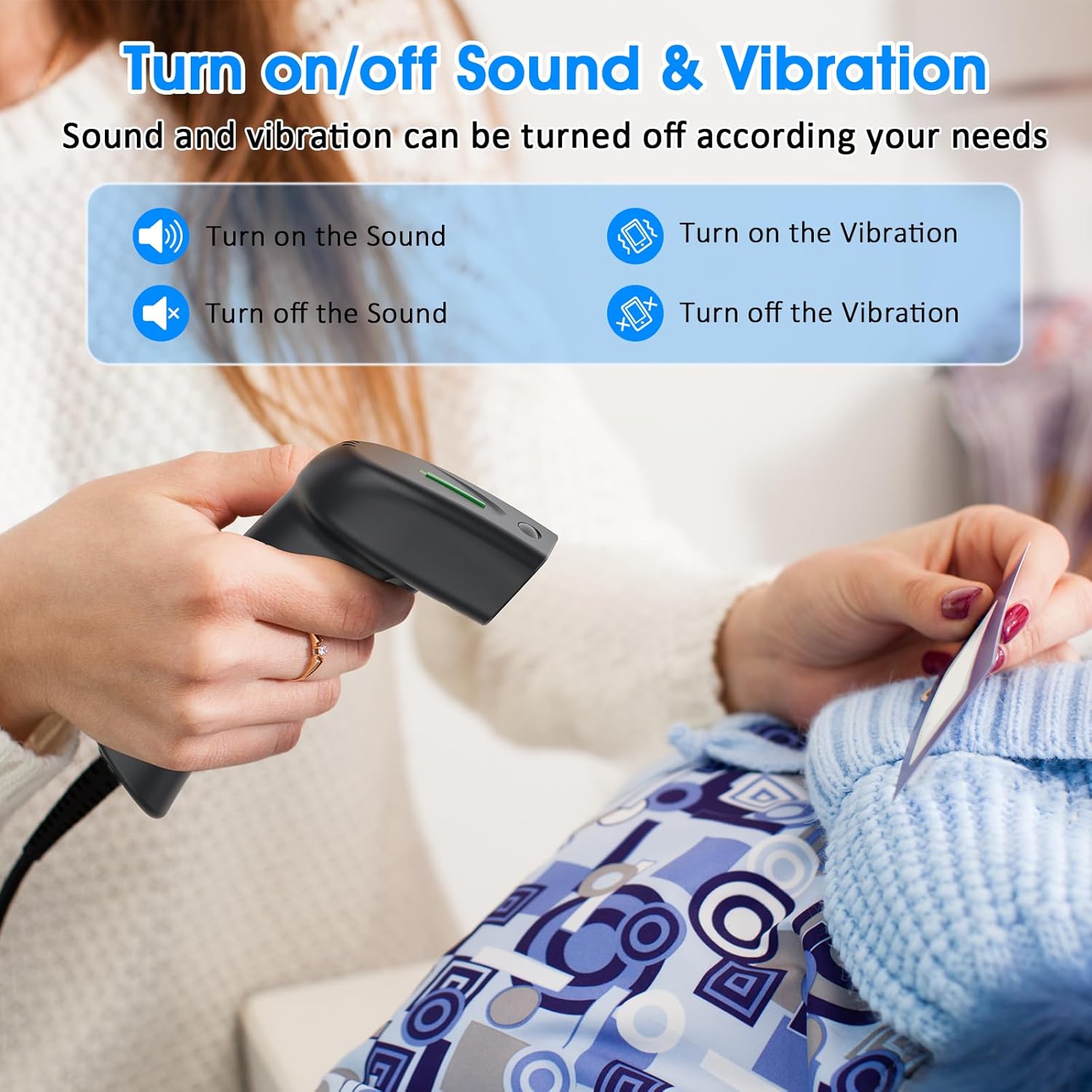
Figure 4.2: Options for enabling or disabling sound and vibration feedback on the scanner.
5. Product Design and Ergonomics
The Symcode barcode scanner features a small, exquisite, and streamlined design, making it comfortable to hold and easy to use for extended periods. Its lightweight construction contributes to a better user experience compared to bulkier alternatives.

Figure 5.1: The scanner's compact and comfortable design, contrasting with larger, less practical designs.
6. స్పెసిఫికేషన్లు
Detailed technical specifications for the Symcode USB Laser Barcode Scanner:
| ఫీచర్ | వివరణ |
|---|---|
| కొలతలు | 165*63*87మిమీ (6.5 x 2.48 x 3.43 అంగుళాలు) |
| బరువు | 156 గ్రా (4.2 ఔన్సులు) |
| కాంతి మూలం | 650nm~670nm Visible Laser |
| స్కాన్ వేగం | 100 scans/sec (150 scans per second mentioned in feature bullets) |
| Read Preciseness | 0.1మి.మీ (4మి.లీ) |
| ప్రింట్ కాంట్రాస్ట్ | 30% నిమి |
| ఫీల్డ్ యొక్క లోతు | 0~600mm (0.33mm, PCS 90%) |
| Scan Scope | 10mm~250mm |
| పఠన దూరం | 2.5~600mm (100% UPC/EAN) |
| Decode Capabilities | EAN-8/13, UPC-A/E, Code 39/93/128, EAN-128, Codabar, Industrial 2 of 5, Interleave 2 of 5, Matrix 2 of 5, MSI etc. |
| బిట్ ఎర్రర్ రేట్ | 1/5 మిలియన్ |
| ప్రస్తుత | 85mA (working), 36mA (storage) |
| ఇంటర్ఫేస్ | USB |
| ఆపరేటింగ్ ఉష్ణోగ్రత | 0℃~45℃ |
| నిల్వ ఉష్ణోగ్రత | -20℃~60℃ |
| తేమ | 5%~95% నాన్-కండెన్సింగ్ |
| మెటీరియల్ | ABS+PC |
| అనుకూల పరికరాలు | Laptop (and other devices with USB host capability) |
| శక్తి మూలం | కార్డెడ్ ఎలక్ట్రిక్ (USB ద్వారా) |
| ఆపరేటింగ్ వాల్యూమ్tage | 4.7 వోల్ట్లు |
7. ట్రబుల్షూటింగ్
7.1 No Output After Scanning
If the scanner appears to be working (laser light, beep) but no data appears on your computer screen, ensure you have an active text input field or application open. The scanner acts like a keyboard, inputting scanned data directly into the active application. Try opening a simple text editor like Notepad (Windows), TextEdit (Mac), or a word processing document (Word, Excel) and then scan a barcode.
7.2 Scanner Not Recognized
If the scanner is not recognized by your computer:
- Ensure the USB cable is securely connected to both the scanner and the computer's USB port.
- మీ కంప్యూటర్లోని స్కానర్ను వేరే USB పోర్ట్కు కనెక్ట్ చేయడానికి ప్రయత్నించండి.
- మీ కంప్యూటర్ని పునఃప్రారంభించండి.
- Verify that the USB cable is not damaged.
7.3 Incorrect Data Output
If the scanned data is incorrect or garbled, refer to the full user manual for programming barcodes that reset the scanner to factory defaults or configure specific data formats.
8. నిర్వహణ
To ensure the longevity and optimal performance of your barcode scanner, follow these simple maintenance guidelines:
- శుభ్రపరచడం: స్కానర్ బాహ్య భాగాన్ని శుభ్రం చేయడానికి మృదువైన, పొడి వస్త్రాన్ని ఉపయోగించండి. స్కానింగ్ విండో కోసం, మెత్తటి రహిత వస్త్రాన్ని తేలికగా ఉపయోగించండి dampతేలికపాటి, రాపిడి లేని క్లీనర్తో తయారు చేయబడింది. లెన్స్పై గీతలు పడే కఠినమైన రసాయనాలు లేదా రాపిడి పదార్థాలను నివారించండి.
- నిల్వ: స్కానర్ను ప్రత్యక్ష సూర్యకాంతి మరియు తీవ్రమైన ఉష్ణోగ్రతలకు దూరంగా చల్లని, పొడి ప్రదేశంలో నిల్వ చేయండి.
- నిర్వహణ: Avoid dropping the scanner or subjecting it to strong impacts, as this can damage internal components. The cable is non-removable, so handle it with care to prevent damage at the connection point.
9. వారంటీ మరియు మద్దతు
Symcode is committed to providing high-quality products and excellent after-sales service. For specific warranty information, including terms and conditions, please refer to the documentation included with your purchase or visit the official Symcode website. For technical support or inquiries, please contact Symcode customer service through the contact information provided on the product packaging or the brand's official channels.
Ask a question about this manual
Ask about setup, troubleshooting, compatibility, parts, safety, or missing instructions. Manuals+ will review the question and use this page’s manual context to help answer it.