
1. పరిచయం
This manual provides comprehensive instructions for the proper use and maintenance of your Zerone Replacement TV Remote Control, model BN59-01199G. This remote is designed as a direct replacement for compatible Samsung Smart TVs, ensuring seamless operation without complex setup.

Image 1.1: The Zerone Replacement TV Remote Control, showcasing its button layout and ergonomic design.
2. ప్యాకేజీ విషయాలు
- 1 x Zerone Replacement TV Remote Control (Model: BN59-01199G)
3. స్పెసిఫికేషన్లు
| ఫీచర్ | వివరాలు |
|---|---|
| షెల్ మెటీరియల్ | ABS |
| రిమోట్ కంట్రోల్ దూరం | Greater than 8 meters (actual distance may vary based on TV model and environment) |
| బ్యాటరీ మోడల్ | 2 x AA బ్యాటరీలు (చేర్చబడలేదు) |
| ఉత్పత్తి కొలతలు | సుమారుగా 175 x 45 x 20 మిమీ (6.9 x 1.8 x 0.8 అంగుళాలు) |
| వస్తువు బరువు | సుమారు 67 గ్రా (2.46 ఔన్సులు) |
| అనుకూల పరికరాలు | Samsung Smart TVs requiring BN59-01199G remote |

Image 3.1: Dimensions of the remote control: 175mm (6.9in) length, 45mm (1.8in) width, and 20mm (0.8in) thickness.
4. సెటప్
4.1 బ్యాటరీ ఇన్స్టాలేషన్
- రిమోట్ కంట్రోల్ వెనుక బ్యాటరీ కంపార్ట్మెంట్ను గుర్తించండి.
- బ్యాటరీ కవర్ను తెరవడానికి దాన్ని క్రిందికి జారండి.
- రెండు (2) AA బ్యాటరీలను చొప్పించండి, పాజిటివ్ (+) మరియు నెగటివ్ (-) టెర్మినల్స్ కంపార్ట్మెంట్ లోపల ఉన్న గుర్తులతో సరిగ్గా సమలేఖనం చేయబడ్డాయని నిర్ధారించుకోండి.
- సురక్షితంగా క్లిక్ చేసే వరకు బ్యాటరీ కవర్ను తిరిగి స్థానంలోకి జారండి.
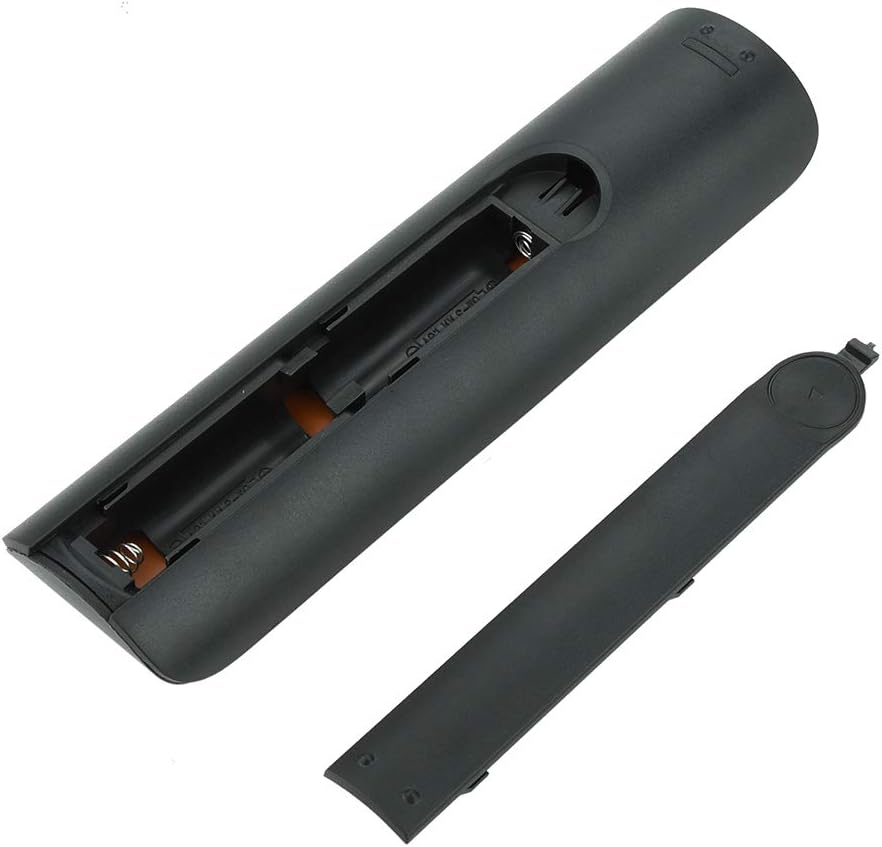
చిత్రం 4.1: View of the remote control with the battery cover removed, showing the two AA battery slots.
4.2 ప్రారంభ ఉపయోగం
This remote control is designed to work directly with compatible Samsung Smart TVs that originally used the BN59-01199G model. No programming or pairing is typically required. Simply install the batteries and point the remote towards your television.

Image 4.2: The remote control positioned near a television, illustrating its intended use with compatible Samsung models.
5. ఆపరేటింగ్ సూచనలు
The remote control features standard buttons for TV operation. Refer to the image below for a visual guide to the button layout.

చిత్రం 5.1: వివరణాత్మక view of the remote control's buttons, including power, number pad, volume, channel, and smart functions.
- పవర్ బటన్ (ఎరుపు): టీవీని ఆన్ లేదా ఆఫ్ చేస్తుంది.
- నంబర్ ప్యాడ్ (0-9): ప్రత్యక్ష ఛానెల్ ఇన్పుట్ కోసం.
- వాల్యూమ్ అప్/డౌన్ (+/-): టీవీ వాల్యూమ్ను సర్దుబాటు చేస్తుంది.
- ఛానల్ పైకి/క్రిందికి (CH +/-): టీవీ ఛానళ్లు మారుస్తాడు.
- మ్యూట్: టీవీ ఆడియోను నిశ్శబ్దం చేస్తుంది.
- స్మార్ట్ హబ్: Accesses the Smart Hub interface for apps and streaming services.
- మెను: టీవీ ప్రధాన మెనూను తెరుస్తుంది.
- సాధనాలు: Provides quick access to common TV functions.
- సమాచారం: ప్రస్తుత ప్రోగ్రామ్ లేదా ఇన్పుట్ గురించి సమాచారాన్ని ప్రదర్శిస్తుంది.
- నావిగేషన్ ప్యాడ్ (పైకి, క్రిందికి, ఎడమకు, కుడికి, ప్రవేశించు): మెనూలను నావిగేట్ చేయడానికి మరియు ఎంపికలను ఎంచుకోవడానికి ఉపయోగించబడుతుంది.
- తిరిగి: మునుపటి స్క్రీన్ లేదా మెనూకు తిరిగి వెళుతుంది.
- నిష్క్రమించు: ప్రస్తుత మెను లేదా అప్లికేషన్ను మూసివేస్తుంది.
- రంగు బటన్లు (A, B, C, D): Functionality varies by TV model and application.
- ప్లేబ్యాక్ నియంత్రణలు: Play, Pause, Stop, Fast Forward, Rewind for media playback.
6. నిర్వహణ
6.1 శుభ్రపరచడం
రిమోట్ కంట్రోల్ను శుభ్రం చేయడానికి, దానిని మృదువైన, పొడి గుడ్డతో సున్నితంగా తుడవండి. మొండి ధూళి కోసం, కొద్దిగా dampనీరు లేదా తేలికపాటి, రాపిడి లేని క్లీనర్తో గుడ్డను శుభ్రం చేయండి. కఠినమైన రసాయనాలు లేదా అధిక తేమను ఉపయోగించకుండా ఉండండి, ఎందుకంటే ఇవి రిమోట్ యొక్క ఎలక్ట్రానిక్స్ను దెబ్బతీస్తాయి.
6.2 బ్యాటరీ భర్తీ
Replace batteries when the remote control's response becomes sluggish or stops working. Always replace both AA batteries at the same time with new ones. Do not mix old and new batteries, or different types of batteries.
7. ట్రబుల్షూటింగ్
- రిమోట్ స్పందించడం లేదు:
- బ్యాటరీలు సరైన ధ్రువణతతో సరిగ్గా చొప్పించబడ్డాయో లేదో తనిఖీ చేయండి.
- బ్యాటరీలను తాజా వాటితో భర్తీ చేయండి.
- రిమోట్ కంట్రోల్ మరియు టీవీ ఇన్ఫ్రారెడ్ రిసీవర్ మధ్య ఎటువంటి అడ్డంకులు లేవని నిర్ధారించుకోండి.
- రిమోట్ నేరుగా టీవీ వైపు చూపించబడిందని నిర్ధారించుకోండి.
- Short remote control distance:
- This can indicate low battery power; replace the batteries.
- Environmental factors or strong light sources can interfere with the infrared signal. Try using the remote in different lighting conditions.
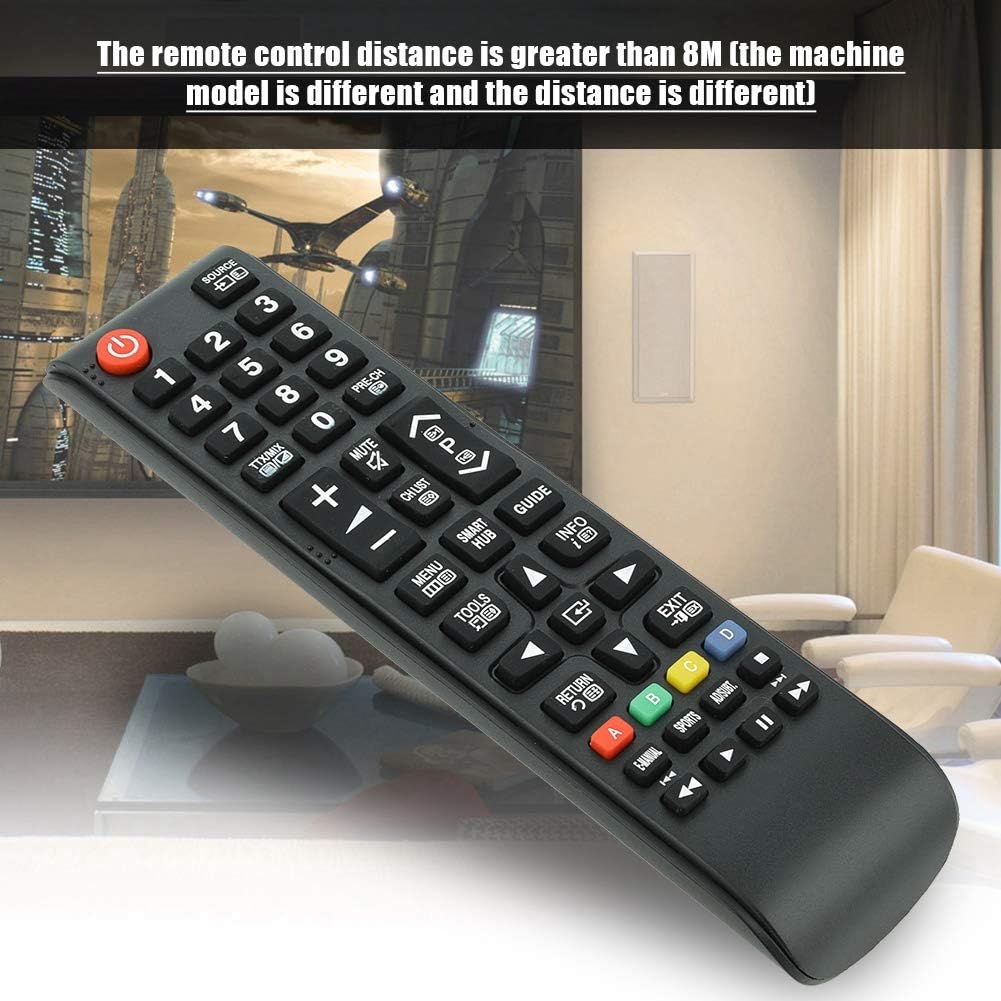
Image 7.1: The remote control in a typical home environment, demonstrating its effective range for TV operation.
8. వారంటీ మరియు మద్దతు
Zerone products are manufactured with quality in mind. If you encounter any issues or are not satisfied with your product, please contact the seller or manufacturer for support. Refer to your purchase documentation for specific warranty terms and contact information.