
1. పరిచయం మరియు ఓవర్view
The Kemei KM-5021 is a versatile 3-in-1 rechargeable trimmer and clipper designed for precise grooming. It features durable construction and rounded-tip blades for smooth skin contact, minimizing irritation. The device offers adjustable length settings, from a 0.5mm close shave without a comb to a 10mm full beard trim, allowing for various styling options. Its compact design and USB charging compatibility ensure portability and convenience.
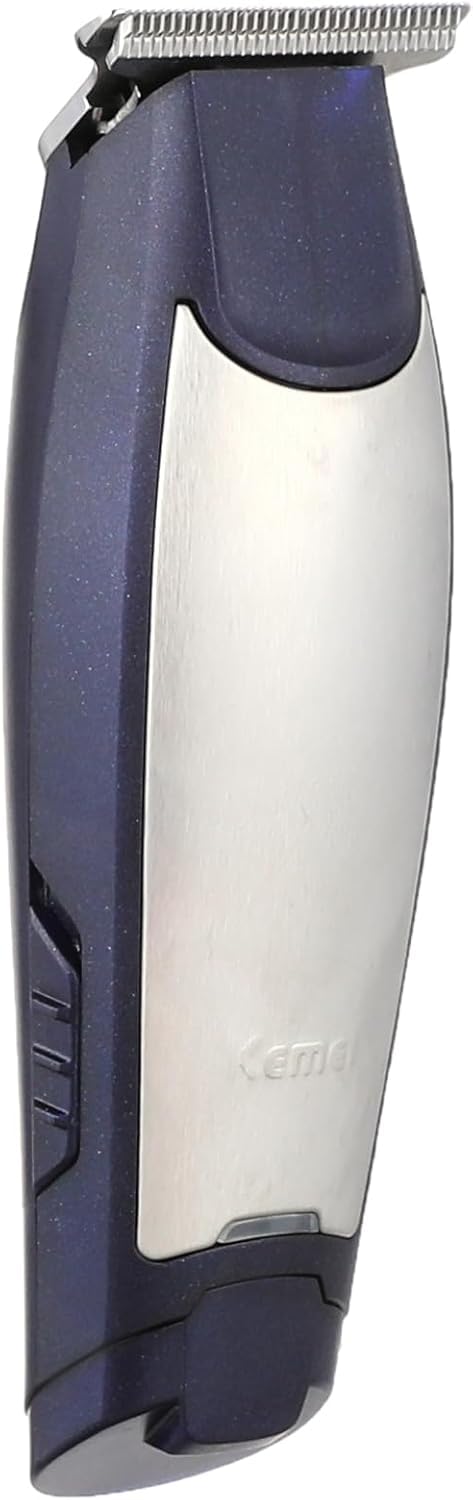
Image: The Kemei KM-5021 trimmer shown with its packaging and various accessories.
2. భద్రతా సమాచారం
Please read and understand all safety instructions before using the Kemei KM-5021 trimmer.
- హెచ్చరిక: Not suitable for infants or children. Keep out of reach of children.
- Protect the device from water and moisture to prevent electric shock. Do not use near water or in wet conditions.
- Use only with the provided power plug and USB charging cable.
- Avoid direct skin contact with sharp blades to prevent injury. Handle blades with care.
- In case of eye contact with any part of the device or accidental injury, seek medical advice immediately.
- Ensure regular cleaning and maintenance for optimal performance and hygiene.
- This product is designed for daily use.
3. ప్యాకేజీ విషయాలు
ప్యాకేజీలో అన్ని అంశాలు ఉన్నాయని నిర్ధారించుకోండి:
- Kemei KM-5021 Trimmer Unit
- USB ఛార్జింగ్ కేబుల్
- క్లీనింగ్ బ్రష్
- లూబ్రికేటింగ్ ఆయిల్
- Multiple Guide Combs (4 pieces)

చిత్రం: క్లోజప్ view of the Kemei KM-5021 accessories, including the USB charging cable, cleaning brush, lubricating oil, and four guide combs.
4. సెటప్
4.1 ట్రిమ్మర్ను ఛార్జ్ చేస్తోంది
- ట్రిమ్మర్ స్విచ్ ఆఫ్ చేయబడిందని నిర్ధారించుకోండి.
- USB ఛార్జింగ్ కేబుల్ను ట్రిమ్మర్ దిగువన ఉన్న ఛార్జింగ్ పోర్ట్కు కనెక్ట్ చేయండి.
- USB కేబుల్ యొక్క మరొక చివరను అనుకూలమైన USB పవర్ అడాప్టర్ (చేర్చబడలేదు) లేదా USB పోర్ట్లోకి ప్లగ్ చేయండి.
- Allow the trimmer to charge fully before first use. The indicator light (if present) will show charging status.
4.2 గైడ్ దువ్వెనలను అటాచ్ చేయడం
The Kemei KM-5021 comes with multiple guide combs to achieve different hair lengths.
- Select the desired guide comb for your preferred hair length.
- Align the comb with the trimmer blade.
- దువ్వెన బ్లేడ్పైకి సున్నితంగా నెట్టండి, అది దాని స్థానంలో సురక్షితంగా క్లిక్ అయ్యే వరకు.
- దువ్వెనను తొలగించడానికి, బ్లేడ్ నుండి శాంతముగా దూరంగా లాగండి.

Image: The Kemei KM-5021 trimmer displayed with its various guide combs, illustrating how different lengths can be achieved.
5. ఆపరేటింగ్ సూచనలు
5.1 జనరల్ ట్రిమ్మింగ్
- ట్రిమ్మర్ పూర్తిగా ఛార్జ్ చేయబడిందని నిర్ధారించుకోండి.
- Attach the appropriate guide comb for your desired hair length (refer to Section 4.2). For a 0.5mm close trim, use without a comb.
- ట్రిమ్మర్ను ఆన్ చేయడానికి పవర్ బటన్ను నొక్కండి.
- Hold the trimmer with the blades facing the area you wish to trim.
- సమానంగా కత్తిరించడానికి ట్రిమ్మర్ను జుట్టు పెరుగుదల దిశకు వ్యతిరేకంగా కదిలించండి.
- నెమ్మదిగా, నియంత్రిత కదలికలను ఉపయోగించండి.
- After use, turn off the trimmer and clean it (refer to Section 6).
5.2 పొడవు సెట్టింగ్లను సర్దుబాటు చేయడం
The trimmer allows for various length settings. With guide combs, you can achieve lengths up to 10mm. Without a guide comb, the trimmer provides a 0.5mm trim.
6. నిర్వహణ
Regular cleaning and maintenance will ensure the longevity and optimal performance of your Kemei KM-5021 trimmer.
6.1 బ్లేడ్లను శుభ్రపరచడం
- Turn off the trimmer and disconnect it from any power source.
- జతచేయబడిన గైడ్ దువ్వెనను తీసివేయండి.
- బ్లేడ్ల నుండి వదులుగా ఉన్న వెంట్రుకలను తొలగించడానికి అందించిన క్లీనింగ్ బ్రష్ను ఉపయోగించండి.
- For a more thorough clean, the blades can be carefully detached (refer to specific instructions if provided in the physical manual) and rinsed under running water. Ensure blades are completely dry before reattaching.
- Do not immerse the entire trimmer unit in water.
6.2 బ్లేడ్లకు నూనె వేయడం
- బ్లేడ్లను శుభ్రం చేసి ఆరబెట్టిన తర్వాత, అందించిన లూబ్రికేటింగ్ ఆయిల్ను 1-2 చుక్కలు బ్లేడ్లపై వేయండి.
- నూనె సమానంగా పంపిణీ అయ్యేలా కొన్ని సెకన్ల పాటు ట్రిమ్మర్ను ఆన్ చేయండి.
- ఏదైనా అదనపు నూనెను మృదువైన గుడ్డతో తుడవండి.
- Oiling should be done regularly, especially after cleaning or if the trimmer feels sluggish.
7. ట్రబుల్షూటింగ్
If you encounter any issues with your Kemei KM-5021 trimmer, please refer to the following common solutions:
- ట్రిమ్మర్ ఆన్ చేయడం లేదు: Ensure the trimmer is fully charged. Check the charging cable and power source.
- పేలవమైన కట్టింగ్ పనితీరు: Clean the blades thoroughly and apply lubricating oil. Ensure no hair is stuck in the blades. The blades may need sharpening or replacement if they are dull (contact support).
- అసాధారణ శబ్దం: Clean and oil the blades. If the noise persists, discontinue use and contact customer support.
For persistent problems not covered here, please contact Kemei customer support.
8. స్పెసిఫికేషన్లు
| ఫీచర్ | వివరాలు |
|---|---|
| బ్రాండ్ | కెమెయి |
| మోడల్ సంఖ్య | KM-5021 |
| శక్తి మూలం | బ్యాటరీ ఆధారితం (పునర్వినియోగపరచదగినది) |
| కనెక్టర్ రకం | USB |
| బ్లేడ్ మెటీరియల్ | స్టెయిన్లెస్ స్టీల్ |
| తలల సంఖ్య | 4 (Guide Combs) |
| స్పీడ్ సెట్టింగుల సంఖ్య | 1 |
| టార్గెట్ ఆడియన్స్ | పురుషులు |
| సిఫార్సు చేసిన ఉపయోగాలు | Facial and Body Hair Trimming |
| వస్తువు బరువు | 300 గ్రాములు |
| మూలం దేశం | చైనా |
9. వారంటీ మరియు మద్దతు
This Kemei KM-5021 product comes with a manufacturer's warranty for 2 years from the date of purchase. For warranty claims, maintenance, or further details, please contact the manufacturer/agent or Amazon customer service.
For additional support or inquiries, please refer to the contact information provided with your product packaging or visit the official Kemei webసైట్.