
JJRC JJRC H71
JJRC H71 Foldable Drone User Manual
Model: JJRC H71
1. పరిచయం
This manual provides essential information for the safe operation and maintenance of your JJRC H71 Foldable Drone. Please read it thoroughly before operating the drone to ensure proper usage and to prevent damage or injury. Keep this manual for future reference.
1.1 భద్రతా మార్గదర్శకాలు
- డ్రోన్ను ఎల్లప్పుడూ బహిరంగ ప్రదేశాలలో, వ్యక్తులు, జంతువులు మరియు అడ్డంకులకు దూరంగా ఆపరేట్ చేయండి.
- విమానాశ్రయాలు, పరిమిత గగనతలం లేదా సున్నితమైన ప్రాంతాల దగ్గర విమానాలు నడపవద్దు.
- Ensure the drone batteries are fully charged before each flight.
- బలమైన గాలులు లేదా ప్రతికూల వాతావరణ పరిస్థితుల్లో ఎగరడం మానుకోండి.
- Maintain a safe distance from the rotating propellers.
- పిల్లలు పెద్దల పర్యవేక్షణలో మాత్రమే డ్రోన్ను ఆపరేట్ చేయాలి.
- Do not modify the drone or its components.
2. ప్యాకేజీ విషయాలు
క్రింద జాబితా చేయబడిన అన్ని వస్తువులు మీ ప్యాకేజీలో చేర్చబడ్డాయని ధృవీకరించండి:
- JJRC H71 Foldable Drone
- రిమోట్ కంట్రోలర్
- Modular Batteries (2 pcs)
- Spare Propellers (1 set)
- Propeller Guards (4 pcs)
- USB ఛార్జింగ్ కేబుల్
- స్క్రూడ్రైవర్
- వినియోగదారు మాన్యువల్ (ఈ పత్రం)
- క్యారీయింగ్ కేసు

Image: All components of the JJRC H71 Foldable Drone package, including the drone, remote controller, two batteries, spare propellers, propeller guards, USB charging cable, screwdriver, and carrying case.
3. కాంపోనెంట్ ఐడెంటిఫికేషన్
3.1 Drone Overview

Image: The JJRC H71 Foldable Drone in its unfolded state, alongside its remote controller with a phone holder, a folded drone, and two modular batteries.
The JJRC H71 drone features a foldable design for portability. It includes a 1080P HD camera, LED lights, and modular battery compartments.
3.2 రిమోట్ కంట్రోలర్
The remote controller is equipped with joysticks for flight control, buttons for various functions, and a phone holder for FPV viewing.
4. సెటప్
4.1 బ్యాటరీ ఇన్స్టాలేషన్ మరియు ఛార్జింగ్
- డ్రోన్ బ్యాటరీ: Insert a fully charged modular battery into the drone's battery compartment until it clicks into place.
- రిమోట్ కంట్రోలర్ బ్యాటరీలు: Open the battery cover on the back of the remote controller and insert 4 AA batteries (not included), ensuring correct polarity. Close the cover.
- ఛార్జింగ్: Connect the modular drone battery to the USB charging cable. Plug the USB cable into a 5V/1A USB power adapter (not included). The indicator light on the cable will show charging status. Charging typically takes 60-80 minutes.

Image: Illustration showing the modular battery being inserted into the JJRC H71 drone's battery compartment, with a second battery shown separately.
4.2 Propeller and Guard Installation
- ప్రొపెల్లర్లు: Ensure propellers are correctly installed according to their markings (A and B) on the corresponding motor shafts. Use the provided screwdriver to secure them.
- ప్రొపెల్లర్ గార్డ్స్: అదనపు రక్షణ కోసం, ముఖ్యంగా ప్రారంభకులకు, డ్రోన్ చేతులకు ప్రొపెల్లర్ గార్డులను అటాచ్ చేయండి.
4.3 యాప్ డౌన్లోడ్ మరియు కనెక్షన్
- Download the official JJRC app from your mobile device's app store. కోసం వెతకండి 'JJRC'.
- Turn on the drone and your mobile device's Wi-Fi.
- Connect your mobile device to the drone's Wi-Fi network (e.g., 'JJRC-H71-XXXX').
- Open the JJRC app to access FPV view and advanced flight features.
5. ఆపరేటింగ్ సూచనలు
5.1 ప్రీ-ఫ్లైట్ చెక్లిస్ట్
- డ్రోన్ మరియు రిమోట్ బ్యాటరీలు పూర్తిగా ఛార్జ్ అయ్యాయని నిర్ధారించుకోండి.
- Check that propellers and guards are securely installed.
- Select an open, safe flying area.
- డ్రోన్ మరియు రిమోట్ కంట్రోలర్ను ఆన్ చేయండి.
5.2 జత చేయడం మరియు అమరిక
- జత చేయడం: Turn on the drone, then turn on the remote controller. Push the left joystick up and then pull it down. The drone's lights will stop flashing, indicating successful pairing.
- గైరో కాలిబ్రేషన్: After pairing, place the drone on a flat, level surface. Push both joysticks down and to the right simultaneously. The drone's lights will flash rapidly and then become solid, indicating successful calibration.
5.3 టేకాఫ్ మరియు ల్యాండింగ్
- వన్-కీ టేకాఫ్: Press the one-key take-off button on the remote. The drone will automatically ascend to a stable altitude.
- మాన్యువల్ టేకాఫ్: Push both joysticks outwards and downwards to start the motors. Then, gently push the left joystick up to ascend.
- వన్-కీ ల్యాండింగ్: Press the one-key landing button. The drone will automatically descend and land.
- మాన్యువల్ ల్యాండింగ్: Gently pull the left joystick down to descend. Once landed, pull both joysticks inwards and downwards to stop the motors.
5.4 Flight Controls and Features
- ప్రాథమిక నియంత్రణలు: Use the left joystick for altitude (up/down) and rotation (left/right). Use the right joystick for forward/backward and left/right strafing.
- ఎత్తు హోల్డ్: డ్రోన్ దాని ప్రస్తుత ఎత్తును స్వయంచాలకంగా నిర్వహిస్తుంది, స్థిరంగా ఎగరడానికి వీలు కల్పిస్తుంది.
- ఆప్టికల్ ఫ్లో పొజిషనింగ్: This feature uses a downward-facing camera to detect patterns on the ground, helping the drone maintain its position and hover steadily, especially at lower altitudes.
- హెడ్లెస్ మోడ్: In Headless Mode, the drone's orientation is relative to the pilot, regardless of the drone's front direction. Press the Headless Mode button to activate/deactivate.
- స్పీడ్ స్విచింగ్: The drone offers three speed modes (30%, 60%, 100%) suitable for different skill levels. Press the speed switch button to cycle through modes.
- Flight Planning (App Control): Using the JJRC app, you can draw a flight path on your mobile screen, and the drone will follow the designated route.
- Gravity Sensor (App Control): Tilt your mobile phone to control the drone's direction. Activate this feature within the JJRC app.

Image: Diagram illustrating how Optical Flow Positioning helps the drone hover steadily by analyzing ground patterns, and how Altitude Hold maintains a specific height.

Image: Illustration showing the JJRC H71 drone in flight with three speed modes (30%, 60%, 100%) indicated on the remote controller's display.
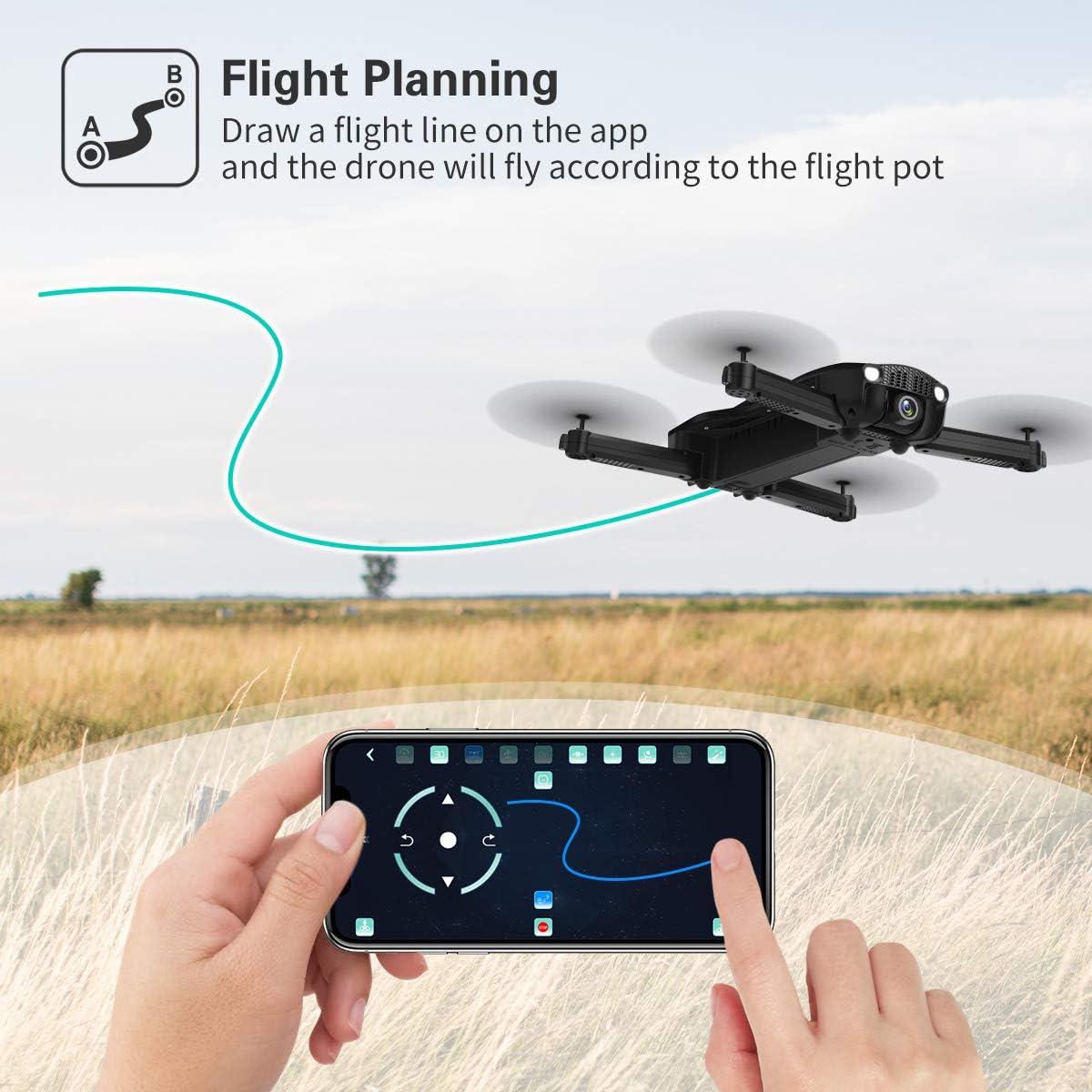
Image: A hand interacting with the JJRC app on a smartphone, demonstrating the flight planning feature where a path is drawn for the drone to follow.
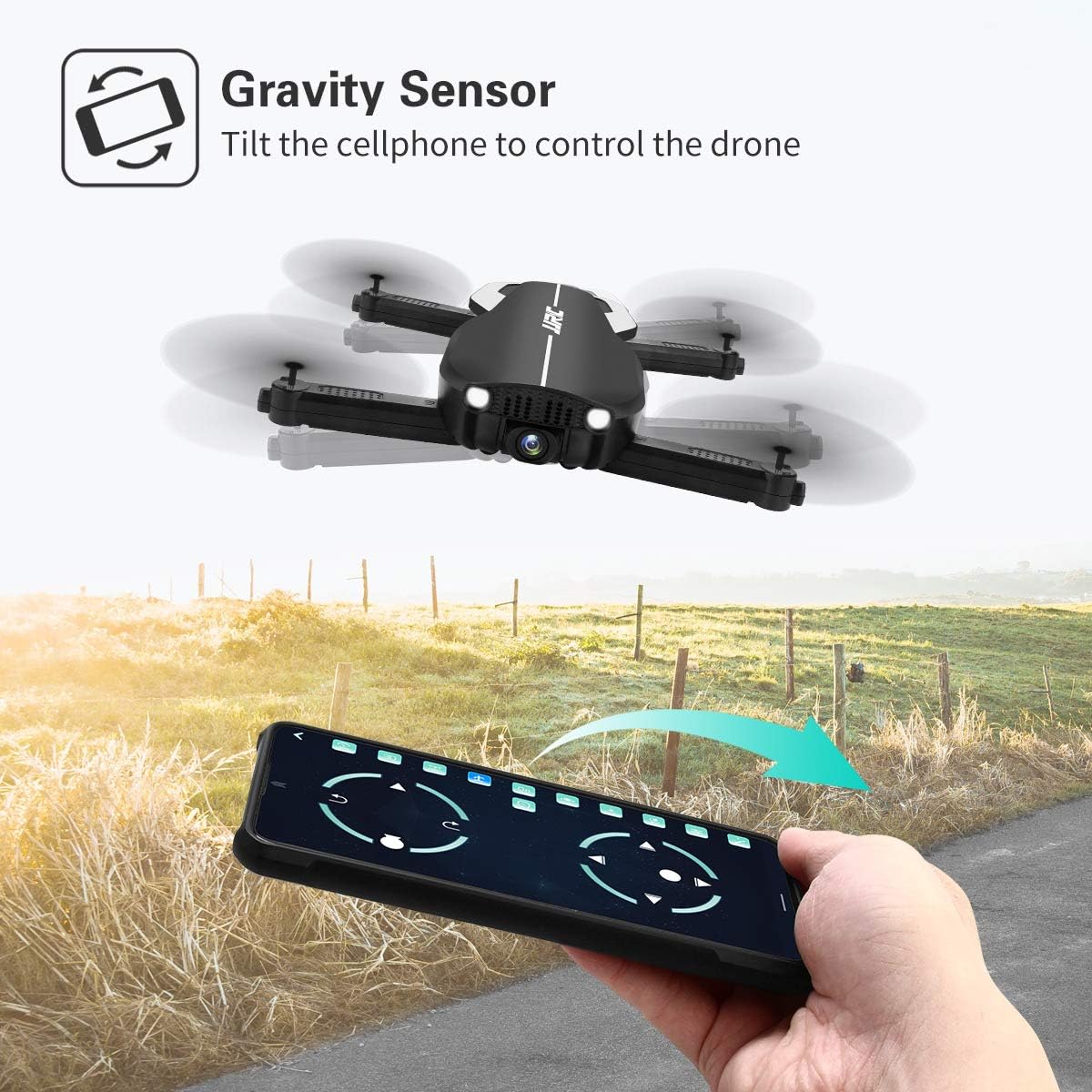
Image: A hand holding a smartphone, demonstrating the Gravity Sensor feature where tilting the phone controls the drone's flight direction.
5.5 Camera Operation and FPV
- 1080P HD కెమెరా: The drone is equipped with a 90° adjustable 1080P HD camera for capturing high-quality photos and videos.
- FPV Function: Through the Wi-Fi FPV real-time transmission, live images and videos from the drone's camera are streamed directly to your connected mobile device via the JJRC app. The transmission range is up to 50 meters.
- రికార్డింగ్: Use the dedicated buttons on the remote controller or the controls within the JJRC app to start/stop video recording or take photos.

చిత్రం: క్లోజప్ view of the JJRC H71 drone's 1080P HD camera, highlighting its 90-degree adjustable angle and 120-degree field of view.
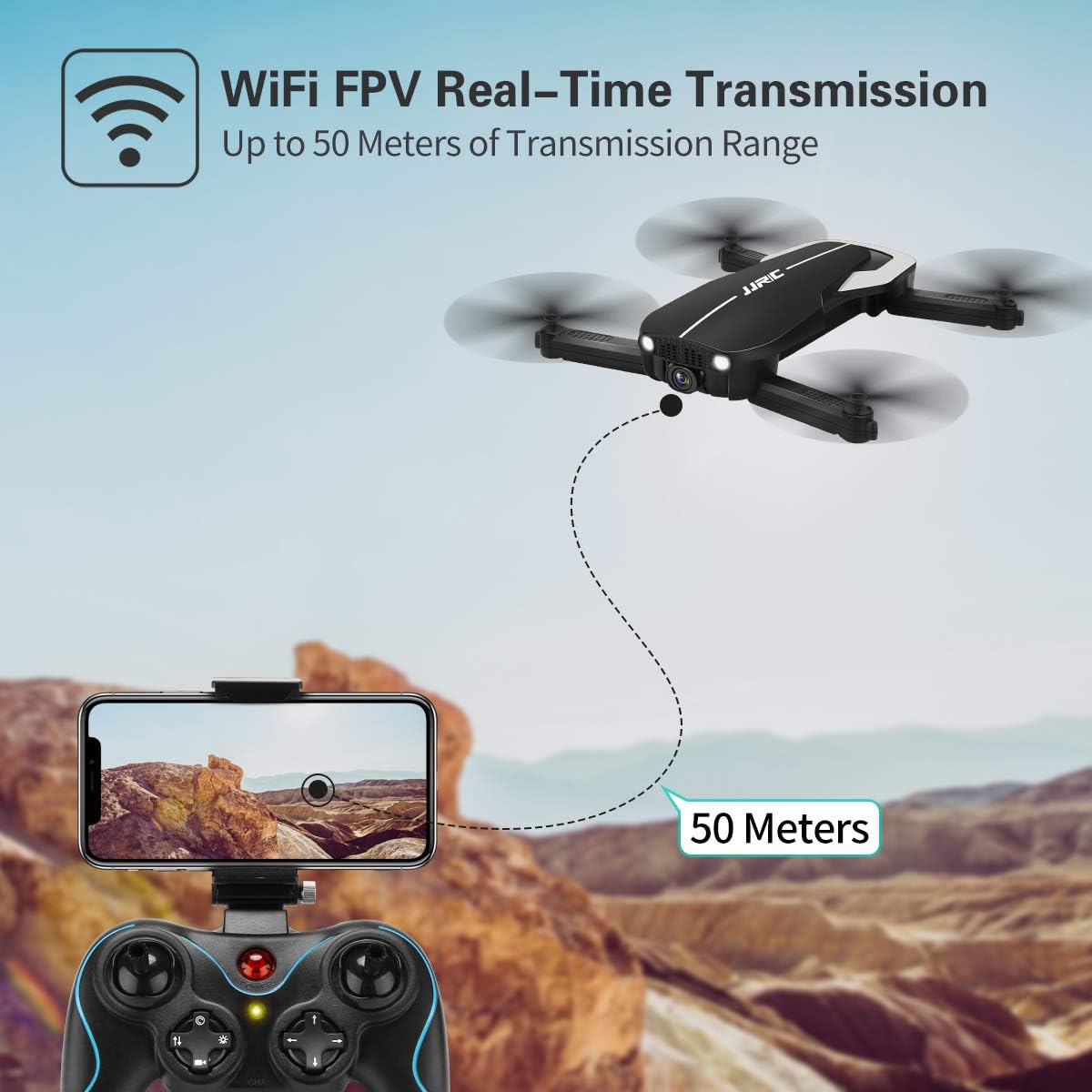
Image: Illustration showing the JJRC H71 drone transmitting live video feed via Wi-Fi to a smartphone mounted on the remote controller, with a transmission range of up to 50 meters.
6. నిర్వహణ
- శుభ్రపరచడం: Use a soft, dry cloth to clean the drone and remote controller. Avoid using water or solvents.
- ప్రొపెల్లర్ ప్రత్యామ్నాయం: If a propeller is damaged, replace it with a spare propeller of the correct type (A or B) using the provided screwdriver.
- నిల్వ: Store the drone and its components in the carrying case in a cool, dry place, away from direct sunlight and extreme temperatures. Remove batteries from the remote controller if storing for extended periods.
7. ట్రబుల్షూటింగ్
| సమస్య | సాధ్యమైన కారణం | పరిష్కారం |
|---|---|---|
| డ్రోన్ రిమోట్కు స్పందించదు. | Not paired or low battery. | Ensure drone and remote are powered on and paired correctly. Charge batteries. |
| ఎగురుతున్నప్పుడు డ్రోన్ కదులుతుంది. | Gyro not calibrated or strong wind. | Perform gyro calibration on a flat surface. Avoid flying in windy conditions. |
| FPV ఇమేజ్ అస్పష్టంగా లేదా డిస్కనెక్ట్ చేయబడింది. | Weak Wi-Fi signal or incorrect app. | Ensure drone and phone are within 50m range. Reconnect to drone's Wi-Fi. Use the official JJRC app. |
| ప్రొపెల్లర్లు తిరగవు. | Motors not armed or damaged propellers. | Arm motors (joysticks outwards/downwards). Check for obstructions or replace damaged propellers. |
8. స్పెసిఫికేషన్లు
| ఫీచర్ | వివరాలు |
|---|---|
| బ్రాండ్ | JJRC |
| మోడల్ | H71 |
| కెమెరా రిజల్యూషన్ | 1080P HD (90° adjustable) |
| విమాన సమయం | 22 నిమిషాల వరకు (2 బ్యాటరీలతో) |
| బ్యాటరీ కెపాసిటీ | 900 mAh (per battery) |
| స్థాన వ్యవస్థ | Optical Flow Positioning, Altitude Hold |
| కనెక్టివిటీ | Wi-Fi (FPV up to 50m) |
| నియంత్రణ మోడ్లు | Remote Control, App Control (Flight Planning, Gravity Sensor) |
| ప్రత్యేక లక్షణాలు | Foldable Design, Headless Mode, 3 Speed Modes |
| మెటీరియల్ | Plastic Carbon Fiber |
| వస్తువు బరువు | 880 గ్రా |
9. వారంటీ మరియు మద్దతు
For warranty information and technical support, please refer to the official JJRC webసైట్లో లేదా మీ రిటైలర్ను సంప్రదించండి. కొనుగోలు రుజువుగా మీ కొనుగోలు రసీదును ఉంచండి.
Ask a question about this manual
Ask about setup, troubleshooting, compatibility, parts, safety, or missing instructions. Manuals+ will review the question and use this page’s manual context to help answer it.