
ఉత్పత్తి ముగిసిందిview
The DACOM L05 V4.1 Sport Wireless Headphones are designed for active lifestyles, offering a secure fit, high-quality audio, and robust water resistance. This manual provides essential information for setup, operation, and maintenance.

Image: DACOM L05 V4.1 Sport Wireless Headphones, black color, with ear hooks designed for a secure fit during physical activity.
పెట్టెలో ఏముంది

Image: The complete package contents including the headphones, ear tips, USB charging cable, and user guide.
- 1 x Dacom L05 Lightweight Bluetooth Headphones
- 3 Pairs Earphone Tips (Small, Medium, Large)
- 1 x USB ఛార్జింగ్ కేబుల్
- 1 x వినియోగదారు మాన్యువల్
సెటప్ గైడ్
హెడ్ఫోన్లను ఛార్జ్ చేస్తోంది
Before first use, fully charge your DACOM L05 V4.1 headphones. Use the provided Micro USB charging cable.
- ఛార్జింగ్ కేబుల్ యొక్క మైక్రో USB చివరను హెడ్ఫోన్లలోని ఛార్జింగ్ పోర్ట్కు కనెక్ట్ చేయండి.
- Connect the USB-A end of the cable to a standard USB power adapter (e.g., computer USB port, wall charger).
- సూచిక దీపం ఛార్జింగ్ స్థితిని చూపుతుంది (వివరాల కోసం LED సూచిక విభాగాన్ని చూడండి).
- Charging time is approximately 1.5-2 hours for a full charge. Avoid using fast chargers.
బ్లూటూత్ పరికరంతో జత చేస్తోంది
- హెడ్ఫోన్లు ఆఫ్ చేయబడి ఉన్నాయని నిర్ధారించుకోండి.
- Press and hold the Multi-function button on the headphones until the LED indicator flashes red and blue alternately, indicating pairing mode.
- మీ పరికరంలో (స్మార్ట్ఫోన్, టాబ్లెట్, మొదలైనవి), బ్లూటూత్ను ప్రారంభించి, అందుబాటులో ఉన్న పరికరాల కోసం శోధించండి.
- Select "DACOM L05" from the list of found devices.
- Once connected, the LED indicator will flash blue slowly, and a voice prompt will confirm the connection.
- పాస్వర్డ్ అడిగితే, "0000" ఎంటర్ చేయండి.
ఆపరేటింగ్ సూచనలు
పవర్ ఆన్/ఆఫ్
- పవర్ ఆన్: మల్టీ-ఫంక్షన్ బటన్ను 3 సెకన్ల పాటు నొక్కి పట్టుకోండి.
- పవర్ ఆఫ్: మల్టీ-ఫంక్షన్ బటన్ను 3 సెకన్ల పాటు నొక్కి పట్టుకోండి.
మ్యూజిక్ ప్లేబ్యాక్
- ప్లే/పాజ్: మల్టీ-ఫంక్షన్ బటన్ను ఒకసారి నొక్కండి.
- తదుపరి ట్రాక్: వాల్యూమ్ + బటన్ను నొక్కి పట్టుకోండి.
- మునుపటి ట్రాక్: వాల్యూమ్ - బటన్ను నొక్కి పట్టుకోండి.
- ధ్వని పెంచు: వాల్యూమ్ + బటన్ను ఒకసారి నొక్కండి.
- వాల్యూమ్ డౌన్: వాల్యూమ్ - బటన్ను ఒకసారి నొక్కండి.
కాల్ నిర్వహణ
- సమాధానం/ముగింపు కాల్: మల్టీ-ఫంక్షన్ బటన్ను ఒకసారి నొక్కండి.
- కాల్ని తిరస్కరించండి: మల్టీ-ఫంక్షన్ బటన్ను 2 సెకన్ల పాటు నొక్కి పట్టుకోండి.
- చివరి నంబర్ని మళ్లీ డయల్ చేయండి: మల్టీ-ఫంక్షన్ బటన్ను రెండుసార్లు నొక్కండి.
హెడ్ఫోన్లు ధరించడం
The DACOM L05 V4.1 features a behind-ear ergonomic design for a stable and comfortable fit, especially during sports activities. The shallow in-ear design allows for some environmental awareness, which is beneficial for outdoor activities.

Image: A person wearing the DACOM L05 V4.1 headphones with the ear hooks securely positioned behind the ears, demonstrating their suitability for sports.
For enhanced noise isolation, you can gently push the earbuds deeper into your ear canal and adjust the volume.
నిర్వహణ మరియు సంరక్షణ
క్లీనింగ్
- హెడ్ఫోన్లను మృదువైన, పొడి వస్త్రంతో తుడవండి.
- For ear tips, remove them and clean with a mild soap solution if necessary, then rinse and dry thoroughly before reattaching.
నిల్వ
The headphones feature a soft memory wire for easy storage. Gently coil the headphones to store them in a compact manner.

Image: Illustration showing the flexibility of the memory wire, allowing the headphones to be easily pulled and then coiled for compact storage.
నీటి నిరోధకత (IPX7)
The DACOM L05 V4.1 headphones are IPX7 waterproof, meaning they can withstand immersion in water up to 1 meter for 30 minutes. This makes them suitable for workouts and exposure to rain or sweat.

Image: A person wearing the headphones while being splashed with water, highlighting the IPX7 waterproof feature.
ముఖ్యమైన భద్రతా గమనిక:
- Avoid exposure to water over a prolonged period of time.
- Ensure the charging port cover is securely closed before exposing to water.
ట్రబుల్షూటింగ్
| సమస్య | సాధ్యమైన కారణం | పరిష్కారం |
|---|---|---|
| హెడ్ఫోన్లు పవర్ ఆన్ చేయవు. | తక్కువ బ్యాటరీ. | హెడ్ఫోన్లను పూర్తిగా ఛార్జ్ చేయండి. |
| పరికరంతో జత చేయడం సాధ్యం కాదు. | హెడ్ఫోన్లు జత చేసే మోడ్లో లేవు; పరికరం బ్లూటూత్ ఆఫ్లో ఉంది; పరికరం నుండి చాలా దూరంలో ఉంది. | Ensure headphones are in pairing mode (red/blue flashing LED). Turn on device Bluetooth. Move headphones closer to device (within 30 ft). |
| ధ్వని లేదు లేదా ధ్వని నాణ్యత తక్కువగా ఉంది. | Volume too low; headphones not connected; interference. | Increase volume on headphones and device. Re-pair headphones. Move away from other wireless devices. |
| బ్యాటరీ త్వరగా అయిపోతుంది. | High volume usage; old battery. | Reduce volume. Ensure headphones are fully charged. If issue persists, contact support. |
సాంకేతిక లక్షణాలు
- మోడల్: L05 V4.1
- బ్లూటూత్ స్పెసిఫికేషన్: 4.1
- జలనిరోధిత రేటింగ్: IPX7
- ప్రసార దూరం: 30 అడుగుల (10 మీటర్లు) వరకు
- ఛార్జింగ్ పోర్ట్: మైక్రో USB
- ఛార్జింగ్ సమయం: 1.5-2 గంటలు
- మాట్లాడే సమయం: 8 గంటలు
- ఆట సమయం: 7 గంటలు
- స్టాండ్బై సమయం: 240 గంటలు
- బరువు: 154 గ్రా
- మెటీరియల్: Rubber (ear hooks)
- ఫీచర్లు: Wireless, Water-Resistant, Lightweight, Noise Isolation, Microphone Included
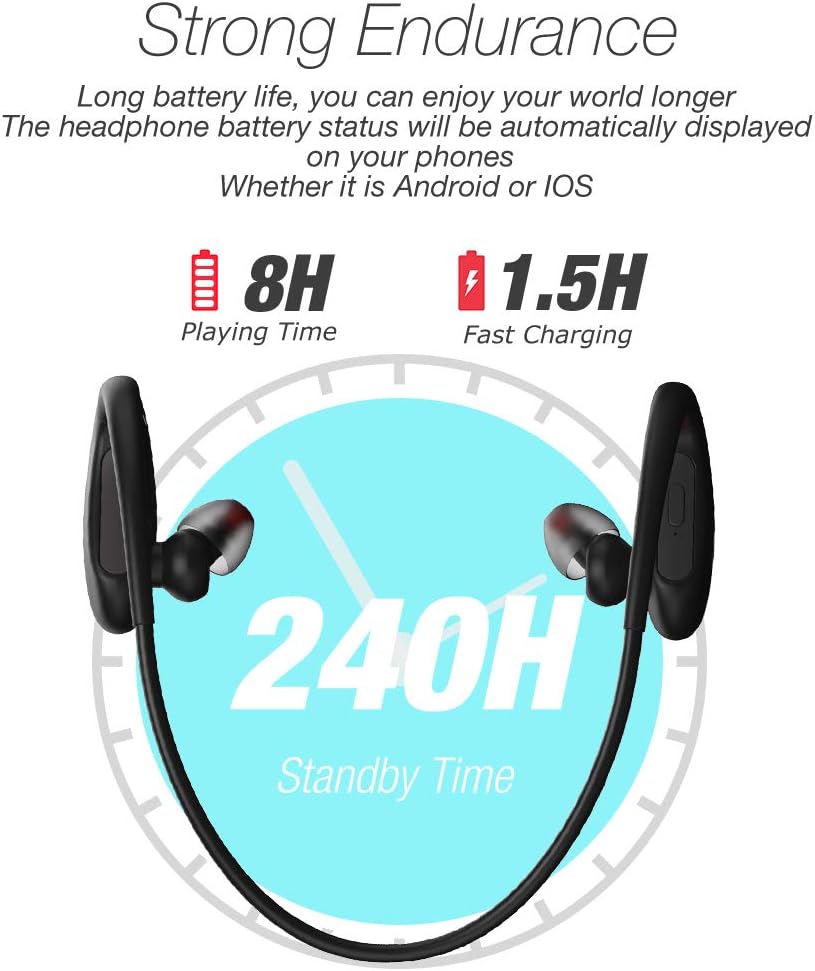
Image: Visual representation of the headphone's battery endurance, showing 8 hours playing time, 1.5 hours fast charging, and 240 hours standby time.

Image: Graphic illustrating the powerful deep bass and stereo sound capabilities of the headphones, with sound waves emanating from the earbud.
భద్రతా సమాచారం
- Avoid using fast chargers, as this may damage the battery.
- Avoid exposure to water over a prolonged period of time, despite the IPX7 rating.
- Please keep your headphone charged when in low battery to achieve better Bluetooth connection and battery protection.
- ఉత్పత్తిని విడదీయవద్దు, మరమ్మత్తు చేయవద్దు లేదా సవరించవద్దు.
- పిల్లలకు దూరంగా ఉంచండి.
- తీవ్రమైన ఉష్ణోగ్రతలకు (వేడి లేదా చల్లగా) బహిర్గతం చేయవద్దు.
వారంటీ మరియు మద్దతు
DACOM provides a 1-Year Manufacturer's Warranty for this product. Additionally, a 30-day no-questions-asked return policy is offered. The product also comes with a lifetime sweatproof warranty.
For technical support, warranty claims, or further assistance, please refer to the contact information provided on the product packaging or the official DACOM webసైట్.