
1. పరిచయం
Thank you for choosing the XIAOMI Mi Smart Bedside Lamp 2. This smart lamp offers versatile lighting options with 16 million colors, adjustable brightness, and smart control features. This manual provides essential information for setting up, operating, and maintaining your device to ensure optimal performance and longevity.

Figure 1: XIAOMI Mi Smart Bedside Lamp 2
మి స్మార్ట్ బెడ్సైడ్ ఎల్amp 2 is designed to enhance your living space with customizable ambient lighting, controlled conveniently via touch, a dedicated mobile application, or voice commands through compatible smart home platforms.
2. ఉత్పత్తి ముగిసిందిview
2.1 ప్యాకేజీ విషయాలు
- XIAOMI Mi స్మార్ట్ బెడ్సైడ్ Lamp 2
- పవర్ అడాప్టర్
- వినియోగదారు మాన్యువల్
2.2 ఎల్amp ఫీచర్లు
- టచ్ కంట్రోల్: Intuitive touch panel on the lamp for power, brightness, and color adjustments.
- స్మార్ట్ యాప్ నియంత్రణ: Full control and customization via the Mi Home App (available for iOS and Android).
- వాయిస్ నియంత్రణ: Compatible with Apple HomeKit, Google Assistant, and Amazon Alexa for hands-free operation.
- ఉత్సాహభరితమైన లైటింగ్: Offers 16 million colors and adjustable brightness up to 400 lumens.
- సొగసైన డిజైన్: Minimalist aesthetic suitable for various home decors.

Figure 2: Key lighting features of the Mi Smart Bedside Lamp 2
3. సెటప్
3.1 ప్రారంభ ప్లేస్మెంట్ మరియు విద్యుత్ కనెక్షన్
- ఎల్ ఉంచండిamp స్థిరమైన, చదునైన ఉపరితలంపై.
- పవర్ అడాప్టర్ను l కి కనెక్ట్ చేయండిampయొక్క పవర్ ఇన్పుట్ పోర్ట్.
- Plug the power adapter into a suitable electrical outlet. The lamp స్వయంచాలకంగా పవర్ ఆన్ అవుతుంది.
3.2 Mi Home App Installation and Pairing
The Mi Home App is required for full smart functionality.
- Download the Mi Home App from the Apple App Store or Google Play Store.
- Open the Mi Home App and sign in or create a new account.
- కొత్త పరికరాన్ని జోడించడానికి ఎగువ కుడి మూలలో ఉన్న "+" చిహ్నాన్ని నొక్కండి.
- Select the "Mi Smart Bedside Lamp 2" from the list of available devices.
- l ని కనెక్ట్ చేయడానికి స్క్రీన్ పై సూచనలను అనుసరించండి.amp to your 2.4 GHz Wi-Fi network. గమనిక: ఈ ఎల్amp requires a 2.4 GHz Wi-Fi network for initial setup and smart home integration. Ensure your router is configured to support this frequency.
- Once connected, you can rename the lamp and assign it to a specific room within the app.
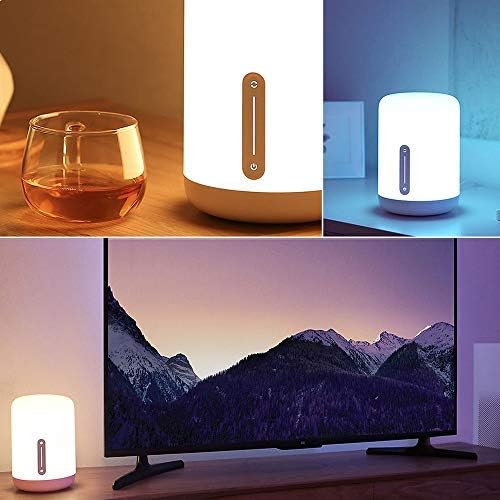
Figure 3: Controlling the lamp via the Mi Home App
3.3 వాయిస్ అసిస్టెంట్ ఇంటిగ్రేషన్
To integrate with voice assistants, follow the instructions within their respective apps:
- ఆపిల్ హోమ్కిట్: Open the Home app on your iOS device, tap "Add Accessory," and scan the HomeKit code (usually found on the lamp or its packaging).
- Google అసిస్టెంట్: In the Google Home app, go to "Set up device" > "Works with Google" and link your Mi Home account.
- అమెజాన్ అలెక్సా: In the Alexa app, enable the "Mi Home" skill and link your Mi Home account.
4. ఆపరేటింగ్ సూచనలు
4.1 టచ్ నియంత్రణలు
ది ఎల్amp features an intuitive touch panel on its front surface:
- పవర్ బటన్: Press once to turn the lamp ఆన్ లేదా ఆఫ్.
- ప్రకాశం స్లైడర్: Slide your finger up or down the vertical bar to adjust brightness.
- Color/Mode Button: Press and hold the power button, then slide your finger along the vertical bar to cycle through different colors or preset modes.
4.2 Mi హోమ్ యాప్ కంట్రోల్
The Mi Home App provides comprehensive control over your lamp:
- పవర్ ఆన్/ఆఫ్: l ను టోగుల్ చేయండిamp's power.
- ప్రకాశం సర్దుబాటు: కాంతి తీవ్రతను ఖచ్చితంగా సర్దుబాటు చేయండి.
- రంగు ఎంపిక: Choose from 16 million colors using a color wheel.
- రంగు ఉష్ణోగ్రత: Adjust the white light from warm to cool.
- Scenes and Presets: Select from various pre-programmed lighting scenes or create your own custom scenes.
- షెడ్యూల్లు మరియు టైమర్లు: l కోసం షెడ్యూల్లను సెట్ చేయండిamp to turn on/off or change modes automatically.
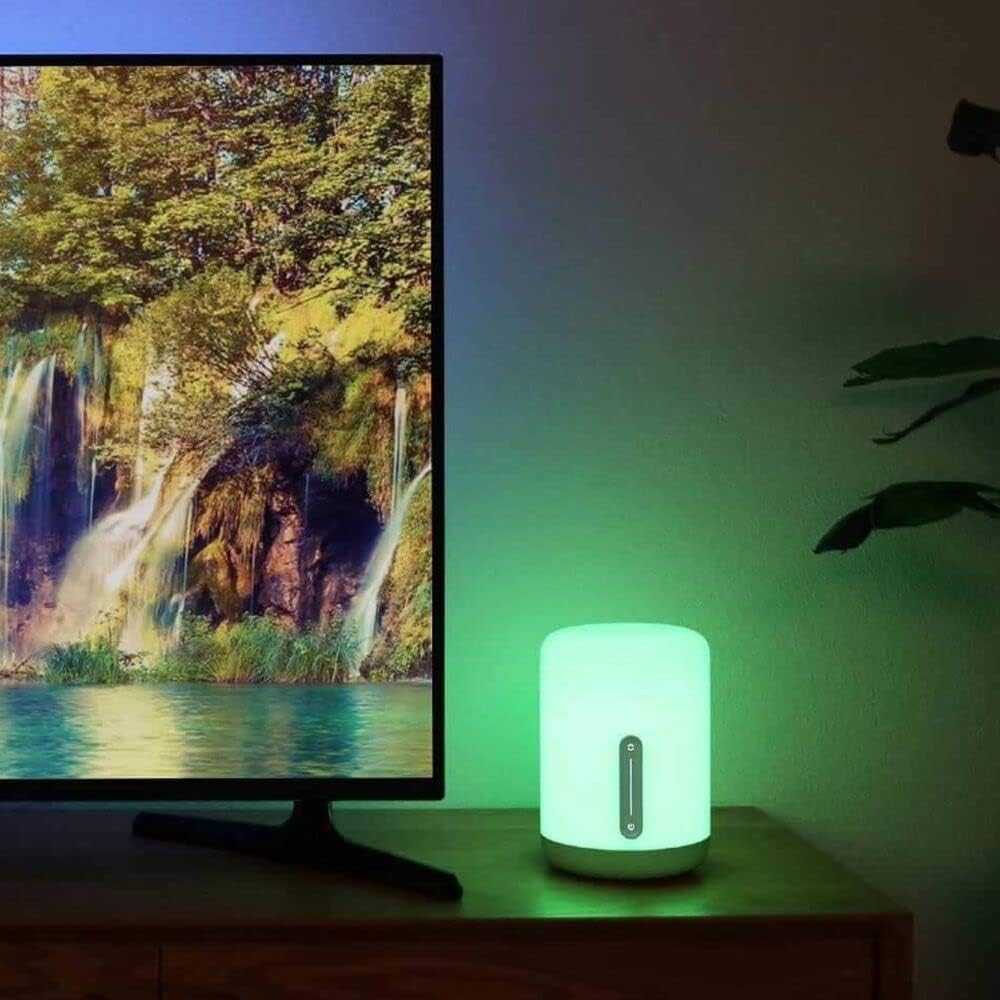
చిత్రం 4: ఎల్amp displaying various color options
4.3 వాయిస్ ఆదేశాలు
Once integrated with a voice assistant, use commands such as:
- "Hey Google, turn on the bedside lamp."
- "Alexa, set the bedside lamp నీలం రంగులోకి."
- "Siri, dim the bedside lamp 50% వరకు."
- "Hey Google, change the bedside lamp తెల్లగా వేడి చేయడానికి."
5. నిర్వహణ
To ensure the longevity and optimal performance of your XIAOMI Mi Smart Bedside Lamp 2, follow these maintenance guidelines:
- శుభ్రపరచడం: l ను డిస్కనెక్ట్ చేయండిamp శుభ్రపరిచే ముందు పవర్ నుండి. మృదువైన, పొడి లేదా కొద్దిగా d ఉపయోగించండిamp cloth to wipe the surface. Avoid abrasive cleaners, solvents, or harsh chemicals that could damage the lampయొక్క ముగింపు.
- ప్లేస్మెంట్: l ఉంచడం మానుకోండిamp in direct sunlight, high humidity, or extreme temperatures. Keep it away from water and other liquids.
- నిర్వహణ: l ను నిర్వహించండిamp with care. Do not drop it or subject it to strong impacts.
- పవర్ అడాప్టర్: Use only the original power adapter provided with the lamp. Ensure the adapter is suitable for your region's electrical standards.
6. ట్రబుల్షూటింగ్
మీ Mi స్మార్ట్ బెడ్సైడ్ L తో మీకు సమస్యలు ఎదురైతేamp 2, refer to the following common solutions:
| సమస్య | సాధ్యమైన కారణం | పరిష్కారం |
|---|---|---|
| Lamp ఆన్ చేయదు. | విద్యుత్ కనెక్షన్ లేదు. | పవర్ అడాప్టర్ l కి సురక్షితంగా ప్లగ్ చేయబడిందని నిర్ధారించుకోండిamp మరియు పనిచేసే విద్యుత్ అవుట్లెట్. |
| Cannot connect to Wi-Fi or Mi Home App. | Incorrect Wi-Fi frequency; poor signal; incorrect password. | Verify your Wi-Fi network is 2.4 GHz. Move the lamp closer to the router. Double-check your Wi-Fi password. Reset the lamp (refer to app for reset instructions, usually involves power cycling or holding a button). |
| వాయిస్ కంట్రోల్ పనిచేయడం లేదు. | Incorrect integration; lamp offline; incorrect commands. | l ని నిర్ధారించుకోండిamp is connected to the Mi Home App and the respective voice assistant (Apple HomeKit, Google Assistant, Alexa) is properly linked. Use correct voice commands. Check if the lamp is online in the Mi Home App. |
| Lamp is dim or not bright enough. | ప్రకాశం సెట్టింగ్ తక్కువగా ఉంది. | Adjust the brightness using the touch controls or the Mi Home App. The lamp గరిష్టంగా 400 lumens ప్రకాశం కలిగి ఉంటుంది. |
| Power adapter appears non-standard for my region. | Regional power adapter incompatibility. | Ensure you are using the correct power adapter for your region. If an incorrect adapter was supplied, contact your retailer or XIAOMI support for a suitable replacement. Do not use incompatible adapters. |
7. స్పెసిఫికేషన్లు
Detailed technical specifications for the XIAOMI Mi Smart Bedside Lamp 2 (Model MUE4093GL):
| ఫీచర్ | స్పెసిఫికేషన్ |
|---|---|
| మోడల్ సంఖ్య | MUE4093GL |
| కొలతలు (D x W x H) | 5.91" x 5.91" x 9.84" (15సెం.మీ x 15సెం.మీ x 25సెం.మీ) |
| వస్తువు బరువు | 2.2 పౌండ్లు (1 కిలోలు) |
| మెటీరియల్ | ప్లాస్టిక్ |
| ప్రకాశం | అప్ 400 లు |
| వాట్tage | 9 వాట్స్ |
| వాల్యూమ్tage | 12 వోల్ట్లు |
| శక్తి మూలం | కార్డెడ్ ఎలక్ట్రిక్ |
| నియంత్రణ పద్ధతి | Touch, App (Mi Home), Voice (Apple HomeKit, Google Assistant, Alexa) |
| కనెక్టివిటీ | బ్లూటూత్, వై-ఫై (2.4 GHz) |
| రంగు ఎంపికలు | 16 మిలియన్ రంగులు |
| ఇండోర్/అవుట్డోర్ వినియోగం | ఇండోర్ మాత్రమే |
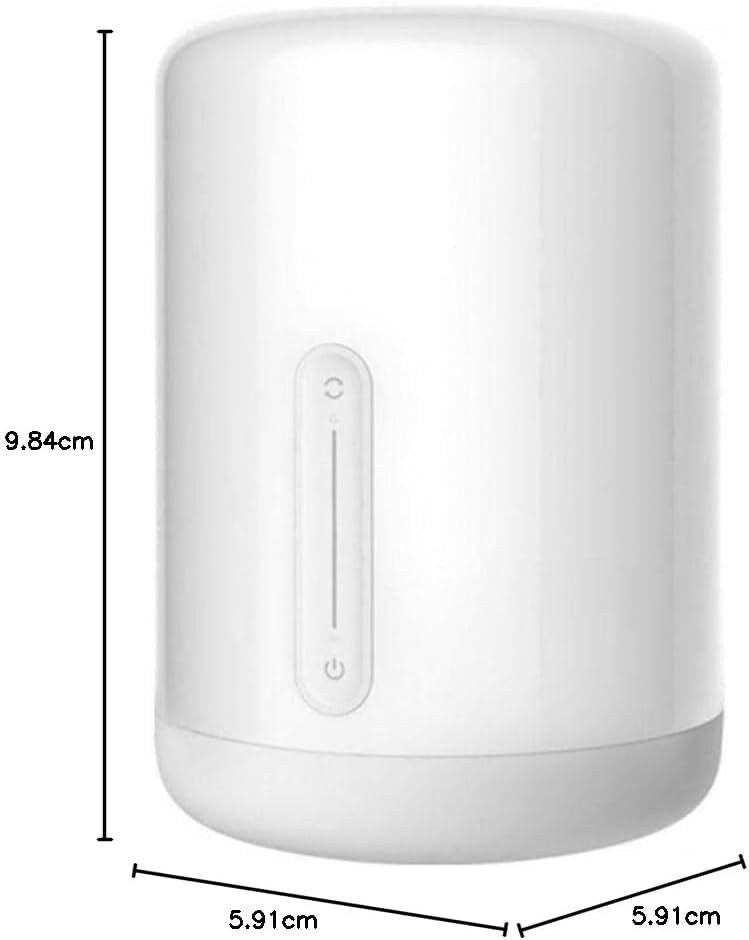
చిత్రం 5: ఉత్పత్తి కొలతలు
8. వారంటీ మరియు మద్దతు
వారంటీ సమాచారం కోసం, దయచేసి మీ ఉత్పత్తితో చేర్చబడిన వారంటీ కార్డును చూడండి లేదా అధికారిక XIAOMI ని సందర్శించండి. website. If you require technical assistance or have questions not covered in this manual, please contact XIAOMI customer support through their official channels.
మీరు అధికారిక వెబ్సైట్లో మరిన్ని వివరాలు మరియు మద్దతు వనరులను కనుగొనవచ్చు. XIAOMI Store.