
1. పరిచయం
This manual provides detailed instructions for the DSD TECH 1.8 Inch TFT LCD Display Module. This module is a 1.8-inch color screen capable of displaying 65K full colors, designed for electronic enthusiasts and students. It is compatible with development boards such as Arduino and Raspberry Pi. The module utilizes a 4-wire SPI communication mode, requiring only four I/O pins for display operation, and includes an SD card slot for expanded functionality.
2. ప్యాకేజీ విషయాలు
మీ ప్యాకేజీలో అన్ని అంశాలు ఉన్నాయని ధృవీకరించండి:
- TFT LCD Module x1
- 8 PIN Dupont Line x1
- User Guide x1 (This document)

Image 2.1: Contents of the DSD TECH 1.8 Inch TFT LCD Display Module package.
3. స్పెసిఫికేషన్లు
| ఫీచర్ | స్పెసిఫికేషన్ |
|---|---|
| డిస్ప్లే రంగు | 16BIT RGB 65K రంగు |
| స్క్రీన్ పరిమాణం | 1.8 అంగుళాలు |
| ప్రదర్శన రకం | TFT |
| డ్రైవర్ IC | ST7735S |
| రిజల్యూషన్ | 128 x 160 పిక్సెల్లు |
| మాడ్యూల్ ఇంటర్ఫేస్ | 4-వైర్ SPI ఇంటర్ఫేస్ |
| బ్యాక్లైట్ | 2 వైట్ LED లు |
| క్రియాశీల ప్రాంతం | 28.03 x 35.04 మి.మీ |
| మాడ్యూల్ PCB పరిమాణం | 38.30 x 62.48 మి.మీ |
| ఆపరేటింగ్ ఉష్ణోగ్రత | -20℃ నుండి 60℃ |
| నిల్వ ఉష్ణోగ్రత | -30℃ నుండి 70℃ |
| ఆపరేటింగ్ వాల్యూమ్tage | 5V / 3.3V |
| బరువు | 15 గ్రా (0.48 ఔన్సులు) |
| ఉత్పత్తి కొలతలు | 2.76 x 1.57 x 0.98 అంగుళాలు |

Image 3.1: Module Dimensions.
4. సెటప్ మరియు ఇన్స్టాలేషన్
The DSD TECH 1.8 Inch TFT LCD Display Module is designed for direct insertion into compatible development boards. It uses a 4-wire SPI interface for communication.
4.1 పిన్అవుట్ వివరణ

Image 4.1: Module Pinout (Obverse View).
The module features the following pins:
- VCC: విద్యుత్ సరఫరా (5V/3.3V)
- GND: గ్రౌండ్
- NC: Not Connected (multiple pins)
- CLK (SCLK): SPI గడియారం
- SDA (MOSI): SPI డేటా అవుట్
- RS (DC): Data/Command Select
- ఆర్ఎస్టి: రీసెట్ చేయండి
- CS: చిప్ ఎంపిక
4.2 Wiring Instructions (Arduino Exampలే)
For basic operation with an Arduino board, connect the module as follows. Note that specific digital pin assignments for RS, RST, and CS can be defined in your sketch.
- VCC: Connect to Arduino 5V pin.
- GND: Connect to Arduino GND pin.
- CLK (SCLK): Connect to Arduino Digital Pin 13.
- SDA (MOSI): Connect to Arduino Digital Pin 11.
- RS (DC): Connect to an available Arduino Digital Pin (e.g., D9).
- ఆర్ఎస్టి: Connect to an available Arduino Digital Pin (e.g., D8).
- CS: Connect to an available Arduino Digital Pin (e.g., D10).

Image 4.2: Connecting the module to an Arduino Uno.

Image 4.3: Connecting the module to an Arduino Mega 2560.
5. ఆపరేషన్
To operate the display module, you will need to install the necessary libraries in your Arduino IDE (or equivalent development environment for other MCUs). DSD TECH provides sample code to facilitate quick setup and usage.
5.1 Required Libraries
For Arduino, install the Adafruit ST7735 and Adafruit GFX libraries. These can typically be found and installed via the Arduino IDE's Library Manager.
5.2 ఎస్ampలే కోడ్
DSD TECH offers sample code that allows you to get the LCD screen operational quickly, often within minutes. Refer to the official DSD TECH support resources for the latest sample code and detailed instructions.

Image 5.1: Display module in operation with Arduino Uno.
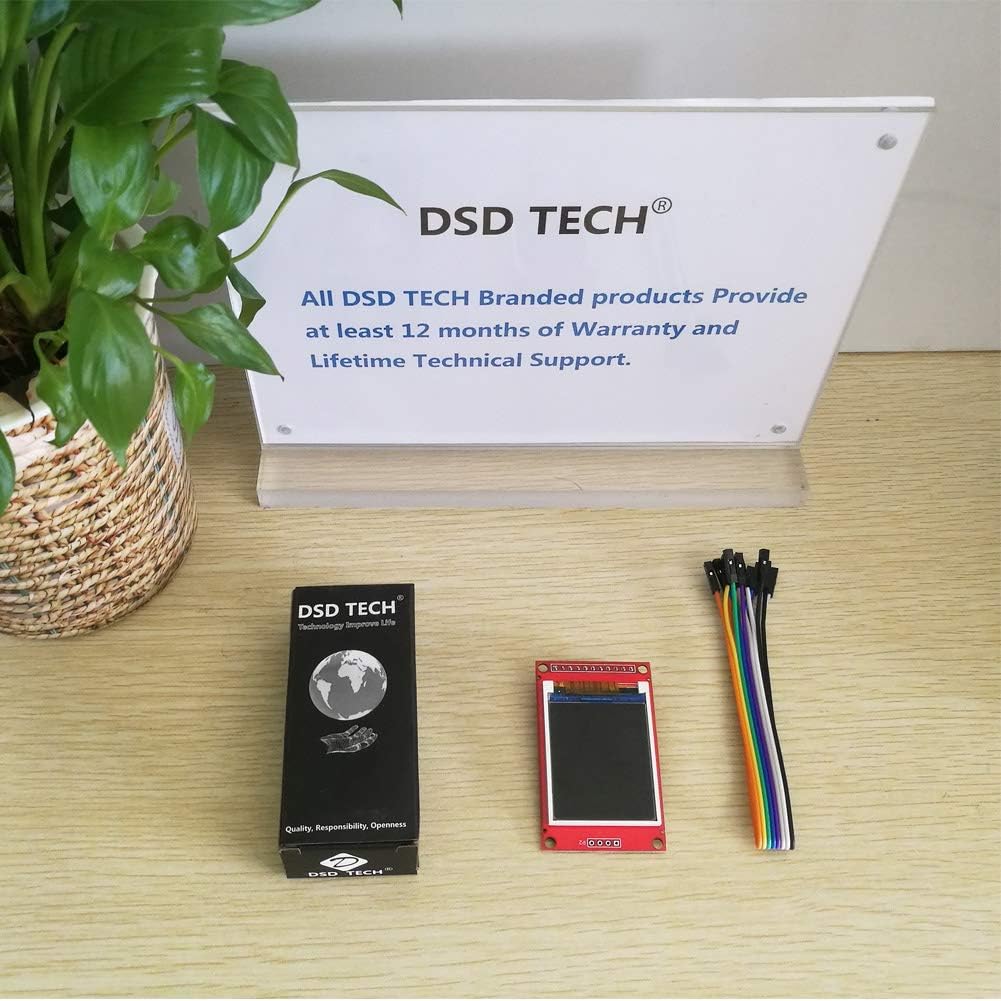
Image 5.2: Display module in operation with Arduino Mega 2560.
6. నిర్వహణ
The DSD TECH 1.8 Inch TFT LCD Display Module requires minimal maintenance. Keep the module clean and free from dust and moisture. Avoid applying excessive force to the screen or connections.
- ఉపయోగంలో లేనప్పుడు మాడ్యూల్ను పొడి, చల్లని వాతావరణంలో నిల్వ చేయండి.
- Clean the screen gently with a soft, dry cloth. Do not use harsh chemicals.
- Ensure all connections are secure but not overtightened.
7. ట్రబుల్షూటింగ్
- డిస్ప్లే మసకగా లేదా చదవలేనిదిగా ఉంది: Ensure the module is powered with 5V. While it can function at 3.3V, a 5V supply often results in a brighter and clearer display. If using a 3.3V MCU, consider using a level shifter for signal lines while powering the display with 5V.
- డిస్ప్లే అవుట్పుట్ లేదు:
- Verify all wiring connections are correct according to the pinout and your MCU's specifications.
- Check that the required libraries (e.g., Adafruit ST7735, Adafruit GFX) are correctly installed in your development environment.
- Confirm that the pin definitions in your code match the physical connections to your MCU.
- Ensure the MCU is powered on and the code is successfully uploaded.
- Incorrect colors or distorted display: Double-check the initialization code for the ST7735S driver and ensure the correct display type is selected in the library.
8. వారంటీ మరియు మద్దతు
DSD TECH provides a 1-year warranty and lifetime technical support for this TFT LCD Display Module. For any questions or assistance, please contact DSD TECH customer support. All inquiries will be addressed within one working day.
For further information and support, visit the official DSD TECH webసైట్కు వెళ్లండి లేదా వారి మద్దతు బృందాన్ని నేరుగా సంప్రదించండి.