
1. పరిచయం
This manual provides instructions for the Zerone Replacement Remote Control, Model Zerone15zhcexa2d. This remote is designed as a direct replacement for various televisions, offering essential functions for daily TV operation. It is constructed from durable ABS material for longevity.
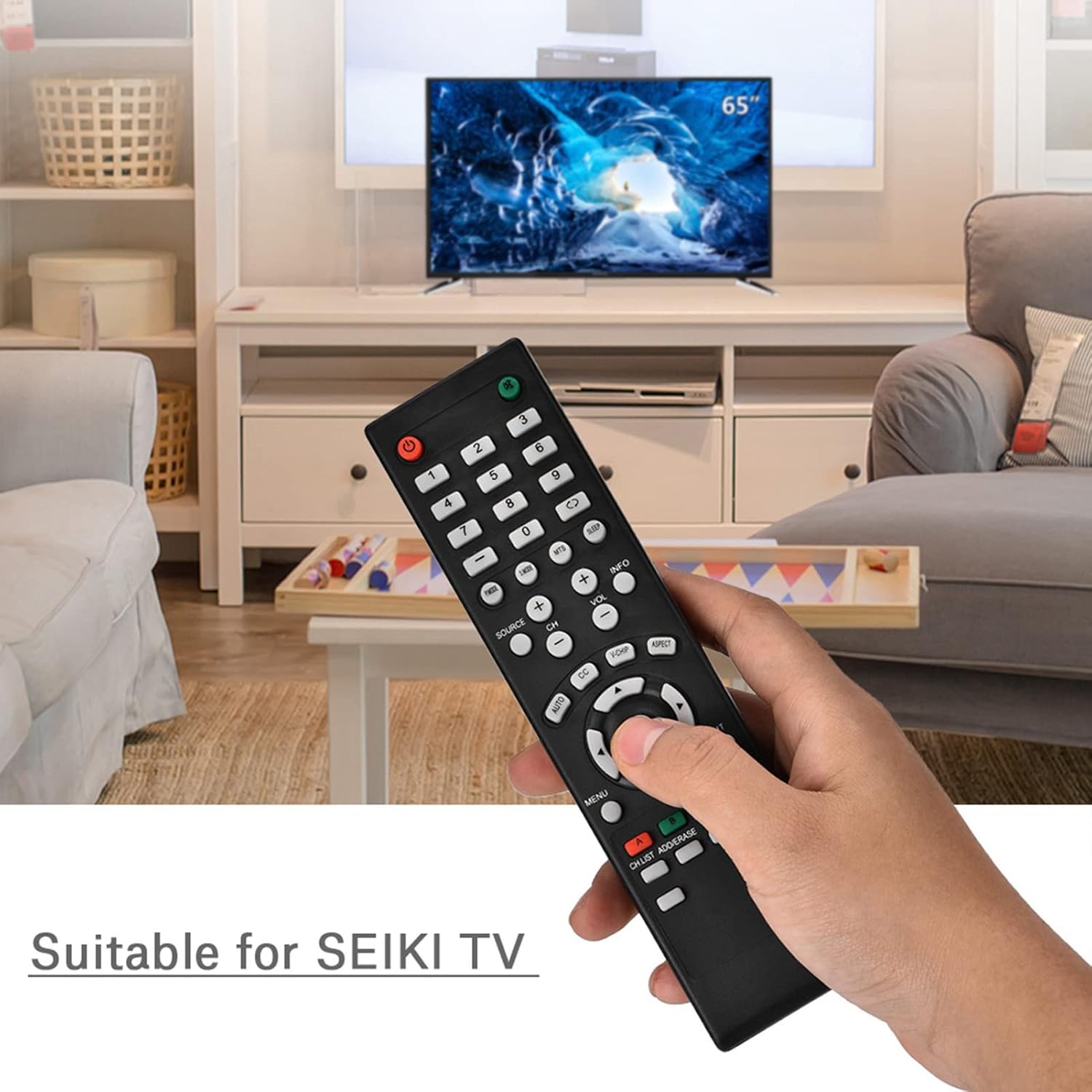
Image 1.1: The Zerone Replacement Remote Control in use, demonstrating its compatibility with televisions.
2. సెటప్
2.1 బ్యాటరీ ఇన్స్టాలేషన్
రిమోట్ కంట్రోల్కు రెండు AAA బ్యాటరీలు అవసరం (చేర్చబడలేదు). బ్యాటరీలను ఇన్స్టాల్ చేయడానికి ఈ దశలను అనుసరించండి:
- రిమోట్ కంట్రోల్ వెనుక బ్యాటరీ కంపార్ట్మెంట్ను గుర్తించండి.
- బ్యాటరీ కంపార్ట్మెంట్ కవర్ను తెరవడానికి దాన్ని క్రిందికి జారండి.
- రెండు AAA బ్యాటరీలను చొప్పించండి, పాజిటివ్ (+) మరియు నెగటివ్ (-) టెర్మినల్స్ కంపార్ట్మెంట్ లోపల ఉన్న గుర్తులతో సరిగ్గా సమలేఖనం చేయబడ్డాయని నిర్ధారించుకోండి.
- బ్యాటరీ కంపార్ట్మెంట్ కవర్ సురక్షితంగా క్లిక్ అయ్యే వరకు దాన్ని తిరిగి స్థానంలోకి జారడం ద్వారా దాన్ని మార్చండి.

చిత్రం 2.1: వెనుక view రిమోట్ కంట్రోల్ యొక్క, బ్యాటరీ కంపార్ట్మెంట్ను వివరిస్తుంది.
2.2 ప్రారంభ ఉపయోగం
This remote control is designed for immediate use with compatible televisions. No programming or setup is typically required. Once batteries are installed, the remote should function directly with your TV.
Video 2.1: Demonstration of battery installation for the Zerone Replacement Remote Control.
3. ఆపరేటింగ్ సూచనలు
3.1 ప్రాథమిక విధులు
The remote control provides standard television functions. Point the remote directly at your television's infrared receiver for optimal performance.
- పవర్ బటన్ (●): టీవీని ఆన్ లేదా ఆఫ్ చేస్తుంది.
- సంఖ్య బటన్లు (0-9): నేరుగా ఛానెల్లను ఎంచుకోండి.
- వాల్యూమ్ పెంచండి/తగ్గించండి (VOL +/-): ధ్వని వాల్యూమ్ను సర్దుబాటు చేస్తుంది.
- ఛానెల్ పైకి/క్రిందికి (CH +/-): టీవీ ఛానెల్ని మారుస్తుంది.
- Source Button (SOURCE): ఇన్పుట్ సోర్స్ల ద్వారా చక్రాలు (HDMI, AV, మొదలైనవి).
- మెనూ బటన్ (MENU): టీవీ ప్రధాన మెనూని యాక్సెస్ చేస్తుంది.
- Navigation Buttons (Arrows & OK): మెనూలను నావిగేట్ చేయండి మరియు ఎంపికలను నిర్ధారించండి.
- నిష్క్రమించు బటన్ (EXIT): Exits current menu or function.
- మ్యూట్ బటన్ (●): టీవీ సౌండ్ను మ్యూట్ చేస్తుంది లేదా అన్మ్యూట్ చేస్తుంది.

చిత్రం 3.1: ముందు view of the remote control, highlighting button layout.
3.2 ఆపరేటింగ్ రేంజ్
The effective operating distance for this remote control is typically over 8 meters (approximately 26 feet). Actual range may vary depending on the specific television model and environmental factors such as obstacles or interference.

Image 3.2: Illustration of the remote control's effective operating range.
4. నిర్వహణ
4.1 శుభ్రపరచడం
రిమోట్ కంట్రోల్ శుభ్రం చేయడానికి, మృదువైన, పొడి వస్త్రాన్ని ఉపయోగించండి. మొండి ధూళి కోసం, కొద్దిగా dampనీరు లేదా తేలికపాటి, రాపిడి లేని క్లీనర్తో గుడ్డను శుభ్రం చేయండి. కఠినమైన రసాయనాలు లేదా రాపిడి పదార్థాలను ఉపయోగించకుండా ఉండండి, ఎందుకంటే ఇవి రిమోట్ యొక్క ఉపరితలం లేదా అంతర్గత భాగాలను దెబ్బతీస్తాయి.
4.2 బ్యాటరీ భర్తీ
Replace batteries when the remote's performance degrades (e.g., reduced range, unresponsive buttons). Refer to Section 2.1 for battery installation instructions. Always replace both batteries at the same time with new ones of the same type (AAA).

Image 4.1: The remote control, showcasing its durable construction material.
5. ట్రబుల్షూటింగ్
| సమస్య | సాధ్యమైన కారణం | పరిష్కారం |
|---|---|---|
| రిమోట్ పని చేయడం లేదు. | డెడ్ లేదా తప్పుగా ఇన్స్టాల్ చేయబడిన బ్యాటరీలు. | Check battery orientation. Replace with new AAA batteries (refer to Section 2.1). |
| పరిమిత ఆపరేటింగ్ పరిధి. | Weak batteries, obstruction, or remote not pointed at TV. | Replace batteries. Ensure a clear line of sight to the TV's IR receiver. Point the remote directly at the TV. |
| నిర్దిష్ట బటన్లు స్పందించడం లేదు. | Dirt or debris under buttons, or internal malfunction. | Clean the remote. If the issue persists after battery replacement and cleaning, the remote may require replacement. |
6. స్పెసిఫికేషన్లు
| ఫీచర్ | వివరాలు |
|---|---|
| బ్రాండ్ | జీరోన్ |
| మోడల్ సంఖ్య | Zerone15zhcexa2d |
| అనుకూల పరికరాలు | Televisions (specifically designed for SEIKI TVs, but compatible with others) |
| కనెక్టివిటీ టెక్నాలజీ | ఇన్ఫ్రారెడ్ (IR) |
| గరిష్ట పరిధి | Over 8 meters (approx. 26 feet) |
| శక్తి మూలం | 2 x AAA బ్యాటరీలు (చేర్చబడలేదు) |
| మెటీరియల్ | ABS |
| కొలతలు (L x W x H) | 7.1" x 2" x 0.6" (180మిమీ x 50మిమీ x 15మిమీ) |
| బటన్ పరిమాణం | 45 |

Image 6.1: Dimensions of the Zerone Replacement Remote Control.
7. వారంటీ మరియు మద్దతు
7.1 వారంటీ సమాచారం
Specific warranty details for the Zerone Replacement Remote Control may vary. Please refer to the product packaging or the retailer's purchase terms for the most accurate and up-to-date warranty information.
7.2 కస్టమర్ మద్దతు
For further assistance or inquiries regarding your Zerone Replacement Remote Control, please contact the retailer or manufacturer's customer support channels. Contact information is typically provided with your purchase documentation or on the manufacturer's official webసైట్.