
పరిచయం
This manual provides instructions for the Speedlink PIAVO Wireless Ergonomic Vertical Mouse (Model SL-630019-BK-01). This ergonomic mouse is designed to promote a natural, relaxed wrist posture, reducing strain on the hand, arm, shoulder, and neck during extended computer use. It features 5 buttons, adjustable DPI settings, and wireless 2.4 GHz connectivity.

మూర్తి 1: Speedlink PIAVO Wireless Ergonomic Vertical Mouse, front view. This image shows the overall ergonomic design of the mouse.
ప్యాకేజీ విషయాలు
దయచేసి అన్ని అంశాలు ప్యాకేజీలో ఉన్నాయని ధృవీకరించండి:
- Speedlink PIAVO Wireless Ergonomic Vertical Mouse
- USB-A రిసీవర్
- Battery (pre-installed or included separately)
- సూచనల మాన్యువల్ (ఈ పత్రం)

మూర్తి 2: Packaging of the Speedlink PIAVO Wireless Ergonomic Vertical Mouse. The box indicates "Wireless Vertical Mouse" and "10m Range".
సెటప్
- బ్యాటరీని చొప్పించండి: If the battery is not pre-installed, open the battery compartment on the underside of the mouse and insert the included battery, ensuring correct polarity.
- USB రిసీవర్ని కనెక్ట్ చేయండి: Locate an available USB-A port on your computer or laptop. Insert the USB-A receiver into the port.
- మౌస్ను పవర్ ఆన్ చేయండి: Locate the On/Off switch on the underside of the mouse. Slide the switch to the "On" position.
- డ్రైవర్ ఇన్స్టాలేషన్: The mouse is designed for plug-and-play operation. Your operating system (e.g., Windows) should automatically detect and install the necessary drivers. This process typically takes a few seconds.
- పరీక్ష: Once installed, move the mouse to test cursor movement. If the cursor does not respond, ensure the mouse is powered on and the USB receiver is securely connected.

మూర్తి 3: Underside of the mouse, illustrating the battery compartment and the On/Off switch. Ensure the switch is in the 'On' position for operation.
ఆపరేటింగ్ సూచనలు
The Speedlink PIAVO mouse features 5 buttons and adjustable DPI settings for optimal control.
- ఎడమ క్లిక్ బటన్: ప్రామాణిక ప్రాథమిక క్లిక్ ఫంక్షన్.
- కుడి క్లిక్ బటన్: ప్రామాణిక ద్వితీయ క్లిక్ ఫంక్షన్.
- స్క్రోల్ వీల్: For scrolling through documents and web పేజీలు. మిడిల్-క్లిక్ ఫంక్షన్ కోసం కూడా నొక్కవచ్చు.
- DPI స్విచ్ బటన్: Located near the scroll wheel. Press this button to cycle through the available DPI settings (800, 1200, 1600 DPI). This adjusts the cursor speed and sensitivity.
- ముందుకు/వెనుకకు బటన్లు: Located on the side of the mouse, typically used for navigation in web బ్రౌజర్లు లేదా file అన్వేషకులు.
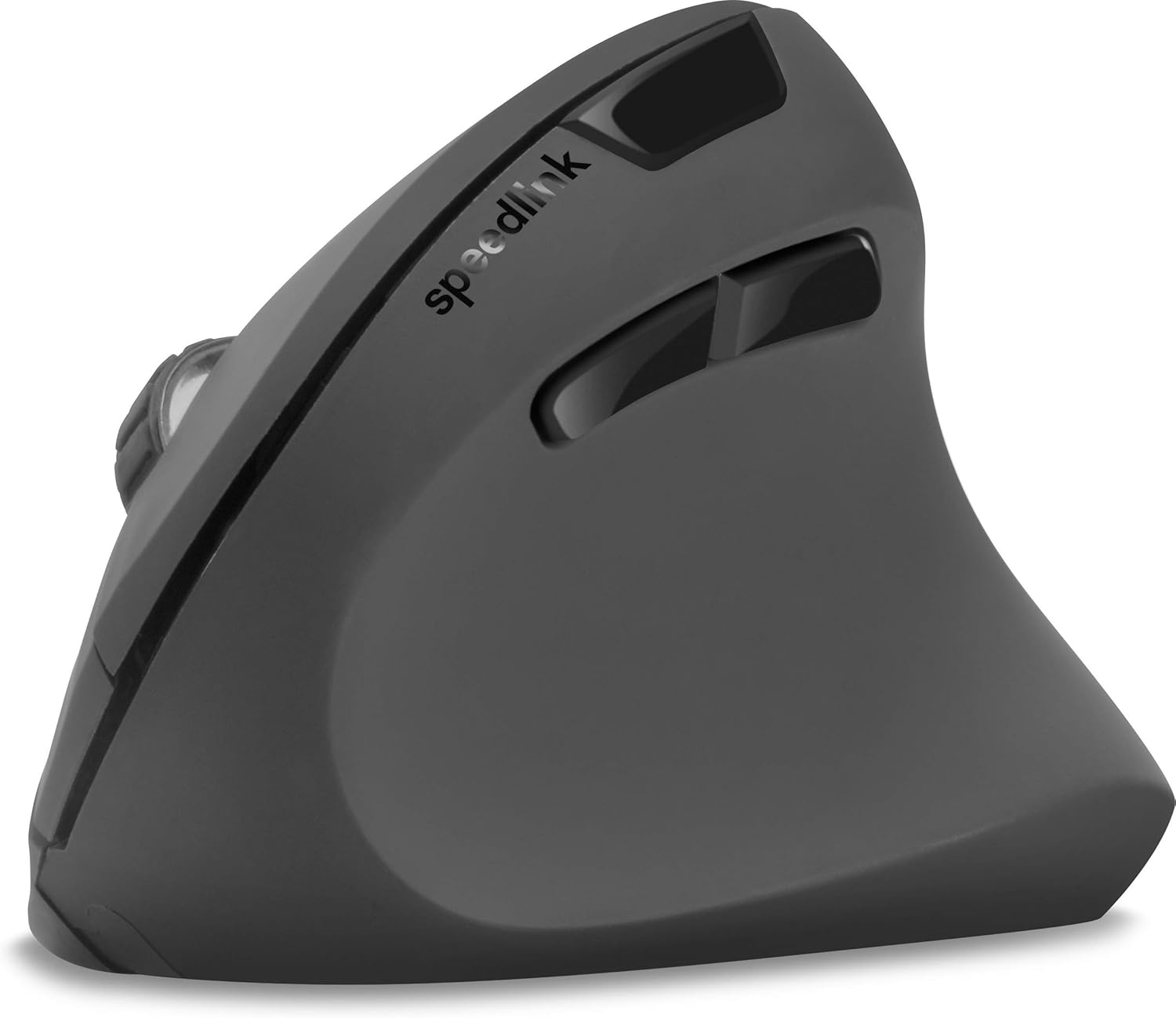
మూర్తి 4: పై నుండి క్రిందికి view of the mouse, highlighting the left/right click buttons, scroll wheel, and DPI switch button.

మూర్తి 5: వైపు view of the mouse, illustrating the ergonomic grip and the forward/backward navigation buttons.
ఎనర్జీ సేవింగ్ మోడ్
The mouse features an energy-saving mode to conserve battery life. If the mouse is inactive for a period, it will enter a sleep state. To wake it up, simply move the mouse or press any button.
నిర్వహణ
To ensure the longevity and optimal performance of your Speedlink PIAVO mouse, follow these maintenance guidelines:
- శుభ్రపరచడం: మౌస్ బాహ్య భాగాన్ని శుభ్రం చేయడానికి మృదువైన, పొడి వస్త్రాన్ని ఉపయోగించండి. మొండి ధూళి కోసం, కొద్దిగా damp cloth can be used, but ensure no moisture enters the mouse. Avoid using harsh chemicals or abrasive cleaners.
- సెన్సార్ క్లీనింగ్: Occasionally, dust or debris may accumulate around the optical sensor on the underside of the mouse. Use a soft brush or compressed air to gently clean the sensor area.
- బ్యాటరీ భర్తీ: When the mouse performance degrades or it stops responding, it may be time to replace the battery. Open the battery compartment, remove the old battery, and insert a new one of the same type, observing polarity.
- నిల్వ: When not in use for extended periods, it is recommended to switch off the mouse using the On/Off switch to conserve battery life. Store the mouse and USB receiver in a dry, dust-free environment.
ట్రబుల్షూటింగ్
| సమస్య | సాధ్యమైన కారణం | పరిష్కారం |
|---|---|---|
| Mouse not responding / Cursor not moving. |
|
|
| అనియత కర్సర్ కదలిక. |
|
|
| DPI setting resets after sleep/reboot. | This is a known characteristic for some mice; the DPI setting may revert to default. | Press the DPI switch button to select your preferred sensitivity after waking the mouse or restarting the computer. |
స్పెసిఫికేషన్లు
| మోడల్ సంఖ్య | SL-630019-BK-01 |
| కనెక్టివిటీ | Wireless 2.4 GHz via USB-A Receiver |
| కదలిక గుర్తింపు | ఆప్టికల్ |
| బటన్ల సంఖ్య | 5 |
| DPI సెట్టింగులు | 800, 1200, 1600 DPI (Adjustable) |
| చేతి ధోరణి | కుడిచేతి వాటం |
| వైర్లెస్ రేంజ్ | 10 మీటర్ వరకు |
| శక్తి మూలం | Battery-powered (Battery included) |
| అనుకూలమైన ఆపరేటింగ్ సిస్టమ్స్ | విండోస్ |
| బరువు | 106 గ్రాములు |
| రంగు | నలుపు |
వారంటీ మరియు మద్దతు
Information regarding specific warranty terms and customer support contact details is not available in the provided product data. Please refer to the product packaging or the manufacturer's official webఅత్యంత తాజా వారంటీ సమాచారం మరియు మద్దతు ఎంపికల కోసం సైట్.
మరిన్ని సహాయం కోసం, మీరు సందర్శించవచ్చు Speedlink official webసైట్.