
పరిచయం
Welcome to the user manual for your new Nivona NICR 825 fully automatic coffee machine. This manual provides essential information for the safe and efficient operation, maintenance, and troubleshooting of your appliance. Please read it thoroughly before first use and keep it for future reference.
The Nivona NICR 825 is designed to deliver high-quality espresso and coffee specialties with ease, featuring a sleek stainless steel and chrome finish.
1. సెటప్ మరియు మొదటి ఉపయోగం
Before operating your Nivona NICR 825, follow these steps to ensure proper setup.
1.1 అన్ప్యాకింగ్
- కాఫీ యంత్రాన్ని దాని ప్యాకేజింగ్ నుండి జాగ్రత్తగా తొలగించండి.
- అన్ని రక్షిత ఫిల్మ్లు మరియు ప్యాకేజింగ్ సామగ్రిని తీసివేయండి.
- Place the machine on a stable, level, and water-resistant surface. Ensure adequate ventilation around the appliance.

Figure 1: Nivona NICR 825 coffee machine positioned in a kitchen environment, ready for setup.
1.2 ప్రారంభ శుభ్రపరచడం
- యంత్రం యొక్క బాహ్య భాగాన్ని మృదువైన, డితో తుడవండిamp గుడ్డ.
- Wash the water tank, drip tray, and coffee grounds container with warm water and mild detergent. Rinse thoroughly.
1.3 Filling Water Tank and Bean Container
- వాటర్ ట్యాంక్ను MAX మార్క్ వరకు తాజా, చల్లని కుళాయి నీటితో నింపండి.
- Open the bean container lid and fill it with whole coffee beans. Close the lid securely.
1.4 Power Connection and First Start
- పవర్ కార్డ్ను గ్రౌన్దేడ్ ఎలక్ట్రికల్ అవుట్లెట్లోకి ప్లగ్ చేయండి.
- మెషీన్ను ఆన్ చేయడానికి ఆన్/ఆఫ్ బటన్ను నొక్కండి.
- Follow the on-screen instructions for the initial setup process, which typically includes rinsing the system.
2. ఆపరేటింగ్ సూచనలు
Learn how to prepare your favorite coffee beverages with your Nivona NICR 825.
2.1 కంట్రోల్ ప్యానెల్ ఓవర్view

Figure 2: The intuitive control panel of the Nivona NICR 825, featuring a digital display, rotary knob, and selection buttons.
- ప్రదర్శన: Shows beverage options, status messages, and settings.
- రోటరీ నాబ్: మెనూల ద్వారా నావిగేట్ చేయండి మరియు సెట్టింగ్లను సర్దుబాటు చేయండి.
- ఎంపిక బటన్లు: Confirm selections or start beverage preparation.
2.2 Preparing Coffee Specialties
- కాఫీ చిమ్ము కింద ఒకటి లేదా రెండు కప్పులు ఉంచండి.
- Use the rotary knob to select your desired beverage (e.g., Espresso, Café Crème, Latte Macchiato).
- Press the selection button to start preparation. The machine will automatically grind beans, brew, and dispense the coffee.
- For milk-based drinks, ensure the milk frother is correctly attached and a container with milk is ready.

Figure 3: The Nivona NICR 825 preparing two perfect latte macchiatos simultaneously.
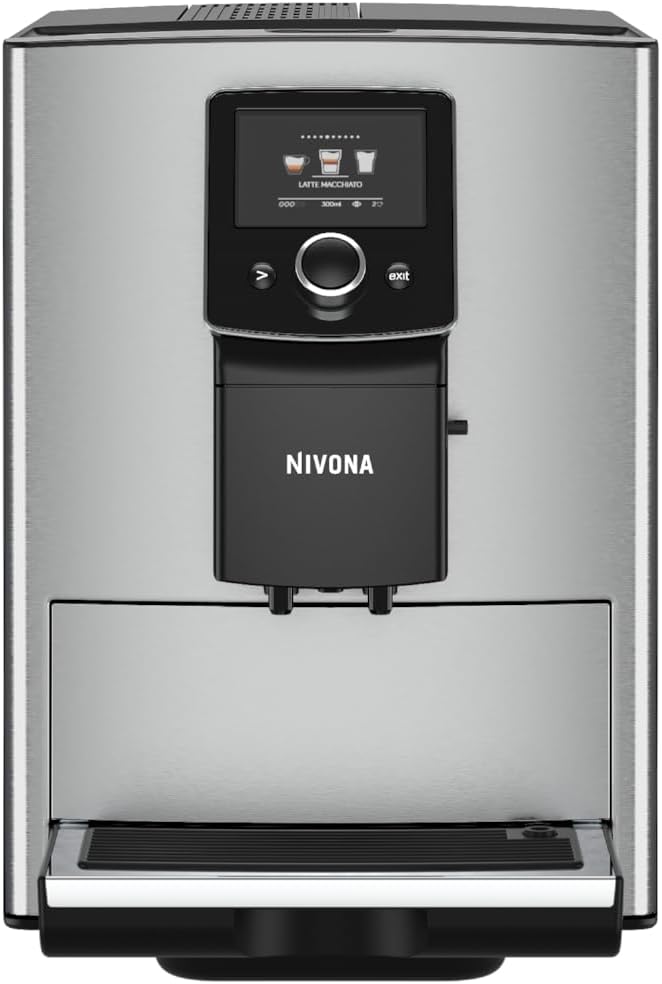
Figure 4: The Nivona NICR 825 dispensing a single latte macchiato, showcasing the milk frothing capability.
2.3 సెట్టింగులను సర్దుబాటు చేయడం
You can customize your coffee experience:
- కాఫీ బలం: Adjust the amount of ground coffee per serving.
- కాఫీ వాల్యూమ్: Set the desired volume of your beverage.
- ఉష్ణోగ్రత: Select from various temperature levels for your coffee.
- Access these settings via the main menu using the rotary knob.
3. నిర్వహణ మరియు శుభ్రపరచడం
Regular cleaning and maintenance are crucial for the longevity and optimal performance of your Nivona NICR 825.
3.1 రోజువారీ శుభ్రపరచడం
- ఖాళీ డ్రిప్ ట్రే మరియు కాఫీ గ్రౌండ్స్ కంటైనర్: The machine will prompt you when these need emptying. Remove, clean with warm water, and replace.
- మిల్క్ సిస్టమ్ శుభ్రం చేయు: After preparing milk-based drinks, perform the automatic milk system rinse cycle.
- బాహ్య భాగాన్ని తుడవడం: ఒక మృదువైన ఉపయోగించండి, డిamp cloth to clean the stainless steel and chrome surfaces.
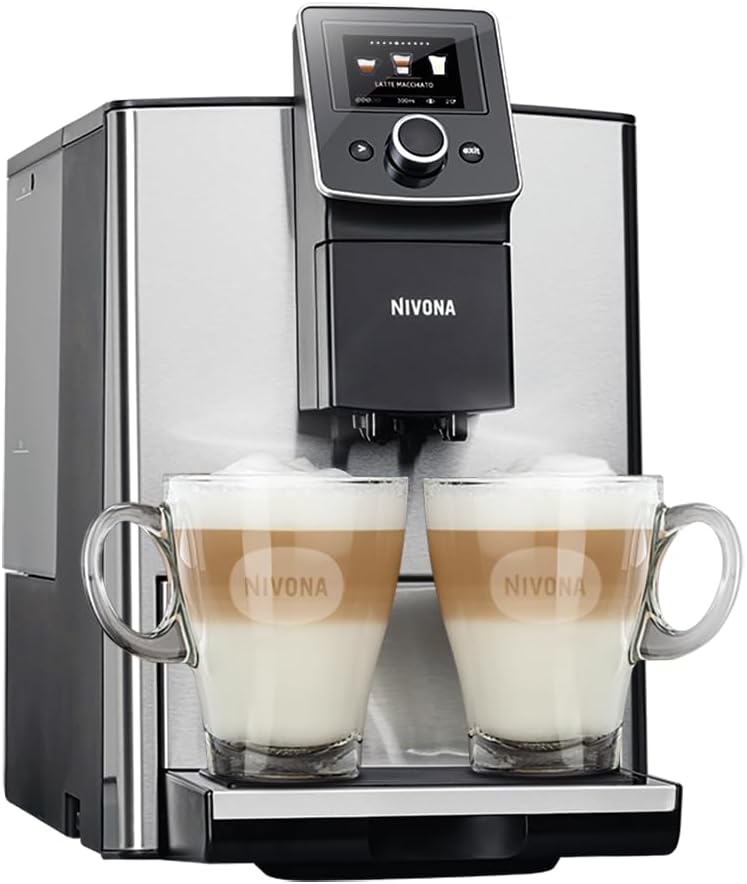
Figure 5: The front of the Nivona NICR 825, highlighting the easily accessible drip tray and coffee grounds container for routine cleaning.
3.2 వారం/నెలవారీ శుభ్రపరచడం
- Clean Brewing Unit: Remove the brewing unit (refer to the machine's display for instructions), rinse it thoroughly under running water, and let it air dry before reinserting.
- డెస్కలింగ్: The machine will indicate when descaling is necessary. Use Nivona descaling solution and follow the on-screen instructions.
- నీటి వడపోత భర్తీ: If using a water filter, replace it as indicated by the machine or every two months.
4. ట్రబుల్షూటింగ్
This section addresses common issues you might encounter with your Nivona NICR 825.
| సమస్య | సాధ్యమైన కారణం | పరిష్కారం |
|---|---|---|
| మెషిన్ ఆన్ చేయదు. | విద్యుత్ సరఫరా లేదు. | Check if the power cord is securely plugged into the machine and the electrical outlet. Ensure the outlet is functional. |
| "Fill Water Tank" message appears. | Water tank is empty or not correctly inserted. | Fill the water tank with fresh water and ensure it is properly seated in the machine. |
| "Empty Drip Tray" message appears. | Drip tray is full or not correctly inserted. | Remove the drip tray, empty it, clean it, and reinsert it correctly. |
| కాఫీ కాయడం లేదు. | No coffee beans, brewing unit blocked, or system not primed. | Check bean container. Clean the brewing unit. Perform a system rinse cycle. |
| పాలు సరిగ్గా నురుగు రావడం లేదు. | పాల వ్యవస్థ మురికిగా ఉండటం, పాలు చాలా వేడిగా ఉండటం లేదా తప్పు రకం పాలు. | Clean the milk system thoroughly. Use cold milk. Ensure milk frother components are correctly assembled. |
If the problem persists, please contact Nivona customer support or an authorized service center.
5. సాంకేతిక లక్షణాలు
Below are the technical specifications for the Nivona NICR 825 coffee machine.
| ఫీచర్ | వివరాలు |
|---|---|
| బ్రాండ్ | నివోనా |
| మోడల్ సంఖ్య | NICR 825 (B07YF9T51Q) |
| రంగు | వెండి |
| ఉత్పత్తి కొలతలు (L x W x H) | 49 x 24 x 33 సెం.మీ |
| బరువు | 10 కిలోలు |
| నీటి ట్యాంక్ సామర్థ్యం | 1.8 లీటర్లు |
| శక్తి | 1465 వాట్స్ |
| వాల్యూమ్tage | 220 వోల్ట్లు |
| మెటీరియల్ | స్టెయిన్లెస్ స్టీల్ |
| ప్రత్యేక ఫీచర్ | మిల్క్ ఫ్రెదర్ |
| కాఫీ మేకర్ రకం | ఎస్ప్రెస్సో మెషిన్ |
6. వారంటీ మరియు మద్దతు
Your Nivona NICR 825 coffee machine comes with a manufacturer's warranty. Please refer to the warranty card included in your product packaging for specific terms and conditions, including warranty duration and coverage.
For technical support, service, or to order spare parts, please contact your local Nivona authorized dealer or visit the official Nivona webసంప్రదింపు సమాచారం కోసం సైట్.
Always use original Nivona spare parts and accessories to ensure optimal performance and to maintain your warranty validity.