
Intellipure KJ468FT_blk
Intellipure Ultrafine 468 Air Purifier User Manual
Model: KJ468FT_blk
ఉత్పత్తి ముగిసిందిview
The Intellipure Ultrafine 468 Air Purifier is engineered to provide fresh, clean air for your home. It features a distinctive multi-stage filtration system designed to target a wide range of airborne contaminants, including allergens, dust, pet dander, pollen, wildfire smoke, and more, leaving nothing but fresh air behind.
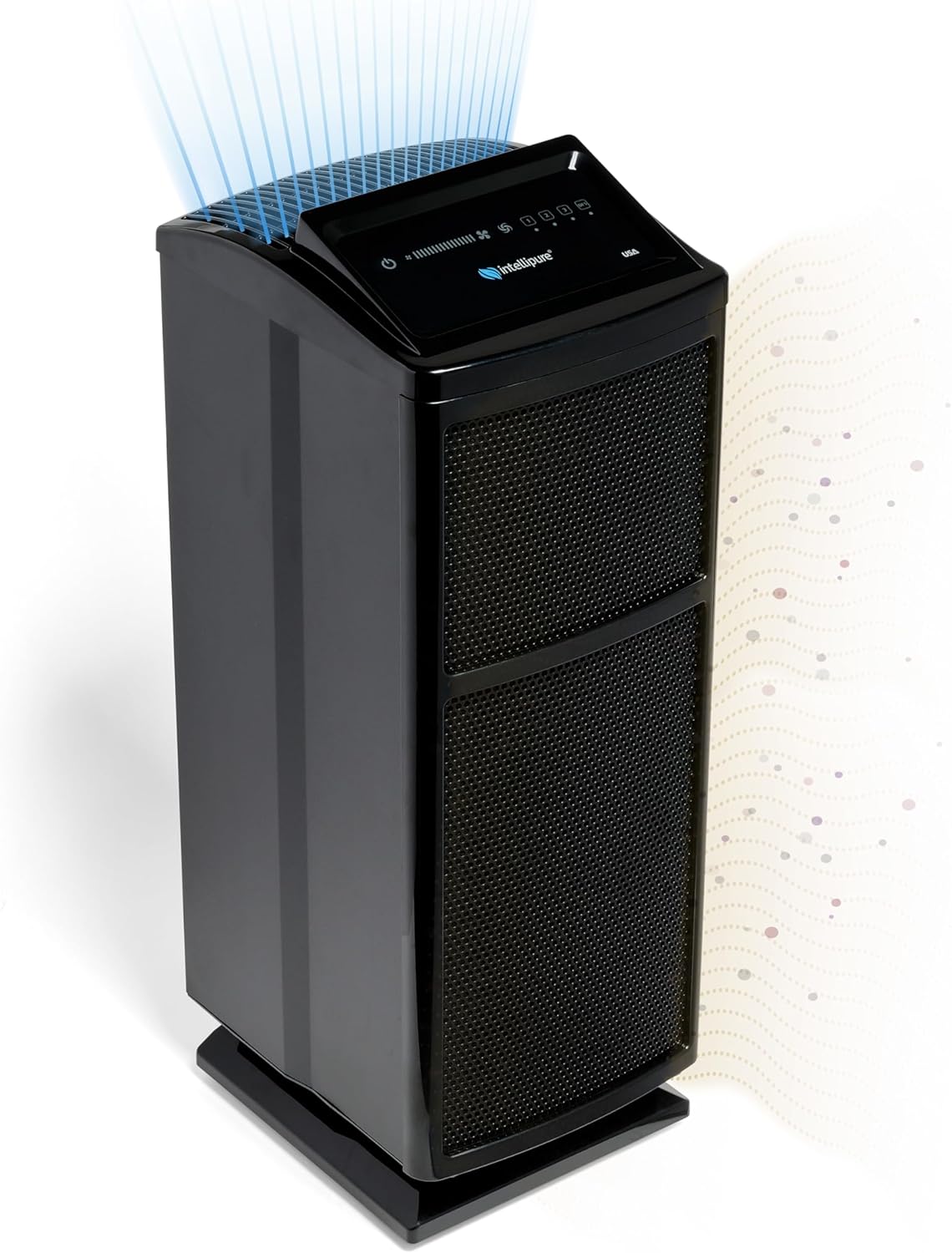
Figure 1: Intellipure Ultrafine 468 Air Purifier.

Figure 2: Product dimensions and key features like low power consumption and quiet operation.
ముఖ్య లక్షణాలు మరియు ప్రయోజనాలు
- Fresh, Clean Air: Meticulously engineered for effective air purification, targeting allergens, dust, pet dander, pollen, and wildfire smoke.
- Revolutionary DFS Technology: Utilizes a unique multi-stage filtration system with a high-energy field to enhance filtration efficiency and extend filter life.
- Coverage for Medium to Large Spaces: Powerful motor and versatile design suitable for areas up to 1200 square feet, including offices, conference rooms, and common home areas.
- అల్ట్రా-నిశ్శబ్ద ఆపరేషన్: Specifically engineered to tackle ultrafine particles, gas, and odor adsorption with minimal noise. Achieves 99.97% efficiency at 0.3 micron.
- Comprehensive Filtration: Captures viruses, bacteria, mold, pet hair, dander, dust, and absorbs gases, odors, and smoke.

Figure 3: The Intellipure Ultrafine 468 is designed to improve air quality for all household members, including pets.
DFS Technology Explained
The Disinfecting Filtration System (DFS) technology is a core component of the Intellipure Ultrafine 468. It goes beyond traditional HEPA filtration by using a high-energy field to enhance the capture and neutralization of airborne particles.
| ఫీచర్ | DFS Technology | HEPA ఫిల్టర్లు |
|---|---|---|
| వడపోత సామర్థ్యం | Captures ultrafine particles, including smaller than 0.1 microns. | Captures 99.97% of particles 0.3 microns in size. |
| ఫిల్టర్ నిర్వహణ | High-energy field reduces clogging, extending longevity. | Filters saturate more quickly, requiring frequent replacement. |
| శక్తి సామర్థ్యం | More energy efficient thanks to less need for powerful fans. | Require larger fans with higher energy consumption. |
| Microorganism Treatment | Microbistasis prevents growth of microorganisms within filters. | Does not actively kill or neutralize microorganisms. |

మూర్తి 4: వివరంగా view of the Intellipure's patented DFS technology and its multi-stagఇ వడపోత ప్రక్రియ.
Video 1: An official video explaining the DFS Technology for Cleaner Air.
Video 2: An official video highlighting how the Intellipure Ultrafine 468 Air Purifier exceeds HEPA standards.
ఏమి చేర్చబడింది
Your Intellipure Ultrafine 468 Air Purifier package includes the following components:
- Intellipure Ultrafine 468 Air Cleaning System main unit
- 1 x VOC pre-filter
- 1 x VOC post-filter
- 1 x Main filter
- పవర్ కార్డ్
- User Manual & Service Information Card

Figure 5: All components included in the Intellipure Ultrafine 468 package.
సెటప్ సూచనలు
- యూనిట్ను అన్ప్యాక్ చేయండి: Carefully remove the air purifier and all components from the packaging. Retain packaging for future storage or transport.
- యూనిట్ను ఉంచండి: Place the air purifier on a flat, stable surface in the desired room. Ensure there is adequate space around the unit for optimal airflow (at least 6-12 inches from walls or furniture). The unit features low-profile rear wheels for easy movement.
- ఫిల్టర్లను ఇన్స్టాల్ చేయండి: The filters are typically pre-installed. However, if they are individually wrapped, unwrap them before installation.
- ఎయిర్ ప్యూరిఫైయర్ ముందు కవర్ తెరవండి.
- Insert the VOC pre-filter, main filter, and VOC post-filter into their respective slots as indicated in the diagram.
- ముందు కవర్ను సురక్షితంగా మూసివేయండి.
- పవర్ కనెక్ట్ చేయండి: Plug the power cord into the unit and then into a standard electrical outlet.

మూర్తి 6: View of the air purifier with filters exposed for installation or replacement.
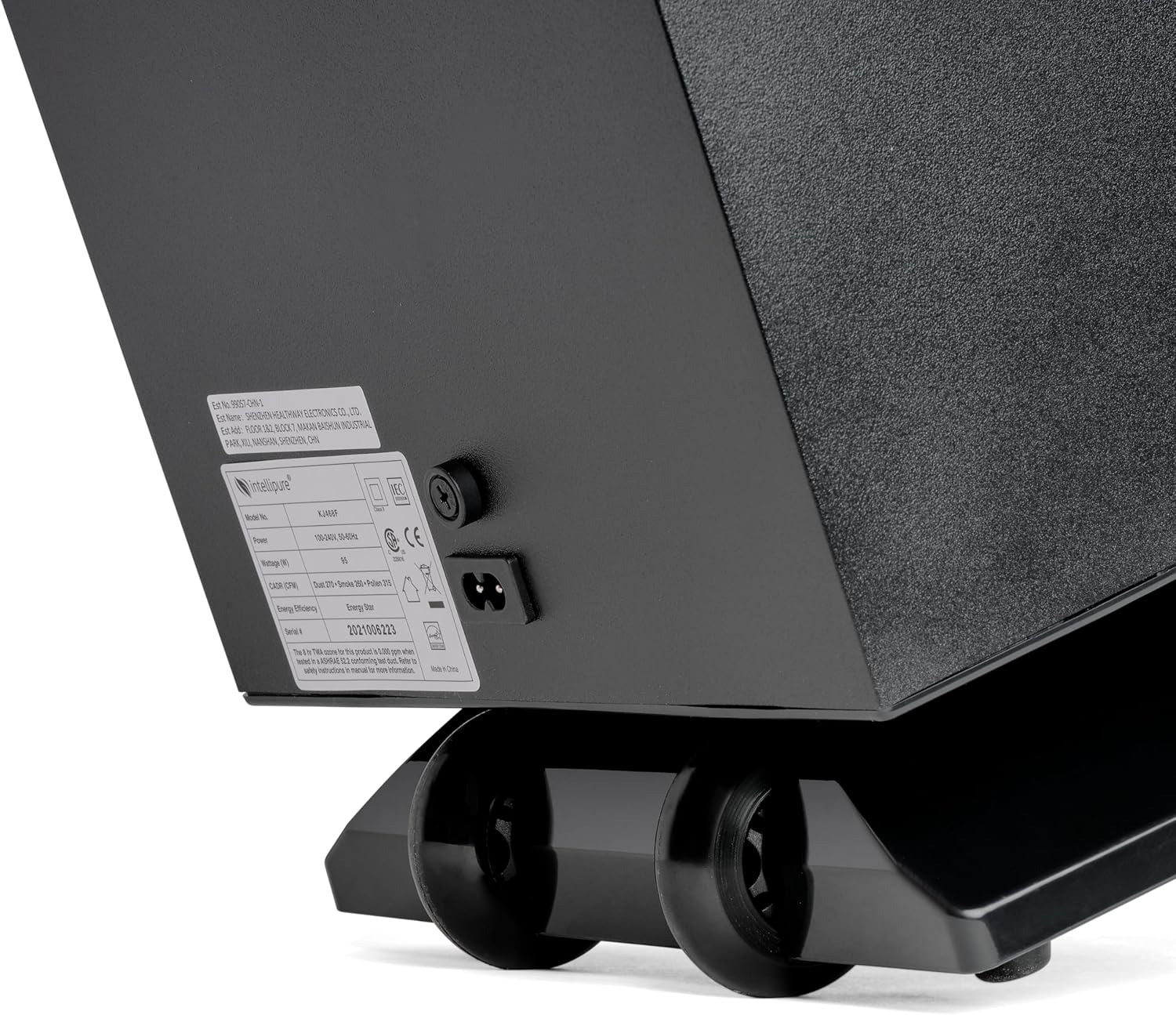
Figure 7: Power input and product label on the rear of the unit.
ఆపరేటింగ్ సూచనలు
The Intellipure Ultrafine 468 features an intuitive control panel on the top of the unit.

Figure 8: Control panel with touch-sensitive buttons for power, fan speed, and filter indicators.
- పవర్ ఆన్/ఆఫ్: నొక్కండి పవర్ బటన్ (circle with vertical line) to turn the unit on or off.
- ఫ్యాన్ వేగాన్ని సర్దుబాటు చేయండి: ఉపయోగించండి Fan Speed controls (fan icon with bars) to cycle through different fan speeds (low, medium, high, turbo). The illuminated bars indicate the current fan intensity.
- రాత్రి మోడ్: To activate night mode, press and hold the ఫ్యాన్ స్పీడ్ కంట్రోల్ button. This will lower the fan speed to its quietest setting and turn off all indicator lights for undisturbed sleep.
- ఫిల్టర్ సూచికలు: The control panel includes indicator lights (labeled 1, 2, 3, and DFS) that illuminate when it's time to replace a specific filter. Refer to the Maintenance section for details.
నిర్వహణ
Regular maintenance ensures optimal performance and longevity of your Intellipure Ultrafine 468 Air Purifier. It is recommended to replace filters every 6 months or as needed, depending on usage and air quality.
- Checking Filter Status: The filter indicator lights on the control panel will illuminate when a filter needs replacement. Each light corresponds to a specific filter type (e.g., 1 for VOC pre-filter, 2 for main filter, 3 for VOC post-filter, DFS for the DFS grid).
- ఫిల్టర్లను భర్తీ చేస్తోంది:
- ఎయిర్ ప్యూరిఫైయర్ను ఆఫ్ చేసి, అన్ప్లగ్ చేయండి.
- యూనిట్ ముందు కవర్ తెరవండి.
- Carefully remove the indicated filter(s).
- Insert the new filter(s) into the correct slots.
- ముందు కవర్ను సురక్షితంగా మూసివేయండి.
- Plug in the unit and turn it on. The filter indicator light should reset automatically. If not, consult the Troubleshooting section.
- బాహ్య క్లీనింగ్: యూనిట్ వెలుపలి భాగాన్ని మృదువైన, పొడి గుడ్డతో తుడవండి. రాపిడి క్లీనర్లు లేదా ద్రావకాలను ఉపయోగించవద్దు.
ట్రబుల్షూటింగ్
If you encounter issues with your Intellipure Ultrafine 468, refer to the following common troubleshooting steps:
| సమస్య | సాధ్యమైన కారణం | పరిష్కారం |
|---|---|---|
| యూనిట్ పవర్ ఆన్ చేయదు. | ప్లగ్ ఇన్ చేయబడలేదు; పవర్ అవుట్లెట్ సమస్య; పవర్ బటన్ నొక్కలేదు. | Ensure power cord is securely plugged into unit and outlet. Try a different outlet. Press the power button firmly. |
| తగ్గిన గాలి ప్రవాహం లేదా అసాధారణ శబ్దం. | Clogged filters; obstruction in air intake/outlet. | Check filter indicator lights and replace filters if necessary. Ensure no objects are blocking air vents. |
| ఫిల్టర్ ఇండికేటర్ లైట్ మార్చిన తర్వాత కూడా వెలుగుతూనే ఉంటుంది. | Filter not properly seated; sensor issue. | Ensure filters are correctly installed and the front cover is fully closed. If the issue persists, contact customer support. |
| Persistent odors despite operation. | VOC filters are saturated. | Replace VOC pre-filter and VOC post-filter. |
ఉత్పత్తి లక్షణాలు
- బ్రాండ్: ఇంటెలిపుర్
- మోడల్ సంఖ్య: KJ468FT_blk
- రంగు: నలుపు
- ఉత్పత్తి కొలతలు: 9"D x 12.5"W x 20"H (or 10.6 x 13.4 x 30 inches; 7.34 Pounds) - Note: Two different dimensions provided, using the more compact one first.
- ఫ్లోర్ ఏరియా కవరేజ్: 1200 చదరపు అడుగుల వరకు
- వాట్tage: 9 వాట్స్
- స్పెసిఫికేషన్ మెట్: UL Certified, CARB Certified
- మొదట అందుబాటులో ఉన్నవి: సెప్టెంబర్ 22, 2023
- తయారీదారు: ఇంటెలిపుర్
వారంటీ మరియు మద్దతు
For warranty information, technical support, or to purchase replacement filters, please visit the official Intellipure website or contact their customer service. Keep your purchase receipt and model number handy for faster service.
మీరు సందర్శించవచ్చు Intellipure Store on Amazon మరిన్ని ఉత్పత్తి వివరాలు మరియు మద్దతు వనరుల కోసం.
Ask a question about this manual
Ask about setup, troubleshooting, compatibility, parts, safety, or missing instructions. Manuals+ will review the question and use this page’s manual context to help answer it.