Onida 43FIF 108 cm (43 inches) Full HD Smart IPS LED Fire TV User Manual
Model: 43FIF
1. ఉత్పత్తి ముగిసిందిview
The Onida 43FIF is a 108 cm (43 inches) Full HD Smart IPS LED Fire TV designed to provide an integrated smart television experience. It features a vibrant IPS panel, built-in Fire TV OS, and voice control capabilities with Alexa. This manual provides essential information for setting up, operating, and maintaining your television.
చిత్రం: ముందు భాగం view of the Onida 43FIF Smart Fire TV, showcasing its display quality with a vibrant image of a chameleon.
వీడియో: ఒక సంక్షిప్త ఉత్పత్తిview of the Onida Fire TV, highlighting its key features and design.
2. సెటప్
2.1 అన్ప్యాకింగ్ మరియు ప్రారంభ తనిఖీ
Carefully remove all components from the packaging. Inspect the television and accessories for any signs of damage. Retain the packaging for future transport or service needs.
2.2 Stand Installation (Tabletop)
If using the tabletop stand, attach the stand feet to the bottom of the television using the provided screws. Ensure the stand is securely fastened before placing the TV on a stable, flat surface.
2.3 వాల్ మౌంట్ ఇన్స్టాలేషన్
For wall mounting, use the included wall mount bracket. Follow the instructions provided with the wall mount kit for proper and secure installation. Professional installation is recommended for wall mounting.
2.4 పవర్ కనెక్షన్
Connect the power cable to the TV's power input and then to a suitable electrical outlet. Ensure the power supply matches the TV's requirements.
2.5 Initial Power-On and Remote Pairing
Upon first power-on, the TV will guide you through the initial setup process. This includes language selection and remote pairing. If the remote does not pair automatically, press and hold the Home button on the remote for 15 seconds to initiate pairing.
3. ఆపరేటింగ్ సూచనలు
3.1 Fire TV OS Navigation
The Onida 43FIF operates on the Fire TV OS, providing a user-friendly interface for accessing streaming content and applications. The home screen displays recommended content, recently used apps, and various input options.
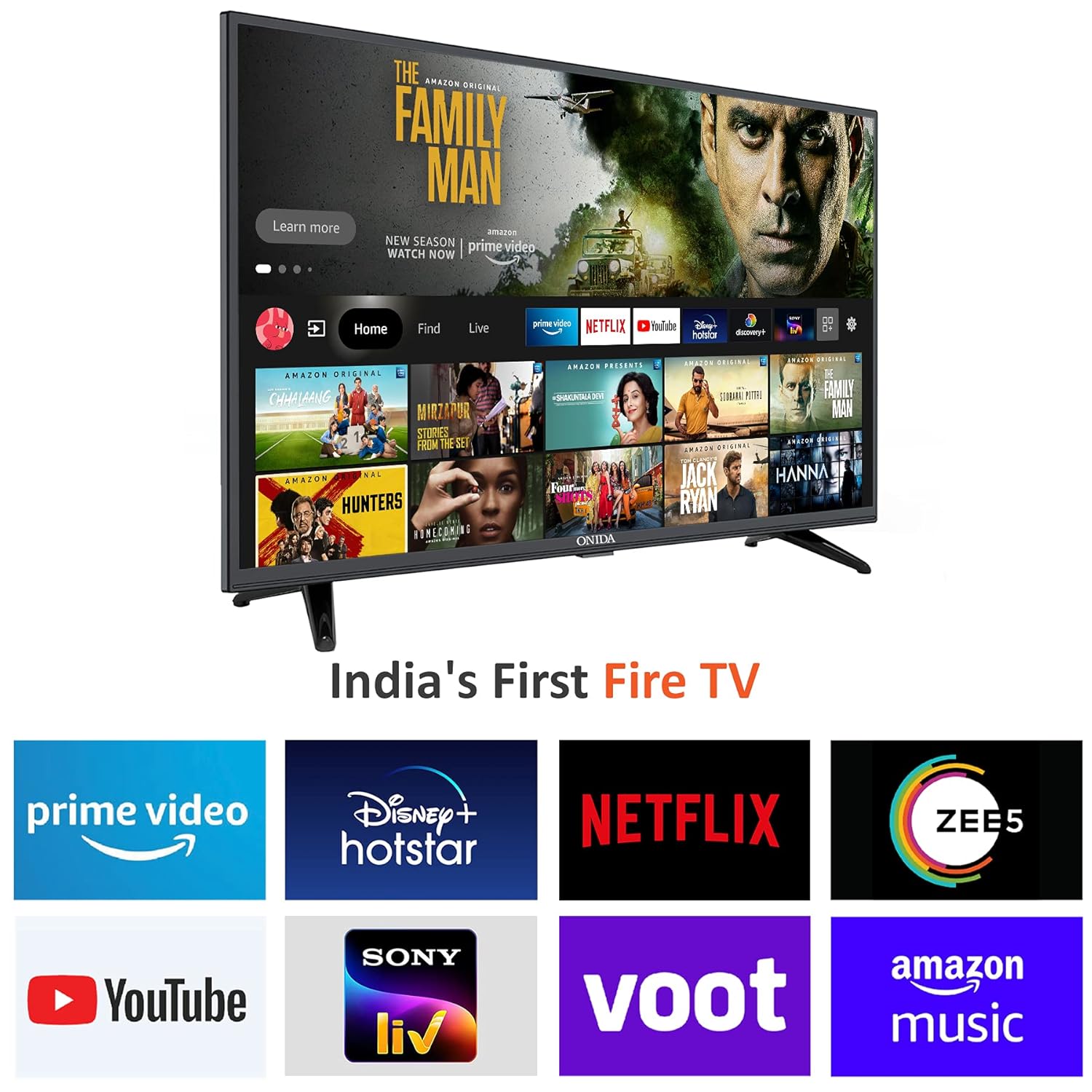
Image: The Fire TV OS home screen on the Onida TV, showing popular streaming applications like Prime Video, Netflix, and YouTube.
Image: The Fire TV OS interface on the Onida TV, highlighting features such as Live TV Tab, Voice Search with Alexa, Data Monitoring, Parental Control, Fire TV mobile app connectivity, Reminders & Timers, and Display Mirroring.
వీడియో: ఒక ఓవర్view of the Fire TV OS interface on the Onida TV, demonstrating navigation and app access.
3.2 అలెక్సాతో వాయిస్ కంట్రోల్
The included Voice Remote with Alexa allows for convenient voice commands. Press and hold the microphone button on the remote to activate Alexa and speak your command. You can use voice commands to:
Switch inputs (e.g., "Switch to HDMI 2")
కోసం వెతకండి movies or TV shows (e.g., "Find Stranger Things on Netflix")
Open applications (e.g., "Open YouTube")
Control playback (e.g., "Play", "Pause", "Rewind")
Image: The Onida Fire TV remote control, showing the microphone button for Alexa voice commands.
Video: A demonstration of the voice control features using the Alexa Voice Remote on the Onida Fire TV.
3.3 ఇన్పుట్ ఎంపిక
To switch between different input sources (HDMI, USB, Antenna, Composite), navigate to the 'Inputs' section on the Fire TV home screen or use voice commands with Alexa.
3.4 గేమింగ్ మోడ్
The TV features a dedicated Game Mode. When a gaming console is connected, activating this mode can optimize picture settings and reduce input lag for a more responsive gaming experience.
4 కనెక్టివిటీ
The Onida 43FIF offers various connectivity options:
HDMI పోర్ట్లు: 3 ports for connecting set-top boxes, Blu-ray players, or gaming consoles.
USB పోర్ట్: 1 port for connecting hard drives and other USB devices.
Wi-Fi: Dual-band Wi-Fi for internet connectivity and streaming.
బ్లూటూత్: అనుకూలమైన వైర్లెస్ ఉపకరణాలను కనెక్ట్ చేయడానికి.
Display Mirroring: For casting content from compatible devices.
5. ఆడియో లక్షణాలు
Experience clear and immersive sound with the following audio features:
అవుట్పుట్: మొత్తం ఆడియో అవుట్పుట్ 16 వాట్స్.
టెక్నాలజీస్: Supports Dolby Digital Plus and DTS TruSurround for enhanced audio quality.
స్పీకర్ రకం: Box Speakers.
6. స్పెసిఫికేషన్లు
Image: Technical drawing illustrating the physical dimensions of the Onida 43FIF TV.
ఫీచర్
వివరాలు
బ్రాండ్
ఒనిడా
మోడల్
43FIF
స్క్రీన్ పరిమాణం
108 సెం.మీ (43 అంగుళాలు)
ప్రదర్శన సాంకేతికత
IPS LED లు
రిజల్యూషన్
పూర్తి HD (1920x1080)
రిఫ్రెష్ రేట్
60 Hz
ఆపరేటింగ్ సిస్టమ్
FireOS
RAM మెమరీ
1 GB
నిల్వ సామర్థ్యం
8 GB
HDMI పోర్ట్లు
3
USB పోర్ట్లు
1
కనెక్టివిటీ
HDMI, USB, Wi-Fi (Dual-band), Bluetooth
ఆడియో అవుట్పుట్
16 వాట్స్
ఆడియో టెక్నాలజీ
Dolby Digital Plus, DTS TruSurround
Viewing యాంగిల్
178 డిగ్రీలు
ఉత్పత్తి కొలతలు (LxWxH)
97.3 x 23.8 x 62 సెం.మీ
వస్తువు బరువు
8.2 కిలోలు
శక్తి మూలం
AC
రిమోట్ కంట్రోల్
Voice Remote with Alexa (IR, Bluetooth)
మౌంటు రకం
వాల్ మౌంట్ & టేబుల్ మౌంట్
7. పెట్టెలో ఏముంది
The following items are included with your Onida 43FIF Fire TV:
1 LED TV
1 టేబుల్ టాప్ స్టాండ్
1 వాల్ మౌంట్ బ్రాకెట్
1 వినియోగదారు మాన్యువల్
1 వారంటీ కార్డ్
1 రిమోట్ కంట్రోల్
2 AAA బ్యాటరీలు
1 పవర్ కేబుల్
8. నిర్వహణ
8.1 స్క్రీన్ను శుభ్రపరచడం
స్క్రీన్ను శుభ్రం చేయడానికి, మృదువైన, మెత్తటి బట్టతో సున్నితంగా తుడవండి. మొండి మరకల కోసం, కొద్దిగా dampనీటితో లేదా ఎలక్ట్రానిక్స్ కోసం ప్రత్యేకంగా రూపొందించిన స్క్రీన్-క్లీనింగ్ సొల్యూషన్తో వస్త్రాన్ని శుభ్రం చేయండి. కఠినమైన రసాయనాలు లేదా రాపిడి పదార్థాలను ఉపయోగించకుండా ఉండండి.
8.2 టీవీ బాడీని శుభ్రపరచడం
Wipe the TV's body and stand with a soft, dry cloth. Do not use liquid cleaners directly on the TV.
8.3 సాఫ్ట్వేర్ నవీకరణలు
Ensure your TV is connected to the internet to receive automatic software updates. These updates provide new features, performance improvements, and security enhancements. You can check for updates manually in the TV's settings menu.
9. ట్రబుల్షూటింగ్
9.1 No Signal Detected
If you see a "No Signal Detected" message, verify that the connected device (e.g., set-top box, gaming console) is powered on and properly connected to the correct HDMI port. Use the remote to cycle through input sources or use the voice command "Switch to HDMI [number]" to select the correct input.
9.2 రిమోట్ స్పందించడం లేదు
Check the batteries in the remote control and replace them if necessary. If the remote is still unresponsive, try re-pairing it by pressing and holding the Home button for 15 seconds.
9.3 నెమ్మది పనితీరు లేదా యాప్ క్రాష్లు
If the TV's interface feels slow or apps crash, try restarting the TV by unplugging it from the power outlet for a few minutes and then plugging it back in. Ensure your internet connection is stable and sufficient for streaming. Clearing app caches or reinstalling problematic apps may also help.
9.4 Picture or Sound Issues
For picture or sound quality issues, check the source device and its connections. Adjust the TV's picture and sound settings in the menu. If using external audio equipment, ensure it is correctly connected and configured.
10. వారంటీ మరియు మద్దతు
The Onida 43FIF Fire TV comes with a 1-year warranty from the date of purchase. For any product defects, damage, or features not matching the description, the product is eligible for replacement within 10 days of delivery.
For installation, wall mounting, or demo requests, please contact Onida support directly:
When contacting support, please provide the product's model name (43FIF) and seller's details from your invoice.
Ask a question about this manual
Ask about setup, troubleshooting, compatibility, parts, safety, or missing instructions. Manuals+ will review the question and use this page’s manual context to help answer it.