
పరిచయం
Thank you for choosing the NUARL N6 Pro True Wireless Stereo Earphones. These earphones are designed to deliver high-quality audio with advanced features for an exceptional listening experience. The N6 Pro features the unique NUARL DRIVER [N6] v5 with an SWCNT composite vibrating plate, combined with HDSS technology for clear sound and a wide soundstage. Equipped with Qualcomm's Bluetooth SoC QCC3020, they offer stable connectivity and support Qualcomm aptX audio for superior sound quality with compatible devices. Enjoy up to 11 hours of continuous playback, extended to 55 hours with the included USB Type-C charging case. The earphones are also IPX4 water-resistant, making them suitable for various activities.
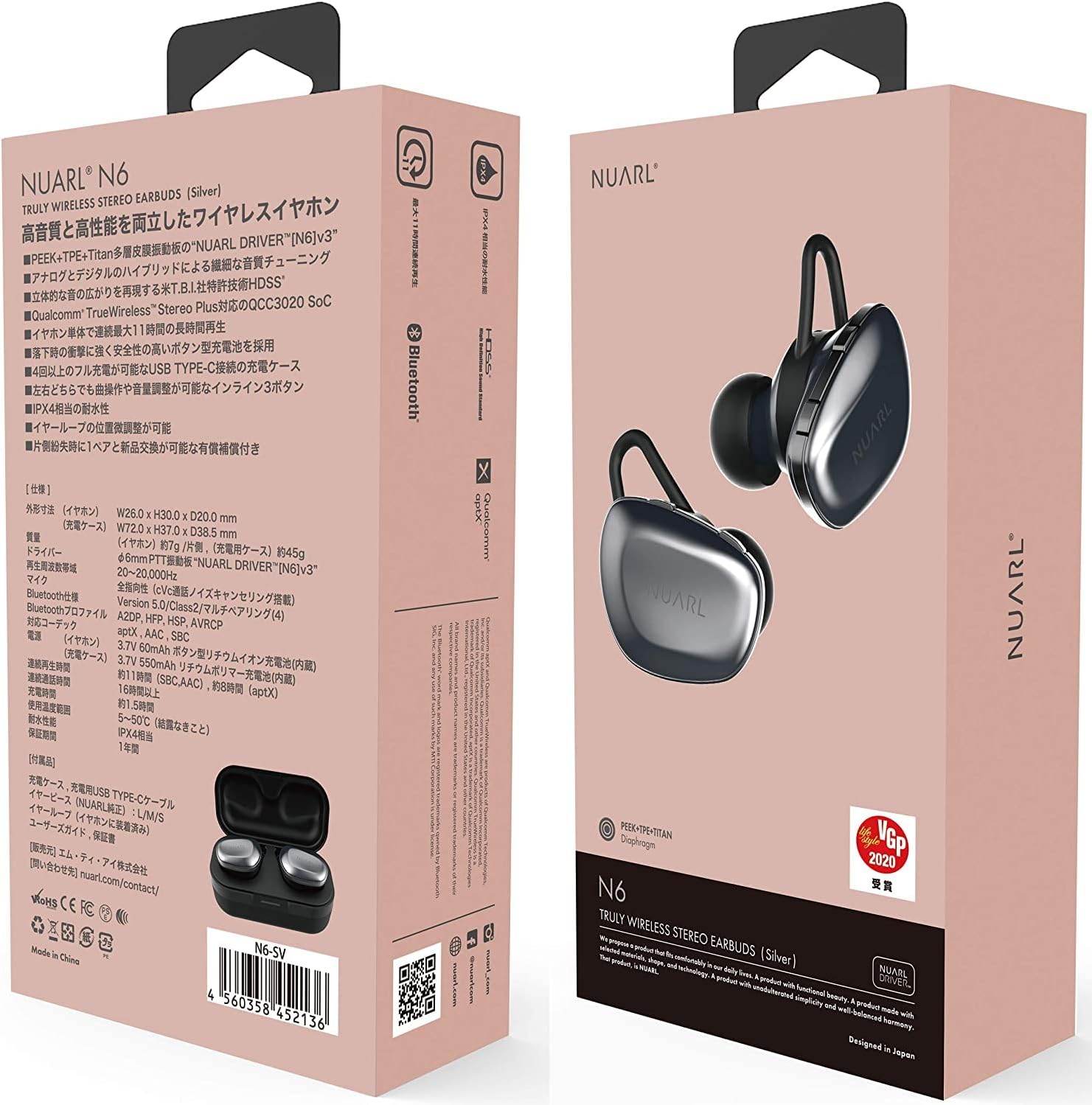
Image: NUARL N6 Pro Earphones packaging.
1. సెటప్
1.1 ప్యాకేజీ విషయాలు
- NUARL N6 Pro True Wireless Earphones (Left and Right)
- ఛార్జింగ్ కేసు
- USB టైప్-సి ఛార్జింగ్ కేబుల్
- SpinFit CP360 Eartips (S/M/L sizes)
- వినియోగదారు మాన్యువల్ (ఈ పత్రం)
1.2 ఇయర్ఫోన్లు మరియు కేస్ను ఛార్జ్ చేయడం
మొదటిసారి ఉపయోగించే ముందు, ఇయర్ఫోన్లు మరియు ఛార్జింగ్ కేసును పూర్తిగా ఛార్జ్ చేయండి.
- Place the earphones into their respective slots in the charging case. The magnetic contacts will secure them in place.
- Connect the USB Type-C charging cable to the charging port on the case and to a USB power source.
- The front LED on the charging case will indicate the charging status. Once fully charged, the LED indicator will change or turn off depending on the model.

Image: NUARL N6 Pro Earphones inside the charging case.
The charging case can fully recharge the earphones approximately 4 times, providing up to 55 hours of total music playback.
1.3 ప్రారంభ బ్లూటూత్ జత చేయడం
To pair your NUARL N6 Pro earphones with your device:
- ఇయర్ఫోన్లు ఛార్జ్ చేయబడి, ఛార్జింగ్ కేసులో ఉంచబడ్డాయని నిర్ధారించుకోండి.
- Open the lid of the charging case. The earphones will automatically power on and enter pairing mode.
- మీ స్మార్ట్ఫోన్ లేదా బ్లూటూత్-ప్రారంభించబడిన పరికరంలో, బ్లూటూత్ సెట్టింగ్లకు వెళ్లి బ్లూటూత్ను ప్రారంభించండి.
- కోసం వెతకండి available devices and select "NUARL N6 Pro" from the list.
- Once connected, you will hear an audible confirmation, and the LED indicator on the earphones may change.
For subsequent use, the earphones will automatically reconnect to the last paired device when removed from the case.
2. ఇయర్ఫోన్లను ఆపరేట్ చేయడం
2.1 ఇయర్ఫోన్లు ధరించడం
For optimal sound quality and comfort, ensure the earphones are properly seated in your ears. The N6 Pro features an asymmetric design to help distinguish the left and right earphones.
- ఎడమ (L) మరియు కుడి (R) ఇయర్ఫోన్లను గుర్తించండి.
- Gently insert each earphone into your ear canal and twist slightly to secure a snug fit.
- Experiment with the included SpinFit CP360 eartips to find the size that provides the best seal and comfort for your ears.

Image: Proper handling of an earphone before wearing.
2.2 ఇయర్ఫోన్ నియంత్రణలు
The N6 Pro earphones feature three physical buttons on each earbud for easy control of music playback and calls. Both sides have the same functions.
- ప్లే/పాజ్: Single press the main button.
- తదుపరి ట్రాక్: Double press the main button.
- మునుపటి ట్రాక్: Triple press the main button.
- వాల్యూమ్ అప్/డౌన్: ప్రత్యేక వాల్యూమ్ బటన్లను ఉపయోగించండి.
- సమాధానం/ముగింపు కాల్: Single press the main button during an incoming call or active call.
- కాల్ని తిరస్కరించండి: Press and hold the main button during an incoming call.
- వాయిస్ అసిస్టెంట్ను సక్రియం చేయండి: Press and hold a specific button (refer to quick start guide for exact button).
2.3 Automatic Reconnection and Sleep Mode
The earphones are designed for convenience:
- ఆటోమేటిక్ రీకనెక్షన్: When the earphones are placed in the charging case and the lid is opened, they will automatically power on and attempt to reconnect to the last paired device.
- స్లీప్ మోడ్: When the earphones are placed in the charging case and fully recharged, they will automatically enter sleep mode to conserve the charging case's battery.
3. నిర్వహణ
3.1 శుభ్రపరచడం
క్రమం తప్పకుండా శుభ్రపరచడం ధ్వని నాణ్యత మరియు పరిశుభ్రతను కాపాడుకోవడానికి సహాయపడుతుంది:
- ఇయర్ఫోన్లు మరియు ఛార్జింగ్ కేసును మృదువైన, పొడి, మెత్తటి రహిత వస్త్రంతో తుడవండి.
- చెవుల చివరలను తీసివేసి, తేలికపాటి సబ్బు మరియు నీటితో శుభ్రం చేసి, తిరిగి అతికించే ముందు పూర్తిగా ఆరబెట్టండి.
- Gently clean any debris from the earphone nozzles using a small, soft brush or cotton swab.
3.2 చెవి చిట్కాలను మార్చడం
The NUARL N6 Pro comes with SpinFit CP360 eartips in multiple sizes (S/M/L). These eartips are made from medical-grade silicone for comfort and hygiene. Replace them if they become worn or if you prefer a different size for a better fit.
- Gently pull off the existing ear tip from the earphone nozzle.
- Select a new ear tip of the desired size.
- Carefully push the new ear tip onto the earphone nozzle until it is securely attached.

Image: Earphone with a silicone ear tip.
4. ట్రబుల్షూటింగ్
If you encounter issues with your NUARL N6 Pro earphones, try the following solutions:
- ధ్వని లేదు:
- Ensure earphones are charged and connected to your device.
- ఇయర్ఫోన్లు మరియు మీ కనెక్ట్ చేయబడిన పరికరం రెండింటిలోనూ వాల్యూమ్ స్థాయిలను తనిఖీ చేయండి.
- మీ పరికరాన్ని పునఃప్రారంభించి, ఇయర్ఫోన్లను తిరిగి జత చేయడానికి ప్రయత్నించండి.
- జత చేయడంలో వైఫల్యం:
- మీ పరికరంలో బ్లూటూత్ ప్రారంభించబడిందని మరియు ఇయర్ఫోన్లు జత చేసే మోడ్లో ఉన్నాయని నిర్ధారించుకోండి.
- Ensure the earphones are not connected to another device. Turn off Bluetooth on other nearby devices.
- Try resetting the earphones (refer to the quick start guide for specific reset instructions if available).
- Intermittent Connection/Sound Dropouts:
- జోక్యాన్ని తగ్గించడానికి మీ కనెక్ట్ చేయబడిన పరికరానికి దగ్గరగా వెళ్లండి.
- ఇయర్ఫోన్లు మరియు మీ పరికరం మధ్య భౌతిక అడ్డంకులను నివారించండి.
- Ensure no other strong wireless signals are interfering.
- ఛార్జింగ్ సమస్యలు:
- ఛార్జింగ్ కేబుల్ కేస్ మరియు పవర్ సోర్స్ రెండింటికీ సురక్షితంగా కనెక్ట్ చేయబడిందని ధృవీకరించండి.
- Check if the charging contacts on the earphones and inside the case are clean and free of debris.
- వేరే USB కేబుల్ లేదా పవర్ అడాప్టర్ని ప్రయత్నించండి.
5. స్పెసిఫికేషన్లు
| ఫీచర్ | వివరాలు |
|---|---|
| బ్రాండ్ | NUARL |
| మోడల్ సంఖ్య | N6PRO-MB |
| చెవి ప్లేస్మెంట్ | చెవిలో |
| నాయిస్ కంట్రోల్ | యాక్టివ్ నాయిస్ రద్దు |
| కనెక్టివిటీ టెక్నాలజీ | వైర్లెస్ (బ్లూటూత్) |
| బ్లూటూత్ వెర్షన్ | 5 |
| ఆడియో డ్రైవర్ రకం | Dynamic Driver (NUARL DRIVER [N6] v5) |
| మద్దతు ఉన్న కోడెక్లు | aptX |
| ప్లేబ్యాక్ సమయం | Up to 11 hours (8 hours with aptX audio) |
| మొత్తం ప్లేబ్యాక్ సమయం (కేస్తో సహా) | 55 గంటల వరకు |
| ఛార్జింగ్ పోర్ట్ | USB టైప్-C |
| నీటి నిరోధక స్థాయి | IPX4 |
| వస్తువు బరువు | 7 Grams (per earphone) |
| ప్రత్యేక లక్షణాలు | HDSS, TrueWireless Stereo Plus, Button-type battery, SpinFit CP360 eartips |
6. వారంటీ సమాచారం
NUARL products are manufactured to the highest quality standards. This product is covered by a limited warranty against defects in materials and workmanship. Please refer to the warranty card included in your package or visit the official NUARL webవివరణాత్మక వారంటీ నిబంధనలు మరియు షరతుల కోసం సైట్.
7. కస్టమర్ మద్దతు
For further assistance, technical support, or inquiries regarding your NUARL N6 Pro earphones, please contact NUARL customer service. Contact information can typically be found on the official NUARL webసైట్ లేదా ఉత్పత్తి ప్యాకేజింగ్లో.
అధికారిక Webసైట్: nuarl.com